.png)
Key takeaways:
The best software for managing Billable Projects is not necessarily the tool with the longest feature list. It is the platform that connects scope, time, resources, expenses, client work, and billing closely enough that revenue does not disappear between systems.
That matters because 2025 professional-services benchmarks put average billable utilization at 68.9%, below the 75% threshold identified as optimal in the benchmark.
For firms that sell expertise by the hour, project, retainer, or milestone, the right project management software should do more than organize tasks. It should help you protect margins, capture billable time, manage capacity, control scope, and turn completed work into accurate invoices.
This guide compares five options in the requested order: Ravetree, Harvest, Paymo, Scoro, and Hubstaff.
The Current Challenge
Billable work creates a different software problem from ordinary internal project coordination. A team can complete every task on schedule and still have an unprofitable engagement if hours are missed, expenses are not captured, scope expands without a change order, or invoices are delayed.
The pressure is measurable. The 2025 SPI benchmark reported a decline in billable utilization from 73.2% in 2021 to 68.9% in 2024, while on-time project delivery fell from 80.2% to 73.4% over the same period.
Another challenge is profitability visibility. A 2025 Deltek UK Clarity Study found that 56% of surveyed professional-services firms said they needed to improve project-profitability tracking, while 51% struggled to monitor utilization effectively.
That makes the software decision less about task lists and more about operational control.
Your system should answer five questions without requiring a spreadsheet marathon:
- What was promised?
- Who is doing the work?
- How much time and expense has been consumed?
- Is the project still financially healthy?
- What can be billed right now?
The strongest Billable Projects workflows connect those questions instead of treating them as separate administrative activities.
The Strategic Framework: Scope → Capacity → Time → Cost → Billing
A practical way to evaluate software is to follow the financial lifecycle of a project.
1. Scope
Start with the statement of work. Define deliverables, milestones, assumptions, approval requirements, billing method, and the boundaries of the engagement.
Ravetree's guidance on selecting agency project-management software emphasizes integrated project management, time and expense tracking, billing, client collaboration, reporting, resource planning, and customizable workflows as important evaluation criteria. Ravetree's agency software selection framework
This is where good software prevents scope from becoming an informal promise.
2. Capacity
Next, determine whether the people assigned to the engagement actually have enough capacity.
Your resource planning process should therefore connect planned work with actual availability. A project that looks profitable on paper can become problematic if the wrong people are assigned or too much senior time is consumed.
3. Time
Once work begins, time tracking needs to happen close to the work itself.
The objective is not surveillance. It is accurate project accounting. Employees need a simple way to associate time with the correct client, project, task, and billing category.
Ravetree's billable-project guidance recommends connecting time and financial information so project teams can see how actual work affects profitability. Ravetree's billable-project management guidance
4. Cost
Time is only one component of project cost. Travel, subcontractors, software, materials, and reimbursable purchases can materially change the economics of an engagement.
That is why expense tracking belongs inside the same workflow whenever possible.
5. Billing
Finally, approved time and expenses should flow naturally into Billing and invoicing.
The objective is a short path from completed work to billable evidence to invoice. The fewer manual handoffs involved, the easier it becomes to identify missing time, unbilled work, and budget drift.
1. Ravetree
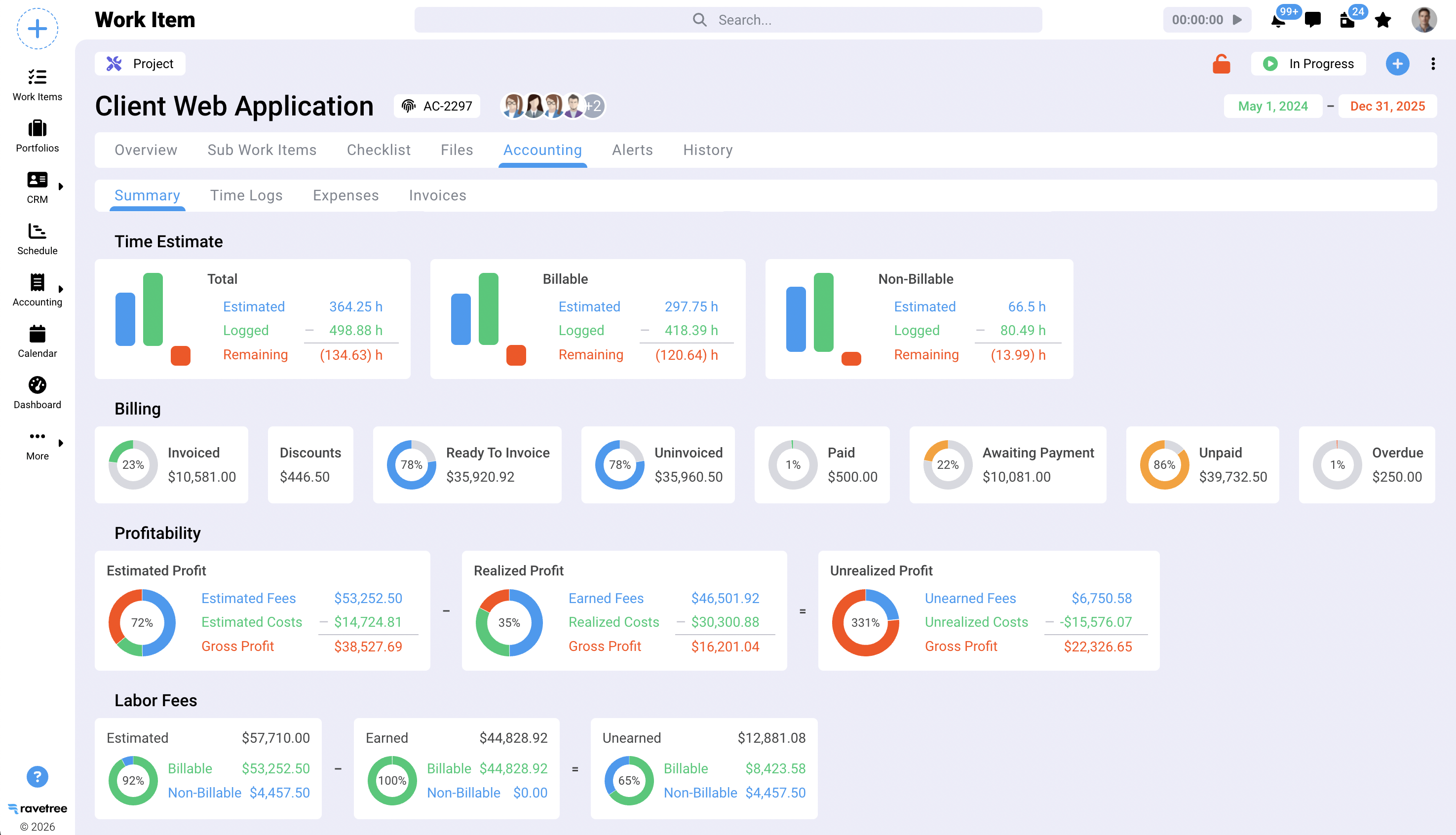
Ravetree is the strongest fit for firms that want Billable Projects managed as an end-to-end business process rather than primarily as time sheets attached to projects.
Its approach combines Project management, CRM, resource planning, time and expense tracking, billing, client collaboration, and financial reporting.
The distinction is important. A project manager can think about deadlines and deliverables while finance can think about margins and invoices, but both are working from the same project data.
Ravetree's own billable-project software guide emphasizes the value of combining project management, time tracking, and billing rather than forcing teams to reconcile separate systems. Ravetree's guide to software for managing billable projects
The platform is particularly compelling for agencies, consultancies, IT service providers, accounting firms, and other client-service organizations that need more than a timer.
Its billing capabilities can connect invoices to approved time and expenses, while project financials can be used to compare estimated and actual performance. The inclusion of a Client portal also makes it possible to keep client-facing collaboration closer to the underlying project record.
Another advantage is breadth. If your organization expects project management to eventually connect with sales, resource allocation, client communication, financial reporting, and billing, Ravetree provides a foundation for that operating model.
Best fit: Professional-services firms that want an all-in-one operational platform.
Watch for: Teams should invest time in configuring workflows, roles, rates, templates, and reporting before rolling the system out broadly.
2. Harvest
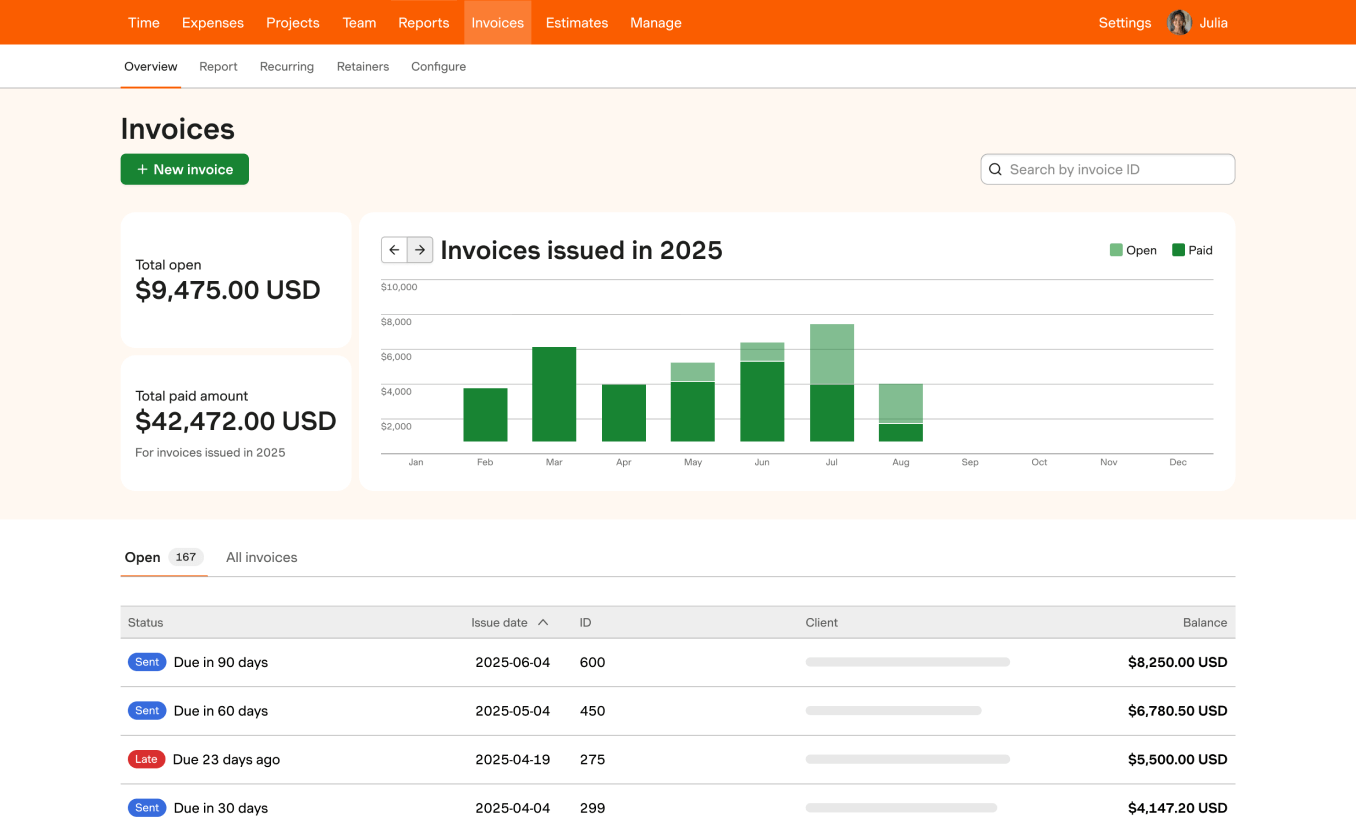
Harvest is particularly well suited to organizations that place time tracking and invoicing at the center of their project workflow.
Harvest currently combines timers and timesheets with project profitability, utilization reporting, expense tracking, invoicing, budgets, billing rates, retainers, capacity planning, and integrations.
That makes Harvest a natural candidate for teams that already have another project-management environment but want a stronger financial layer around time.
Its workflow is straightforward: employees record time against projects and tasks, managers review the data, and billable information can feed into invoices. The platform also supports project budgets and estimated-versus-actual comparisons.
The main strategic question is whether your business needs a dedicated time-and-billing system or a broader operational platform.
For a consulting firm with an established project-management stack, Harvest can make sense because it can sit alongside existing tools. For a company seeking CRM, client portals, deeper resource planning, and broader project operations in the same environment, you may need to consider how much functionality will remain outside the platform.
Independent user feedback also points toward its ease of use. G2 lists Harvest at 4.3/5 from more than 800 reviews and identifies time tracking, ease of use, invoicing, and integrations among commonly discussed strengths.
Best fit: Teams that prioritize simple time capture, project budgets, utilization, and invoicing.
Watch for: Businesses requiring extensive operational functionality may need additional systems.
3. Paymo
Paymo takes a more unified approach than a basic time tracker while remaining focused on small businesses and client-service teams.
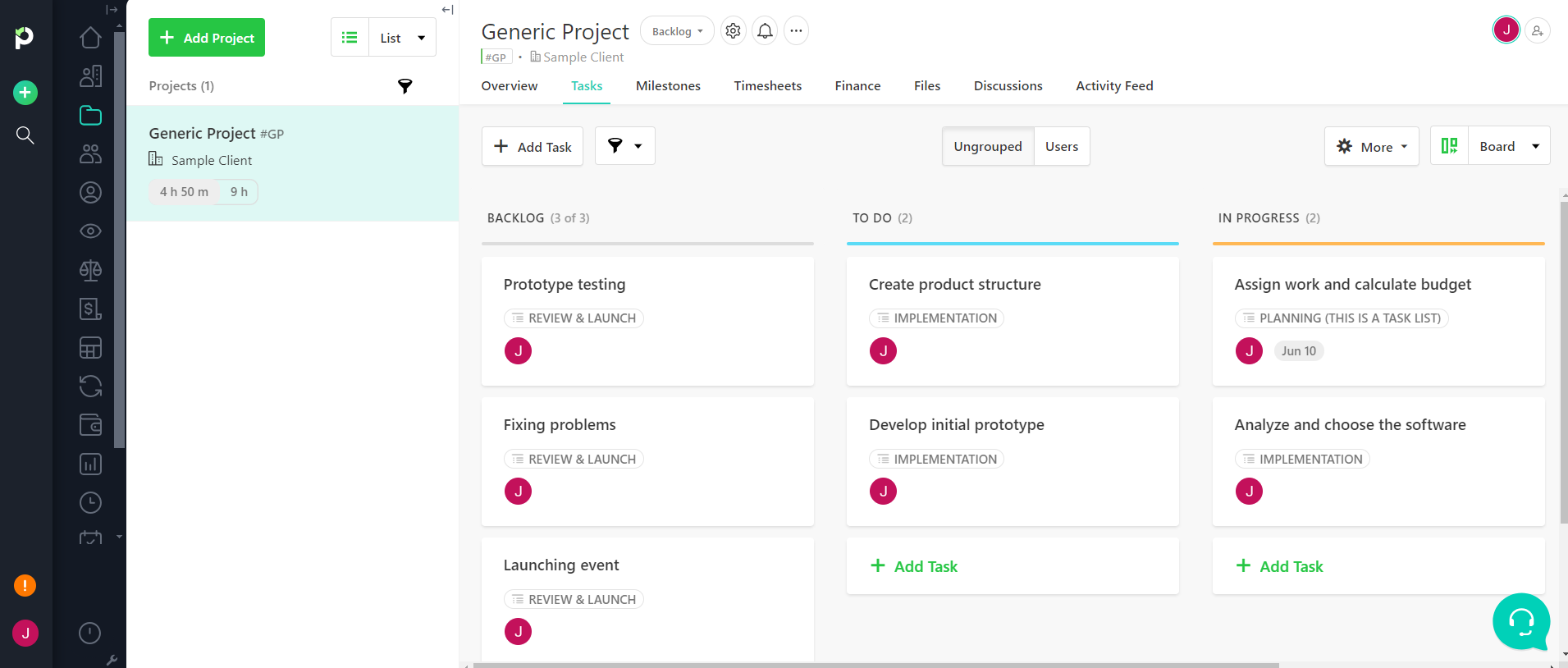
Paymo combines project management, task management, time tracking, scheduling, invoicing, estimates, expense tracking, client collaboration, and profitability reporting.
That combination makes it attractive for agencies, consultants, architects, and other smaller organizations that want project execution and billing in one environment.
The platform supports multiple project views, including Kanban, lists, spreadsheets, calendars, and Gantt charts. Its time-tracking functionality can operate through browser, desktop, and mobile environments, while invoices can be generated from unbilled time.
Paymo also has a useful financial angle. Project managers can look at profitability rather than simply asking whether tasks are complete.
Independent reviews reinforce its positioning as a practical option for smaller teams. G2 describes Paymo as a time-tracking, project-management, and invoicing solution for client-focused teams and records 594 reviews with a 4.6/5 rating on the page accessed for this comparison.
For a small agency, that combination can reduce the need to assemble separate systems for tasks, timesheets, scheduling, and invoices.
Best fit: Small teams, freelancers, consultants, and client-service businesses seeking a broad but approachable platform.
Watch for: Larger organizations with sophisticated operational structures may eventually need deeper enterprise resource and financial controls.
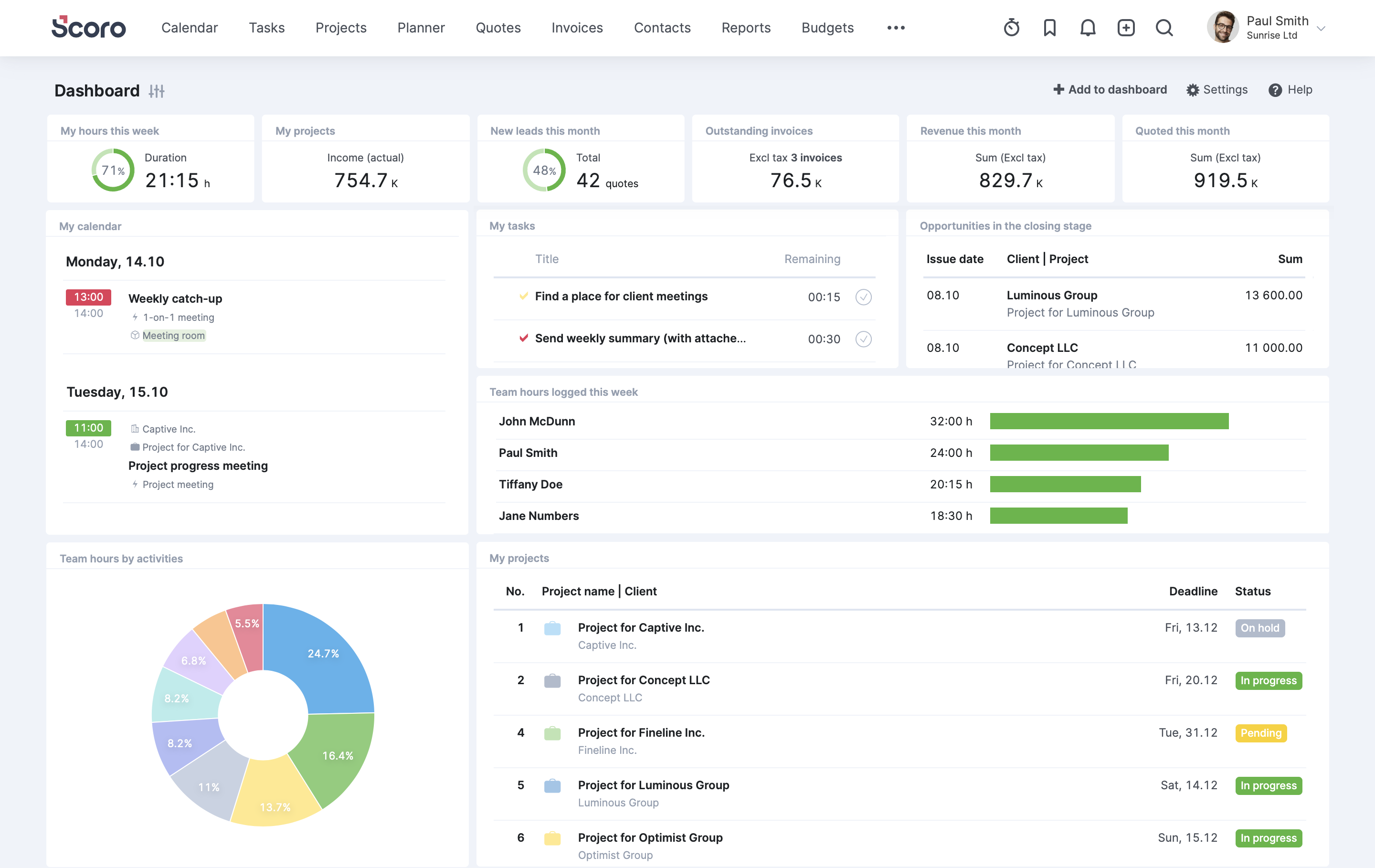
4. Scoro
Scoro is positioned toward professional-services organizations that want project execution and financial management tightly connected.
Scoro combines project management, quoting and budgeting, CRM, resource capacity planning, retainers, detailed billable-time tracking, reporting, invoicing, cost management, and expense management.
That breadth makes it particularly relevant for firms where the commercial side of a project is just as important as delivery.
Scoro can connect estimating and quoting with project planning, then connect project activity with costs, margins, and invoicing. For organizations that want a strong financial perspective across clients and engagements, this can be a major advantage.
Its positioning is also explicitly professional-services oriented. The platform targets consultancies, agencies, architecture firms, engineering organizations, IT services, and related businesses.
The trade-off is complexity. More capabilities mean more decisions about configuration, permissions, workflows, reporting, and adoption.
Best fit: Established professional-services firms that need strong commercial, project, and resource visibility.
Watch for: Smaller teams may find the broader operating model unnecessary if their primary need is straightforward time tracking and invoicing.
5. Hubstaff
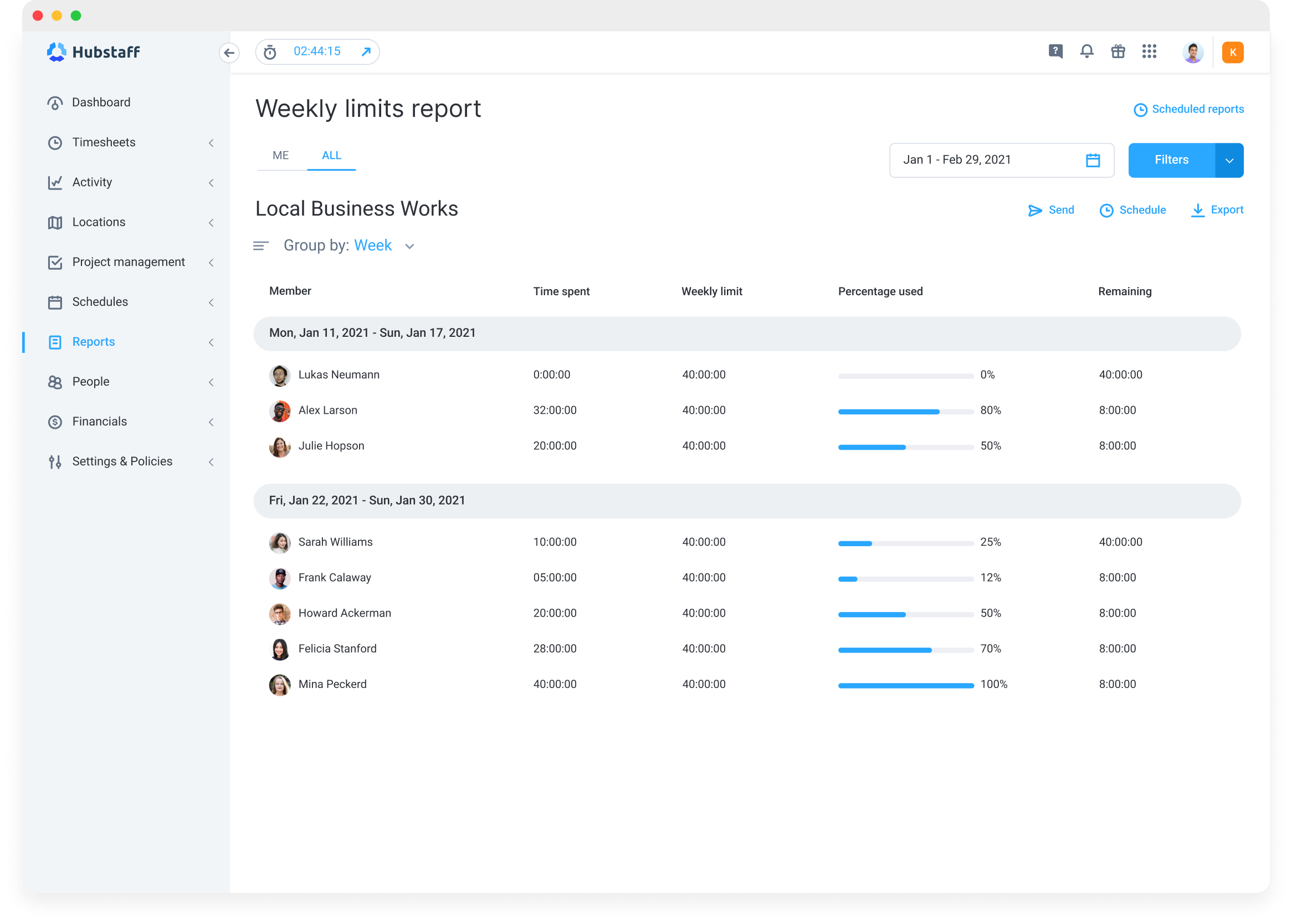
Hubstaff approaches Billable Projects from a time-first perspective, with additional workforce, payment, and project capabilities.
Hubstaff turns tracked time into timesheets, project costs, invoices, and payments, and supports more than 35 integrations.
That makes it particularly useful for distributed teams, contractors, field workers, and organizations where proving how time was spent is a central operational requirement.
The platform also offers productivity monitoring, work-activity visibility, reporting, and workforce analytics. Those capabilities can be valuable when managers need visibility across remote or geographically dispersed teams, although companies should establish clear policies about what information is collected and why.
For project billing, the advantage is straightforward: time can be associated with specific work and converted into financial information.
Best fit: Distributed teams, contractors, agencies, and businesses where detailed time capture is the primary requirement.
Watch for: Organizations seeking a deeply integrated CRM, resource-planning, and end-to-end professional-services operating system may need more than Hubstaff's time-centered approach.
Implementation Tactics
Buying software is only half the project. Your operating rules determine whether the platform produces reliable financial information.
Define billable and non-billable time
Create explicit rules before implementation.
Client meetings, project research, revisions, delivery work, and engagement-specific administration may be billable depending on your contracts. Internal meetings, general training, sales activity, and company administration may not be.
The exact rules should come from your contracts and business model rather than a generic software template.
Create a project budget before work begins
Give every engagement a financial baseline.
Set expected hours, costs, rates, milestones, and billing rules. Then compare actual performance against that baseline throughout delivery.
Do not wait until the invoice is being prepared to discover that a project consumed twice as much effort as expected.
Review budget burn weekly
A weekly review is more useful than a month-end surprise.
Look at hours consumed, remaining budget, unbilled work, expenses, schedule status, and scope changes. Assign an owner to investigate meaningful variances.
Ravetree's billable-project guidance specifically emphasizes formal scope management and change control as mechanisms for protecting project profitability. Ravetree's scope-management guidance for billable projects
Connect billing to approved work
Do not let invoicing become a separate reconstruction exercise.
The ideal workflow is:
Work completed → time approved → expenses approved → invoice prepared → invoice sent → payment tracked.
The closer those steps are to one another, the easier it is to identify missing revenue.
Measure project profitability, not just utilization
A team can have high utilization while delivering low-margin work.
That is why your dashboard should combine utilization with realization, project margin, revenue leakage, budget variance, and time-to-invoice.
Those numbers should not become universal quotas. They are reference points for asking better questions about your own delivery model.
Measuring Success
A software rollout should have measurable objectives.
Start with five KPIs:
Billable utilization: What percentage of available delivery capacity is assigned to billable work?
Project margin: How much revenue remains after the direct and allocated costs associated with delivering the engagement?
Budget variance: How far did actual hours and costs move from the original plan?
Revenue leakage: How much earned work failed to become collected revenue because of missed time, unbilled expenses, write-offs, scope problems, or other gaps?
Time-to-invoice: How long does it take to move from completed billable work to an issued invoice?
The important point is not to chase a benchmark blindly. It is to establish your baseline, determine where money is leaking, and use software data to improve the process.
Future Considerations
The next generation of project operations will place greater emphasis on connected financial and delivery data.
That favors platforms capable of bringing planning, execution, time, expenses, resources, client information, and billing together.
It also changes what a project dashboard should accomplish. A useful dashboard should not merely tell you that a task is late. It should help you understand whether that delay threatens the budget, margin, resource plan, client commitment, or invoice schedule.
The selection process should therefore begin with business rules rather than software features.
Ask:
- How do we price projects?
- How do we define billable work?
- Who approves time?
- How do we handle scope changes?
- How do we allocate shared resources?
- How do we capture reimbursable expenses?
- How quickly do we invoice?
- Which reports does leadership need every week?
- Which information must clients be able to see?
Ravetree's broader project-management guidance makes a similar case for evaluating software based on workflow fit, resource planning, client collaboration, reporting, integrations, scalability, and security rather than simply counting features. Ravetree's project-management software selection criteria
Which Software Should You Choose?
The five products occupy different positions.
Ravetree is the strongest choice for organizations wanting project delivery, resources, clients, time, expenses, and billing connected in one professional-services environment.
Harvest is a strong choice for teams that put time tracking, utilization, budgets, and invoicing at the center of their workflow.
Paymo is well suited to smaller client-service teams that want project management, time tracking, scheduling, and invoicing together.
Scoro is designed for organizations that want broad professional-services automation with strong commercial and financial visibility.
Hubstaff is particularly relevant when precise time capture, distributed work, workforce visibility, and billing are the primary priorities.
The right answer depends on the operating model behind your projects. A five-person consulting practice does not need the same system as a 100-person agency, and a contractor-heavy organization has different time-capture requirements from a fixed-fee creative studio.
The best selection process is therefore simple: map your workflow from estimate through payment, identify every point where information currently gets lost, and choose the platform that closes the most important gaps without creating unnecessary complexity.
Frequently Asked Questions
What are Billable Projects?
Billable Projects are engagements where some or all project work is charged to a client through hourly rates, fixed fees, retainers, milestones, expenses, or another agreed billing structure.
What features should software for Billable Projects include?
Look for project planning, time tracking, expense management, billing, budget monitoring, resource planning, reporting, and client collaboration. The most useful setup connects those functions rather than requiring repeated manual data entry.
Is time tracking enough for managing Billable Projects?
No. Time tracking is essential for many billing models, but profitable delivery also requires scope control, resource planning, expense capture, budget monitoring, and accurate invoicing.
Which tool is best for small teams?
Paymo can be a strong fit for smaller client-service teams that want project management, time tracking, scheduling, and invoicing in one environment. Harvest is another practical option when time and billing are the primary focus.
Which tool is best for professional-services firms?
Ravetree and Scoro are particularly relevant for firms seeking broader professional-services workflows that connect project delivery with financial and operational management.
What should I measure after implementing new software?
Track billable utilization, project margin, budget variance, revenue leakage, time-to-invoice, and invoice accuracy. Compare each metric with your pre-implementation baseline.
How can software prevent scope creep?
Software cannot prevent scope changes by itself. The useful role is making scope, budget, time consumption, approvals, and change requests visible enough that managers can identify variance early and enforce the agreed change-control process.