
.png)
Key takeaways:
Choosing the right project management tools is no longer a back-office decision — it's a growth decision. The global market for this software is on track to nearly quadruple by the mid-2030s, from $12.24 billion in 2026 to $47.53 billion by 2034, according to Straits Research's latest market analysis. Yet most buyers still pick the wrong platform, then spend a year working around it instead of with it. This guide breaks down the 10 best project management tools on the market today, what each one does well, where it falls short, and how to match a platform to your team's size, budget, and client demands.
Whether you run a five-person creative studio or a 200-person consultancy, the right project management tools can be the difference between predictable delivery and constant firefighting. Here's what actually matters when you're comparing options — and which ten platforms are worth your shortlist.
The Current Challenge in Project Delivery
Most teams don't fail because of bad ideas. They fail because work is scattered across email threads, spreadsheets, and sticky notes, and nobody can see the whole picture at once. Poor project management is expensive: organizations collectively lose roughly $1 million every 20 seconds to preventable planning and execution mistakes, and cost overruns average 27% across industries, according to Ravetree's analysis of industry benchmarks.
Remote and hybrid work has raised the stakes further. Seventy percent of businesses now describe project management software as critical for keeping distributed teams aligned, since there's no hallway conversation to catch a missed handoff, per industry survey data. Deadlines are also slipping more than leaders would like — only 16% of professionals say they consistently hit their target dates, according to research compiled by The CMO.
Part of the problem is that buying software doesn't automatically fix any of this. Capterra's 2026 Software Buying Trends Report found that just 34% of software buyers are "successful adopters" who get a smooth purchase and implementation; the other 66% run into unexpected disruption, regret, or both, based on a survey of more than 3,000 decision-makers. That's why picking between project management tools deserves more scrutiny than most teams give it.
How We Evaluated These Tools
Not every platform on this list is trying to do the same job, so ranking them on a single scorecard would be misleading. Instead, we evaluated each tool against the criteria that actually predict whether a team sticks with it a year later: core task and timeline management, resource planning and capacity visibility, client-facing collaboration features, financial tools like time tracking and billing, reporting depth, integration breadth, and total cost at real-world team sizes. This mirrors the framework agencies use when choosing a project management tool built for client-service work, where all-in-one functionality and client transparency tend to matter more than they do for internal-only teams.
Service businesses in particular skew this evaluation. Production and delivery staff — the people actually doing project work — make up roughly three-quarters of a typical agency's headcount when project management roles are counted, according to Promethean Research's 2026 Digital Agency Industry Report. When that much of your payroll depends on smooth execution, the software coordinating that execution stops being a nice-to-have.
The 10 Best Project Management Tools for 2026
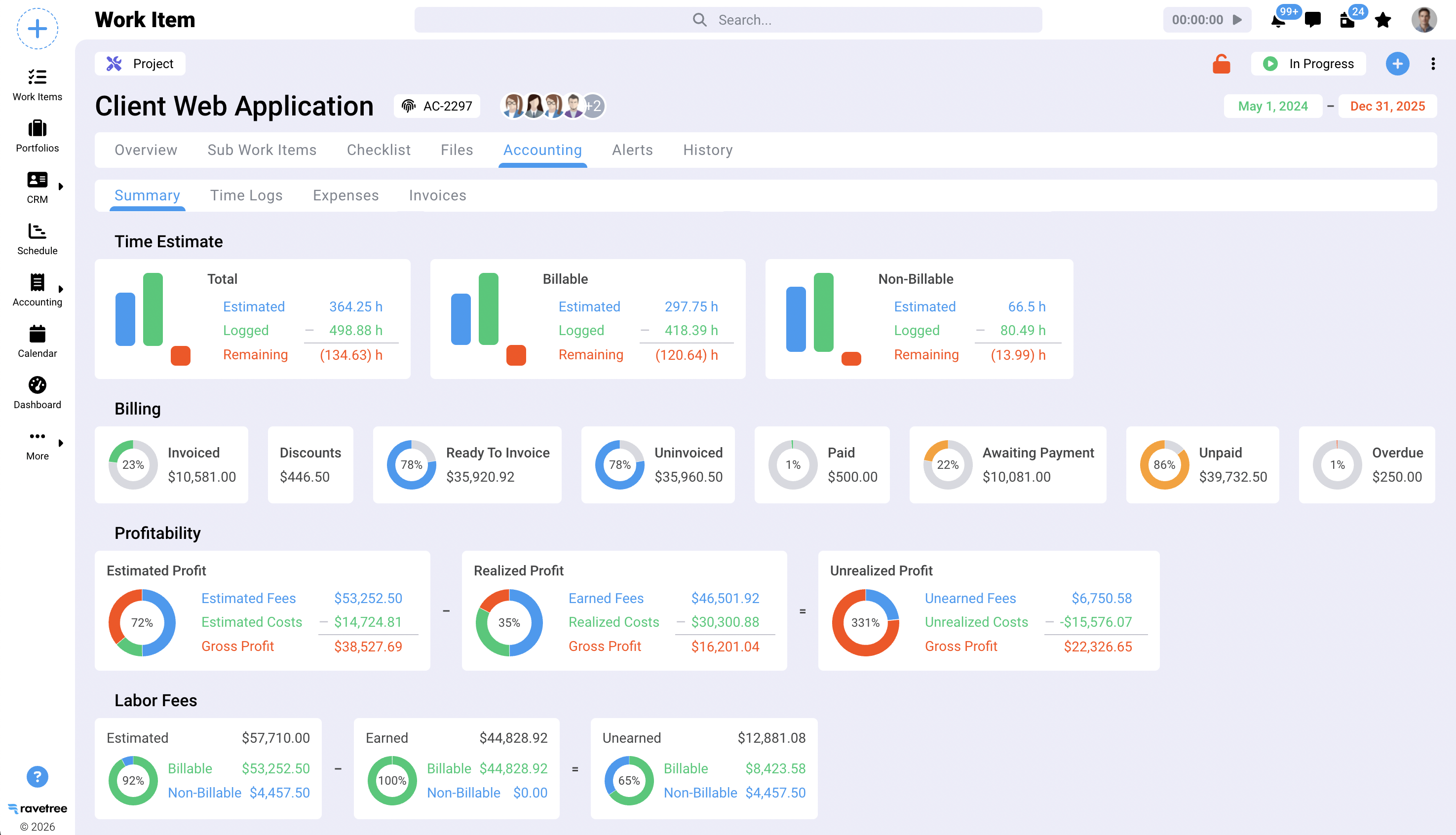
1. Ravetree — Best All-in-One Platform for Client Service Businesses
Ravetree is built specifically for agencies, consultancies, and other client-service businesses that have outgrown a patchwork of disconnected apps. Instead of stitching together separate tools for tasks, resource planning, a CRM, time tracking, expense tracking, and billing and invoicing, Ravetree consolidates them into one system, so a project's hours, expenses, and deliverables all roll up into the same record.
Best for: Agencies and professional-services firms that want one platform instead of five.
Standout features: Ability to manage billable projects and retainers, integrated CRM-to-invoice workflows, and resource-capacity views that show exactly who has room to take on new work.
Watch for: Because it covers more ground than a single-purpose task tracker, new teams should budget time for setup and configuration to get the most out of it.
2. Trello — Best for Simple Kanban Boards
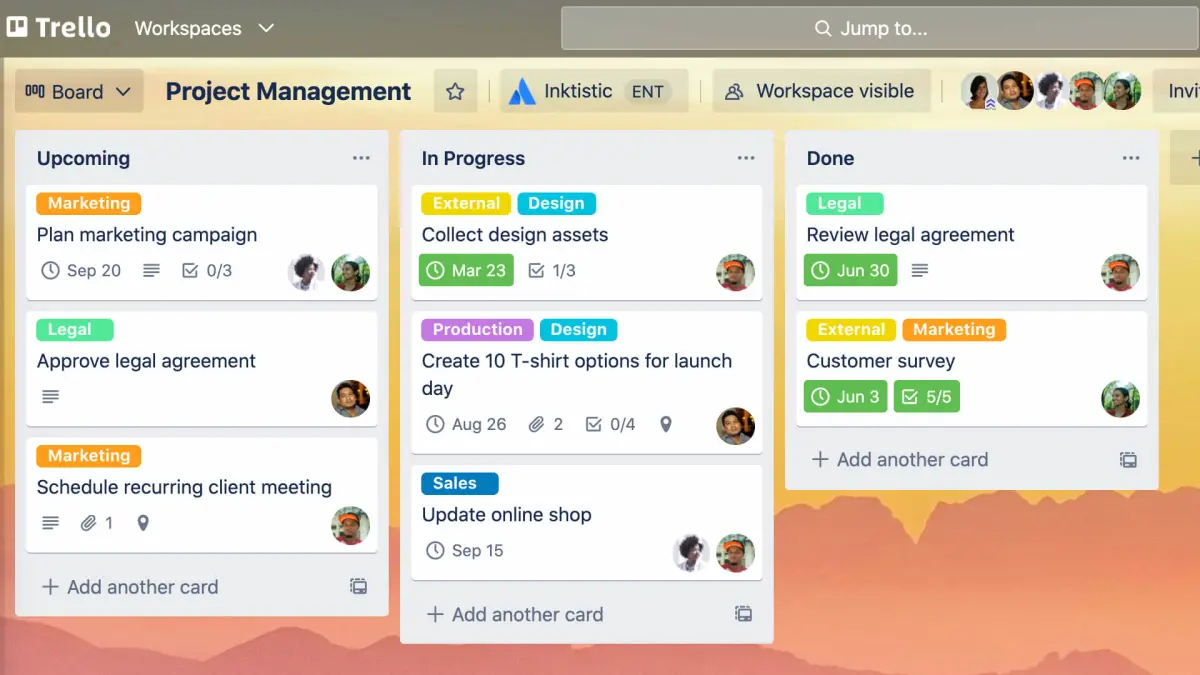
Trello popularized the drag-and-drop Kanban board, and it's still the fastest way for a small team to get organized without training. Cards move across lists as work progresses, and Power-Ups add calendar, timeline, and automation features on top of the basics.
Best for: Small teams, content calendars, and straightforward task tracking.
Watch for: Trello has no native task dependencies and limited reporting, so it tends to get replaced once projects involve multiple workstreams, resourcing, or budgets.
3. Basecamp — Best for Flat-Rate Team Communication
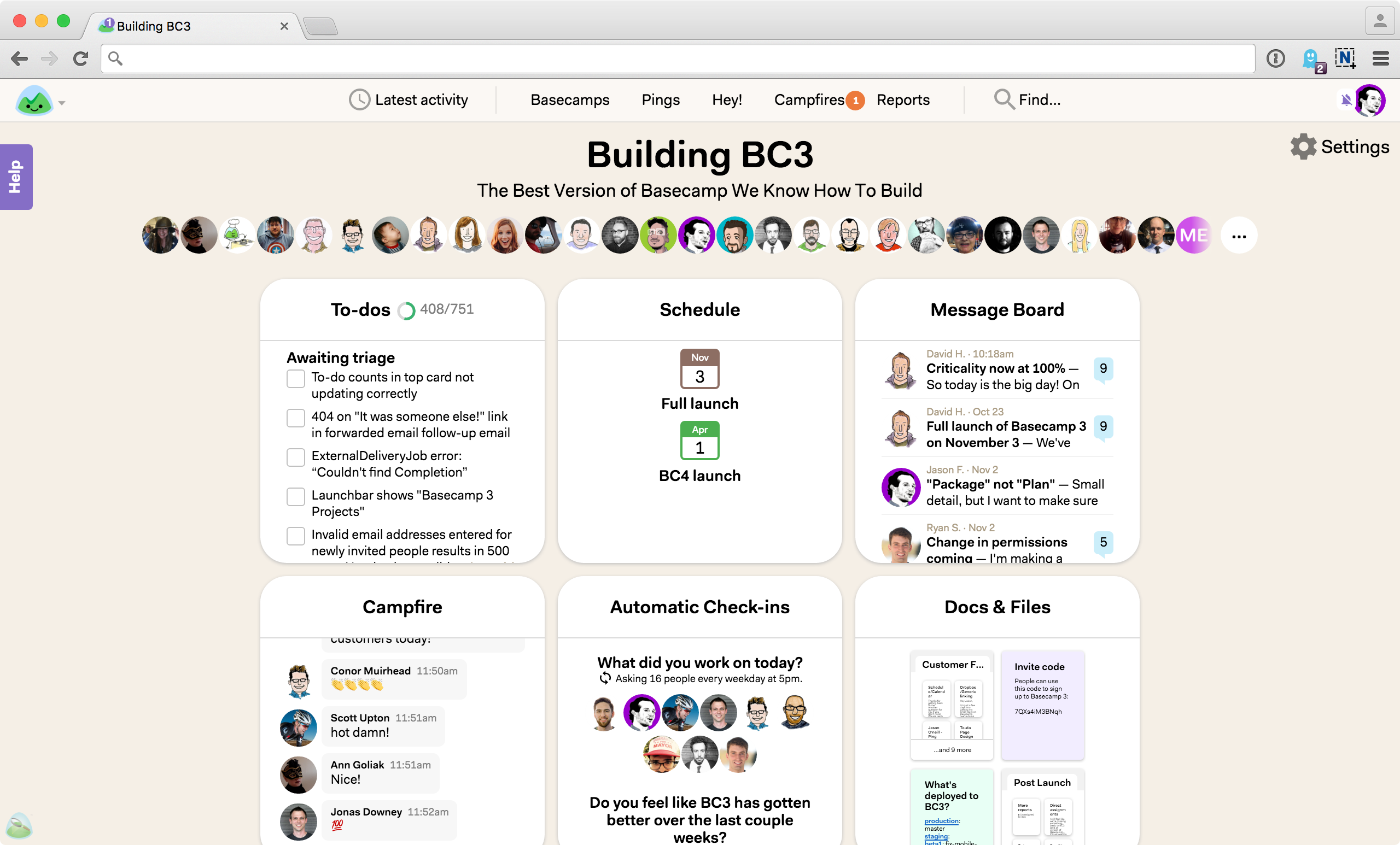
Basecamp trades project-management depth for simplicity and predictable pricing — one flat fee covers unlimited users, which appeals to larger teams that mainly need message boards, to-do lists, and file sharing in one place.
Best for: Agencies and consultants who want a communication hub more than a full planning system.
Watch for: There's no built-in automation, resource management, or approval workflow, so teams with complex, multi-phase projects usually need to pair it with something more robust.
4. Wrike — Best for Complex Cross-Functional Workflows
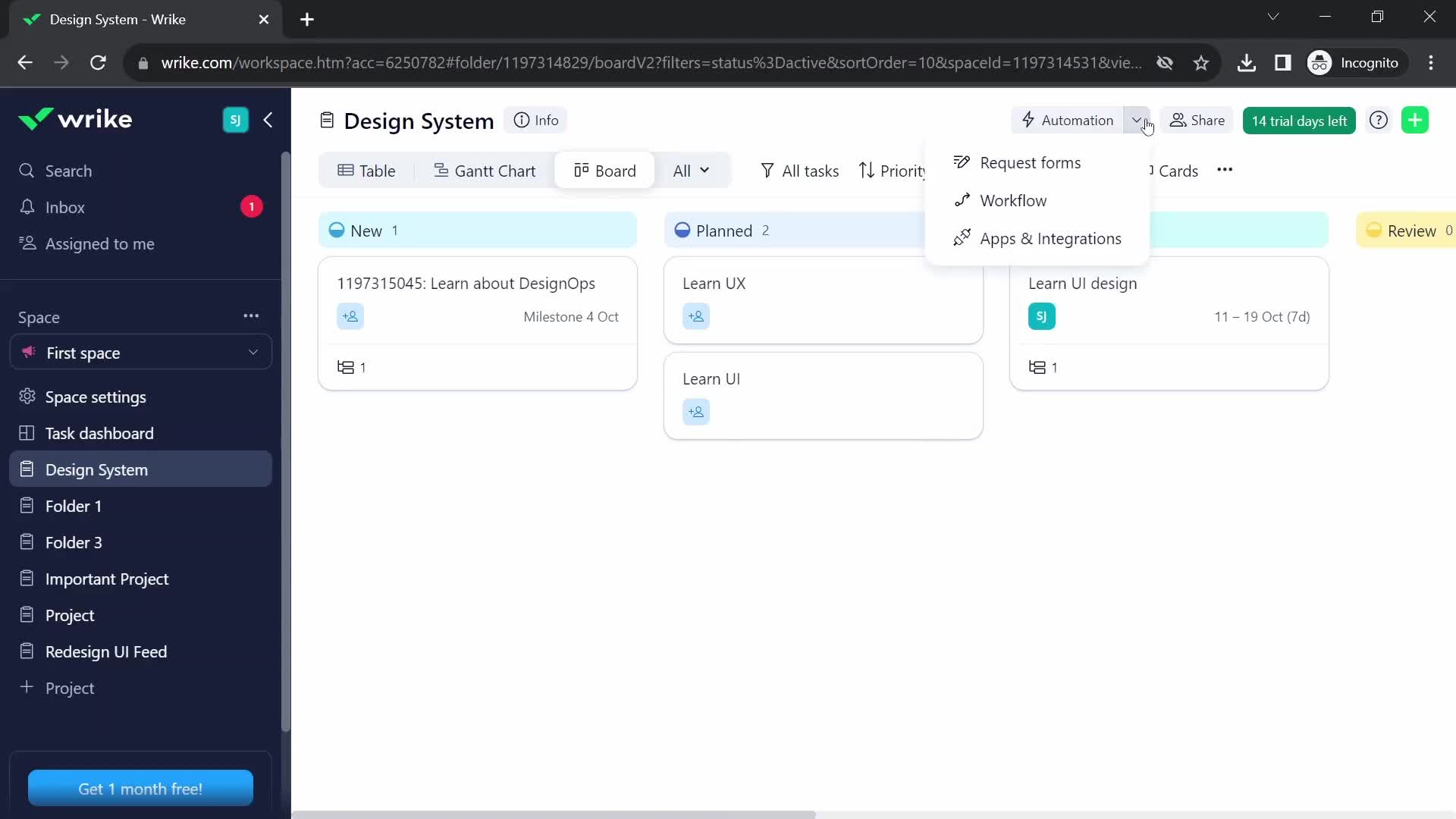
Wrike handles detailed planning better than most general-purpose tools, with Gantt charts, custom workflows, and dependency tracking that suit teams juggling several concurrent projects. Its proofing and approval features are also popular with creative and marketing teams reviewing design assets.
Best for: Mid-size and enterprise teams managing complex, cross-functional projects.
Watch for: The feature depth comes with a learning curve, and many of the most useful capabilities are gated behind higher-priced plans.
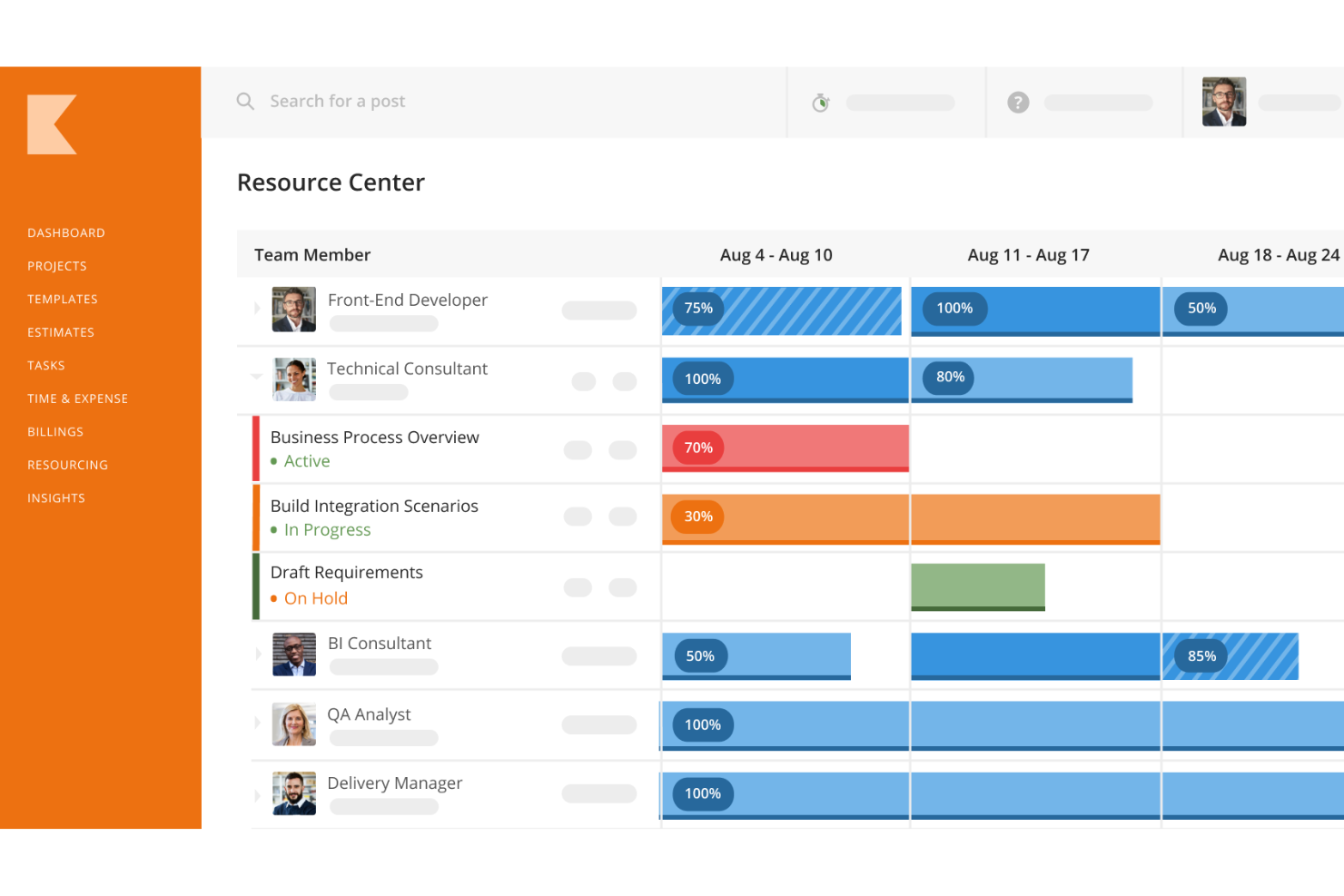
5. Kantata — Best for Resource-Intensive Professional Services
Kantata (formerly Mavenlink) is purpose-built professional-services automation software, with resource management tools designed to match the right person to the right project based on skills, availability, and cost. It's a strong fit for agencies and consultancies that live or die by utilization rates.
Best for: Larger agencies and consultancies with complex staffing and forecasting needs.
Watch for: Setup and customization take real time, and the pricing model tends to suit larger teams more than small shops.
6. Asana — Best for Visual Task Management
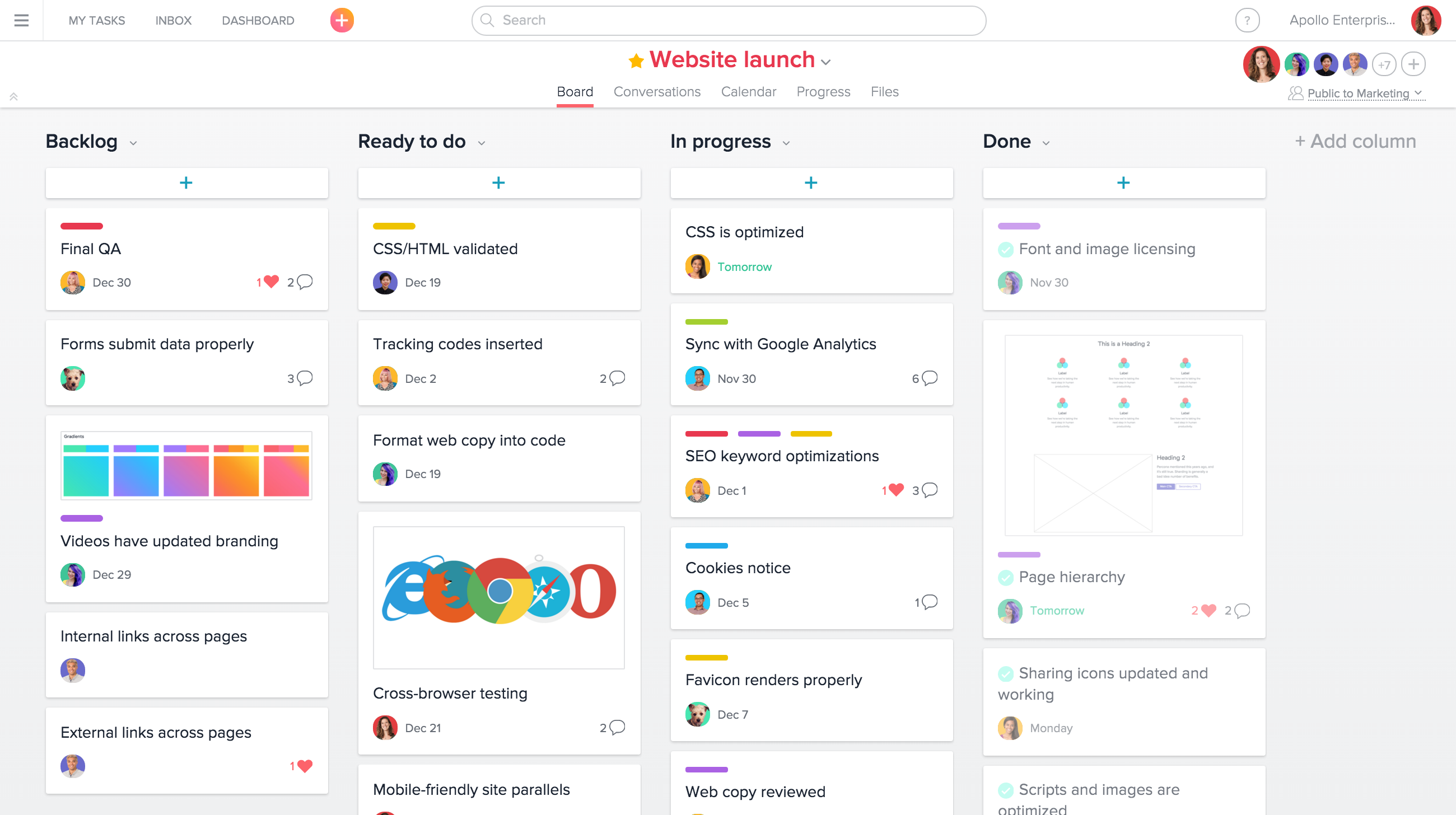
Asana pairs a clean, structured interface with genuinely useful views — boards, timelines, and portfolios — that make it easy for marketing and creative teams to see where a campaign stands without digging through subtasks.
Best for: Marketing teams and cross-functional groups that want structure without complexity.
Watch for: Native time tracking and financial reporting are limited, so client-billing agencies often add a separate tool to cover that gap.
7. Monday.com — Best for Colorful, Client-Facing Dashboards
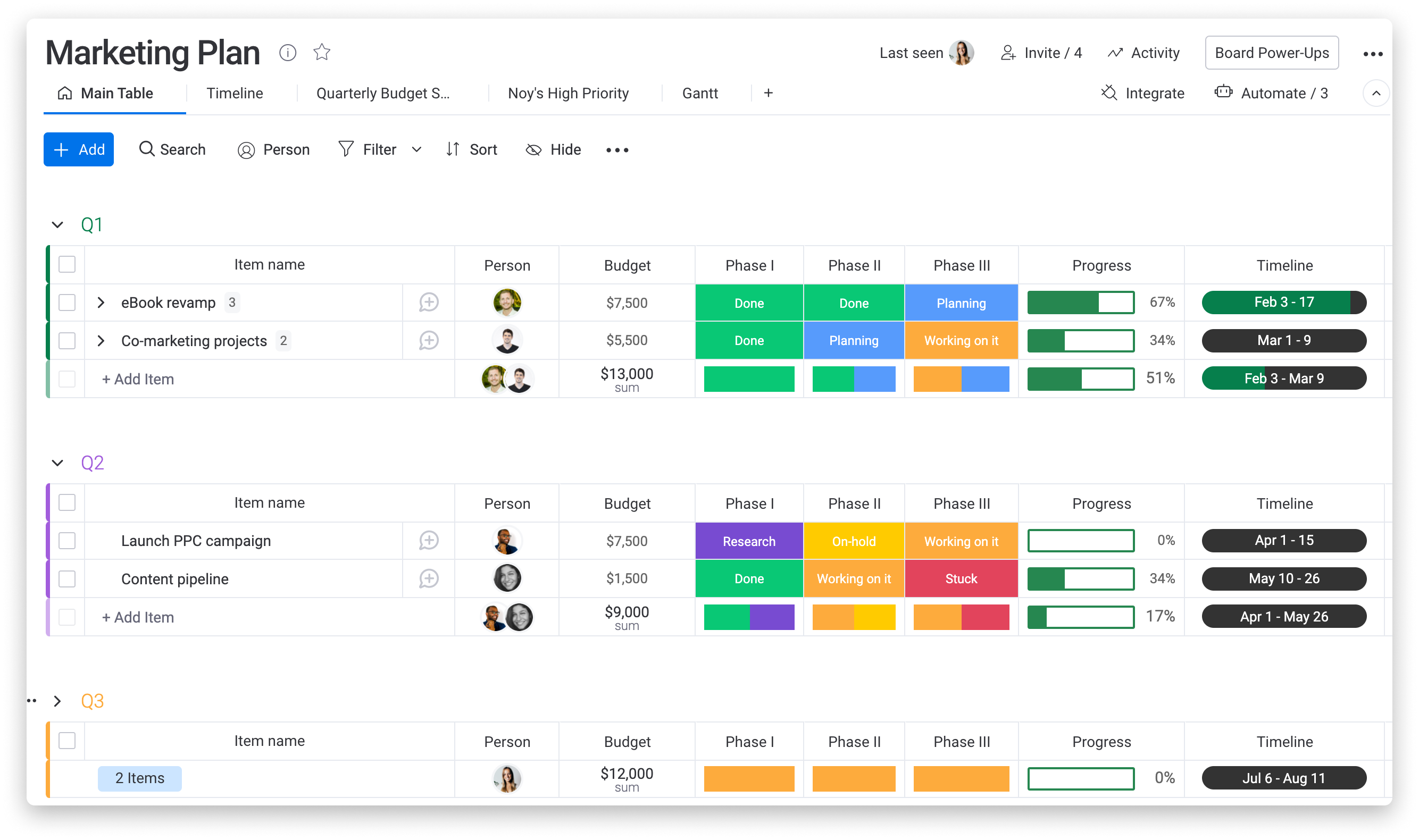
Monday.com's biggest strength is presentation: color-coded status columns and shareable dashboards make it easy for non-technical stakeholders, including clients, to understand project status at a glance. It has expanded well beyond task tracking into CRM and marketing modules.
Best for: Teams that need visually polished, client-facing project views.
Watch for: Advanced automation and reporting sit behind higher-priced tiers, and per-seat costs climb quickly as teams scale past 25 or so users.
8. Smartsheet — Best for Spreadsheet-Style Complex Projects
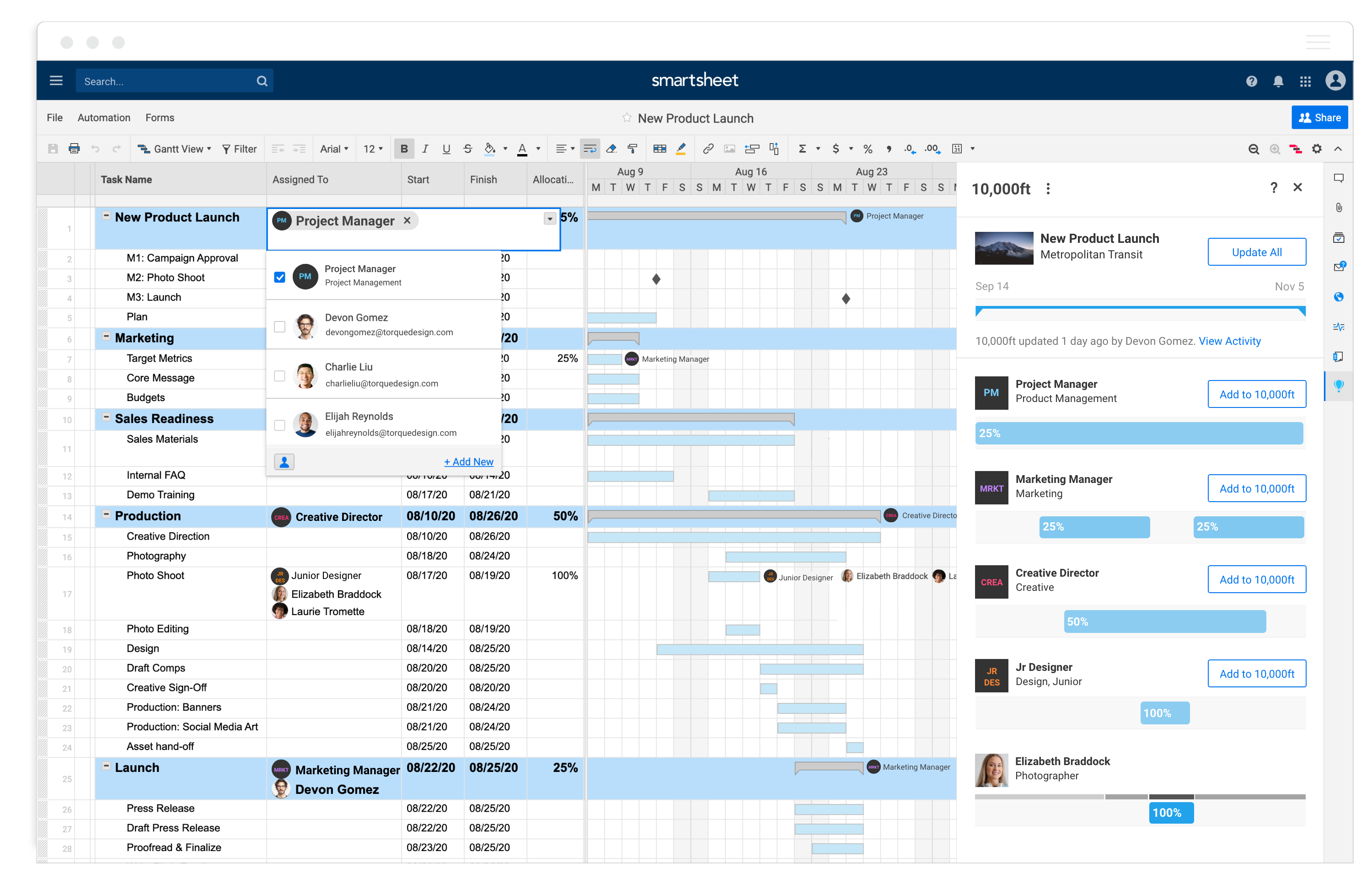
Smartsheet takes the format most operations and finance teams already know — the spreadsheet — and layers Gantt charts, dependencies, and automation on top. Cross-sheet formulas let teams roll data from multiple projects into a single portfolio dashboard.
Best for: Operations-heavy teams that think in rows and columns.
Watch for: It doesn't natively handle time tracking, invoicing, or client portals, so client-facing service businesses often need to bolt on extra tools.
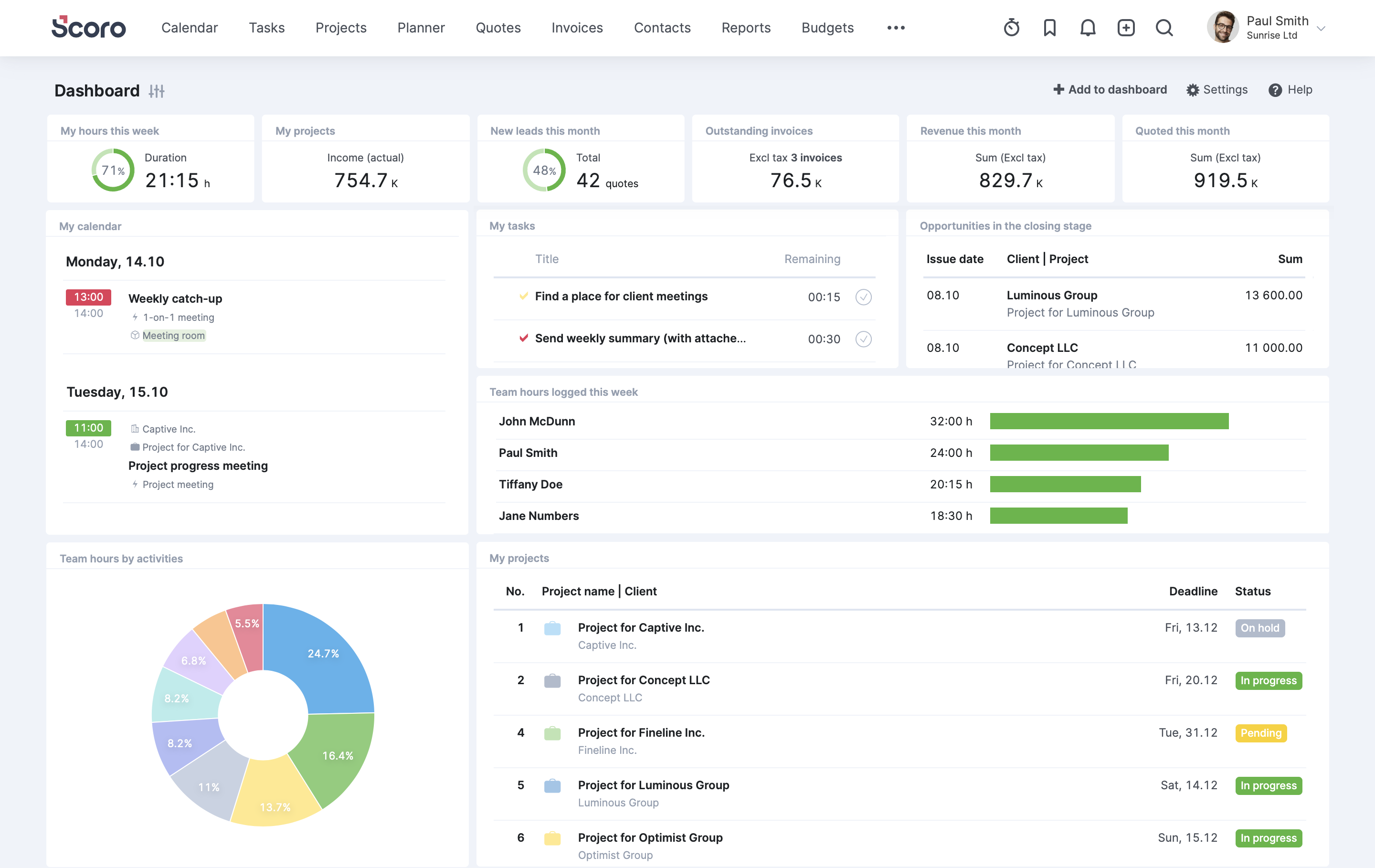
9. Scoro — Best for Agency Financial Control
Scoro is professional-services automation software with a genuine financial layer: budgets versus actuals, real-time profitability tracking, and automated invoicing sit alongside standard task and timeline features. That makes it popular with agencies where margin visibility matters as much as on-time delivery.
Best for: Consultancies and agencies that want quote-to-cash visibility in one system.
Watch for: Plans typically require a minimum seat count, and the setup process is more involved than lighter task-management tools.
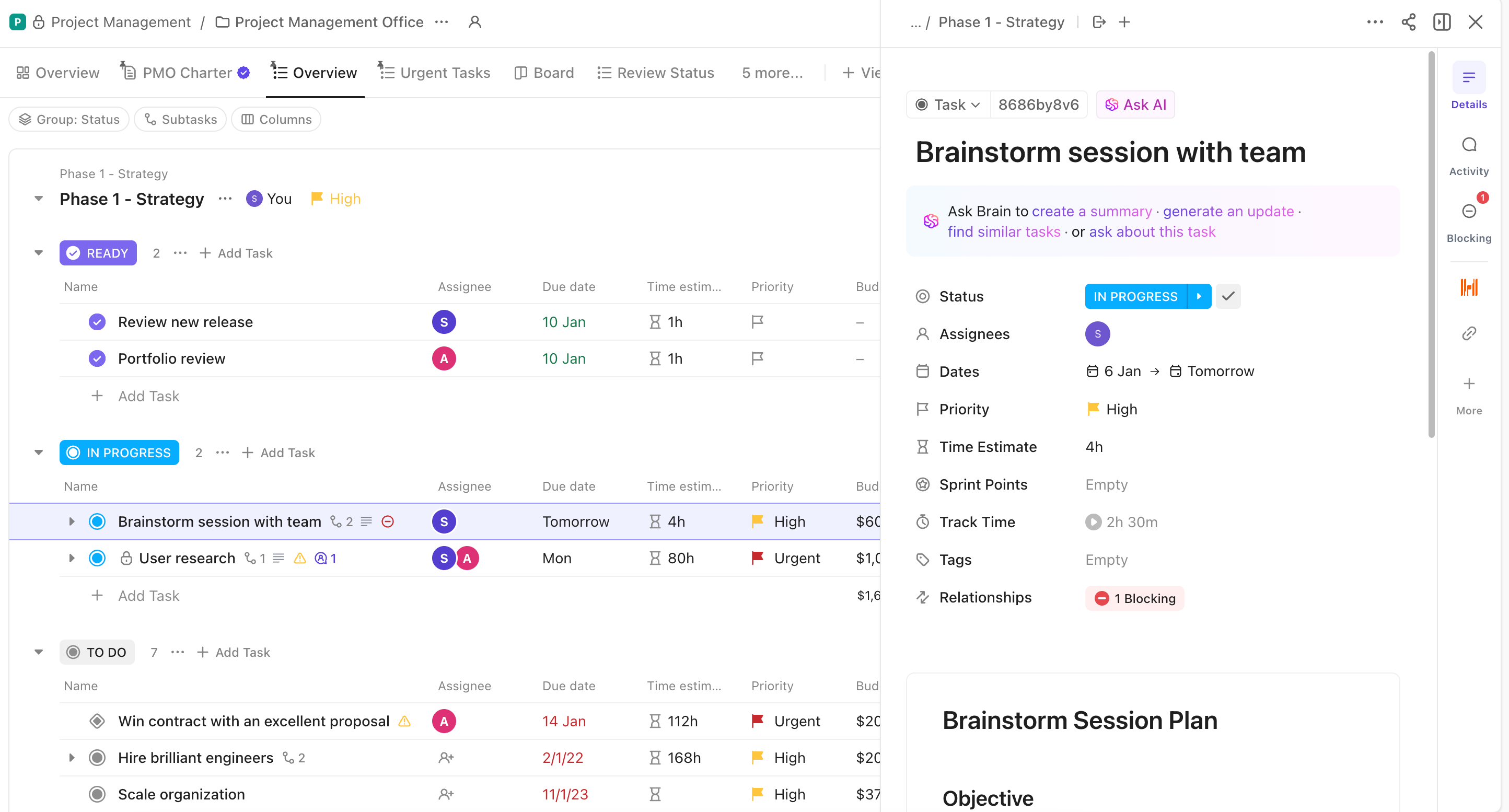
10. ClickUp — Best for Feature-Dense Customization
ClickUp packs an unusually wide feature set — docs, whiteboards, goals, chat, and multiple project views — into one platform at an aggressive price point, which appeals to teams trying to consolidate several tools into one subscription.
Best for: Technical and power-user teams willing to invest time in configuration.
Watch for: That same flexibility means a steeper learning curve, and teams that don't assign someone to own the setup often end up using a fraction of what they're paying for.
Implementation Tactics: Getting the Most From Your Tool
Buying one of these platforms is the easy part. Getting a team to actually use it well is where most rollouts stall. A few tactics consistently separate the teams that get value from their software from the ones that abandon it within a year:
Start with one workflow, not everything at once. Migrate a single project type — say, client onboarding or campaign launches — before rolling the tool out company-wide. This lets you fix template and permission issues on a small scale.
Assign an internal owner. Every tool on this list benefits from someone whose job includes maintaining templates, cleaning up stale automations, and training new hires. Without an owner, configuration drift sets in within a few months.
Connect financial data to project data. Teams that track time, expenses, and budgets inside the same platform they use for tasks catch margin problems while a project is still in progress, not after the invoice goes out. This single change is one of the most common reasons agencies switch away from disconnected task trackers toward all-in-one platforms.
Give clients limited, direct visibility. A client portal that shows real-time status reduces the "just checking in" emails that eat into billable hours, and it builds the kind of trust that supports renewal conversations.
Review usage quarterly, not just at renewal time. Automation rules and custom fields multiply over time. A quarterly cleanup keeps the system fast and prevents the tool from feeling more complicated than the work it's managing.
Measuring Success: KPIs That Matter
Adopting new project management tools should show up in measurable outcomes, not just a nicer-looking dashboard. The metrics worth tracking before and after a rollout include on-time delivery rate, budget variance, resource utilization, and client retention.
That last one carries real financial weight in service businesses. Agencies operating at eight-figure revenue retain roughly 92% of clients, compared with 78% at seven-figure agencies, and the gap correlates directly with investment in systems, training, and account-management processes, according to analysis of 2026 agency benchmarking data. A platform that gives account managers early warning on a stalled deliverable, rather than a client finding out first, is doing measurable work toward that retention number.
Utilization and billable-hours accuracy matter just as much on the delivery side. Teams that can see resource capacity in real time avoid the two failure modes that hurt profitability: overbooking people until burnout sets in, or underbooking them and leaving billable hours on the table. Whichever project management tools you choose, build a habit of reviewing these numbers monthly rather than waiting for a quarterly business review to surface a problem that's been building for weeks.
Future Considerations: Where Project Management Tools Are Headed
Two shifts are reshaping this category heading into the back half of the decade. The first is AI moving from a novelty feature to a core part of planning and forecasting: 82% of executives now expect artificial intelligence to fundamentally reshape project management within five years, according to industry analysis of enterprise software adoption. In practice, that shows up as tools that flag schedule slips and budget overruns before a human notices the pattern, rather than after.
The second shift is transparency as a baseline expectation rather than a differentiator. Clients increasingly expect real-time access to timelines, budgets, and deliverables instead of waiting for a status email, which is pushing built-in client portals from a "nice to have" into a standard feature across the category, a trend tracked closely across agency-focused platforms. Expect role-based billing, more granular time tracking by team member, and tighter integration between project data and finance systems to keep expanding as service businesses demand more accountability from the software they pay for.
Conclusion
Ranking the 10 best project management tools always comes down to fit, not a single winner. Ravetree stands out for agencies and professional-services firms that want project management, resourcing, and billing under one roof, while Trello, Basecamp, Asana, Monday.com, ClickUp, Wrike, Kantata, Smartsheet, and Scoro each serve narrower needs well, from simple Kanban boards to deep financial control. Match the platform to how your team actually works, not to a features checklist, and revisit that choice as your team and client base grow. If you're ready to see how an all-in-one platform handles resourcing, billing, and client communication in one place, start a free trial and put your own workflow through it.
Frequently Asked Questions
What's the difference between project management software and work management software?
Project management software focuses on planning and tracking individual projects — tasks, timelines, and deliverables. Work management software is a broader category that can include ongoing operational work, not just discrete projects, and often adds CRM, billing, or resource-planning features on top.
Which project management tool is best for a small team on a budget?
Trello and Asana both offer capable free plans well-suited to small teams with straightforward workflows. As team size and client complexity grow, agencies typically outgrow single-purpose tools and move toward platforms like Ravetree or Scoro that combine project tracking with financial management.
Do agencies really need a client portal?
It depends on how often clients ask for status updates. Teams that field frequent "where are we on this" emails typically see that traffic drop once clients can check a live portal themselves, freeing up account managers for higher-value conversations.
How long does it take to implement a new project management tool?
A single-workflow pilot can go live in a few days. Full rollout across a team, including template setup, integrations, and training, typically takes two to six weeks depending on how many other systems it needs to replace.
Can these tools replace a separate time-tracking or invoicing system?
Some can. Ravetree, Scoro, and Kantata build time tracking and billing directly into the platform. Trello, Basecamp, and Smartsheet generally don't, and teams using those tools often pair them with a dedicated billing system.
Is it worth switching tools if our current one "mostly works"?
If the friction shows up mainly in manual reporting, delayed invoicing, or clients asking for updates you don't have handy, that's usually a sign the current tool has been outgrown rather than a reason to avoid switching.