More Features
Everything you need to easily manage billing
Create invoices, estimates, retainers and more.
Advanced billing capabilities are built into Ravetree — no need for a separate billing application.
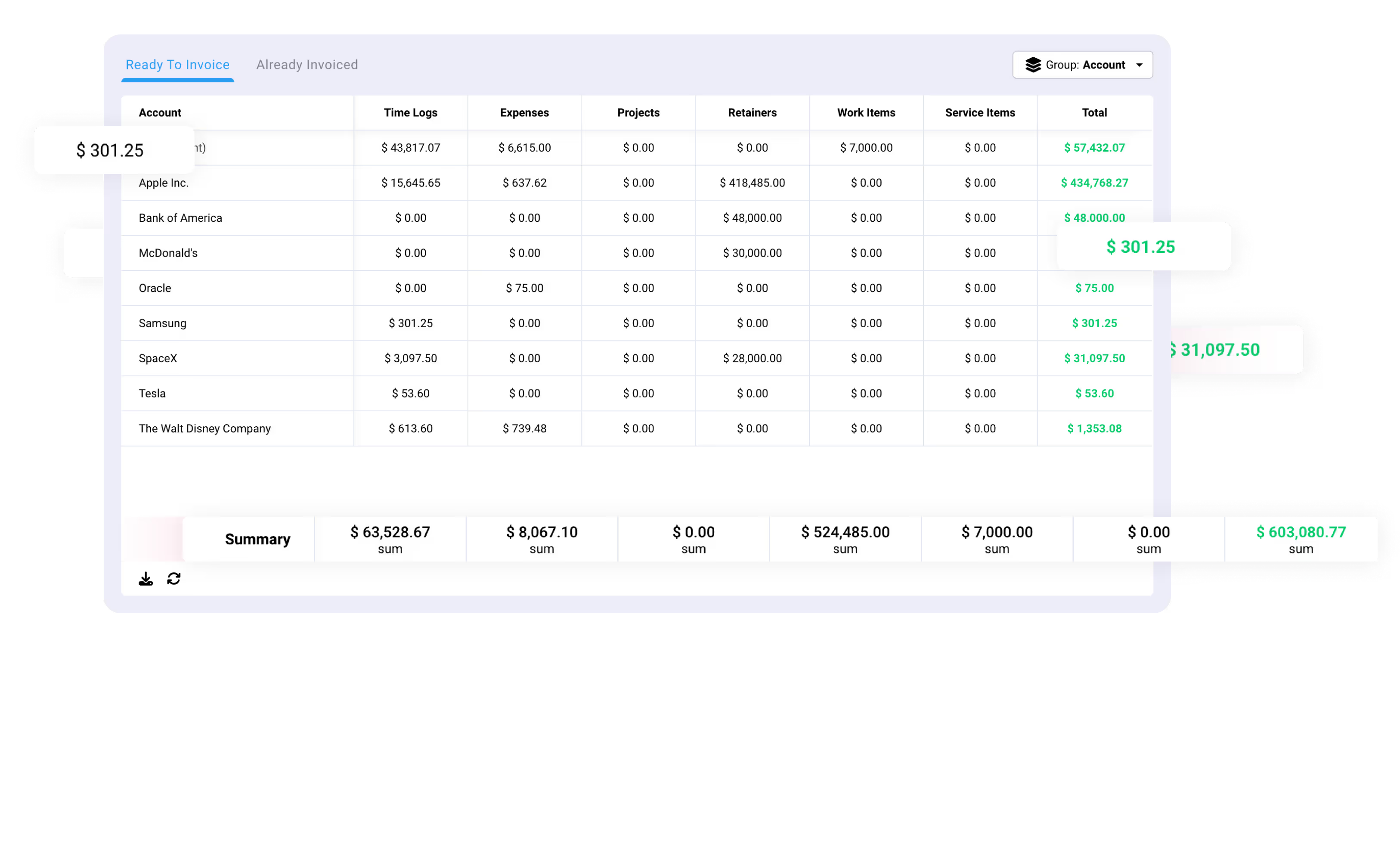
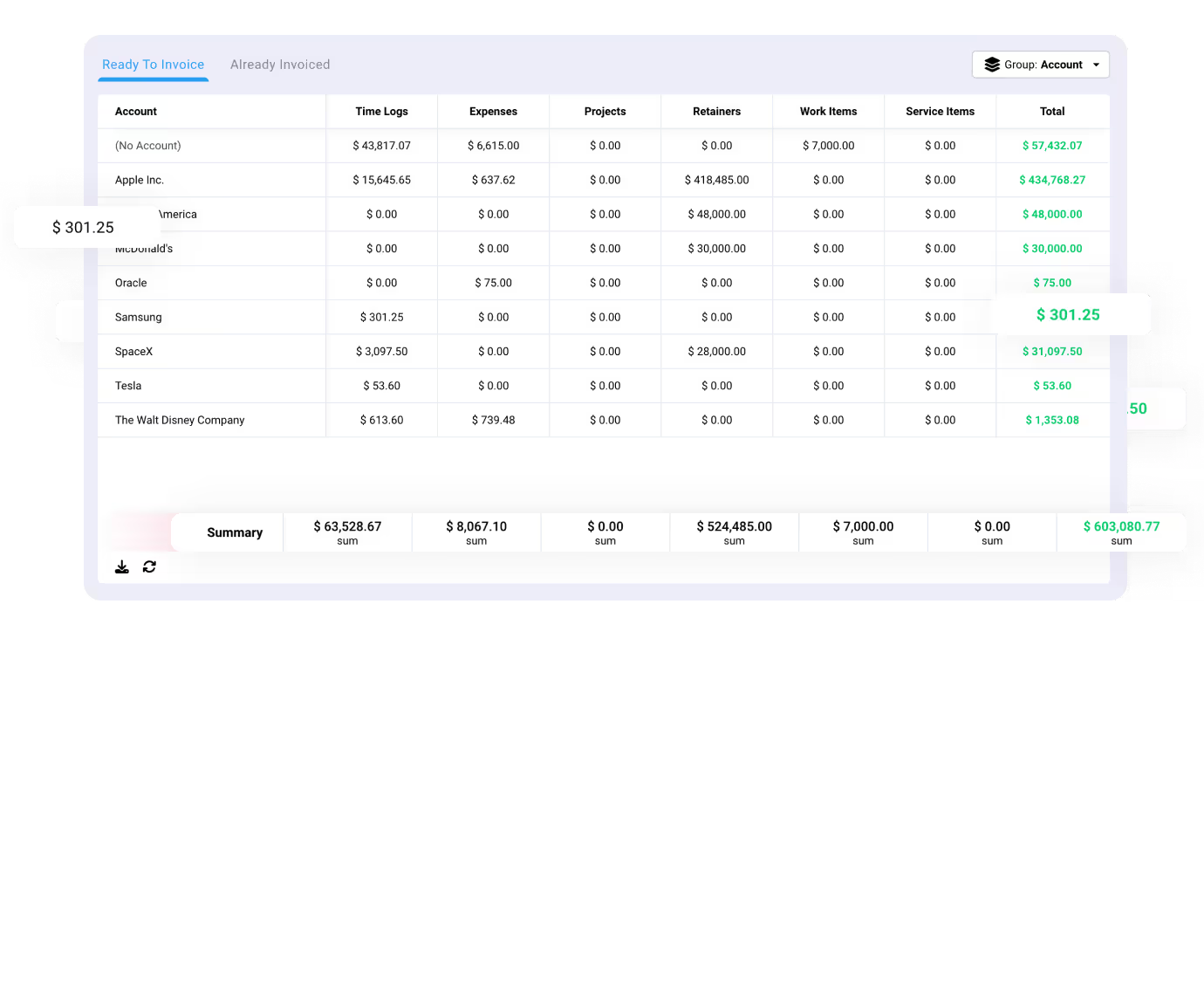
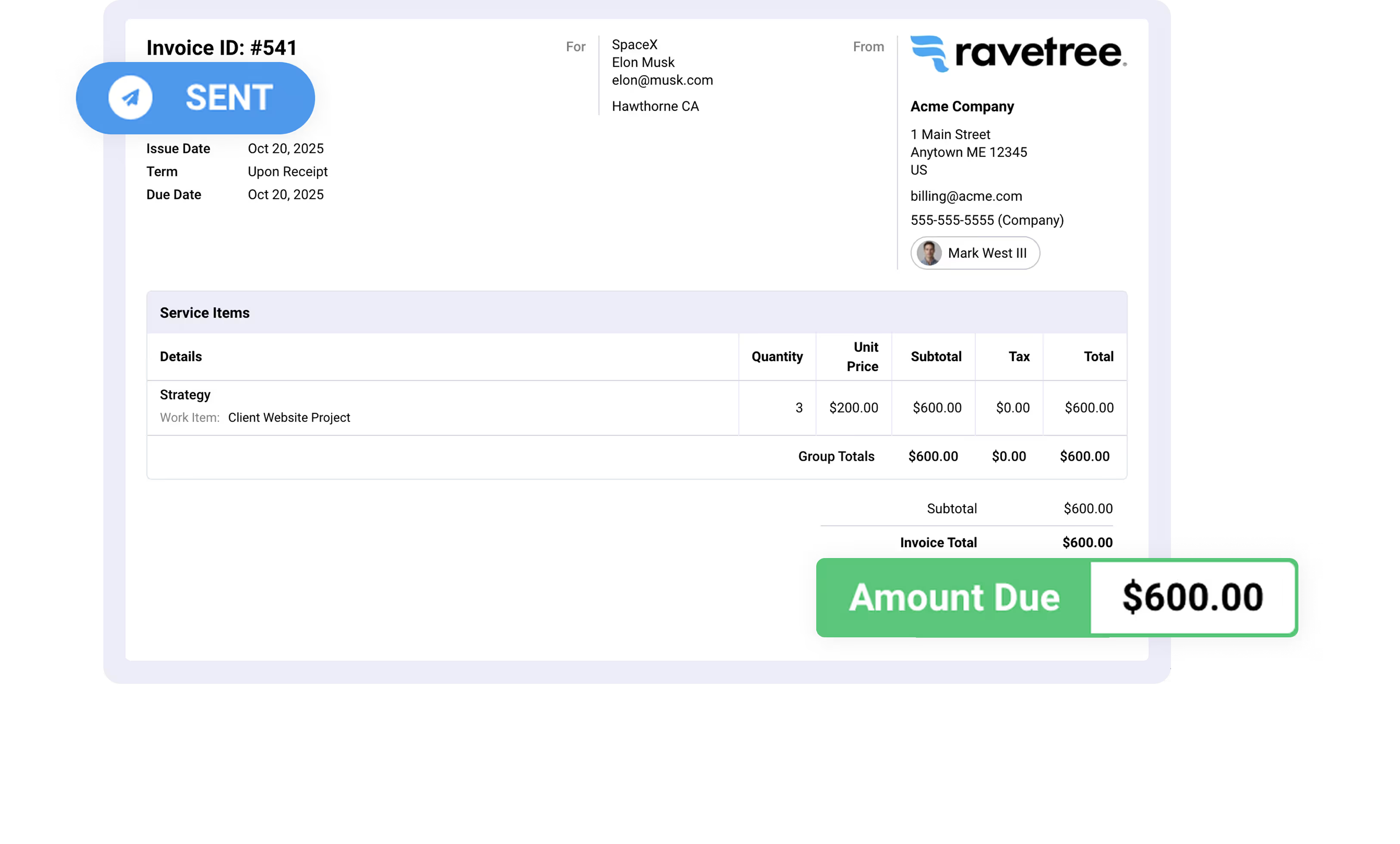
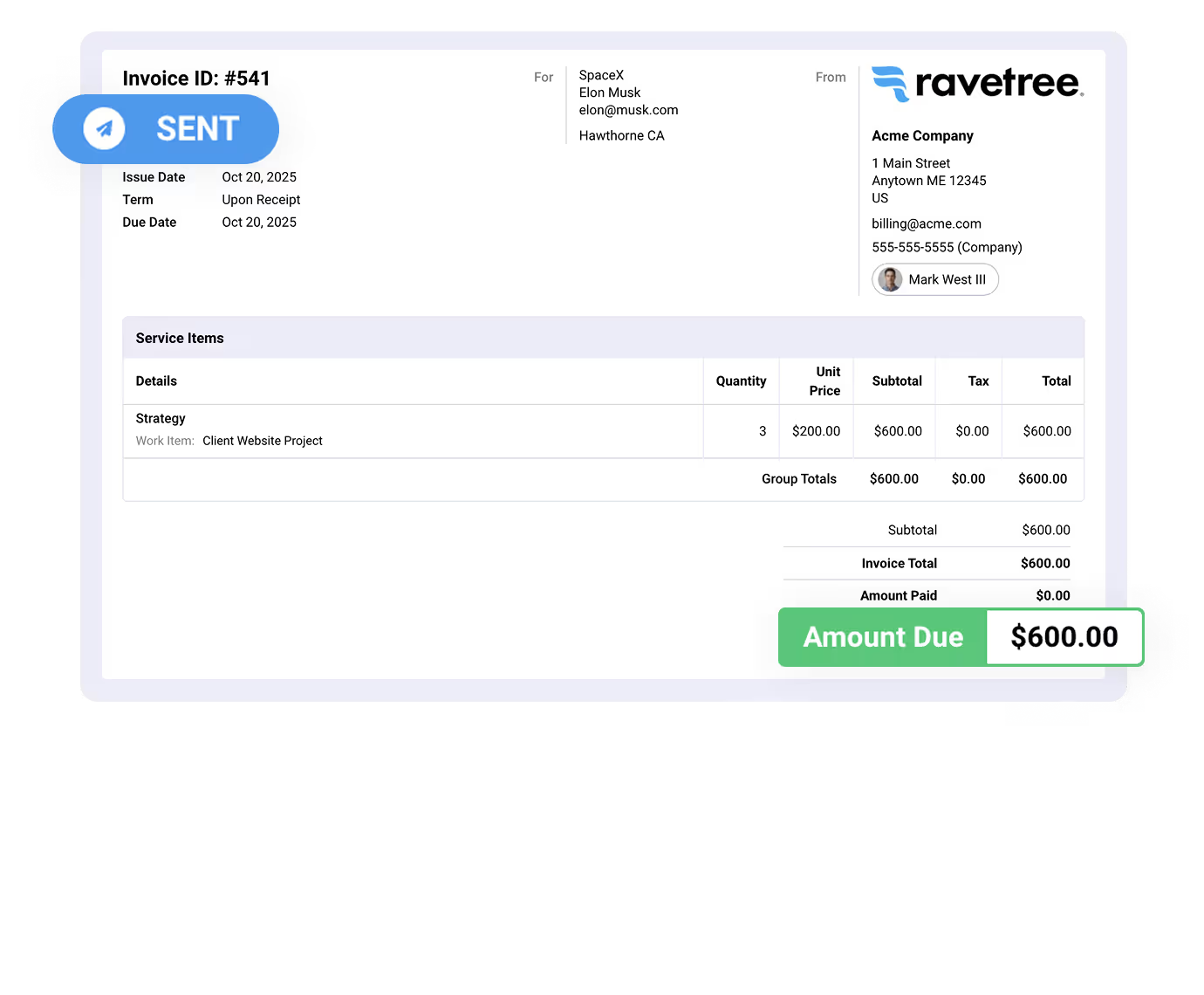


Create invoices, estimates, retainers and more.
Easily create invoices from approved time logs, expenses, and service items. Invoices can be emailed directly to customers and integrates seamlessly with QuickBooks and Xero.
Estimates can be emailed directly to prospects for approval. Projects can automatically be created as soon as estimates have been approved.
The most powerful retainer management feature—anywhere. There are options to auto-generate invoices, projects, and even auto-charge your customer with our Stripe integration.
Set up bill rates on retainers, projects, members, and work roles. You can also create client-specific rate cards with start dates and expiration dates.
Save time with our reusable estimate templates.
Utilize our Stripe integration and easily received payments for your invoices.
Flexible payment options. Non-profit or education? Contact us
Yes, Ravetree has seamless two-way integrations with QuickBooks and Xero.
Yes, you can structure your projects into phases and invoice based on the completion of those specific phases.
Yes, Ravetree allows you to invoice a percentage of the total project budget. If you invoice, say, 30% of a project, then Ravetree will show you that 70% remains uninvoiced. This is something that Ravetree will keep track of for you.
Clients can easily submit payments online via credit card using Ravetree's Stripe integration. Alternatively, you can make use of payment options available in QuickBooks or Xero if you have either of those integrations enabled.
Yes, you can append a custom Terms & Conditions statement to all invoices. The terms & conditions can be predefined and will automatically be added to all invoices.
Ravetree provides real-time visibility into everything that is ready to be invoiced. The Billing page will automatically pull in all clients that have items ready to invoice. This includes time logs, expenses, fixed fee projects, retainers, and service items.
You can invoice expenses, retainers, service items, time logs, and work items.
Yes. Ravetree simplifies mixed billing by letting you seamlessly combine flat rates, hourly tracking, and recurring retainers. Pre-define fixed-fee items with standard pricing and descriptions for routine deliverables, bill hourly for out-of-scope work, and effortlessly manage recurring client retainers—all in one place.
We take a customer-first approach. Our #1 priority is ensuring that you are successful on Ravetree!
Our world class support team is ready to help.
Get live video conference support when you need it!
Quickly get your questions answered with our in-app, live chat support feature.
Custom tailored onboarding session is included for free!