.png)
Key takeaways:
Managing a creative agency in 2026 means juggling multiple client projects while maintaining profitability, keeping teams productive, and delivering exceptional work on deadline. Without the right project management software, agencies struggle with scattered communication, blown budgets, and overworked teams. The right creative agency project management software transforms chaos into coordinated execution, giving you visibility into every project, resource, and dollar.
The global creative agency software market is set to reach $1.48 billion by 2026, driven by agencies recognizing that proper systems directly impact their bottom line. Yet choosing the wrong platform costs agencies thousands in wasted subscriptions, lost billable hours, and client frustration. This guide examines the best creative agency project management software options available today, focusing on platforms that understand the unique demands of creative work—from visual approvals to profitability tracking to client collaboration.
Why Generic Project Management Tools Fail Creative Agencies
Most project management platforms were built for software development teams or enterprise operations. They prioritize sprint planning and issue tracking over the workflows that matter to agencies: client approvals, creative briefs, design iterations, and time-to-profitability visibility.
77% of high-performing creative teams use project management software to streamline processes, but success depends on choosing tools designed for agency realities. Generic platforms force creative teams into rigid structures that don't match how design, copywriting, and campaign execution actually flow.
Creative agencies face distinct operational challenges. Projects involve multiple stakeholders—internal creative teams, account managers, and external clients—all requiring different levels of visibility. Timelines shift as creative direction evolves. Scope creep threatens margins when changes aren't tracked properly. Poor task visibility alone can cut efficiency by 15-25%, directly impacting profitability.
The best creative agency project management software addresses these pain points by combining project coordination with financial tracking, resource management with client portals, and task management with approval workflows. Agencies need systems that show not just what's getting done, but whether projects are profitable and teams are optimally utilized.
Core Capabilities Every Agency Platform Must Have
Before evaluating specific tools, understand the non-negotiable features that separate agency-focused platforms from basic task managers.
Time Tracking and Billable Hours
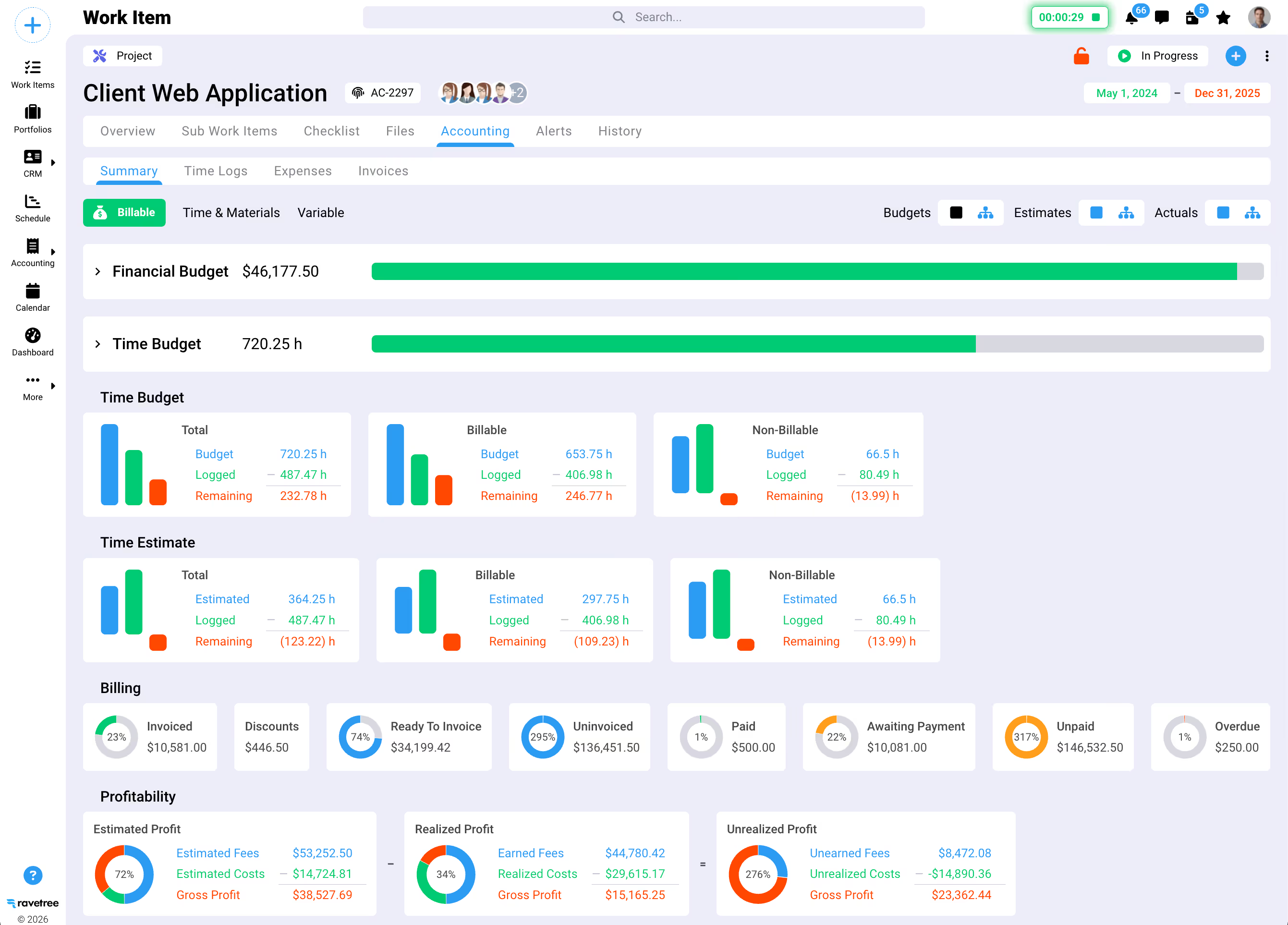
76% of agencies track time across all projects, making integrated time tracking essential. Manual time entry in separate systems creates gaps in billing data and makes profitability invisible until projects close. Agencies need time tracking that connects directly to budgets and invoices, with automatic categorization of billable versus non-billable hours. Teams need 75-85% utilization with 75-80% of hours being billable for agency profitability.
Resource Planning and Capacity Management
Knowing who's available, who's overbooked, and where skills gaps exist prevents project delays and team burnout. Resource planning prevents bottlenecks and supports strategic project assignments, allowing operations managers to forecast capacity months in advance and make data-driven hiring decisions.
Client Collaboration Tools
Clients need visibility into project progress without accessing internal discussions. The best platforms provide client portals where stakeholders can review deliverables, approve work, and submit feedback—all tracked within the same system teams use internally. This eliminates endless email threads and ensures nothing gets lost in translation.
Financial Visibility
Agencies must connect project delivery with financial performance through integrated systems. Every project should show budget utilization in real time, comparing planned versus actual costs and flagging overruns before they become losses. Agencies that can't answer "are we profitable on this project?" until final invoicing lack the data needed for sustainable growth.
Creative Workflow Support
Creative teams require specialized workflows for visual proofing and iterative approvals. Generic task lists don't accommodate the back-and-forth of design feedback, version control for creative assets, or approval chains that route through multiple stakeholders before final sign-off.
Ravetree: Comprehensive Work Management for Service Businesses
Ravetree positions itself as an all-in-one work management platform specifically designed for client service businesses, including marketing and creative agencies. Unlike tools that bolt on features through integrations, all-in-one PSA software integrates project financial management with CRM capabilities in a unified system.
The platform combines project management, time tracking, resource planning, CRM, and billing into one interface. This matters because agencies that maintain separate systems for project work, client relationships, and invoicing lose visibility into how operations connect to revenue.
What Ravetree Does Well
Ravetree excels at connecting project execution to financial outcomes. Every project shows real-time budget consumption, comparing estimated hours against actuals and flagging potential overruns early. The integrated time tracking automatically categorizes hours as billable or non-billable, feeding directly into invoices without manual data entry.
Better client relationships and smoother collaboration result from automated workflows in one system. Ravetree's client portal gives external stakeholders controlled access to project timelines, deliverables, and invoices without exposing internal operations. Clients can submit requests, approve work, and track progress—all timestamped and organized within projects.
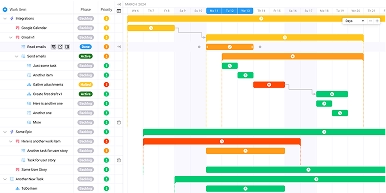
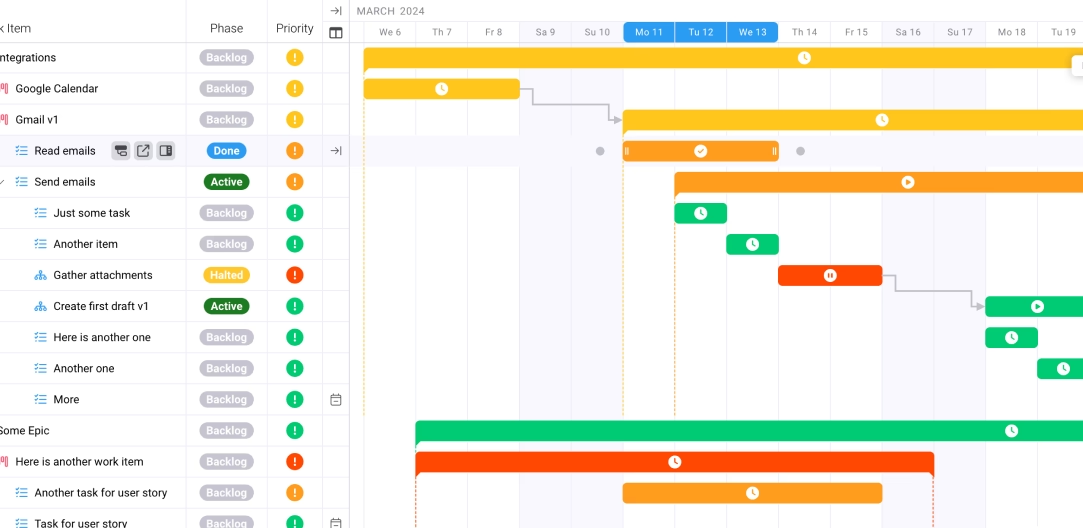
The resource management view shows team capacity across weeks and months, making it easy to identify overbooking before it leads to missed deadlines or burnout. Managers can allocate people to projects based on actual availability, skills, and current workload, with visual indicators showing who has bandwidth and who's at capacity.
Best For
Mid-market agencies (20-200 employees) that need to manage client relationships, project delivery, and financial operations in one platform. Operations directors and agency owners who want visibility into profitability margins and resource utilization will find Ravetree's unified approach eliminates the data gaps that come from using multiple disconnected tools.
Ravetree works particularly well for agencies that bill by the hour or operate on retainers, as the integrated time tracking and billing features create a seamless path from project work to invoicing to revenue recognition.
Trello: Visual Simplicity for Smaller Creative Teams
Trello takes a different approach, prioritizing visual simplicity over comprehensive features. Trello has over 50 million registered users, making it one of the most widely adopted project management platforms globally. Trello's parent company Atlassian reports over $700 million in annual revenue contribution from Trello, demonstrating the platform's sustained market presence.
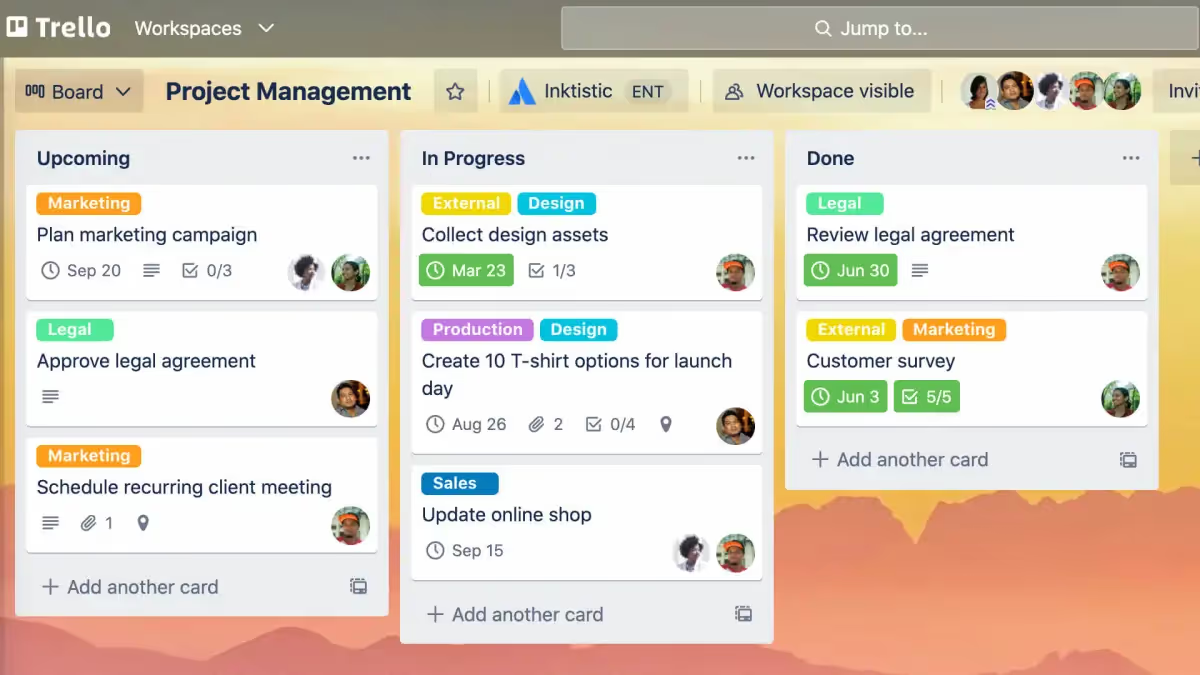
The core interface uses boards, lists, and cards to represent projects, workflow stages, and individual tasks. A content calendar might have lists for "Drafting," "In Review," "Client Approval," and "Published," with content pieces moving across lists as work progresses. This Kanban-style visualization makes project status immediately clear at a glance.
What Trello Does Well
Trello excels at getting teams organized quickly without extensive setup or training. New users understand boards and cards intuitively, reducing onboarding time from weeks to days. For small creative teams managing straightforward projects, this simplicity prevents the tool itself from becoming overhead.
Power-Ups extend Trello's capabilities, adding calendar views, time tracking, custom fields, and integrations with tools like Slack, Google Drive, and Figma. Butler automation handles repetitive actions—automatically moving cards when checklists complete, assigning team members based on labels, or creating reminder notifications before deadlines.
The free tier supports unlimited cards and boards with up to 10 team members, making Trello accessible for freelancers and small studios testing project management software for the first time. Premium plans at $10 per user per month add timeline views, dashboard reporting, and unlimited Power-Ups.
Where Trello Falls Short for Agencies
Trello lacks built-in time tracking, budget management, and financial reporting—the features agencies need to ensure projects remain profitable. Time tracking requires third-party integrations, creating friction in workflows and gaps in data. Budget visibility is minimal, making it difficult to know if projects are on track financially until they close.
Resource planning doesn't exist in the traditional sense. While you can see which cards are assigned to which team members, there's no capacity planning view showing weekly availability or utilization rates. This makes it hard for operations managers to forecast workloads or identify when teams are overcommitted.
Client collaboration requires inviting external users as guests to specific boards, but there's no dedicated client portal with controlled visibility. Clients see the same board view as internal team members unless managers manually configure permissions, which becomes cumbersome across multiple projects.
Best For
Small creative teams (5-15 people) managing simple project workflows where visual task organization matters more than financial tracking. Freelancers coordinating with a few collaborators or small studios producing content on straightforward timelines benefit from Trello's ease of use.
Agencies that primarily need task visualization and don't require integrated time tracking, budget management, or resource planning will find Trello sufficient. However, once agencies grow beyond 20 employees or start tracking profitability seriously, Trello's limitations force either heavy customization through Power-Ups or migration to more comprehensive platforms.
Basecamp: Simplified Collaboration Without Feature Bloat
Basecamp built its reputation on intentional simplicity, refusing to chase feature proliferation that characterizes most project management platforms. The tool focuses on communication and file organization rather than complex workflows or financial tracking.
Each project in Basecamp includes message boards for asynchronous discussions, to-do lists for task tracking, schedules for deadline visibility, docs and files for asset storage, and Campfire for real-time chat. This consistent structure across all projects creates predictable navigation, reducing the cognitive load teams face when switching between multiple client engagements.
What Basecamp Does Well
Basecamp's flat-rate pricing stands out in a per-user market. Basecamp's break-even point for flat-rate pricing is approximately 20 employees, making it increasingly cost-effective as teams grow. Agencies with 50 team members pay the same monthly fee as those with 20, removing the financial penalty for adding people to projects.
Client access is included without additional charges. Agencies managing 20 internal staff and 40 client contacts across various projects pay one flat rate, whereas competitors would charge per-seat fees for all 60 users. This matters for agencies that collaborate extensively with clients or bring in frequent freelance contributors.
The platform's simplicity reduces training requirements. New team members navigate Basecamp effectively within days rather than weeks, and clients access project updates without extensive tutorials on tool functionality. Message boards create threaded conversations that replace sprawling email chains, keeping discussions organized and searchable within project contexts.
Where Basecamp Falls Short for Agencies
Basecamp deliberately omits features many agencies consider essential. There's no built-in time tracking, no resource capacity planning, no budget management, and no financial reporting. Agencies tracking billable hours or monitoring project profitability must use separate tools, creating data silos that reduce visibility.
Task dependencies don't exist. Projects with complex workflows where certain tasks must complete before others begin require manual coordination rather than automated sequencing. The timeline view shows scheduled items but doesn't create Gantt-style dependency chains that reveal critical paths.
Reporting capabilities are minimal. Managers can't generate utilization reports, profit-and-loss summaries by project, or workload distribution analyses without exporting data to external systems. This lack of analytics makes it difficult for operations directors to answer questions about resource efficiency or project profitability patterns.
Best For
Small to mid-size agencies (10-50 employees) that prioritize communication and collaboration over financial tracking. Teams comfortable using separate tools for time tracking and invoicing while managing project coordination in Basecamp will appreciate the focused feature set.
Agencies that value predictable costs and extensive client collaboration find Basecamp's flat-rate pricing and unlimited client access compelling. However, agencies needing integrated financial management, resource planning, or advanced reporting should expect to supplement Basecamp with additional specialized tools.

Asana: Structured Workflows for Growing Teams
Asana positions itself as a work management platform that scales from small teams to enterprise departments. Asana ended the quarter with 25,928 customers paying more than $5,000 annually, indicating significant adoption among organizations requiring robust project management capabilities.
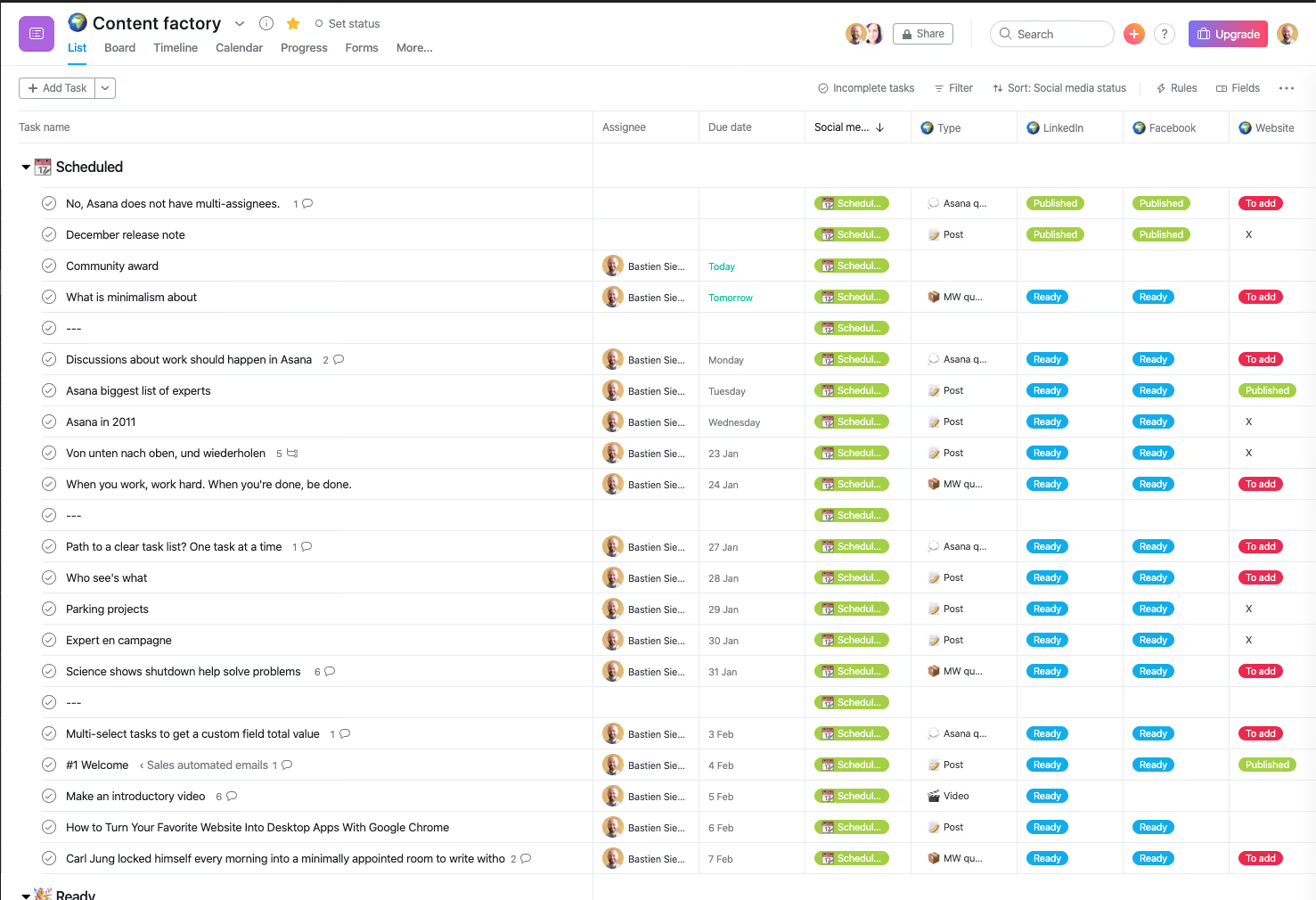
The platform provides multiple project views—lists, boards, timelines, calendars, and dashboards—allowing teams to visualize work in formats matching their workflows. Marketing teams might use calendar view for content scheduling, board view for campaign production, and timeline view for launch coordination, all within the same project.
What Asana Does Well
Asana excels at structured task management with custom fields, dependencies, and automation rules. Projects can track custom data points relevant to agencies—client names, project types, budget categories, campaign phases—making it possible to organize and filter work meaningfully. Task dependencies ensure teams understand which deliverables block others, preventing surprises when predecessor tasks delay downstream work.
Forms create standardized intake processes for creative requests. Clients or internal stakeholders submit structured briefs that automatically generate projects with pre-assigned tasks, deadlines, and owners. This reduces the administrative overhead of project kickoffs and ensures no requirements get missed in handoff conversations.
Portfolio views aggregate multiple projects, giving directors visibility across all client work simultaneously. Rather than clicking through individual projects to check status, managers see cross-project timelines, workload distribution, and milestone achievement in consolidated dashboards.
Integration with Adobe Creative Cloud connects design work directly to project tasks. Designers can link Photoshop or Illustrator files to tasks, with version tracking and approval workflows managed within Asana. This matters for agencies where creative asset management intersects with project coordination.
Where Asana Falls Short for Agencies
Time tracking isn't native. While Asana added time estimates for tasks, actual time tracking requires third-party integrations like Harvest or Toggl. This creates friction for agencies needing seamless connections between project work, time entry, and billing.
Financial management is limited. Projects can include budget custom fields, but there's no integrated system connecting hours tracked to budget consumption to profitability analysis. Agencies wanting real-time visibility into project margins must use external tools and manually reconcile data.
Resource management exists but focuses more on workload visualization than capacity planning. Managers can see task assignments across team members, but forecasting future availability and utilization rates requires external resource planning tools or manual spreadsheet tracking.
Best For
Mid-size creative agencies (20-100 employees) that need structured workflows, task dependencies, and cross-project visibility. Teams comfortable using separate tools for time tracking and financial management while coordinating work in Asana benefit from the platform's flexibility and automation capabilities.
Marketing departments within larger organizations or agencies with complex campaign workflows requiring detailed task coordination find Asana's structure valuable. However, agencies prioritizing integrated time-to-invoice workflows or needing built-in profitability tracking should consider platforms designed specifically for professional services.
Making the Right Choice for Your Agency
Choosing creative agency project management software requires matching platform capabilities to your specific operational needs, team size, and growth trajectory.
For Comprehensive Agency Management
Agencies needing integrated project management, time tracking, resource planning, CRM, and billing in one system should evaluate platforms designed specifically for professional services. Ravetree provides this unified approach, connecting project execution directly to financial outcomes without requiring multiple tool integrations. Operations managers and agency owners gain visibility into profitability, utilization, and resource allocation through a single interface.
For Visual Task Management
Small creative teams prioritizing simplicity and visual organization over financial features will find value in Trello's board-based interface. The platform works well for agencies managing straightforward projects where task completion matters more than margin tracking. However, teams tracking billable hours or monitoring budgets closely will need supplemental tools.
For Predictable Pricing
Agencies with fluctuating team sizes or extensive client collaboration should consider Basecamp's flat-rate pricing model. The cost structure makes sense for teams adding frequent collaborators or maintaining large client rosters. However, the absence of time tracking, resource planning, and financial reporting requires agencies to maintain separate systems for these functions.
For Structured Workflows
Growing agencies implementing complex campaign workflows with task dependencies and cross-functional coordination benefit from Asana's structured approach. The platform scales well as teams grow and project complexity increases. Agencies should plan for integrations handling time tracking and financial management, as these capabilities aren't native to Asana.
Key Success Factors Beyond Tool Selection
Successful implementation depends on factors beyond platform features. AI usage increased productivity in 41% of marketing campaigns and creative outputs, suggesting that agencies embracing workflow automation and intelligent features gain measurable advantages. However, technology alone doesn't guarantee results.
Team adoption determines success more than feature lists. Platforms requiring extensive customization or offering overwhelming complexity often see poor utilization, with teams reverting to email and spreadsheets despite substantial software investments. Creative teams waste much of their time searching for files across disconnected tools, emphasizing the importance of centralizing work rather than fragmenting it across multiple systems.
Top agencies achieve excellent client retention through transparent communication systems, highlighting that client-facing features matter as much as internal coordination capabilities. Agencies that give clients visibility into project progress without overwhelming them with internal details build trust that translates to longer relationships and better referrals.
Start with clear objectives. Define the specific problems your current system creates—missed deadlines, budget overruns, unclear resource allocation, poor client communication—and evaluate platforms based on how directly they address these pain points. Agencies trying to solve everything simultaneously often select overly complex tools that introduce new problems while fixing old ones.
Frequently Asked Questions
What's the difference between project management software and PSA software for agencies?
Project management software coordinates tasks, deadlines, and collaboration. PSA (Professional Services Automation) software adds time tracking, resource planning, financial management, and client relationship features specifically designed for service businesses. Agencies billing by the hour or managing retainers typically need PSA capabilities.
How much should agencies budget for project management software?
Expect $10-50 per user monthly depending on features. All-in-one platforms designed for agencies typically cost more per seat but eliminate expenses for separate time tracking, invoicing, and CRM tools. Calculate total cost including integrations rather than comparing base subscription prices.
Can agencies use free project management tools effectively?
Free tiers work for solo freelancers or small teams managing simple projects. Agencies tracking billable hours, monitoring budgets, or coordinating multiple clients simultaneously will outgrow free plans quickly and require paid features for operational visibility.
What's the biggest mistake agencies make when choosing project management software?
Selecting platforms based on feature lists rather than workflow fit. The "best" tool is one your team actually uses consistently. Tools requiring extensive configuration or offering unnecessary complexity often see poor adoption, wasting both subscription costs and implementation time.
Conclusion
The best creative agency project management software connects project coordination to financial performance, giving operations managers and agency owners visibility into profitability, resource utilization, and client satisfaction. Agencies succeed when they match platform capabilities to their specific operational needs rather than chasing feature checklists.
Platforms like Ravetree provide comprehensive work management specifically designed for client service businesses, integrating project management with time tracking, resource planning, CRM, and billing in unified systems. This all-in-one approach eliminates data gaps between separate tools while providing the financial visibility agencies need to remain profitable.
Trello offers visual simplicity for smaller teams prioritizing ease of use over comprehensive features. Basecamp provides flat-rate pricing and strong client collaboration for agencies wanting predictable costs. Asana delivers structured workflows and automation for growing teams implementing complex processes. Each platform excels in different scenarios depending on agency size, operational maturity, and specific requirements.
Success ultimately depends on implementation and adoption rather than feature counts. Choose creative agency project management software that solves your specific pain points, train teams thoroughly, and measure results against clear objectives. Agencies that centralize work, automate repetitive tasks, and maintain visibility into project health position themselves for sustainable growth in competitive markets.


.png)