
.png)
Key takeaways:
Close to three-quarters of mid-sized accounting firms say staff shortages are now severe enough to make them turn away business, according to a 2026 Advancetrack survey of 500 accountants. Read that again. Firms aren't short on clients. They're short on hours.
That changes how you should shop for the best practice management software for accounting firms. This isn't just an administrative purchase anymore. The right practice management software for accounting firms can help you recover capacity you can't hire for. The wrong one becomes just another login your team quietly ignores.
I've watched firms buy based on polished demos and regret it by the second tax season. So this guide skips the feature bingo. First, it explains what the software actually needs to do inside an accounting firm. Then it covers five options worth considering, in this order: Ravetree, Canopy, Karbon, Financial Cents, and Mango. Finally, it explains how to match a platform to the way your firm makes money.
Six jobs the software has to do before it earns a login
Most buying mistakes start with a feature checklist. A better test is to ask what the system needs to do on a Tuesday in March, when three managers are out and 40 extensions are due Friday. Good practice management software for accounting firms should handle six essential jobs without anyone having to open a spreadsheet.
1. Turn every deadline into something visible
An accounting firm runs on recurring deadlines: monthly closes, quarterly estimates, payroll filings, annual returns, and extensions. The software should automatically generate recurring work and show who is responsible for each task. If a partner still needs to maintain a private list of due dates, the system isn't doing its job.
This is the core of managing deadlines and client work efficiently. Templates matter more than dashboards here. A well-designed template for a 1120-S return can save more time than any chart.
2. Capture time where the work actually happens
Time tracking that lives in a separate app often gets filled in on Friday afternoon from memory. That's how billable minutes quietly disappear, task after task, throughout the year. Timers should be available directly within each job.
Captured time feeds work in progress (WIP), where profits can quietly leak away. If you can't see unbilled hours by client and service line, you can't identify and address realization problems. Ravetree's guide to tracking WIP, time, and expenses for maximum profit explains how to manage this process.
3. Collect documents without the email chase
A secure client portal isn't a nice-to-have for tax work. Under the FTC Safeguards Rule, firms that prepare tax returns are considered financial institutions and must maintain a written information security program. Emailing W-2s back and forth makes it harder to protect sensitive information and demonstrate compliance.
Internal intake matters, too. Structured requests let staff ask for reviews, bookkeeping fixes, or partner sign-off without interrupting someone. Each request becomes a trackable item instead of a forgotten Slack message.
4. Show who's overloaded before busy season
Capacity is the constraint now. Rightworks' 2025 post-tax-season survey found that 12% of firms had to shrink their tax client base to match available staff. You can't plan around a staffing shortage you can't see.
Resource planning should show how many hours each person has booked compared with their available hours, week by week. If a senior accountant is already scheduled to work at 130% capacity in February, you want to know in December.
5. Get the money in faster
Your system should provide a smooth process from engagement to invoice to payment. That starts with proposals and engagement letters that establish the scope and price upfront. It also means setting up recurring retainers for advisory and monthly bookkeeping clients, so you don't have to recreate the same invoice every month.
Billing and invoicing should pull information directly from approved time entries, fixed fees, and expenses. Every time someone manually re-enters information between systems, there's another opportunity to underbill.
6. Keep one client record everyone trusts
A built-in CRM eliminates the "which email has the latest address?" problem. Client entities, contacts, related returns, notes, and outstanding balances should all be accessible in one place. When an employee leaves, the client's history stays with the firm.
Five tools worth your shortlist, and who each one is really for
There's no single winner in practice management software for accounting firms. Each of these platforms was built around a different idea of what an accounting firm needs. The key is to find the one whose approach matches yours.
Ravetree: for firms that run client work like a business, not a checklist
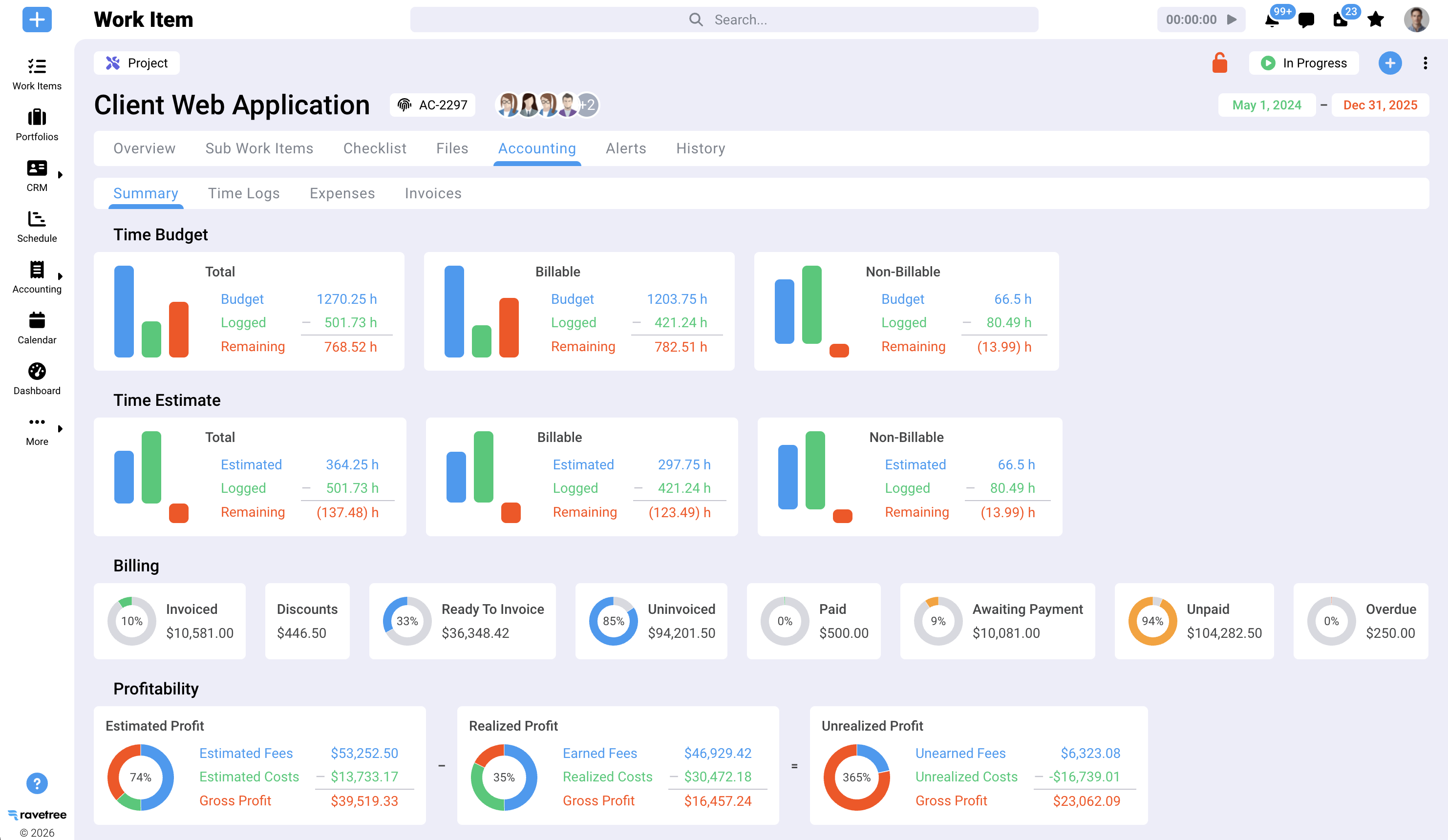
Ravetree approaches the problem from the professional-services perspective. It combines project management, time tracking, budgets, resource planning, client portals, CRM, proposals, retainers, and billing in one platform. It also covers operational needs that many accounting tools overlook, such as expense tracking and purchase orders.
This is particularly relevant for firms expanding their advisory, client accounting services (CAS), and outsourced CFO offerings. These engagements operate more like projects with defined scopes, budgets, and profit margins than traditional annual tax returns. Ravetree lets firms compare budgeted hours with actual hours for each engagement and monitor profitability before sending an invoice.
It's also worth considering for firms that still manage their work in Excel. If that's your situation, read why firms replace spreadsheets with dedicated project tools. Unlike generic project management software, Ravetree connects tasks to time entries, time entries to invoices, and invoices to client records.
Best fit: Multi-service firms expanding their advisory and project-based work, where partners need visibility into profit margins. Trade-off: Ravetree isn't a tax-production engine and doesn't retrieve IRS transcripts. Firms focused on tax resolution will need to use it alongside their tax software.
Canopy: for tax-centric practices that want IRS tooling built in
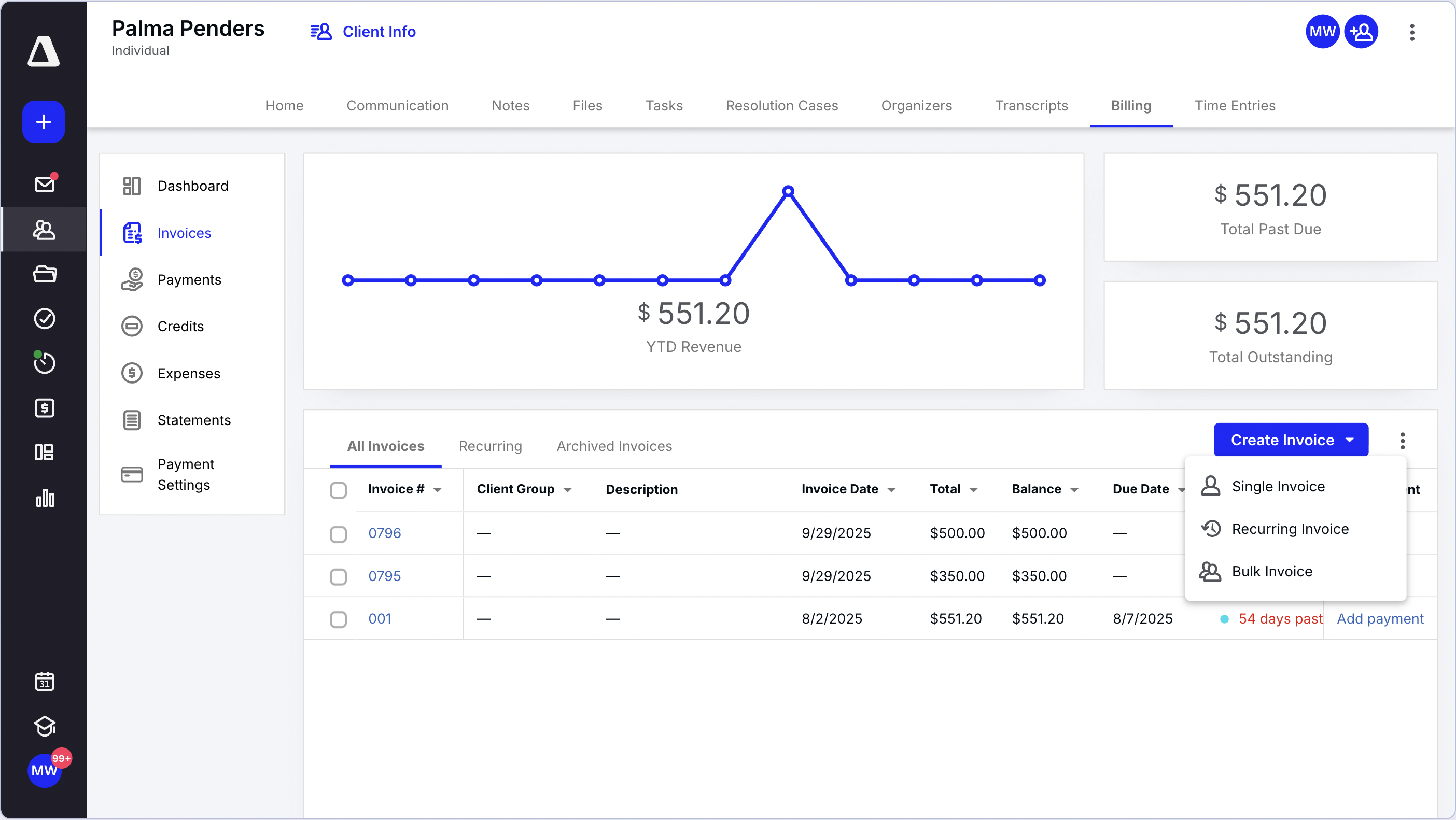
Canopy was designed with tax practitioners in mind, and its features reflect that focus. Capterra's listing highlights tax resolution tools for IRS transcript retrieval, along with workflow, portal, and billing modules. Reviewers give it a rating of 4.5 out of 5 based on 286 reviews on that site.
The main consideration is its pricing structure. Canopy sells its features in separate modules, with Time & Billing at $22, Workflow at $32, and Document Management at $36 per user per month, according to the same listing. It also offers a client engagement platform with usage-based pricing. Some reviewers say the module-based pricing can be complicated for smaller firms.
Best fit: Tax preparation and tax resolution firms that want IRS notices, transcripts, and client documents in one place. Trade-off: Calculate the cost of all the modules you'll actually need before comparing Canopy with an all-in-one platform.
Karbon: for collaborative teams that live in email
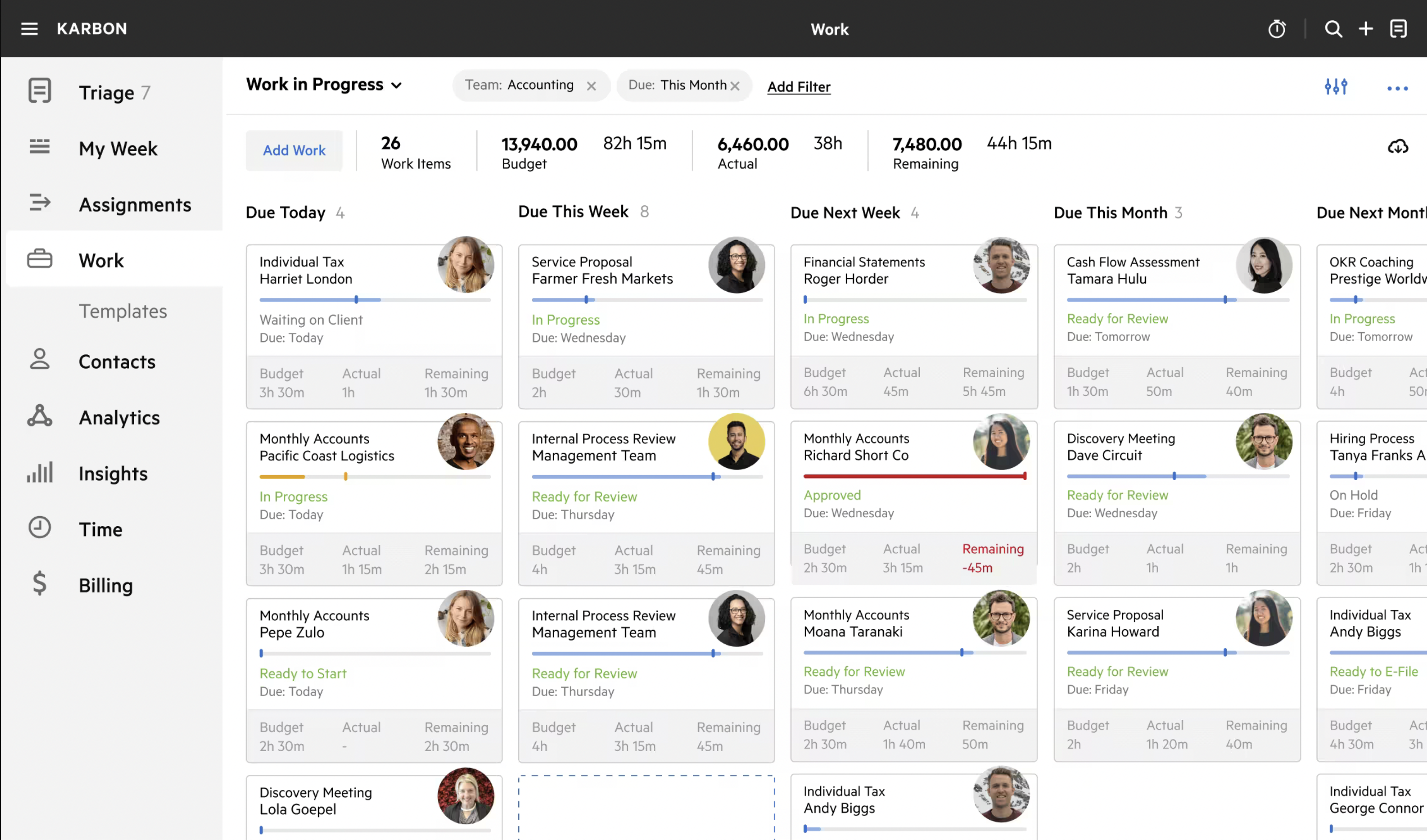
Karbon's signature feature is its ability to bring client emails into a shared triage view and connect them to jobs. For a 15-person firm where much of the work arrives by email, this can create a more organized and accountable workflow. Published list prices are $59 per user per month for the Team plan and $89 for Business, billed annually.
However, eSignature credits and payment processing fees are additional costs, and onboarding experiences receive mixed reviews. Firms should also expect an adjustment period as employees learn the new workflows. If staff continue managing client communications in their personal inboxes, the firm may end up paying for a platform that only part of the team uses.
Best fit: Growing, multi-partner firms with substantial recurring bookkeeping work and email-driven client communications. Trade-off: Per-user costs can add up quickly, and the platform's value depends on consistent adoption across the firm.
Financial Cents: for small firms that want simple and affordable
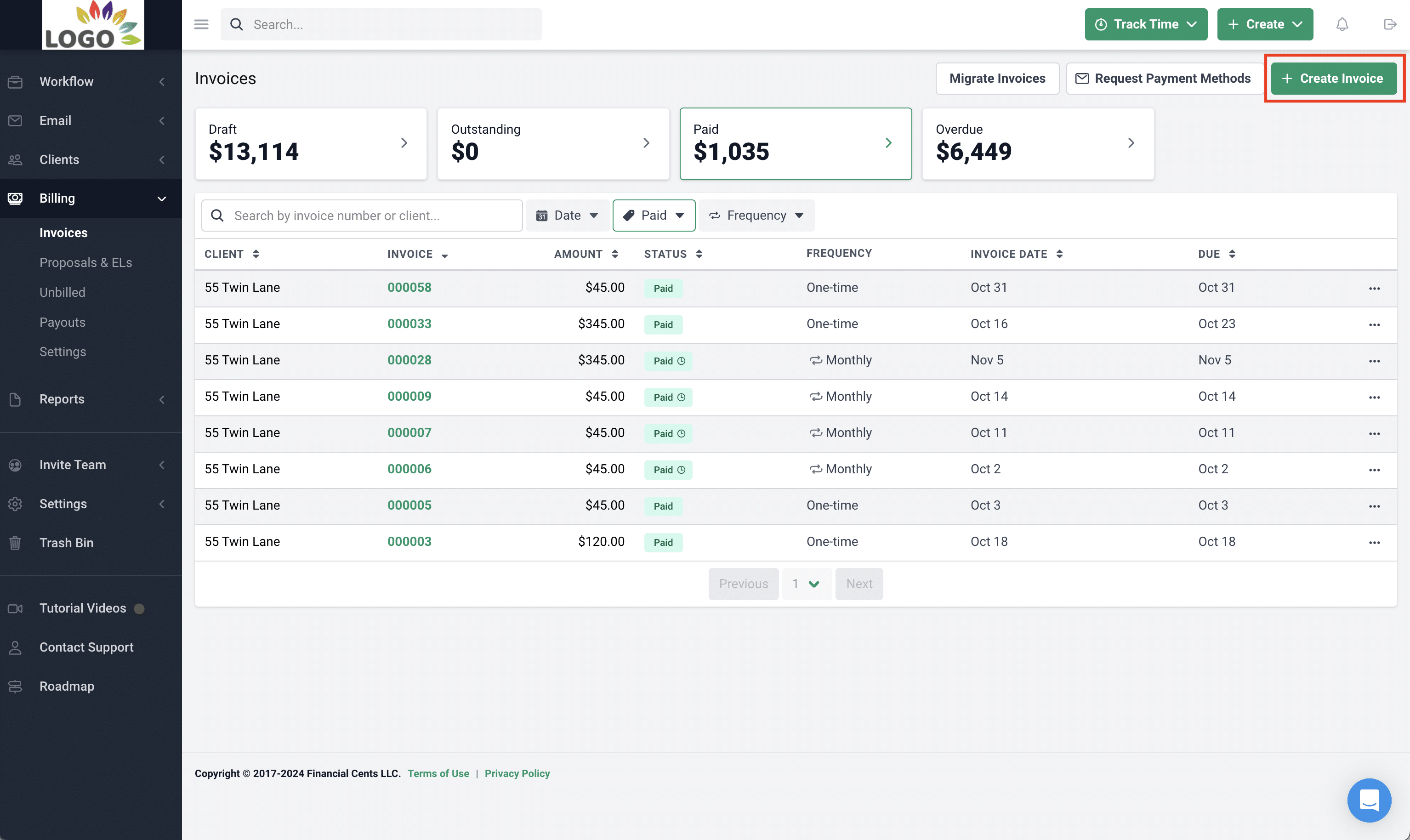
Financial Cents keeps its feature set deliberately focused. It emphasizes recurring workflows, a client portal, time tracking, and invoicing for small accounting and bookkeeping teams. Capterra lists plans at $19 per user per month for Solo, $49 for Team, and $69 for Scale. It also has a rating of 4.8 out of 5 based on 271 reviews on that site.
Its simplicity is both its main selling point and a potential limitation. Firms can get started quickly, especially during the off-season. However, businesses that need more advanced capacity planning, project profitability reporting, or complex billing arrangements may eventually outgrow it.
Best fit: Solo practitioners and firms with fewer than about 10 employees that want to move away from spreadsheets. Trade-off: It offers less advanced analytics and fewer options for managing the needs of a growing, multi-service firm.
Mango: for hourly billers who want classic time and billing
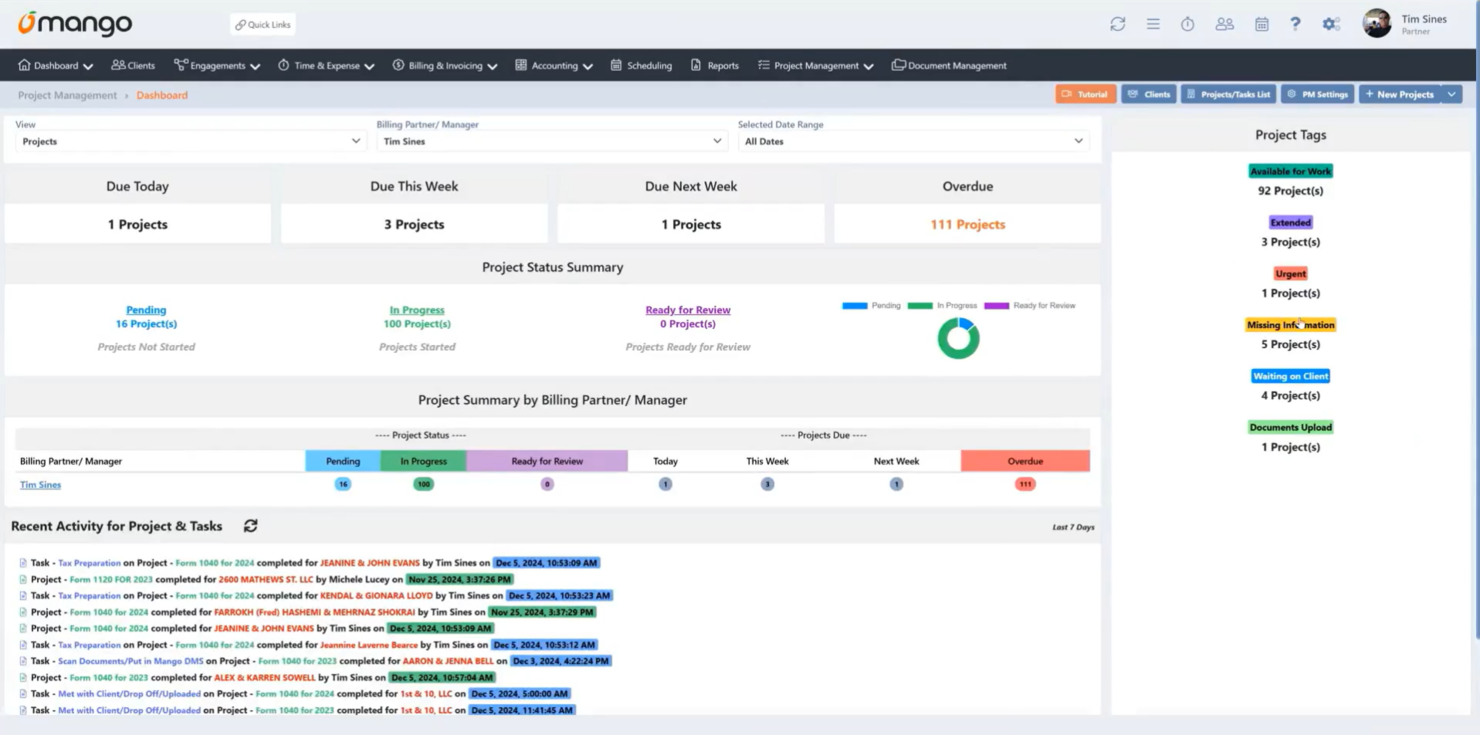
Mango, formerly known as ImagineTime, grew out of time-and-billing software designed for accountants. Software Advice lists Basic at $35, Plus at $55, and Pro at $69 per user per month. Its features include WIP tracking, invoicing, deadline management, document management, and a payments portal.
Customer reviews are more mixed than those of some other platforms. Mango has an average rating of 3.8 out of 5 based on 61 reviews on that listing. Several long-time users report problems with report and invoice accuracy, while others praise its straightforward time-entry and billing processes.
Best fit: Traditional accounting firms that bill hourly and primarily need dependable time tracking and invoicing. Trade-off: Test reporting accuracy thoroughly before committing to the platform.
Match the platform to how your firm makes money
Here's the opinion I'll defend: your revenue model should determine your practice management software for accounting, not your headcount. Two firms with 12 employees can have completely different needs. One might file 1,800 individual tax returns, while the other provides monthly bookkeeping and CFO advisory services to 60 businesses.
Start with four questions
- What share of revenue comes from annual compliance versus recurring or project-based work? Compliance-focused firms need reliable deadline management and tax tools. Advisory-focused firms need budgets, margin visibility, and capacity planning.
- How do you bill? Hourly billing firms depend on WIP tracking and realization. Fixed-fee and subscription-based firms need scope control and recurring invoicing.
- Where does client work arrive? If most work arrives by email, email integration is essential. If you can encourage clients to use a portal, you have more options.
- Who needs to adopt the software? A platform that your partners won't use is unlikely to deliver much value.
Quick matches
- Tax preparation and resolution: Canopy, with its built-in IRS transcript and notice tools.
- Email-heavy firms with 10 to 50 employees and substantial recurring bookkeeping work: Karbon, provided the firm commits to shared email triage.
- Solo practitioners and firms with roughly 10 or fewer employees and tight budgets: Financial Cents.
- Traditional firms that bill by the hour: Mango, following a thorough trial of its reporting features.
- Firms expanding advisory, CAS, or project-based engagements that need margin visibility: Ravetree.
Notice what's missing from that list: "the one with the most features." Features you don't configure can cost you twice: once in subscription fees and again in the time your team spends ignoring them.
Questions to ask in every demo
- Show me how a recurring monthly close is created, assigned, reviewed, and rolled forward.
- Show me WIP by client and service line, and explain what happens when I write down time.
- Show me one employee's booked hours compared with their available capacity over the next eight weeks.
- Show me how a client uploads a document and how my team is notified that it has arrived.
- What will the first year actually cost once I include e-signatures, payment processing, and onboarding?
If the sales representative responds to any of these questions with a slide deck instead of a demonstration, take note. For a deeper look at structuring teams and work within a platform, see how firms organize an accounting team with project software.
What switching really costs, and when to do it
The subscription fee is the smallest part of the decision. The real cost of adopting new practice management software for accounting firms comes from migrating data, building templates, and managing three to six weeks of reduced productivity while employees adjust to new workflows. Budget for these costs upfront to avoid surprises halfway through implementation.
Timing beats features
Never go live between mid-January and April 15. That sounds obvious, yet firms still do it because a contract renewal forces their hand. There are two practical windows: May through August, or a carefully planned transition completed by mid-November.
If you're reading this in the fall, make your decision in the next few weeks. Otherwise, run the upcoming tax season on your existing system and schedule the transition for May.
A rollout sequence that holds up
- Clean the client list first. Merge duplicate records, correct entity relationships, and archive inactive clients. Otherwise, you'll simply migrate your existing data problems into the new system.
- Build five templates that cover most of your work. Start with individual tax returns, business tax returns, monthly bookkeeping, payroll, and one advisory engagement. You can refine the remaining templates later.
- Migrate open items, not history. Bring over active clients, outstanding WIP, and unpaid invoices. Keep five years of completed jobs in your old system as read-only records.
- Pilot with one team for one full month-end cycle. Address the problems that team identifies before rolling out the platform to everyone else.
- Set a firm shut-off date for the old tool. Running two systems in parallel can become permanent if you don't establish a clear end date.
Why hiring won't bail you out
The staffing challenge isn't going away. The Bureau of Labor Statistics projects about 115,300 openings for accountants and auditors each year through 2035, many of them resulting from retirements and career changes. Firms will continue competing for qualified employees.
That makes it essential for new software to help your existing team accomplish more. Track four metrics 90 days after launch:
- Realization rate: The billed value of work divided by the standard value of the time worked.
- On-time completion: The percentage of recurring work completed before its internal deadline.
- WIP days: The average number of days between completing work and sending the invoice.
- Hours per engagement type: For example, the average hours spent on an individual 1040 return or a monthly close.
If none of these metrics improves, the problem may be adoption rather than the software itself. Review your templates and training before blaming the vendor.
The short version: buy for capacity, not for the demo
The firms that thrive over the next five years won't necessarily have the largest teams. They'll be the ones that get the most billable, on-time work from the employees they have. That's the real purpose of practice management software for accounting firms: bringing deadlines, time, capacity, and billing together in a single view that supports better decisions.
If your firm focuses primarily on tax, consider Canopy. If email drives your workflows, look at Karbon. If your budget is tight, explore Financial Cents. If you follow a traditional hourly billing model, test Mango carefully. If you're expanding into advisory, CAS, and project-based work, Ravetree provides tools for monitoring margins and capacity alongside your day-to-day operations.
Your next step is to document your revenue mix and billing model, then schedule two demos using the five questions above. That one-page summary will help narrow your options for the best practice management software for accounting firms more effectively than a feature comparison chart. Choose deliberately, implement outside tax season, and measure realization 90 days after launch.
Frequently Asked Questions
What is practice management software for accounting?
It's a platform that manages the operational side of an accounting firm, including recurring deadlines, task workflows, time tracking, client portals, and billing. It works alongside your tax preparation and accounting software rather than replacing them.
How much does accounting practice management software cost?
Published list prices for the tools in this guide range from about $19 to $89 per user per month. Additional costs for e-signatures, payment processing, and onboarding can significantly increase the total cost during the first year.
When is the best time to switch platforms?
May through August is generally a practical window, with mid-November as the latest realistic time for a transition before tax season. Avoid going live between January and April 15.
Which option fits an advisory-focused firm?
Firms expanding their advisory, CAS, or project-based services typically need budgeting, capacity planning, and engagement-level profitability reporting. Ravetree is designed to support these needs, while compliance-focused tools tend to emphasize deadlines, tax workflows, and document management.