

Key takeaways:
- Kantata offers enterprise depth, but reviewers repeatedly cite a steep learning curve and heavy configuration.
- Teamwork.com is easier to start, yet reviewers describe a cluttered, aging interface and reporting that falls short as firms grow.
- Adoption is a financial issue: tools people avoid produce thin time data, stale schedules and unbilled hours.
- For firms of roughly 15 to 150 people, Ravetree pairs financial depth with ease of use in a single-tier platform.
Picture the operations lead at a 40-person consulting firm on a Thursday afternoon. Two vendor demos are done, and both looked capable. One was Kantata, a heavyweight professional services automation (PSA) platform. The other was Teamwork.com, a client-work tool with a gentler price and a friendlier first impression. That's the usual setting for Kantata vs Teamwork.com for Professional Services, and the decision rarely turns on features.
It turns on what each product asks of your people once the demo ends. Read enough reviews and the pattern in Kantata vs Teamwork.com is hard to miss. Kantata is deep but demanding, and plenty of users say so. Teamwork.com is easier to start, yet reviewers describe an interface that feels cluttered and dated, with features that stop short of finished. Many mid-sized firms end up picking a third option, Ravetree, and it's worth understanding why before you sign either contract.
The stakes are bigger than one software line item. SPI Research's 19th annual benchmark, built on 2025 survey data from 509 firms, found billable utilization fell to 66.4%, the lowest reading in the study's history. Pipeline and staffing take most of the blame for numbers like that. Tools get less attention than they deserve. A system people avoid produces a stale schedule, late timesheets and managers who staff by gut feel, and each of those habits shaves hours off the billable line.
Two products built from opposite ends of the business
Kantata didn't start as Kantata. The company launched in May 2022 after Mavenlink and Kimble Applications merged, and the two original products still sit side by side as Kantata OX (the Mavenlink line) and Kantata SX (the Kimble line, built on Salesforce). That history matters more than it seems. A lot of reviews online still say "Mavenlink," so if you're researching ease of use, search both names or you'll miss half the feedback.
Kantata's design starts from the resource plan and the P&L. Resource planning, skills-based staffing, revenue forecasting and margin reporting are the center of gravity. Tasks exist, but they hang off a financial model of the firm.
Teamwork.com comes from the other direction. It began as project management for client work, with tasks, milestones and boards up front, and over the years added time tracking, budgets, invoicing and workload views. The financial layer is there. It was just built onto a task tool rather than the other way around.
Neither approach is wrong. They fail differently. A finance-first system can bury a project manager in setup before a single task gets assigned. A task-first system can make a busy week look tidy while the account quietly loses money. Which failure your firm can tolerate is the real question here.
Four questions to answer before you sit through another demo
Feature checklists make both products look like every other project management software vendor's. These questions don't.
- Who will own the configuration? Someone has to set up rate cards, roles, approval rules and report templates, then keep them current as the firm changes. If the honest answer is "the COO, in her spare time," a system that needs a dedicated administrator will sit half-configured.
- How does money actually move? Pure time-and-materials work is forgiving in almost any tool. Fixed-fee projects with change orders, blended rates, or monthly retainers with rollover hours are where shallow billing features start producing side spreadsheets.
- How disciplined is your time entry today? No tool fixes a culture of Friday-afternoon guesswork, but a clumsy one makes it worse. If your people already log late, ease of entry should outrank almost any reporting feature.
- What do clients need to see? Some clients want a status update and nothing more. Others want to submit work, approve deliverables and watch budget burn. A real client portal handles the second group without your account managers forwarding screenshots.
Firms in the 20-to-150-person range tend to answer these the same way: no full-time admin, mixed billing models, imperfect timesheets and clients who expect visibility. (We've covered what firms that size should prioritize in more depth.) That profile matters for Kantata vs Teamwork.com, because it lands awkwardly between the two.
Kantata: genuine depth, and a learning curve reviewers keep raising
Start with what Kantata does well, because it's real. Firms with hundreds of billable people, several practices and genuinely complicated staffing problems get forecasting and resource management that lighter tools don't have. Plenty of reviewers say the platform was worth it once their team got through onboarding.
That last clause is the problem. "Once" is carrying a lot of weight.
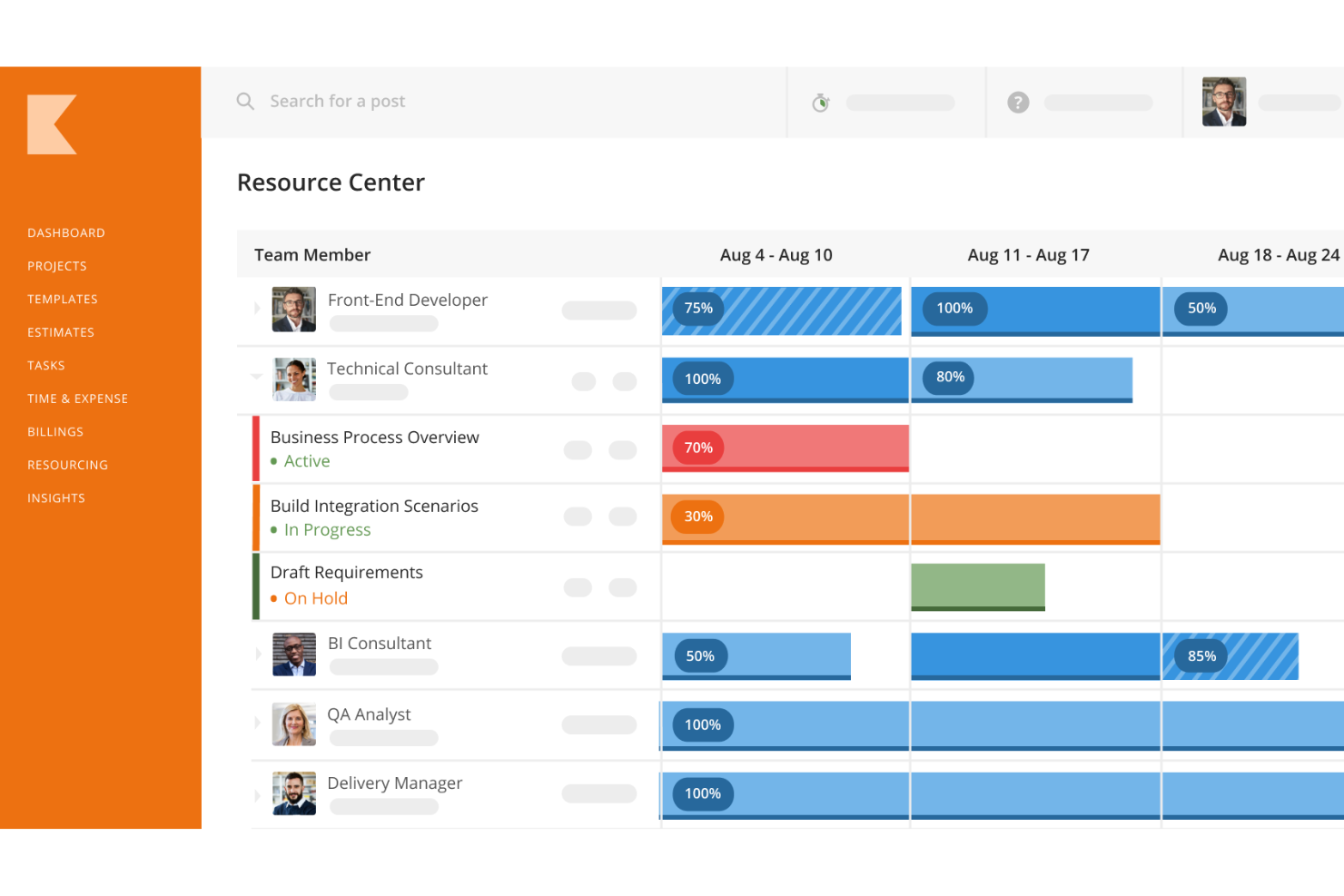
Across review sites, difficulty is the most consistent complaint. On Capterra, reviewers describe a noticeable learning curve, features that need upfront configuration and training, and a product that's hard going for new users. Another said there are so many moving parts that following the steps of project creation gets difficult. GetApp's summary of Kantata feedback flags occasional navigation challenges and a learning curve for advanced features. And on Gartner Peer Insights, one critical reviewer complained of slow-loading updates, restrictive customization and routine tasks that take too many steps.
None of this makes Kantata a bad product, and it's the main reason Kantata vs Teamwork.com isn't simply a features contest. Kantata is software that expects an owner. In a 400-person firm with a PSA administrator and an implementation partner, that's a normal cost of doing business. In a 40-person firm, it's someone's actual job getting quietly reassigned.
Run the arithmetic. If an operations manager spends one day a week maintaining configuration, fixing permissions and rebuilding reports, roughly 20% of a salaried role is going to the tool instead of the business. That cost never shows up on the vendor's quote.
There's a subtler cost, too. Complex systems tend to get configured once, during implementation, by people who later move on. A year later nobody remembers why the approval chain works the way it does, changing it feels risky, and the firm starts adapting to the software instead of the reverse. If you want more on where Kantata shines and stumbles, we've also looked at Kantata's strengths and weaknesses against another agency-focused rival.
Teamwork.com: a friendlier first week, then the seams show
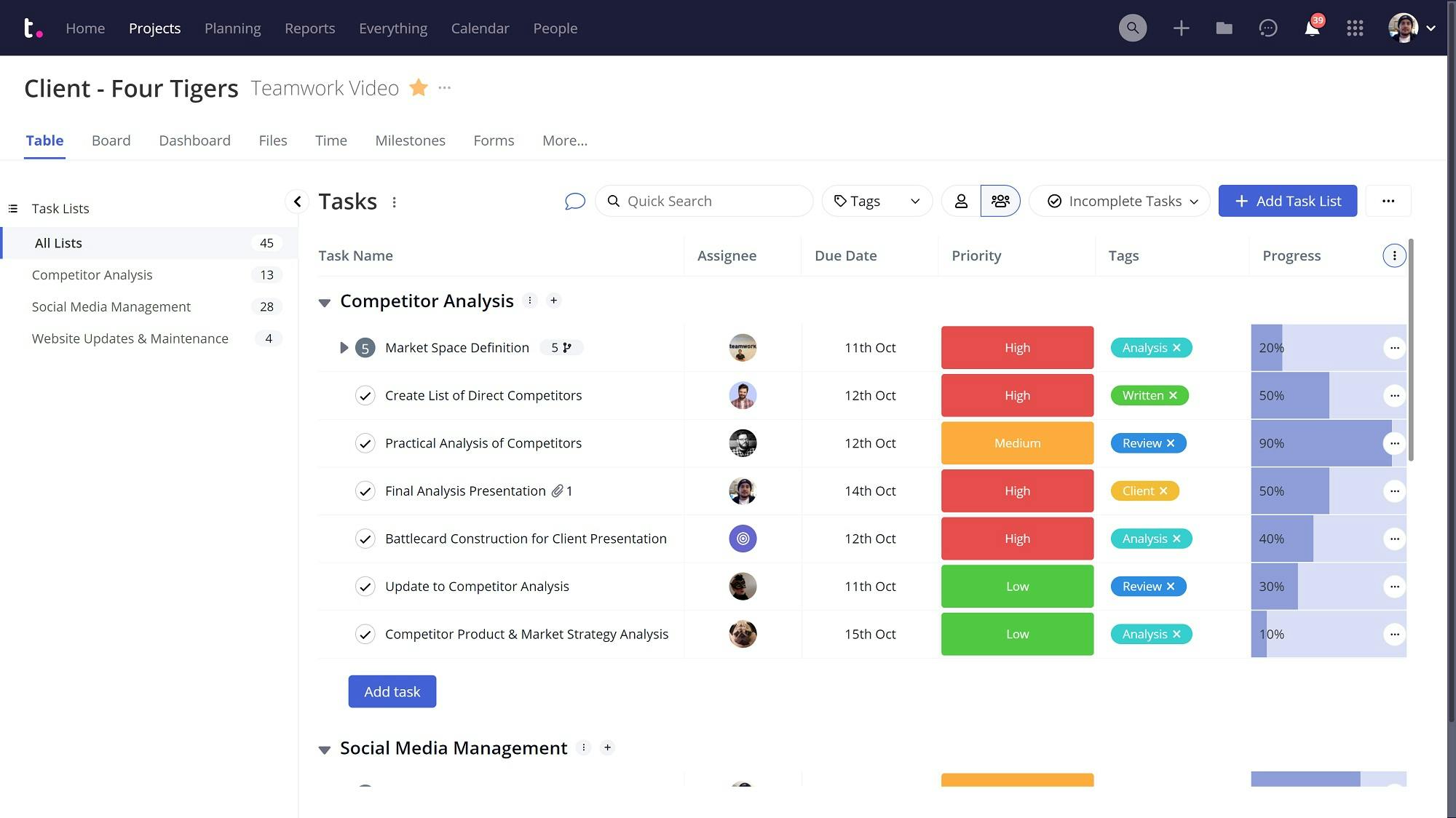
Teamwork.com's reputation runs opposite to Kantata's, at least at first. Many reviewers say new people pick it up quickly, and its client-collaboration features get regular praise. For a small agency doing mostly task-driven work, that counts for a lot.
The criticism arrives later, and it clusters around two themes.
The interface feels its age. One Capterra reviewer said plainly that the interface has become cluttered and clunky. Another, a generally happy customer, noted that interface tweaks a couple of years ago made things harder to find, which is the opposite of what a redesign is supposed to do. When long-time fans describe updates as steps backward, that's a signal about where product attention has gone.
Features that stop short. This is the "half-baked" complaint you hear from people who've evaluated Teamwork.com closely. G2's summary of reviews says users find the platform overwhelming because of its many features, see lag on large projects, and hit reporting and dashboard views that lack flexibility for leadership visibility across projects. A Capterra reviewer pointed out that pieces are missing from the mobile app, which undercuts the ease-of-use story for anyone logging time away from a desk. The pattern is breadth without depth: plenty of menu items, fewer that go all the way.
Here's why that matters for professional services specifically. Teamwork.com's weak spots surface right when a firm's questions change. "Is the task done?" is easy. "Did we make money on this client last quarter, and who's free to start the next engagement in two weeks?" is where reporting flexibility and resource depth decide whether you get an answer or an export. That shift often happens somewhere between 15 and 40 people, which is exactly when firms start comparing Kantata vs Teamwork.com in the first place.
The adoption problem nobody writes into the RFP
Hard-to-use software rarely fails loudly. Nobody announces they've stopped using it. The data just gets thinner.
One Kantata reviewer on Capterra described exactly that: a team so resistant to the system that people tracked projects and tasks outside it. Once that happens, the resource plan describes a firm that doesn't exist, and every staffing or pricing decision built on it inherits the error.
Timesheets are where the damage is easiest to measure. Take a 25-person agency where half the team logs hours on Friday from memory, and each of those 12 people under-records two billable hours a week. At a $150 blended rate, that's $3,600 a week, or roughly $180,000 a year in work performed and never invoiced. The figures are illustrative. The mechanism isn't: friction at the timesheet shows up as leakage on the invoice.
Cluttered interfaces cause the same leak by a different route. When finding the right project takes four clicks and a search that doesn't match how people think, they log to whatever's handy, and your project margins drift into fiction.
So when you weigh Kantata vs Teamwork.com, count adoption as a financial line item. A tool your team uses 90% of the way beats a more powerful one they use 60% of the way, and it isn't close.
Why many mid-sized firms choose Ravetree instead
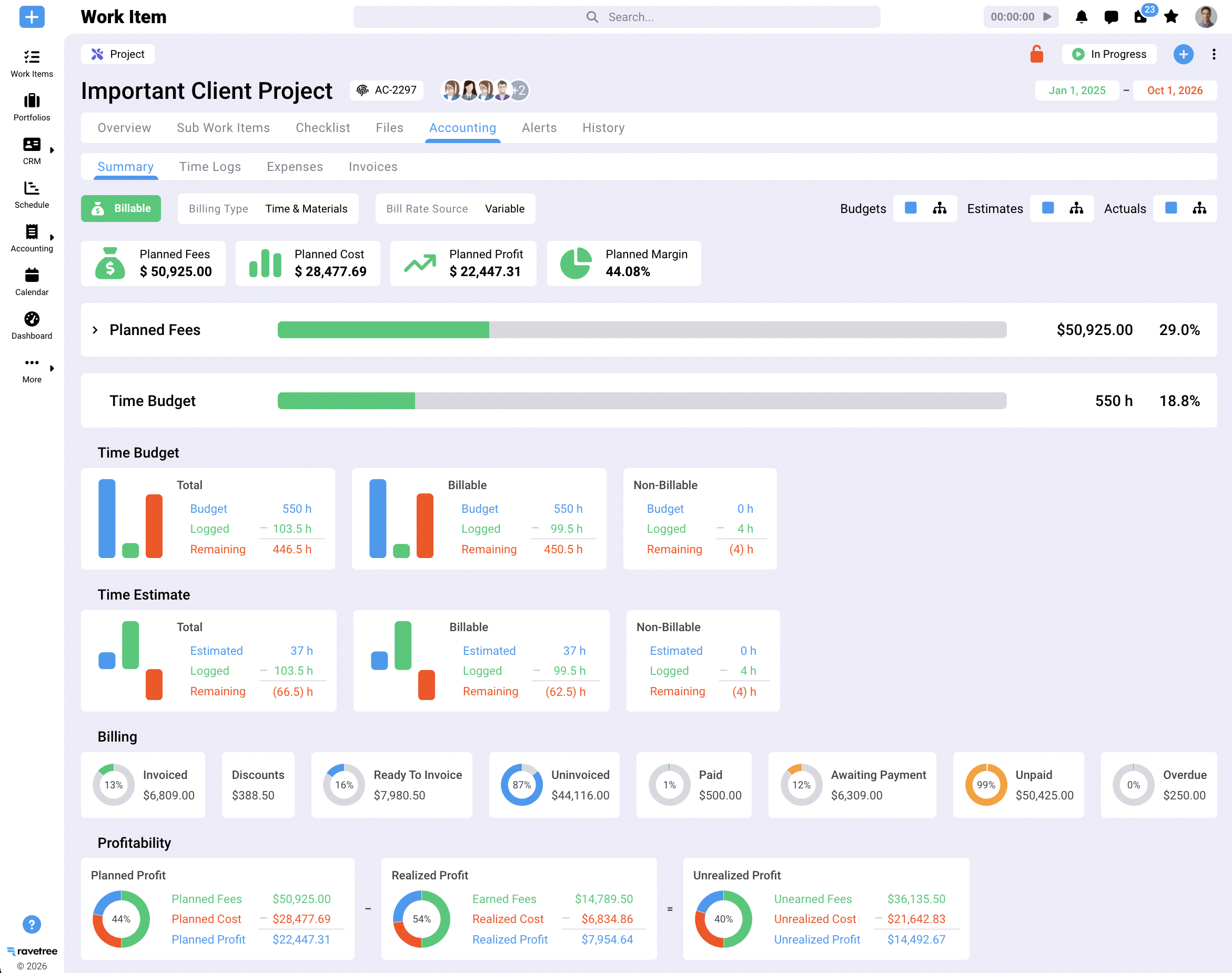
Ravetree is built for the firm that's too complex for a task tool and too lean for an enterprise PSA. Everything a services business runs on sits in one product: projects, resource planning, time tracking, CRM, proposals, retainers, invoicing, expense tracking, purchase orders, client-submitted requests and client portals. Pricing is a single tier at $39 per user per month with every feature included, so there's no forced upgrade the day you need resource management or deeper reporting.
What that looks like day to day:
- A deal won in the CRM can generate a project from a template, so sales and delivery work from the same scope instead of retyping it.
- Time logged against a task flows to the budget and the invoice, so a project manager sees margin erosion while it's happening rather than at month-end close.
- Retainers are handled as retainers, not as projects pretending to be retainers, which matters for agencies billing the same clients every month.
- Clients can submit requests and check progress in a portal, so account managers stop acting as human status pages.
Reviews tell a consistent story about why firms switch. On Capterra, a principal at a professional training firm said they also evaluated Teamwork.com, found its UI lacking and ran into strange bugs while testing, and chose Ravetree as powerful but easy to use. In the same set of reviews, a design-studio creative director who considered Teamwork.com among other options picked Ravetree because it covered the business end to end and handled retainers better than most. An agency head of operations singled out how quickly the team responded during implementation. Support comes up again and again, and that matters more than it sounds: when help is easy to get, a tool is easier to keep using properly.
Ravetree isn't trying to be everything to everyone. A 600-person global consultancy standardized on Salesforce may still want Kantata's enterprise BI and Salesforce-native option, and we've laid out where that line falls in our Ravetree vs. Kantata breakdown. For the 15-to-150-person firm, though, Ravetree delivers the financial depth Teamwork.com lacks without the learning curve reviewers keep flagging in Kantata. That's why it's often the stronger answer to Kantata vs Teamwork.com.
A two-week trial that tells you more than any demo
Demos are rehearsed. Trials don't have to be. Whatever's on your shortlist, run these tests with your own data:
- Rebuild one finished, messy project. Pick a fixed-fee job with a change order and a blown estimate. If the tool can't reproduce what actually happened to the margin, it won't warn you next time.
- Hand time entry to your least patient senior person. Have them log a full week, including at least two days on their phone. Their complaints are a preview of your future compliance rate.
- Ask for the report your managing partner reads every month. Time how long it takes someone outside the vendor's sales team to build it.
- Reassign someone mid-project. Watch which numbers update on their own: capacity, budget, forecast. Anything you have to fix by hand becomes a weekly chore.
- Bill a retainer with rollover hours. It's a five-minute test that exposes a lot.
- Answer "who's free next Tuesday afternoon?" Count the clicks.
If you'd rather not run the gauntlet twice, run it on Ravetree alongside whichever of the two you're leaning toward. Side by side, the comparison tends to make the decision for you.
The verdict on Kantata vs Teamwork.com
If you're a large, finance-led firm with a dedicated operations team and the budget for a proper implementation, Kantata's depth can justify its learning curve. If you're a small team doing mostly task-driven work, keeping finance in your accounting system and willing to live with an interface that feels dated, Teamwork.com will get you organized quickly.
Most professional services firms aren't either of those. They're the 30-person consultancy or the 80-person agency with mixed billing, no full-time systems admin and a partner group that wants margin answers on Monday morning. For them, the honest read of the reviews is that one product asks too much of the team and the other gives too little back.
So treat Kantata vs Teamwork.com for Professional Services as a useful frame rather than a final choice. Run the trial tests above, put Ravetree on the shortlist, and let your own people's first two weeks tell you which tool they'll still be using in two years. In Kantata vs Teamwork.com, that's the only scorecard that holds up.
Frequently Asked Questions
Is Kantata harder to use than Teamwork.com?
Generally, yes. Review sites consistently describe a steeper learning curve and heavier setup for Kantata, while Teamwork.com is quicker to pick up but draws complaints about a cluttered interface and limited reporting.
Why do so many Kantata reviews mention Mavenlink?
Kantata was formed from the 2022 merger of Mavenlink and Kimble Applications, so older reviews use the previous product names. Search both when you research usability.
Which is better for agencies billing monthly retainers?
Test retainer invoicing and rollover hours in any trial before you decide. Agencies with heavy retainer work often find Ravetree a better fit, since retainers are a dedicated feature rather than a workaround.
Can a 30-person firm realistically run Kantata?
It can, but plan for someone to own configuration and reporting as part of their job. Without that owner, smaller firms often end up using a fraction of what they pay for.