

Key takeaways:
- Compare tools at the cheapest tier that holds budgets, capacity planning and timesheets, not the advertised entry price.
- Services platforms (Ravetree, BigTime, Scoro, Kantata) tie work to money; Wrike, ClickUp, monday.com and Asana leave invoicing to another system.
- Ravetree is the strongest all-in-one choice for client-service firms because every module, including CRM and client portal, comes in one plan.
- Switch at the start of a month, export a year of time data, and treat the first month-end close as the real test.
Here's a quick test before you book a single demo. Write down the one question you asked Productive last month that it couldn't answer quickly. Maybe it was which monthly-fee clients went over scope in Q3. Maybe it was whether you can staff a new website build in November without pushing someone to 120% capacity. Maybe nobody could find the report at all, because three people had built three versions of it.
That question is the real brief for this list of the 8 Best Alternatives to Productive. Productive is a capable, agency-focused platform, and plenty of firms run happily on it. The ones searching for alternatives to Productive usually aren't fleeing a bad product. They've hit a specific wall: a pricing tier, a workflow the tool won't bend to, or a team that never fully adopted it.
So this isn't a feature-grid shootout. You'll find what each option is actually built for, what it costs at the tier you'd realistically need, and which kind of firm should shortlist it.
What Productive does well, and where teams hit the wall
Credit where it's due. Productive was built for agencies and consultancies, and its financial engine (budgets, profitability, forecasting) is why most firms bought it in the first place. The Digital Project Manager's hands-on review praises its financial tracking and forecasting, but notes that some actions take multiple steps, navigation isn't always intuitive, and very large organizations needing heavy customization may find it limiting. That matches what we hear from operations leads: strong engine, occasionally clunky cockpit.
Pricing looks simple on paper. Productive's Essential plan lists at $10 per user per month billed annually ($12 monthly), Professional at $25 ($29 monthly), and Ultimate is quote-based, with a three-user minimum. If you want the detailed, module-by-module version of this story, there's a head-to-head breakdown against an all-in-one rival worth reading. Here we're more interested in the three reasons people actually go shopping.
The tier jump. Going from Essential to Professional is a 150% increase per seat. For a 30-person firm, that's the difference between $3,600 and $9,000 a year at list. Nobody minds paying for value, but a renewal that more than doubles tends to start a search.
Adoption drag. When routine actions take extra clicks, people stop logging hours as they work and start reconstructing Friday afternoons from memory. The software still produces margin reports. They're just built on guesses.
Fit at the edges. Some firms outgrow Productive's flexibility; others find it more than they need. Both groups end up typing "alternatives to Productive" into a search bar for opposite reasons, which is why one ranked list can't serve everyone.
How to compare alternatives to Productive without fooling yourself
Most comparison pages line up entry prices. That's the least useful number on any vendor's pricing page, because the entry tier rarely holds the features a service firm runs on. The number that matters is the price of the cheapest tier that includes everything you use today, plus whatever made you start looking. Call it the feature-gate price.
Four questions get you there fast:
- Where does the money live? Do budgets, rates and invoices sit inside the platform, or does financial data leave for an accounting tool? Every handoff is a place where hours get rounded down.
- Which tier holds the capacity view and timesheets? On several tools below, those features sit two tiers above the advertised price.
- How are seats counted? Watch for minimums, seats sold in blocks, and AI add-ons billed to every member.
- Who has to use it every day? A tool your designers abandon in week three is expensive at any price.
It also helps to admit there are two different categories on this list. Ravetree, BigTime, Scoro and Kantata are professional services platforms that tie work to money. Wrike, ClickUp, monday.com and Asana are general work management tools that coordinate tasks brilliantly and leave the financials to someone else. Moving from Productive to the second group means trading financial visibility for flexibility. That's a legitimate trade, but only if your finance process already works without help.
The 8 best alternatives to Productive, compared
1. Ravetree: the all-in-one pick for client-service firms
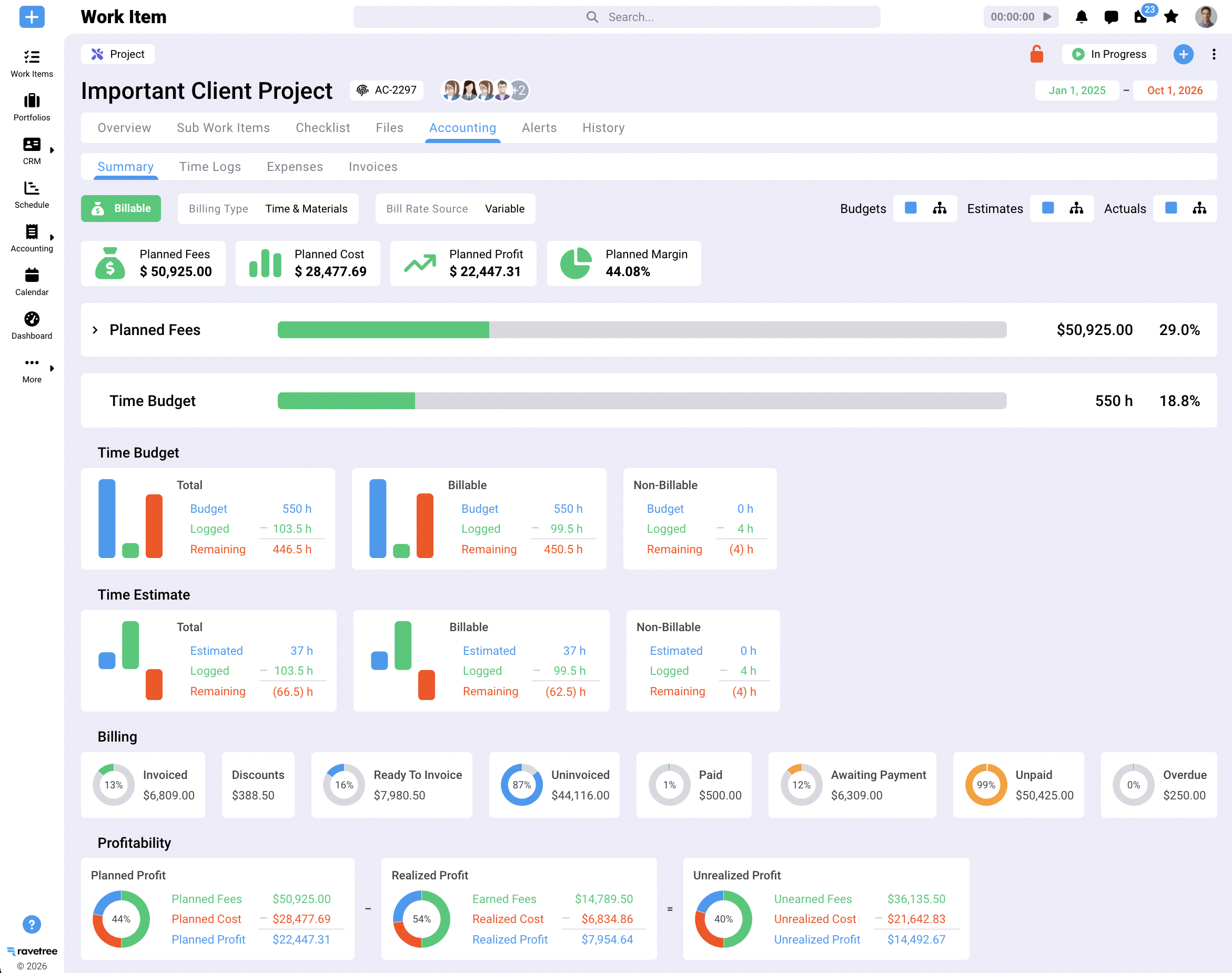
Ravetree is the strongest overall choice for agencies, consultancies and IT services firms that want delivery and finance under one roof without paying a tier premium to get there. It covers project management for both traditional and Agile work, resource planning, time tracking, and billing and invoicing in the same data model.
The commercial side is unusually complete. You get a CRM with sales pipelines, proposals built from templates, retainers, expense tracking, and purchase orders linked to vendors. On the client-facing side, a client portal shows project status in real time, and customizable requests forms let clients submit new work through one front door instead of a stray email.
Here's why it does so well on the feature-gate test: there's no tier to climb. Ravetree sells one plan at $29 per user per month billed yearly, $34 quarterly or $39 monthly, with onboarding, training and support included. The capacity view your operations lead needs costs the same as the timesheet your junior designer fills in.
Customer feedback adds useful texture. Across Ravetree's Capterra reviews, a recurring theme comes from teams that switched from Accelo, Scoro and ClickUp, who credit hands-on onboarding and fast support for a smooth transition. A design studio's creative director said it handled retainers better than most platforms they tested, which matters if recurring fees are your bread and butter.
Shortlist it if you're a 10- to 150-person firm juggling fixed-fee, hourly and recurring work, and you'd rather retire three apps than integrate them.
2. BigTime: for firms that bill by the hour and live in QuickBooks
BigTime grew up as time-and-billing software, and it still thinks like an accountant. That's a compliment if your firm sells hours. Its QuickBooks connection is the reason many accounting, engineering and IT consultancies pick it.
Read the price list carefully, though. Essentials is $20 per user per month, Advanced is $35 and adds a client portal, project templates and DCAA compliance, and Premier is $45 and adds project budgeting, resource planning and skills management. A Productive customer who depends on budgets and capacity planning is shopping at $45, not $20. The same review flags limited dashboard customization, so test your actual month-end reports during the trial rather than the demo versions.
BigTime makes the most sense for government contractors and hourly-billing practices where rate tables and approvals matter more than creative workflow.
3. Scoro: closest to Productive in philosophy
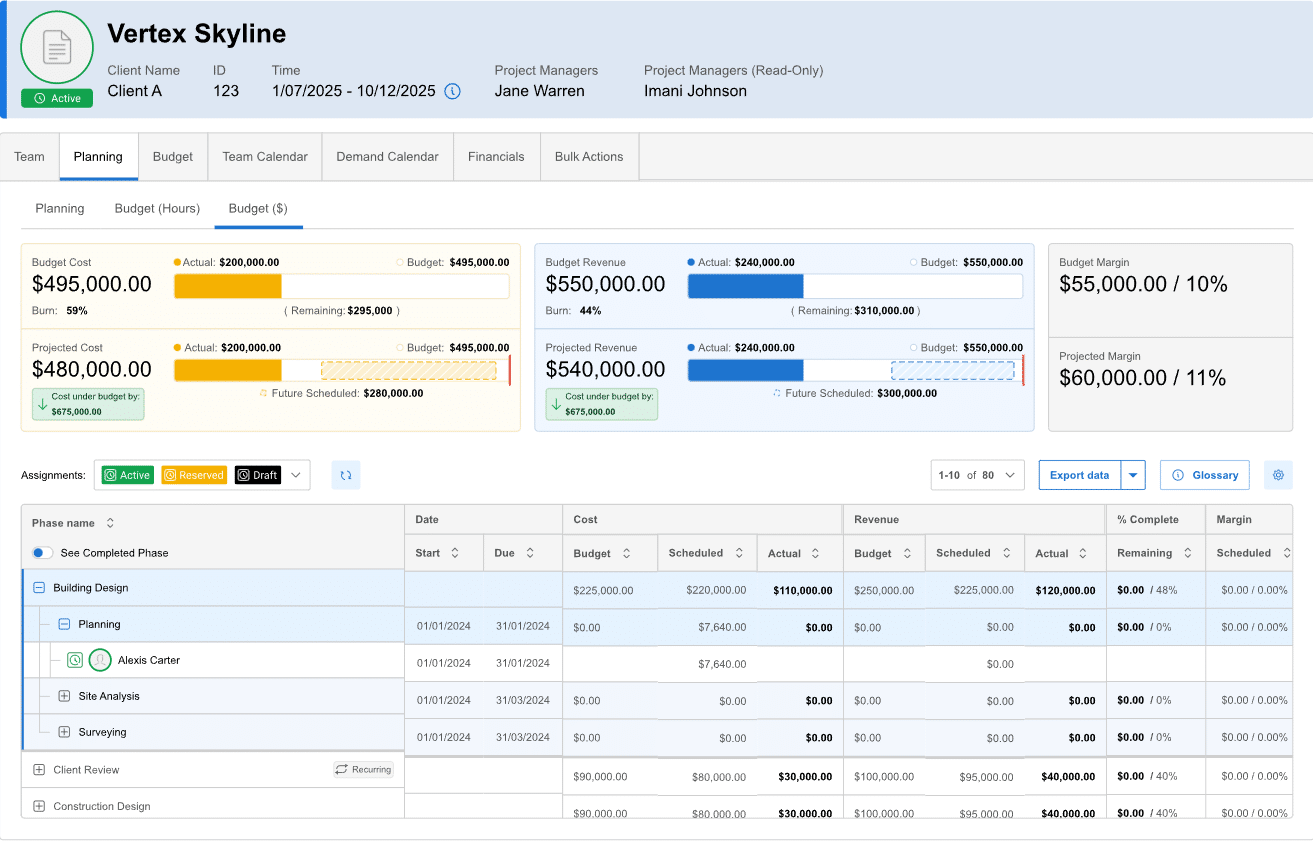
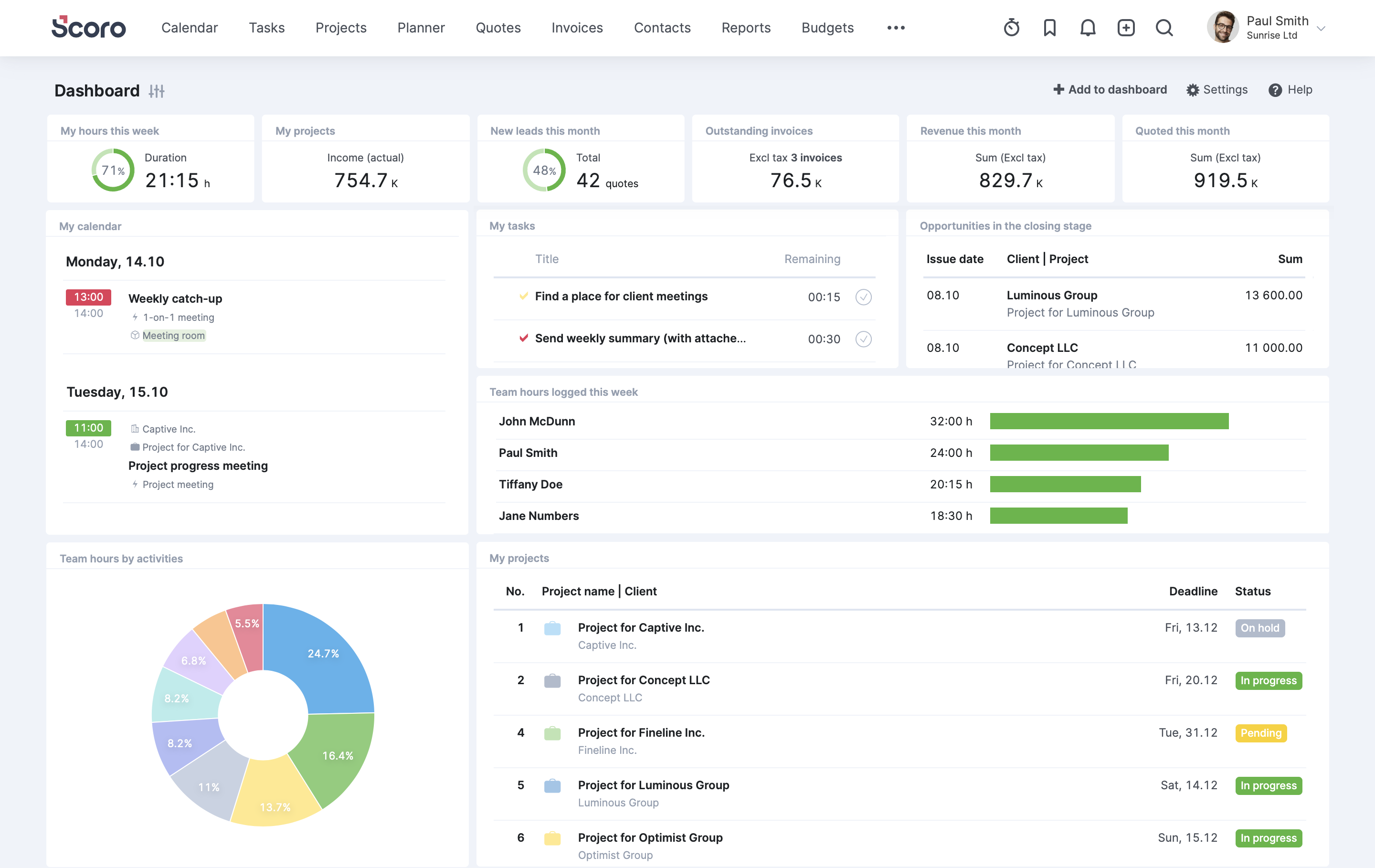
Scoro bundles quotes, projects, time, invoices and reporting, so it feels the most familiar to a Productive user. Plans run Core at $19.90, Growth at $32.90 and Performance at $49.90 per user per month on annual billing, with a five-seat minimum; Growth adds project budgets and workflow automation, while resource planning and revenue recognition arrive at Performance.
If capacity planning is non-negotiable, you're looking at Performance, which at list is roughly double Productive's Professional rate. Scoro earns that premium when you have an operations person who'll configure its reporting properly. Without one, you're paying for depth nobody uses. There's a fuller look at where Scoro and Productive differ on customization and reporting if those two are your finalists.
4. Kantata: the enterprise heavyweight
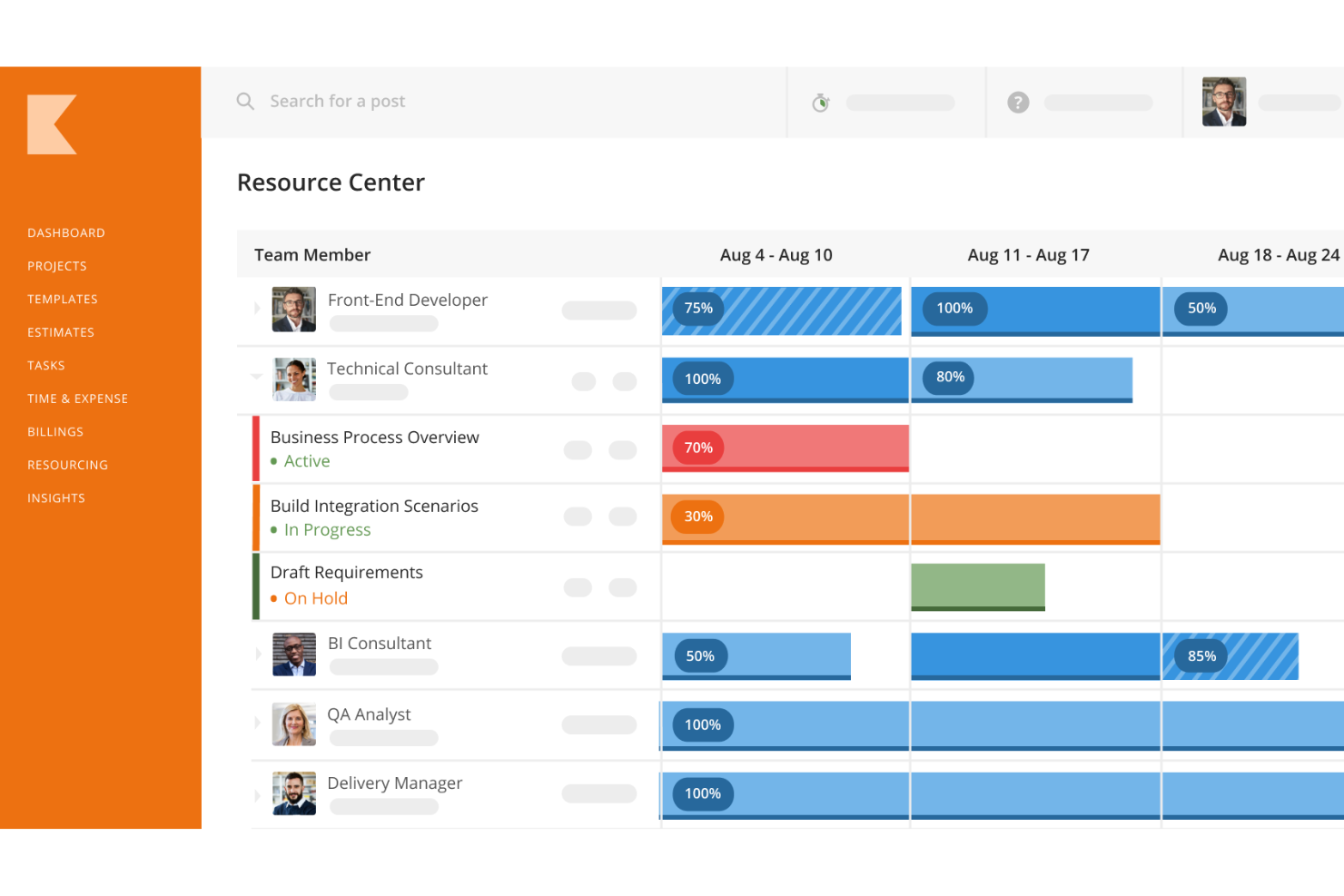
Kantata, formed when Mavenlink and Kimble merged, is built for large professional services organizations with multiple business units, complex staffing and serious forecasting requirements. It doesn't publish prices and quotes per user after a sales conversation, so ask for the implementation services estimate in writing alongside the license quote.
The trade-off between Kantata's depth and Productive's simplicity is the whole decision. If you're leaving Productive because it already felt too complex, Kantata is the wrong direction. If you're a 200-person consultancy whose resourcing meetings take half a day, it belongs on your list.
5. Wrike: structured work management for in-house teams
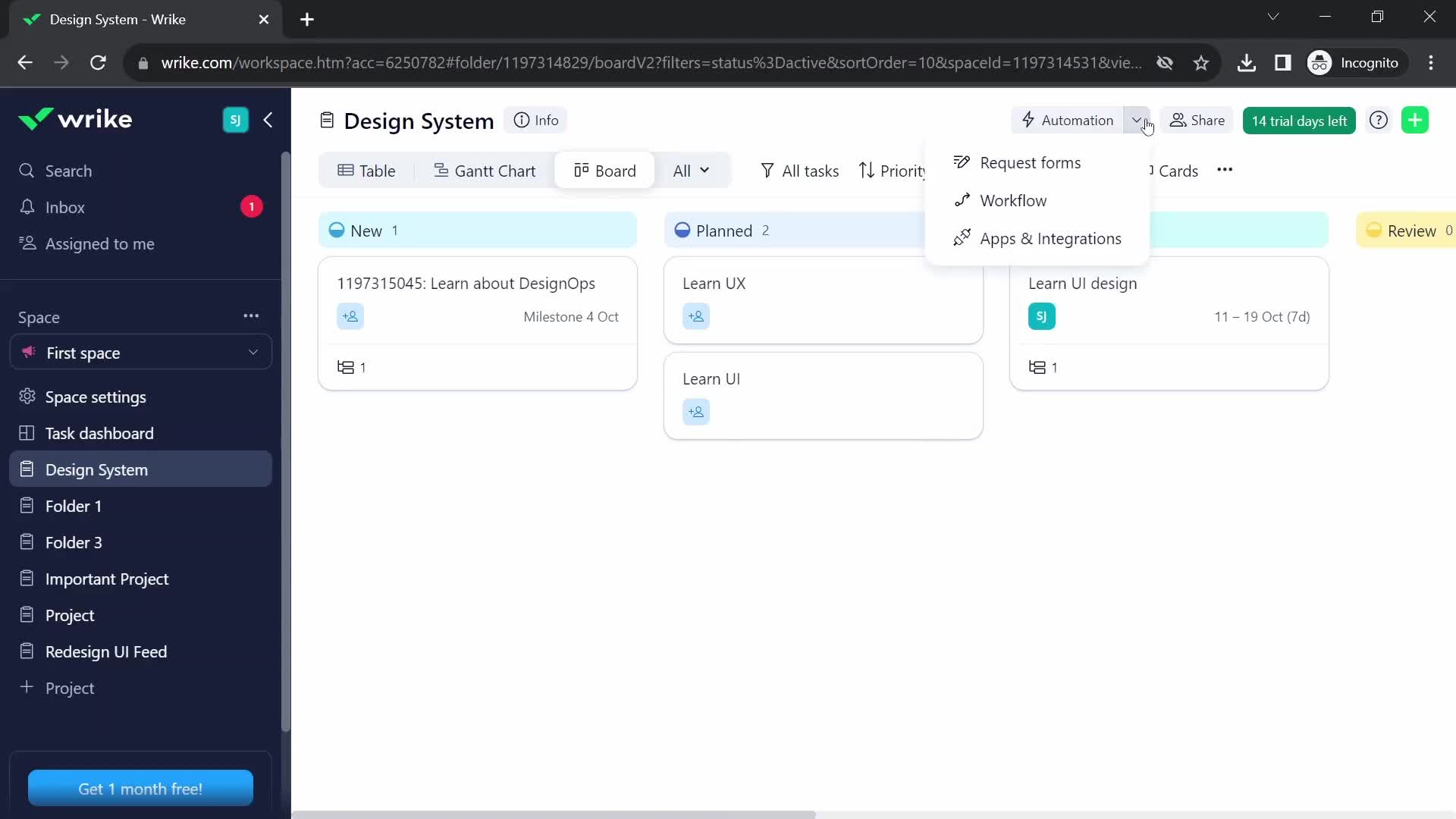
Wrike is the most structured of the general-purpose tools here. In-house marketing and creative operations teams that run on intake forms and approval chains tend to like it. Team costs $10 per user per month for 2 to 15 users, Business costs $25 for 5 to 200 users and includes time tracking, and the custom Pinnacle and Apex tiers replaced the old Enterprise plan, with advanced resource management on Pinnacle.
Two things to notice. Hire your 16th person and the Team plan stops being an option, which is a 150% jump per seat. And Wrike doesn't produce client invoices, so budgets and billing stay in your accounting system. For an internal team with no clients to invoice, that's irrelevant. For an agency, it's the whole problem Productive was solving.
6. ClickUp: maximum flexibility, if someone owns the setup
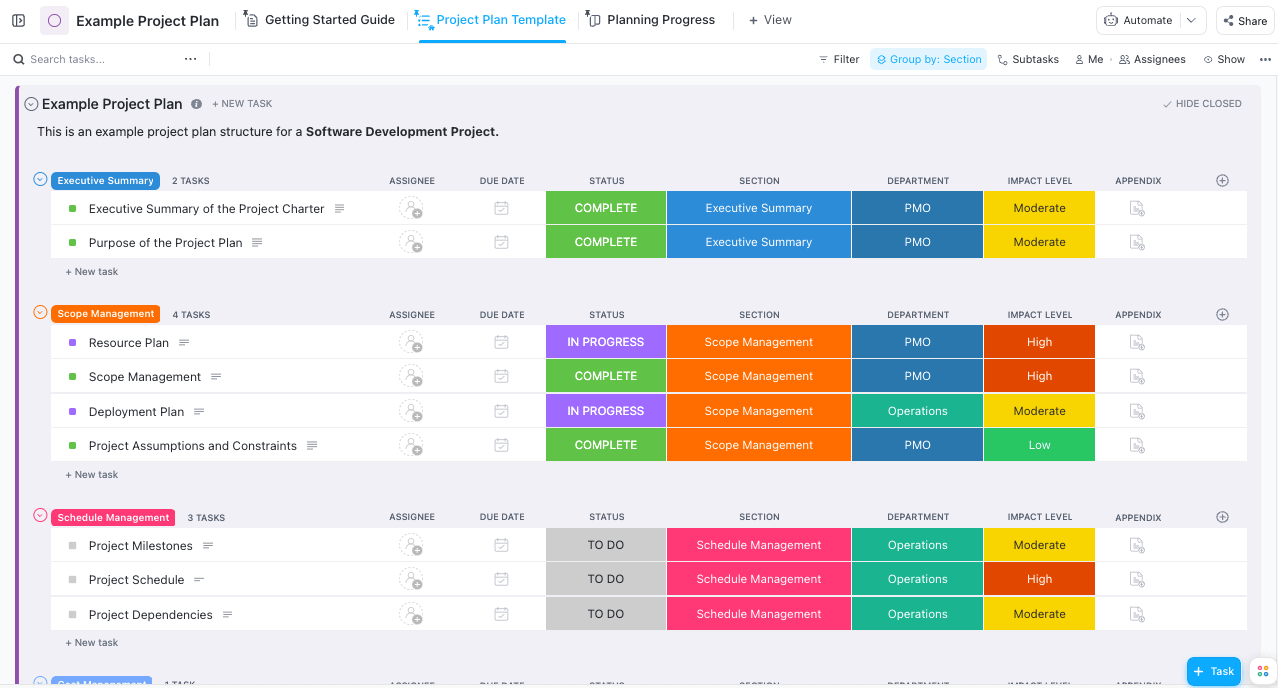
ClickUp's pitch is that it can become almost any workflow you design. That flexibility cuts both ways: a well-run ClickUp workspace is a joy, and a neglected one turns into a maze within six months.
Pricing is low at the start. Unlimited is $7 per member per month billed yearly ($10 monthly), Business is $12 ($19 monthly), native time tracking starts on Unlimited, and the Brain AI add-on runs about $9 per member per month, billed across every paid seat whether or not that person uses it. That last detail stings agencies with lots of occasional users, such as freelancers and account managers who log in twice a week. Like Wrike, ClickUp won't handle client invoicing, so plan on a separate finance tool.
7. Monday.com: approachable, with seat math to watch
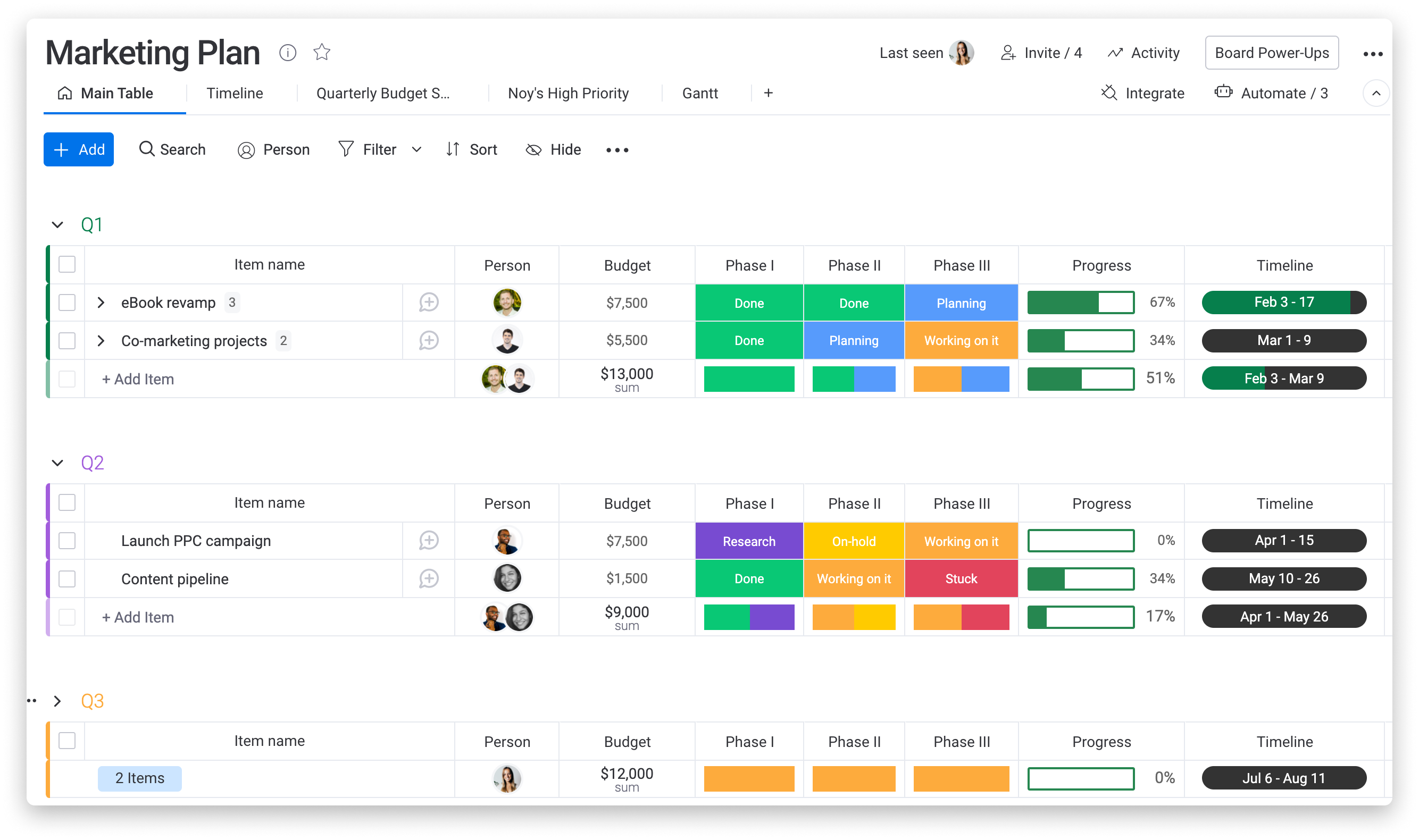
Monday wins on approachability. Non-technical staff pick up its boards quickly, which counts for a lot if adoption was your Productive problem. Basic is $9, Standard $12 and Pro $19 per seat per month billed annually; time tracking and formula columns sit on Pro, and seats are sold with a three-seat minimum and then in multiples of five, so a six-person team pays for ten.
For a service firm, Pro is the realistic floor, because hours you can't attach to a work item are hours you can't analyze. Its CRM is also a separately priced product, so a firm wanting both pipeline and delivery pays twice.
8. Asana: best for coordination, least financial
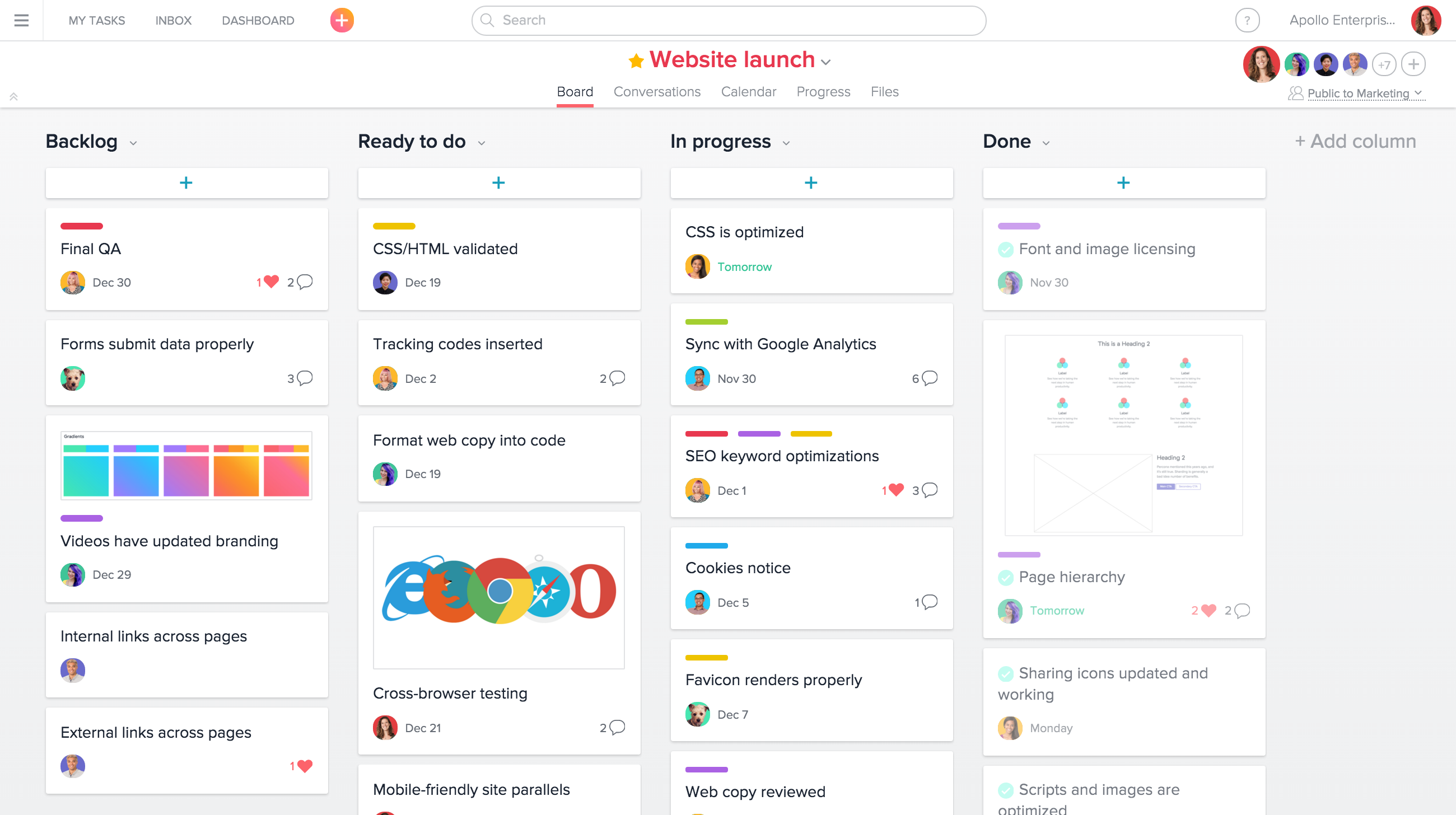
Asana is the cleanest pure coordination tool on this list and the least interested in money. Starter lists at $10.99 per user per month on annual billing ($13.49 monthly) and Advanced at $24.99 ($30.49 monthly). It's a strong fit for in-house marketing departments that don't bill anyone.
For an agency, be honest about the plan. If it's Asana plus a spreadsheet for budgets and a separate tool for timesheets, you're rebuilding the thing you're leaving, by hand.
What 25 seats really cost at the tier you'd need
List prices only mean something at your headcount and your tier. Here's the annual list cost for a 25-person firm, using the tier that covers budgets, capacity planning and timesheets where the vendor publishes one:
- Ravetree (single plan, yearly): $8,700, with CRM, client portal and invoicing included.
- BigTime Premier: $13,500.
- Scoro Performance: $14,970.
- Kantata: quote only.
- Wrike Business: $7,500, without client invoicing and with advanced resource management on a higher, custom tier.
- ClickUp Business plus Brain AI: $6,300, without client invoicing.
- monday.com Pro: $5,700, without invoicing or the separately sold CRM.
- Asana Advanced: $7,497, without invoicing.
For reference, 25 seats of Productive Professional at the annual list rate come to $7,500.
Seen this way, the cheapest alternatives to Productive aren't always the ones with the lowest sticker. The cheaper work management options look like bargains until you add the accounting or invoicing tool they depend on, and the hours someone spends moving timesheet data into it every month. That labor never appears on a vendor's pricing page, but it shows up in your payroll.
Also ask about additional costs for onboarding and customer support. Ravetree includes these for free.
Matching the alternative to the firm
If you skimmed everything above, this is the short version:
- You want one system for selling, delivering and billing client work: Ravetree. It's the only option here where every module comes in the same plan.
- You bill hourly, run QuickBooks and care most about rate tables: BigTime, budgeted at Premier if you need capacity planning.
- You like Productive's model and want deeper reporting with an admin to run it: Scoro.
- You're a large, multi-unit services organization: Kantata.
- You're an internal team that never invoices clients: Wrike for structure, Asana for clarity, monday.com for approachability, ClickUp for configurability.
One pattern deserves a warning. Agencies that leave a services platform for a general task tool often discover, about two quarters later, that they've lost the ability to see margin by client. If you're tempted, read up on what an all-in-one agency platform should connect before you sign anything.
Switching without losing a billing cycle
The software choice gets all the attention, but most painful migrations go wrong on timing. A few practical rules hold no matter which of the alternatives to Productive you pick:
- Switch at the start of a month, never mid-cycle. Close your last invoices in Productive, then start fresh. Half a month of hours split across two systems is a reconciliation nightmare nobody budgets for.
- Export more than you think you need. Pull clients, contacts, rate cards, open budgets and at least 12 months of time entries before your subscription lapses. Historical hours are what let you price next year's retainers honestly.
- Rebuild your top three templates by hand. Don't migrate every project. Recreate the website build, the monthly retainer and whatever you sell most, using what you learned in Productive about where they ran over.
- Carry recurring-fee balances over on paper first. Write down each client's remaining hours or rollover before cutover and have the account lead sign off. Disputed balances are the fastest way to sour a client during a tool change.
- Name one owner. Someone needs authority to say "we're live, the old login dies Friday." Firms that keep both systems running "just in case" pay for two and trust neither.
As a planning assumption (not a vendor promise), give a 20- to 50-person agency four to six weeks for the move, and treat the first month-end close as the real test.
Start with the report you couldn't run
Go back to the question you wrote down at the start. If it was about money (margin by client, budget burn, what's ready to invoice), you need a services platform, and Ravetree is where we'd start. If it was purely about tasks and handoffs, a work management tool may be enough.
Then run a two-week trial on real data: one live project, one recurring client, and one month-end close. Whichever platform answers your question without an export is the one to pick from these alternatives to Productive. Price it at the tier you'd actually need, not the one on the banner, and you'll get far more out of this list of the 8 Best Alternatives to Productive.
Frequently Asked Questions
Is there a cheaper alternative to Productive that still handles invoicing?
Yes, but compare at the right tier. Ravetree's single plan includes invoicing, CRM and resource planning at one price, while BigTime and Scoro put budgeting or capacity planning on their higher tiers, which can cost more than Productive Professional.
Can I move my Productive time entries to a new tool?
Usually, via CSV export, though field mapping varies by vendor. Export at least a year of entries before your subscription ends, since historical hours are what you'll use to price future retainers.
Do general work management tools like Asana or monday.com replace Productive?
Only for teams that don't bill clients. They coordinate tasks well but don't produce client invoices, so agencies end up rebuilding budgets and billing in spreadsheets or accounting software.
What's the biggest mistake firms make when switching?
Cutting over mid-month. Splitting a billing period across two systems creates reconciliation work and invoice disputes that a clean start-of-month switch avoids entirely.