

Key takeaways:
- Your reason for leaving Scoro should decide the category you move to: price or adoption problems usually call for a lighter PSA, not a task tool.
- Test every option by tracing one dollar from estimate to invoice and counting how often someone retypes it.
- Compare tiers honestly: Scoro, BigTime, and Asana all gate key capabilities behind higher plans.
- Migrate open work only, cut over right after invoicing, and train time entry before anything else.
A five-person consultancy can sign a Scoro contract, realize two of its seats will sit idle all year, and then discover that the profitability reporting it actually wanted lives on a higher plan. That's usually the moment someone opens a new tab and searches for Scoro alternatives. Fair enough. But the replacement you pick in a hurry has a way of becoming next year's problem, so let's take the title question seriously. Scoro Alternatives: Which Tools Are Worth Switching To? The answer depends far more on why you're leaving than on which logo looks nicest.
In this article we take a look at six alternatives: Ravetree, BigTime, Kantata, ClickUp, monday.com, and Asana. The first three are professional services automation (PSA) platforms, which means they connect projects, people, hours, and invoices in one system the way Scoro does. The last three are work management tools that do plenty well but stop short of the money side. That split matters more than any feature grid you'll find.
Why You're Leaving Scoro Decides Where You Should Land
Most teams walk away for one of three reasons, and each points to a different kind of replacement.
The price stopped matching the usage. Scoro reworked its plans in 2026. Current tiers run from Core at $19.90 per user per month on annual billing up through Growth and Performance, with project budgets arriving on Growth and resourcing plus revenue recognition held back for Performance. On top of that, every plan carries a five-user minimum, and Scoro's lightest paid onboarding package for teams of up to 20 people costs $1,699. For a 12-person agency that needs budgets and capacity planning, the honest number to compare against isn't Scoro's entry price. It's Performance, plus onboarding.
The team never really adopted it. Scoro was designed finance-first, and the interface shows it. Finance leads tend to like it. Designers, developers, and account managers (the people whose hours you're actually selling) sometimes treat it as a timesheet they fill in on Friday afternoon from memory. Once that happens, every margin report downstream is partly fiction.
It was the wrong category to begin with. Some teams bought a PSA when what they needed was a shared task board. Others have grown into multi-entity, multi-currency operations where Scoro starts to feel small.
The first two reasons aren't unique to Scoro, by the way. In Capterra's 2024 survey, 58% of U.S. buyers regretted at least one software purchase from the previous 12 to 18 months, and the most common complaints were higher-than-expected cost and trouble onboarding users. Those are exactly the two things that sink a PSA rollout.
Here's the part that gets missed. If price or adoption is the problem, you probably want a different PSA, not a different category. Dropping from a PSA to a task tool to save money usually just moves the cost into spreadsheets and admin hours (the math comes later). And if you're also weighing a narrower head-to-head, Ravetree has a separate breakdown of Scoro vs. Productive, another common landing spot for agencies.
Run the "One Dollar" Test Before You Compare Features
Feature checklists flatter every vendor. A better test is to follow a single dollar of client work through each system and count how many times a person has to retype it.
Start with an estimate. Does the approved estimate become a project with its budget already attached? When someone is assigned a task, does the system know their bill rate for that specific client? When they log 45 minutes, does that time land against the budget immediately, or at month-end? When the month closes, does the invoice draft itself from approved hours and expenses? If the client is on a monthly retainer, does the remaining balance update on its own?
Scoro passes most of that test, which is precisely why leaving it can backfire. Any alternative should pass it at least as cleanly, or you should be accepting the gap on purpose.
The stakes are bigger than they look. SPI Research's 2026 benchmark found that billable utilization fell to 66.4% in 2025, the lowest figure in the study's 19-year history, with average EBITDA sitting around 9.9%. Margins that thin leave no room for leakage. Picture an agency billing 2,000 hours a month at a blended $150 an hour. If just 3% of logged time never reaches an invoice because rate cards live in one tool and timesheets in another, that's $9,000 a month, or about $108,000 a year, quietly written off without anyone deciding to write it off.
Two more questions belong on your list before any demo:
- Who opens this tool every day? If the honest answer is "mostly delivery staff," weight usability above reporting depth.
- Can it tell you who has capacity next Tuesday without an export? If not, your resourcing still lives in someone's head.
Six Scoro Alternatives Worth a Serious Look
1. Ravetree: The Closest Like-for-Like Replacement for Client Service Firms
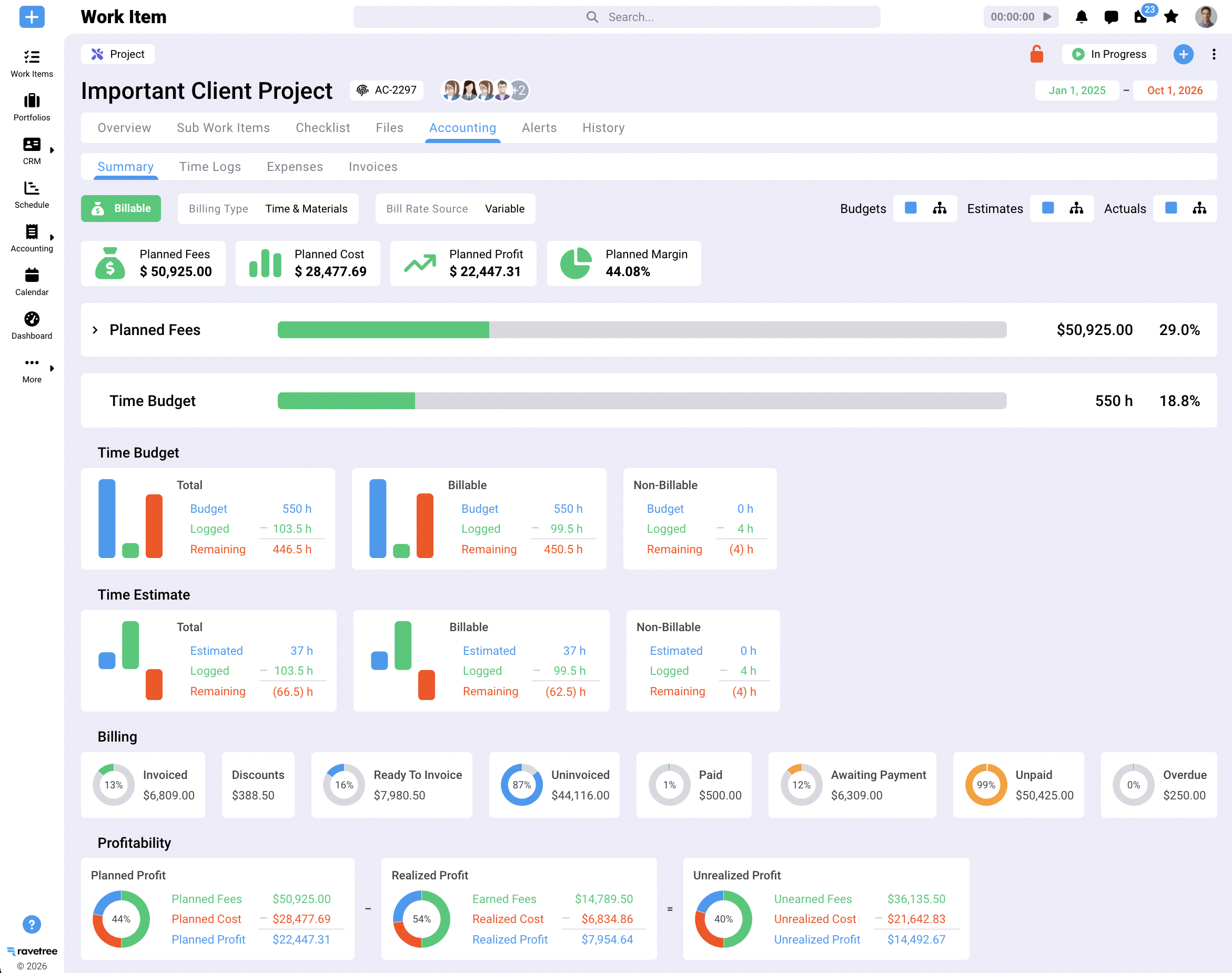
Ravetree is built specifically for agencies, consultancies, and other client service businesses, and it covers the same ground Scoro does: project management, resource planning, time tracking, billing and invoicing, and a built-in CRM. Where it tends to pull ahead for smaller firms is in the agency-specific plumbing. Retainers are handled as their own object instead of a workaround. Proposals convert into projects. Clients can check status in a client portal, and new work comes in through structured requests forms rather than a scattered pile of emails. On the cost side, expense tracking and purchase orders tie pass-through costs to projects so they don't get left off the bill.
Pricing is refreshingly boring. SourceForge lists Ravetree at $39 per user per month on monthly billing or $348 per user per year (roughly $29 a month), with a free trial available. The options listed are billing frequencies, not feature tiers, so you don't end up in the "resource planning is on the next plan up" conversation.
The user feedback lines up with the reasons people leave Scoro. On Capterra, a senior project manager whose team switched from Scoro cited pricing and support issues as the reasons for leaving, and described Ravetree's onboarding as fast and well supported. A creative director who had also evaluated Scoro said Ravetree handled retainers better than most platforms they'd tried. For a feature-by-feature view, see the full Ravetree vs. Scoro comparison.
Best fit: small and mid-sized agencies and consultancies that want Scoro's scope without its tier structure.
2. BigTime: Strong When the Timesheet Is the Business
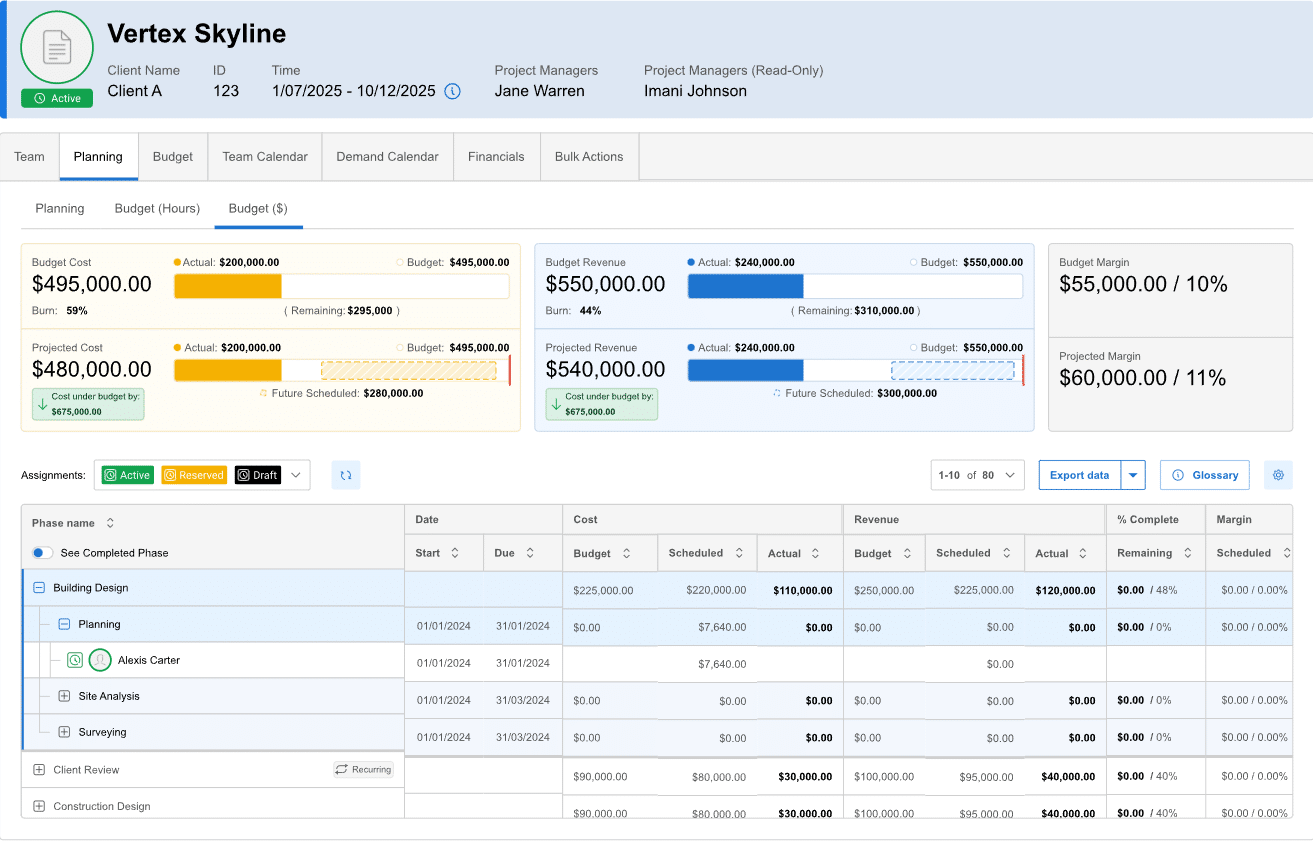
BigTime is aimed at firms where billable hours are the revenue engine: accounting practices, engineering and architecture firms, IT consultancies. Its approvals, rate management, and accounting sync are mature, and government contractors will care that DCAA compliance support is on the menu.
Read the tier list closely, though. According to third-party listings, Essentials starts at $20 per user per month, client portals and project templates arrive on Advanced at $35, and project budgeting and resource planning sit on Premier at $45. BigTime doesn't publish every tier price itself, so confirm with sales. The practical point: if you're leaving Scoro because you need budgets and capacity planning without Performance-tier pricing, compare against BigTime Premier, not Essentials.
The trade-off is collaboration. Teams that live in Kanban boards and creative review cycles may find BigTime feels more like a time-and-billing system than a shared workspace. Ravetree's BigTime vs. Scoro breakdown goes deeper on how the two differ.
Best fit: hours-driven firms with straightforward delivery workflows.
3. Kantata: For Firms That Have Outgrown Scoro
Kantata is the product of a merger. Mavenlink and Kimble combined under the Kantata name in 2022, with Kimble's Salesforce-based product becoming Kantata SX and Mavenlink becoming Kantata OX.
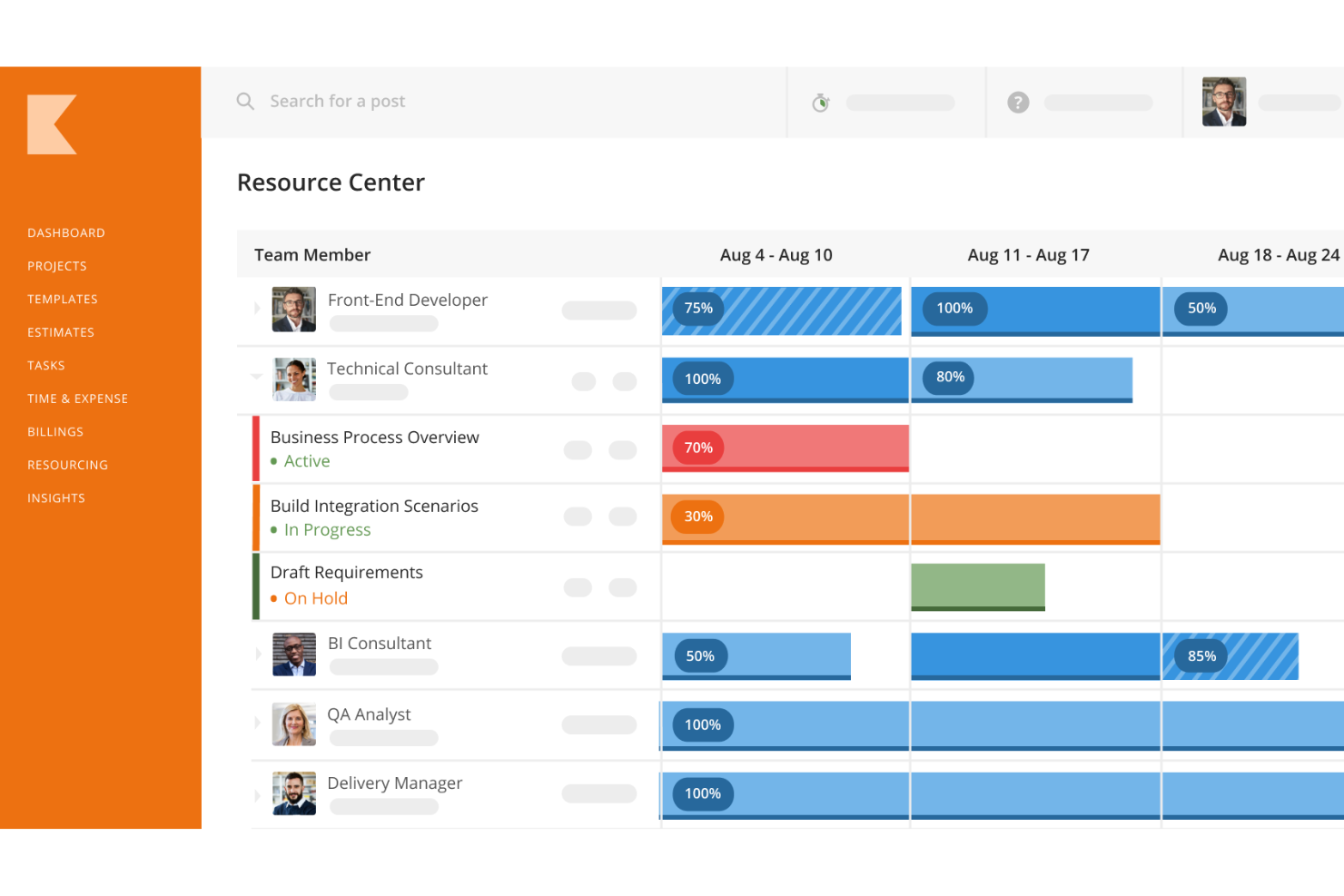
It's the heavyweight on this list, with deep resource forecasting, skills-based staffing, and services financials built for large practices. Heavyweights come with weight. Pricing is quote-based, third-party estimates put it around $45 to $59 per user, and reviewers commonly report rollouts of 6 to 8 weeks for mid-size firms and 3 to 6 months for enterprise.
That makes the direction of your move important. A 150-person consultancy with dedicated resource managers and a PMO may find Kantata the natural next step after Scoro. A 20-person studio leaving Scoro because it felt too complicated would be trading one learning curve for a steeper one.
Best fit: larger professional services organizations with operations staff to own the system.
4. ClickUp: The Budget Pick, With a Billing-Shaped Hole
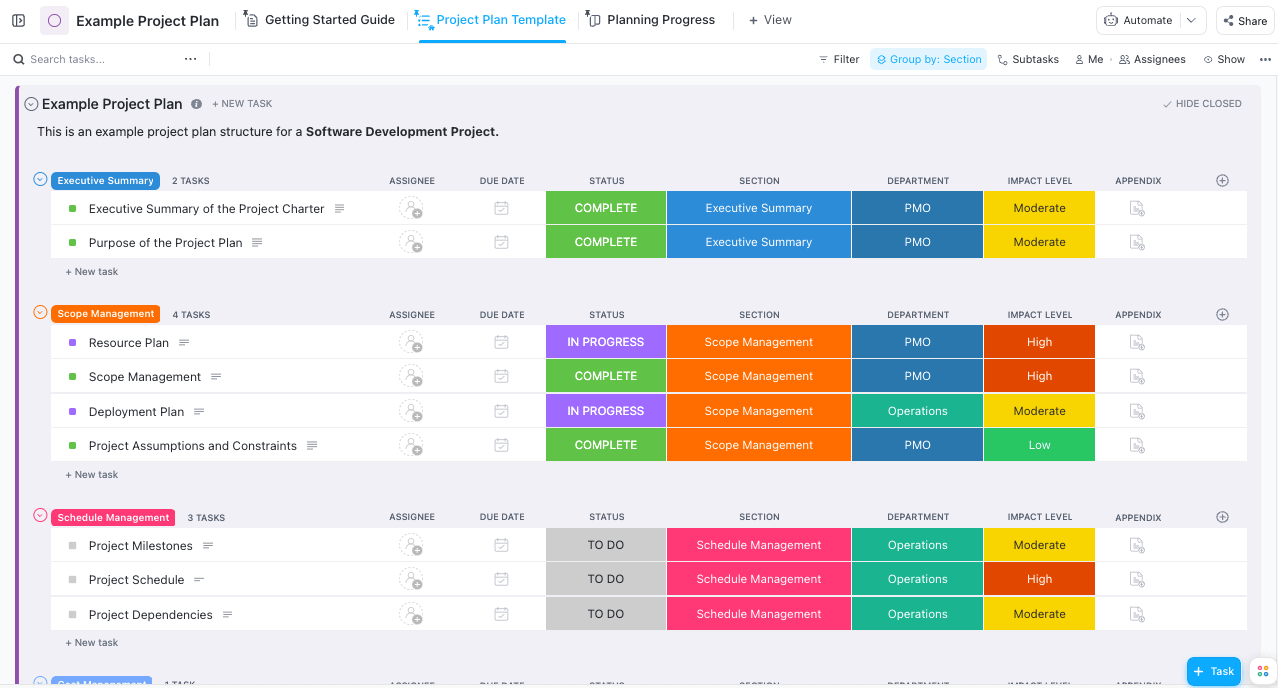
ClickUp is the most flexible tool here and one of the cheapest. Its free plan allows unlimited users, Unlimited costs $7 per user per month billed annually, and Business costs $12. You get docs, goals, dozens of views, and built-in timers.
What you don't get is the commercial layer of a service firm. There's no invoicing tied to client rate cards, and project budgets become custom fields someone has to maintain by hand. The flexibility also cuts both ways. One Ravetree reviewer on Capterra who had come from ClickUp said the team found it confusing and cumbersome to set up for their business, which is a common story when a tool can be configured a hundred ways and nobody owns the configuration.
Best fit: in-house teams, or very small studios that bill simple fixed fees from their accounting software.
5. Monday.com: Easiest to Get People Using, Hardest to Bill From
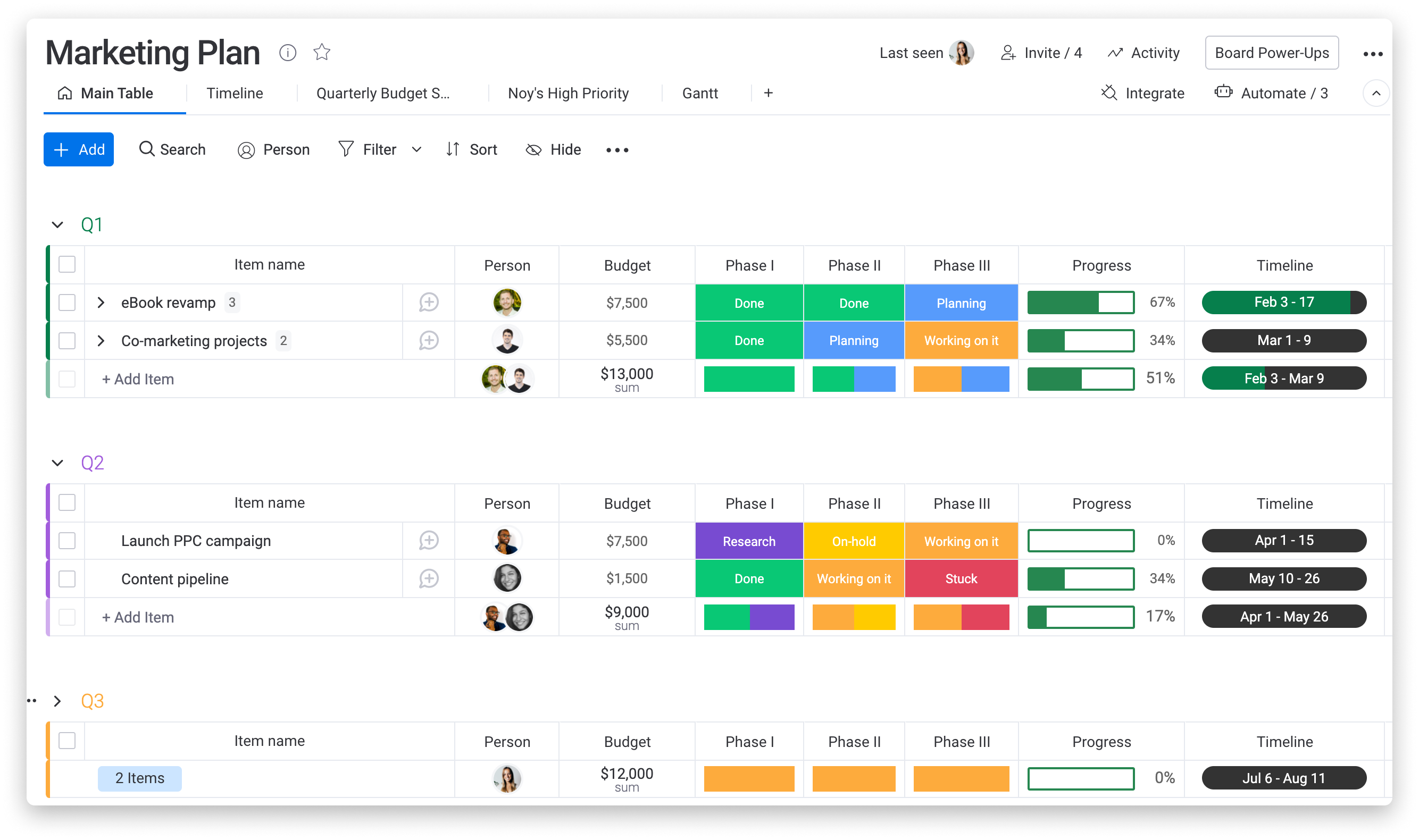
monday's color-coded boards are probably the quickest way to get a reluctant team to update status without nagging. Watch the packaging: paid plans require at least three seats, and time tracking only shows up on the Pro plan at $19 per seat per month billed annually.
Like ClickUp, it has no native invoicing, client rate cards, or retainer tracking. You can build approximations with formula columns, but you're now maintaining a homemade PSA inside a work board.
Best fit: marketing and operations teams inside larger companies, where nobody sends the client an invoice.
6. Asana: Great at Coordinating Work, Not at Charging for It
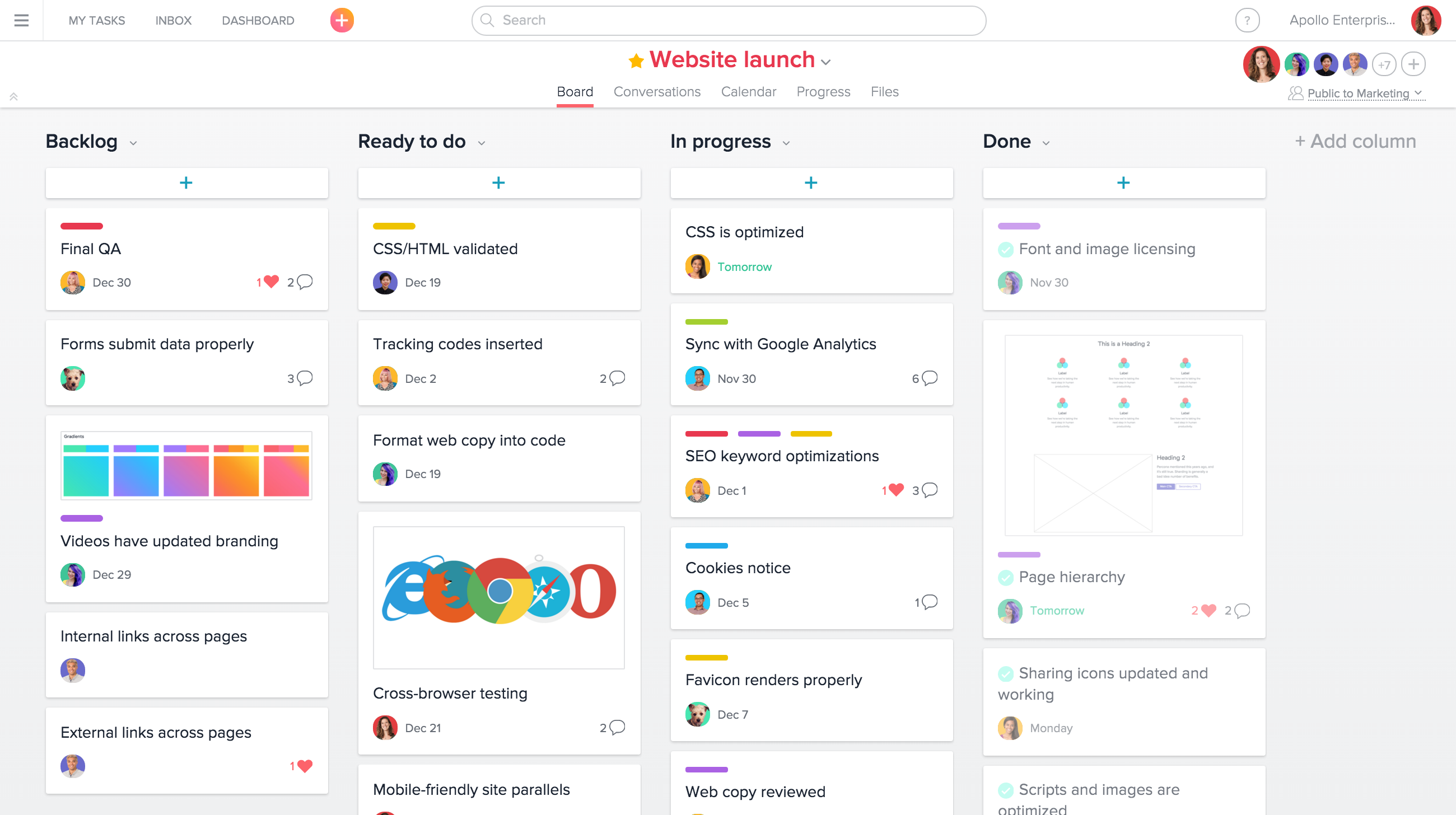
Asana shines at cross-functional coordination: goals, portfolios, approvals, and clean handoffs between departments. Starter costs $10.99 per user per month on annual billing, while Advanced, at $24.99, adds workload management and time tracking.
Notice something about that number. Asana Advanced alone costs more per seat than Scoro's Core plan, before you add any tool for invoicing. The "cheaper" route out of Scoro isn't always cheaper.
Best fit: in-house creative and marketing departments that coordinate a lot of work but never bill for it.
The Real Cost of Downgrading to a Task Tool
It's tempting to replace Scoro with ClickUp, monday.com, or Asana and plug the holes later. Here's what that usually looks like for a 15-person agency: a work board, a standalone timer, the accounting system, and a spreadsheet holding rate cards and retainer balances. Four places for one number to live.
Every handoff is a retype. Month-end turns into a reconciliation project, usually owned by the person least able to spare the time, which in a small agency is often the owner. Budget-to-actual becomes something you look at after the project is over, when it's an autopsy rather than a warning.
Run the subscription math and the "savings" get small fast. Fifteen seats of ClickUp Business at $12 come to $180 a month. Fifteen seats of Ravetree on annual billing come to about $435. The $255 gap looks like a win until you price the workaround: at a blended $150 an hour, it's covered by less than two hours of someone's month spent reconciling timesheets against the rate-card spreadsheet. Most agencies running that four-tool setup spend far more than two hours on it, and that's before counting a single unbilled hour that slipped through. The cheaper tool is only cheaper if your time costs nothing, and in a services business your time is the product.
There's a pattern worth naming here. Generic task tools tend to fail on the commercial side, while heavyweight PSAs tend to fail on adoption. One reviewer on SourceForge, a company president and COO, described working through ClickUp, Monday, and Kantata in that order and finding them either too generic or too confusing, before seeing better internal adoption after moving to Ravetree. That's both failure modes in a single company history.
None of this means a task tool is always wrong. If you bill fixed project fees straight from your accounting software and don't track hours, ClickUp or Asana plus your bookkeeping setup may be all you need. Just make that choice knowingly.
How to Switch Without Losing a Billing Cycle
The migration itself is where many switches stall. A few habits keep it short:
- Cut over right after you invoice. Switching mid-month means splitting a billing period across two systems, which is the fastest route to a missed line item.
- Move open work, not history. Bring active projects, client rate cards, retainer balances, and open estimates. Export closed projects to an archive instead of migrating years of old data.
- Rebuild three project templates, not thirty. Start with the engagement types you sell most often and add the rest once people are comfortable.
- Run one parallel invoice cycle, then stop. Compare the invoices both systems would produce. If they match, retire Scoro. Check your renewal date and notice terms before you sign anything new.
- Train time entry first. Reports, dashboards, and automations all depend on hours being logged on the day they're worked.
For a fuller rollout sequence written with small firms in mind, Ravetree's guide to the best PSA software for small business walks through it step by step.
So, Which Scoro Alternative Should You Choose?
Go back to your reason for leaving. If you're a client service firm that left over price or poor adoption, start with Ravetree; it keeps the full quote-to-invoice loop without the tier ladder. If your business runs on billable hours and accounting rigor, look hard at BigTime, priced at the tier you'll actually need. If you've genuinely outgrown Scoro, Kantata is built for that scale. And if you never needed a PSA at all, ClickUp, monday.com, or Asana will serve you well, as long as you accept that billing lives somewhere else.
Whatever you shortlist, run the one-dollar test on your own projects during the trial. That's the fastest way to separate Scoro alternatives that look good in a demo from the ones that hold up at month-end, and it's the most reliable answer to Scoro Alternatives: Which Tools Are Worth Switching To?
Frequently Asked Questions
What is the closest alternative to Scoro?
For client service firms, Ravetree is the closest like-for-like option because it combines projects, resourcing, time, billing, retainers, and CRM in one system. BigTime is close for hours-driven firms, and Kantata for much larger organizations.
Is ClickUp or Asana a real replacement for Scoro?
Only if you don't need invoicing tied to time and rate cards. Both are strong work management tools, but neither handles client billing natively, so you'd need extra tools and manual reconciliation.
Why does Scoro feel expensive for small teams?
Every Scoro plan has a five-user minimum, and features like project budgets and resource planning sit on higher tiers. A small team often pays for idle seats and a more expensive plan than the entry price suggests.
How long does it take to switch from Scoro?
It depends on the platform. Lighter PSAs can be running within a few weeks if you migrate only open work, while enterprise platforms like Kantata commonly take 6 to 8 weeks or longer for mid-size rollouts.
What should I migrate from Scoro?
Bring active projects, client rate cards, retainer balances, and open estimates. Archive closed projects instead of migrating them, and cut over right after an invoicing cycle.