

Key takeaways:
- Know whether you're on Kantata OX or SX before you evaluate anything; it decides how big the migration is.
- A real replacement has to carry rates, forward bookings and commercial rules, not just tasks.
- Compare the cost of the full stack you'll run, not the headline seat price.
- Cut over on a billing boundary and keep read-only Kantata access through your first month-end close.
Most firms don't leave Kantata because it broke. They leave at renewal, when someone in finance divides the invoice by the number of people who log in every week and doesn't like the answer. If that's where you are, this guide to Kantata Alternatives Worth Switching To in 2026 is for you: the 20-to-200-person consultancy or agency that bought an enterprise PSA, used about half of it, and now wants something that fits.
You have real options. The less obvious point is that Kantata alternatives aren't interchangeable. Some replace the whole system. Others replace the task board and quietly hand the money side back to a spreadsheet, which is how a firm ends up with three subscriptions where it used to have one. Telling those two groups apart is most of the decision.
Full disclosure: this is Ravetree's blog, and Ravetree is first on the list below. We've tried to be straight about where it fits and where it doesn't, and about what the other five do better.
First, figure out which Kantata you're leaving
Kantata is really two products sharing a name. Kantata OX grew out of Mavenlink and runs as its own platform. Kantata SX came from Kimble and lives inside Salesforce. (We covered that merger history in our Kantata vs Teamwork.com comparison.) The split barely matters when you buy. It matters a lot when you leave.
On SX, your accounts, opportunities and often your revenue forecasts sit in Salesforce, so walking away from Kantata can drag your whole sales system into the project. OX customers have a cleaner exit: one system out, one system in. Know which one you're on before you book a single demo, because it changes the size of the job.
It also helps to be honest about where Kantata is heading. The company says it serves more than 1,500 customers across over 100 countries, and its 2026 story centers on an AI layer called the Expertise Engine, built on a services-specific language model. Its marketplace listings describe the target buyer as professional services organizations with 50 to 5,000+ employees. That's a wide band, and product roadmaps tend to follow the top of it. A 60-person agency ends up funding features designed for a 3,000-person consultancy.
Price transparency doesn't help smaller buyers either. Capterra lists Kantata as a per-user custom quote with no published rate, so every renewal is a negotiation rather than a lookup. You can't easily tell whether you're paying what the firm down the street pays.
If you want a feature-by-feature view of Kantata against an all-in-one platform, our side-by-side PSA comparison covers that ground. This piece is about what comes after you've decided to go.
What a Kantata replacement actually has to carry
Kantata's task lists are the least important thing in it. Any decent tool can hold tasks. What makes a PSA hard to replace is the financial memory buried inside it, and that memory lives in three places:
- Rates and costs. Bill rates by role and client, cost rates by person, and the effective dates on each. Lose those and every margin report you run next year is fiction.
- Forward bookings. The resource planning grid that says Priya is 60% on the Henderson rollout through March. That schedule changes daily, which makes it the most perishable data you own.
- Commercial rules. Fixed-fee budgets with change orders, blended rates, monthly retainers with rollover hours, and the logic that turns approved time tracking entries into billing.
Sort the field by those three and Kantata alternatives fall into two camps. Ravetree, BigTime and Scoro are full PSA replacements: they hold rates, bookings and commercial rules in one place. ClickUp, monday.com and Asana are work management tools. They're excellent at task-level project management and team coordination, and none of them will produce a client invoice from approved hours on its own.
That second camp isn't wrong for everyone. But it changes the purchase. Replacing Kantata with a work management tool usually means replacing one contract with three: the task tool, a time-tracking app, and either an invoicing product or a lot of manual work in your accounting system. Each handoff between them is a place where an hour gets retyped or dropped. (Our guide to what PSA software has to do for a small firm goes deeper on why those seams cost money.)
One exercise before any demo: ask finance which Kantata reports they actually opened in the last 90 days. Not which ones exist. Which ones got opened. Most firms find the real list is short, often utilization by person, project budget burn, and unbilled time, and that short list is your requirements document. Anything a vendor shows you beyond it is a nice-to-have, however good the demo looks.
Six Kantata alternatives, from full replacement to partial
1. Ravetree: the closest like-for-like swap for mid-sized firms
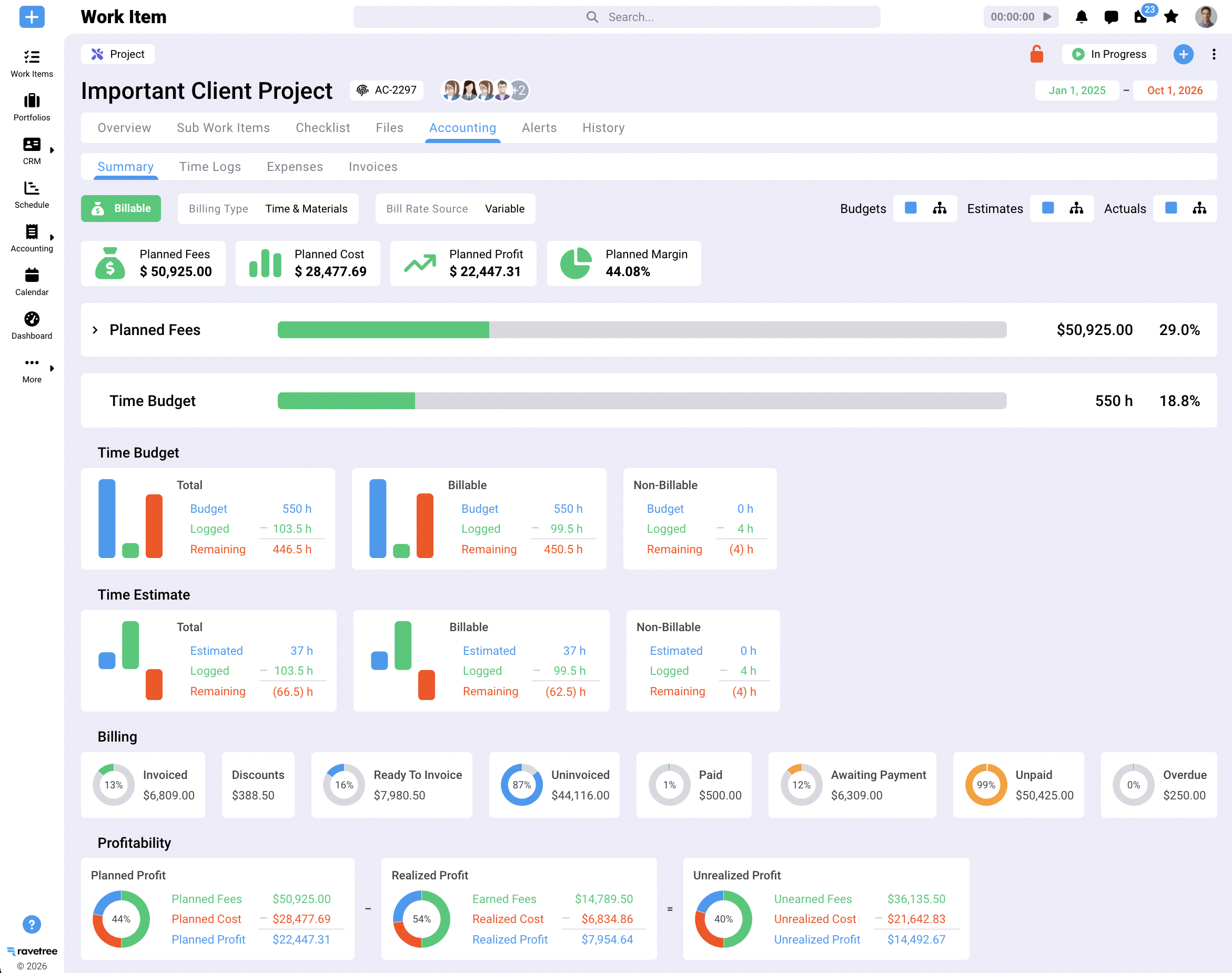
Ravetree covers the same ground Kantata does for a services firm, in one product: projects, resource planning, time tracking, CRM, proposals, retainers, invoicing, expense tracking tied to purchase orders, client-submitted requests, and a client portal. The practical effect is that the three things above, rates, bookings and commercial rules, all stay connected. Mark a deal won in the CRM and Ravetree can build the project from a template with its budget attached. Log an hour against a task and it lands on the budget and the invoice without anyone retyping it.
Pricing is unusually simple for this category. There's one plan with every feature: $39 per user per month billed monthly, $34 quarterly, or $29 billed yearly, with onboarding, training and support included. No tier upgrade appears the day you need resource planning.
Reviews explain why ex-Kantata firms end up here. On SourceForge, a president and COO wrote that their company had used ClickUp, then monday.com, then Kantata, found them too generic or too confusing, and saw better adoption after moving to Ravetree. On Capterra, a principal at a training firm said their team found ClickUp too complicated and chose Ravetree for its Gantt charts, time tracking, billing and built-in CRM. Onboarding and fast support come up again and again in those reviews, which matters more than usual when you're mid-migration.
It's not the right call for a Kantata SX firm whose sales team won't leave Salesforce, since Ravetree ships its own CRM rather than syncing natively, or for large multi-entity consultancies. For the 15-to-200-person firm with mixed billing models and no full-time systems admin, it's the most complete swap on this list.
2. BigTime: strongest on time and money, lighter on delivery
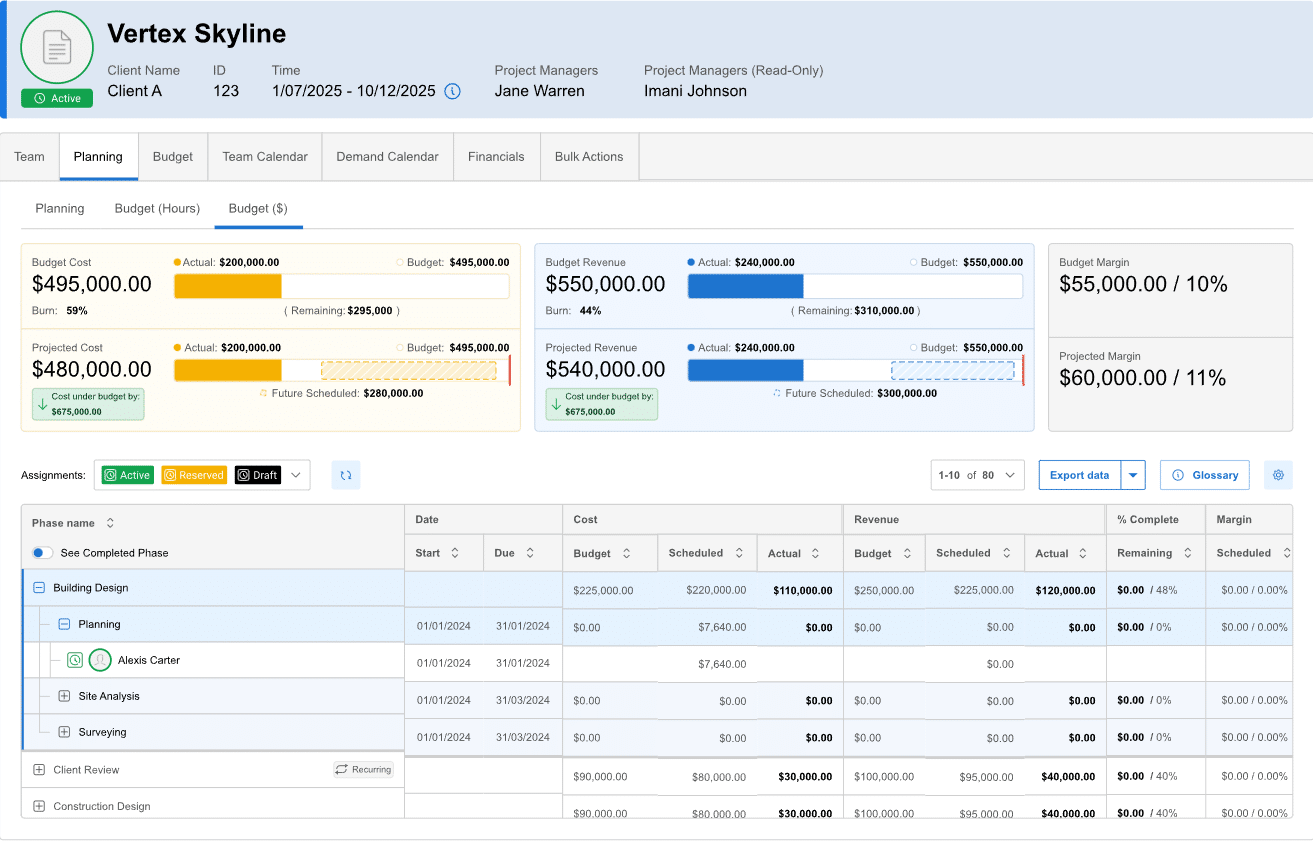
BigTime comes from the time-and-billing side of the house, and it shows. Software Advice lists four plans: Essentials at $20 per user per month, Advanced at $35, Premier at $45, and a separately quoted Foresight tier for forecasting and plan-versus-actual reporting. The same profile notes that reviewers value its QuickBooks integration and support, and flags an unintuitive interface and setup challenges as the common complaints.
Here's the catch for ex-Kantata buyers. Project budgeting, standard resource planning and skills management, which are probably why you bought Kantata, sit in Premier. So the honest comparison is Kantata against BigTime at $45, not $20. Advanced adds a client portal and DCAA compliance, which matters for government contractors.
BigTime fits accounting-led firms, engineering and architecture practices, and anyone billing mostly time and materials. Agencies with creative workflows often find the delivery side thin.
3. Scoro: all-in-one with a finance-first streak
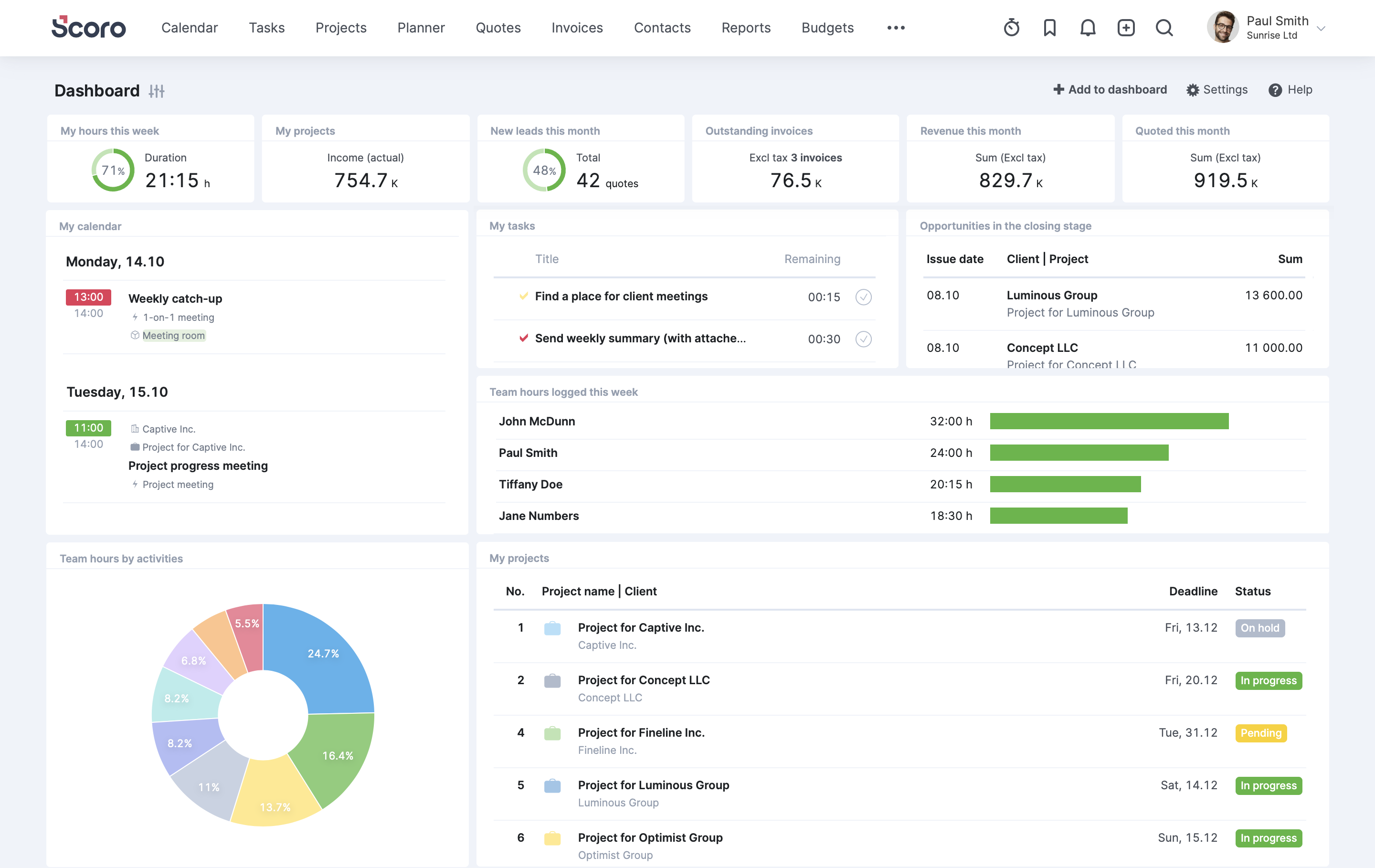
Scoro bundles quoting, projects, time, invoicing and dashboards, and it leans toward the leadership view: KPI dashboards and margin reporting get a lot of attention. ERP Research lists four plans: Core at $19.90 per user per month billed annually, Growth at $32.90, Performance at $49.90, and a custom Enterprise tier, all with a five-seat minimum. It also acquired Envoice in January 2026 to bring AI-driven expense and bill capture in-house, a sign of where its roadmap is pointed.
The tiering is the thing to manage. The gap from Core to Performance is $30 per user per month, so map each report on your short list to the plan that includes it before you sign. Scoro suits agencies and consultancies that want strong dashboards and are comfortable paying for the tier that matches their reporting appetite.
4. ClickUp: cheap and flexible, but you build the finance layer
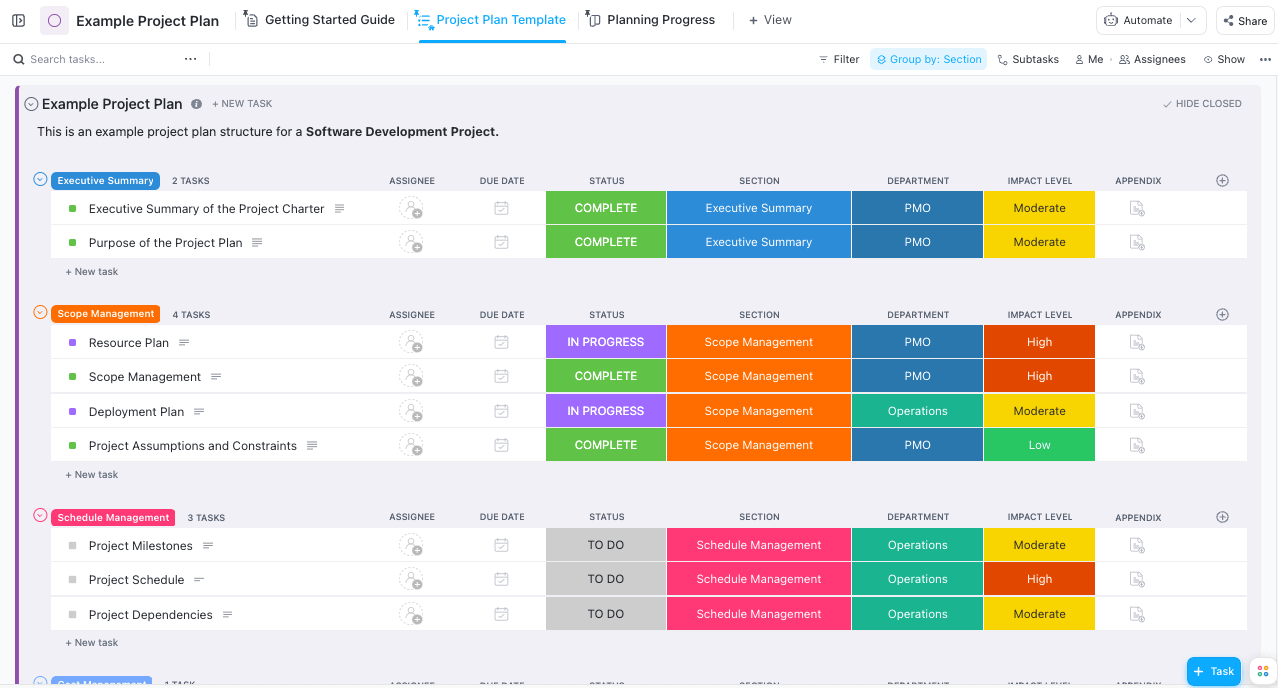
ClickUp is the budget pick. Vendr lists Unlimited at $7 per user per month billed annually, Business at $12, and Business Plus at $19. For a 40-person firm, that's a fraction of any PSA on this list.
The flexibility that makes it cheap also makes it work. ClickUp gives you building blocks, and someone has to design the system out of them: custom fields for budgets, statuses for approvals, views for capacity. It doesn't issue client invoices, so rates and billing move to another tool or to your accounting system. Firms that pick ClickUp after Kantata do best when their Kantata usage was mostly tasks and timelines, and when someone on staff actually enjoys building workflows.
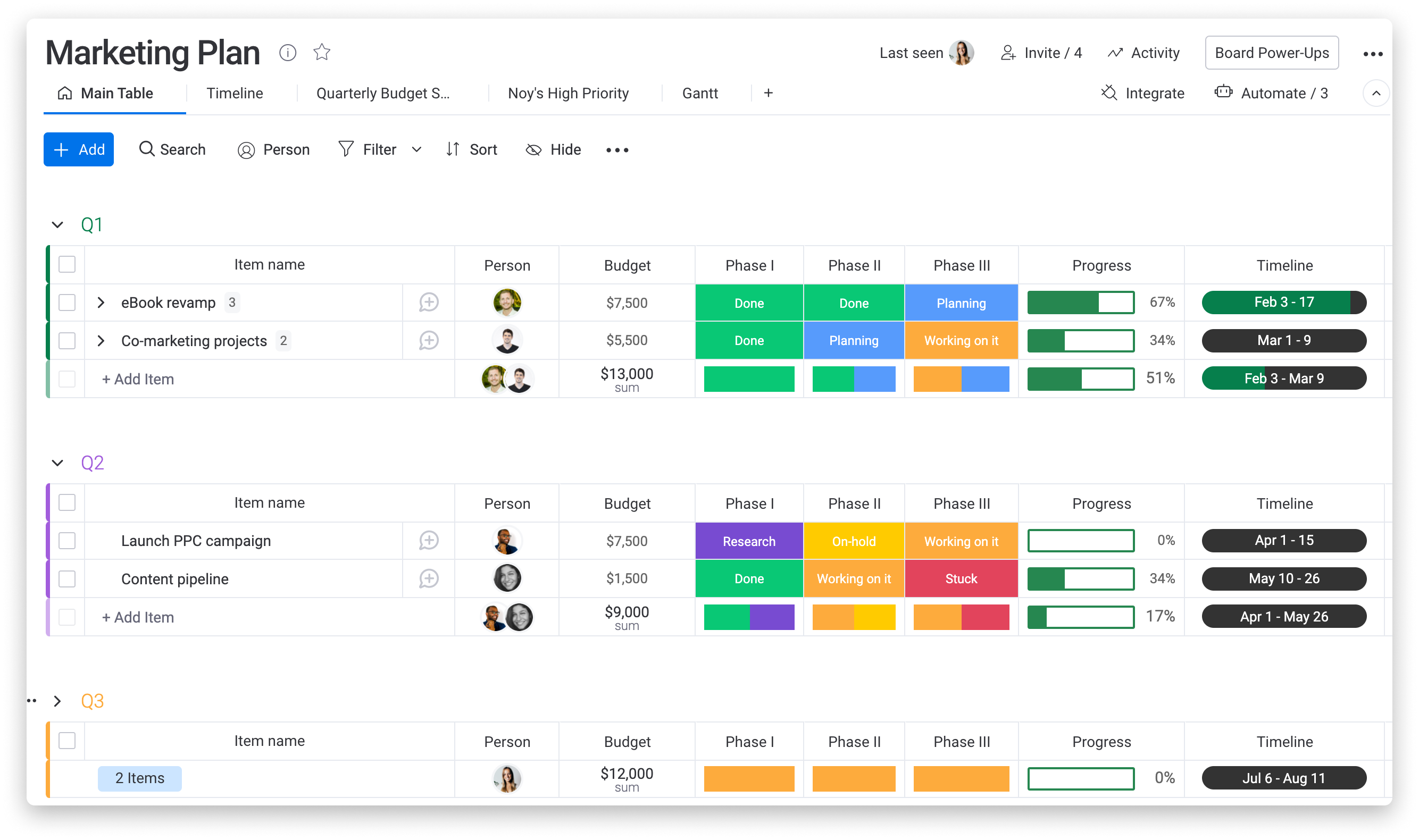
5. Monday.com: easy to adopt, with seat and automation math to check
monday.com is the friendliest tool here for people who have never used a PSA. Boards are visual, and teams pick it up quickly. The pricing has wrinkles, though. Automation Atlas reports Basic at $9, Standard at $12 and Pro at $19 per seat per month billed annually, a three-seat minimum on paid plans, no automations on Basic, and 250 automation actions a month on Standard.
That automation cap matters more than it looks. In Kantata, approvals, assignment notices and status changes happen quietly in the background. Rebuild a couple dozen active projects on monday.com Standard and 250 actions can run out well before month-end, which pushes you to Pro. Like ClickUp, it tracks work well and leaves invoicing and rate management elsewhere.
6. Asana: the best coordinator here, and the furthest from a PSA
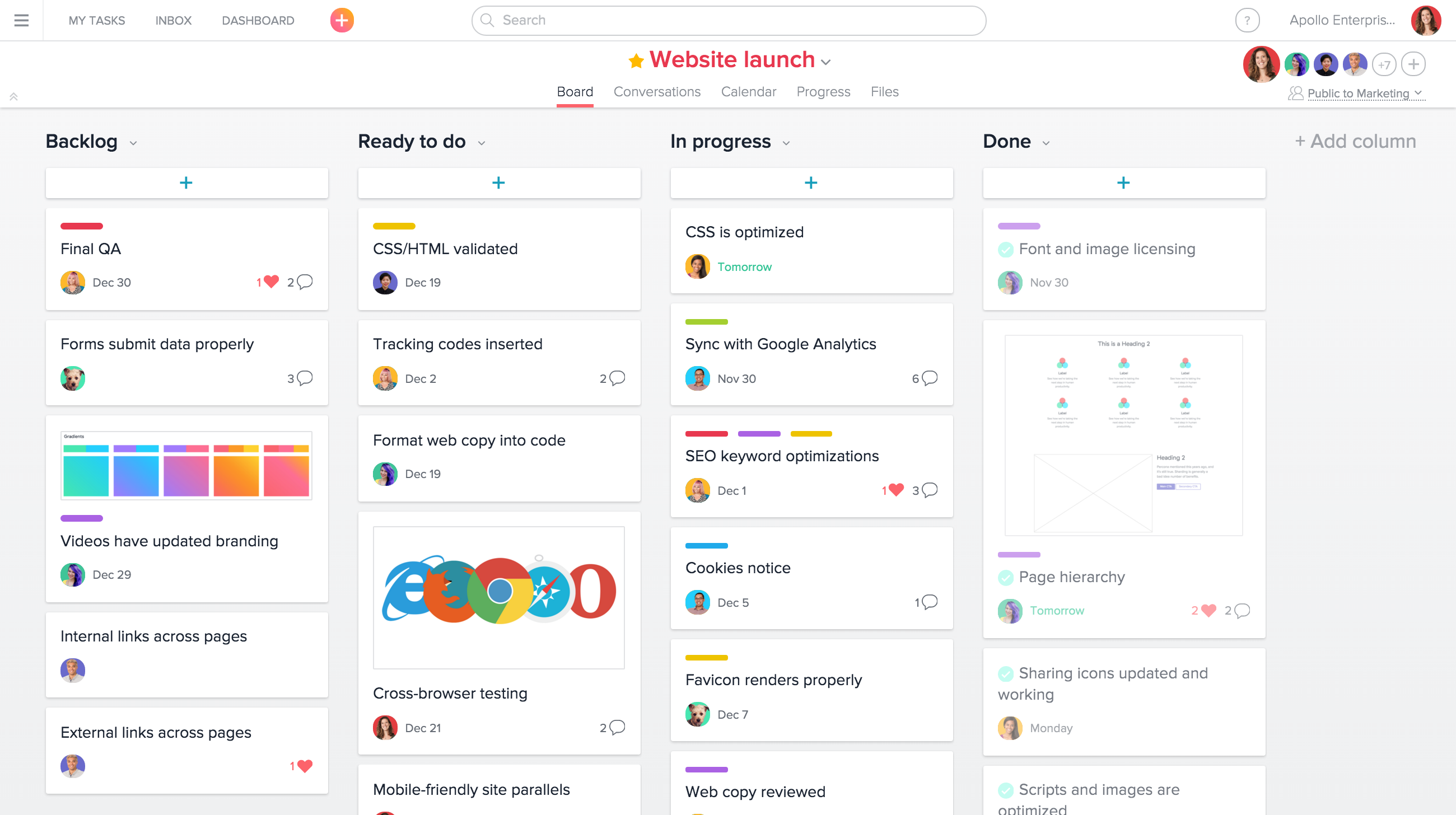
Asana is excellent at what it's for: keeping cross-functional work visible and on schedule. Vendr lists Starter at $10.99 and Advanced at $24.99 per user per month billed annually, or $13.49 and $30.49 billed monthly. It has no rate cards, no utilization reporting in the PSA sense, and no invoicing.
That makes it the right answer in one specific case: Kantata was functioning as an expensive task tracker, finance already ran everything out of the accounting system, and nobody looked at the resource forecasts. If that describes you, Asana isn't a downgrade. It's a correction.
What 40 seats really costs
Per-seat prices make the work management tools look like a bargain, and on their own terms they are. Here's the annual list price for a 40-person firm on the tier closest to Kantata-style usage, using annual billing where the vendor offers it:
- ClickUp Business: about $5,760
- monday.com Pro: about $9,120
- Asana Advanced: about $11,995
- Ravetree (billed yearly): $13,920 (also includes on-boarding and support)
- Scoro Growth: about $15,792 (Performance would be about $23,952)
- BigTime Premier: about $21,600
Then add what the first three leave out: a time-tracking app if the native one doesn't fit your approvals, an invoicing tool or extra hours in your accounting system, and some way to forecast capacity. Price the stack instead of the seat and the cheapest line stops being cheapest. No vendor's quote includes the labor of reconciling three systems, either.
These are list prices, and vendors discount. Use them to compare shape, not to set a budget.
Which one fits your firm
Strip away the demos and the choice usually comes down to a handful of profiles:
- Kantata SX, 300+ people, Salesforce runs sales: renegotiate before you migrate. Kantata was built for firms like yours.
- A 15-to-200-person agency or consultancy with retainers, fixed fees and no full-time admin: Ravetree, because rates, bookings and invoicing stay in one system at one price.
- Finance-led, mostly time and materials, QuickBooks at the center: BigTime, budgeted at Premier.
- Leadership lives in dashboards and is fine buying by tier: Scoro.
- Kantata was mostly a task tracker: ClickUp, monday.com or Asana, with billing kept in your accounting system.
If you're also considering agency-focused tools that didn't make this list, our look at Kantata against Productive walks through a similar trade-off between depth and simplicity.
How to switch without losing a month
The migration is where most of the risk sits, and the order of operations matters more than people expect.
- Check your renewal date and notice period this week. Start evaluating about 90 days out so a deadline isn't doing your negotiating for you.
- Export in order of perishability. Forward resource bookings first, since they change daily. Then open budgets and unbilled time, then rate cards. Keep at least two years of time entries; they're the raw material for next year's estimates.
- Cut over on a billing boundary. Invoice the final period from Kantata and start the next one clean. Splitting a month across two systems is how unbilled hours vanish.
- Move active work only. Archive closed projects as exports instead of migrating them.
- Keep read-only access through your first month-end close. Something will be missing, and you'll want to look it up.
The short version
The best Kantata alternatives aren't the ones with the longest feature lists. They're the ones that keep your rates, your forward bookings and your billing rules connected, because that's the part of Kantata that was actually earning its fee. If you need the whole system, shortlist Ravetree, BigTime and Scoro, and trial them on a real project with your own data. If Kantata was mostly a task board, a work management tool plus your accounting system is a perfectly sensible answer. Either way, start with the reports finance really opens, then judge these Kantata Alternatives Worth Switching To in 2026 against that list rather than against the demo.
Frequently Asked Questions
Which Kantata alternatives can replace it completely?
Ravetree, BigTime and Scoro are full PSA platforms that hold rates, resource bookings and billing rules in one system. ClickUp, monday.com and Asana cover task and team coordination but need a separate tool or your accounting system for invoicing.
Is switching harder if we're on Kantata SX?
Usually, yes. SX runs inside Salesforce, so your accounts and opportunities may move or need re-syncing too, while OX customers are typically swapping one standalone system for another.
What data should we export from Kantata first?
Start with forward resource bookings, then open budgets and unbilled time, then rate cards. Those change fastest and are the hardest to rebuild from memory.
Are the cheaper Kantata alternatives actually cheaper?
Ravetree is less expensive. Asana, ClickUp and Monday can be less expensive, but offer fewer capabilities.