

Key takeaways:
- Most firms leave BigTime for forward visibility (capacity, budgets, pipeline), not because time entry is weak.
- Choose by your firm's center of gravity: project budgets, a consulting bench, tickets, agency jobs, or tasks.
- Price the tier and seat band you'd actually need; a cheap task tool plus BigTime often costs as much as BigTime Premier alone.
- Cut over right after an invoice run and keep BigTime data accessible for at least a quarter.
It's the third business day of the month. Invoices are out, timesheets are reconciled, and BigTime did exactly what it was bought to do. Then the delivery lead asks who can start a six-week implementation on the 14th, and nobody can answer without opening three spreadsheets and pinging two project managers on Slack. If that scene feels familiar, you're probably not unhappy with BigTime's billing. You're unhappy with everything that happens before the timesheet. This guide to the 12 Best Alternatives to BigTime is built around that distinction, because the right alternatives to BigTime depend on which part of your operation is actually breaking.
The stakes aren't abstract. Billable utilization across professional services firms fell to 66.4% in 2025, the lowest reading in the 19 years SPI Research has run its maturity benchmark. One explanation gaining traction among services leaders is that firms can't see demand early enough to staff against it. That's a forward-looking problem, and a tool designed to capture hours after they're worked can only do so much about it.
Below are twelve options, ranging from full professional services automation (PSA) platforms to general work management tools, with what each costs, who it suits, and where it will let you down. Ravetree is listed first. It's our platform, so weigh the ranking with that in mind; the criteria that put it there are spelled out below, and you can hold any vendor to them, us included.
What BigTime gets right, and the ceiling firms hit
BigTime started life as a time-and-billing product, and it still shows, mostly in good ways. Capterra's review summary notes that timekeepers and new staff usually get productive after a session or two, while admins handling reporting, custom setup, or the QuickBooks integration need longer. Rate tables, approvals, and the handoff to accounting are mature. Nobody leaves BigTime because the timesheet is bad.
They leave because of what sits around it:
- Forward capacity. Capacity planning and skills management live in BigTime's top public tier. Essentials is $20 per user per month, Advanced is $35, and Premier, which adds project budgeting and standard resource scheduling, is $45. Plenty of firms that say "BigTime can't do capacity" are on a lower plan and have never seen the feature. That changes the comparison: you're weighing most alternatives to BigTime against a $45 seat, not a $20 one.
- The work before the hours. Dependencies, intake, and day-to-day delivery planning aren't where BigTime puts its energy. Teams bolt on a task tool, and then project status lives in one system while hours and budget live in another. Every status meeting starts with someone reconciling the two.
- The front of the funnel. BigTime relies on integrations, Salesforce being the usual one, for pipeline work. That's fine if Salesforce is already your source of truth. It's another contract and another sync to babysit if it isn't.
None of that makes BigTime a bad product. It makes it a specific one. If your main pain is time capture and invoice accuracy, switching may solve nothing, and Ravetree's own Ravetree vs. BigTime comparison is candid that BigTime suits firms whose world revolves around the billable hour.
How to judge a BigTime replacement
Feature checklists are where these evaluations go to die. Every vendor below ticks "time" and "reporting." Ask these four questions instead:
- What object does the tool run on? Every platform has a center of gravity. BigTime's is the timesheet. Others center on the project budget, the resource schedule, the service ticket, the agency job number, or the task. Pick the one that matches what your firm actually sells.
- Does the plan you'd buy include the money side? Hours, budgets, and bills should come from the same data. A tool that runs tasks beautifully but sends you back to BigTime to invoice isn't a replacement. It's a second subscription.
- How are seats sold? For firms under 25 people, seat minimums and seat bands move the math more than headline prices do. Several tools below charge for chairs you won't fill.
- Can you rebuild your ugliest invoice during the trial? Take last month's most awkward bill (a fixed monthly fee with overage hours, a pass-through cost, a milestone payment) and recreate it end to end with real rates. If that takes a vendor call and two workarounds, you've learned more than any demo will show you.
The 12 best alternatives to BigTime
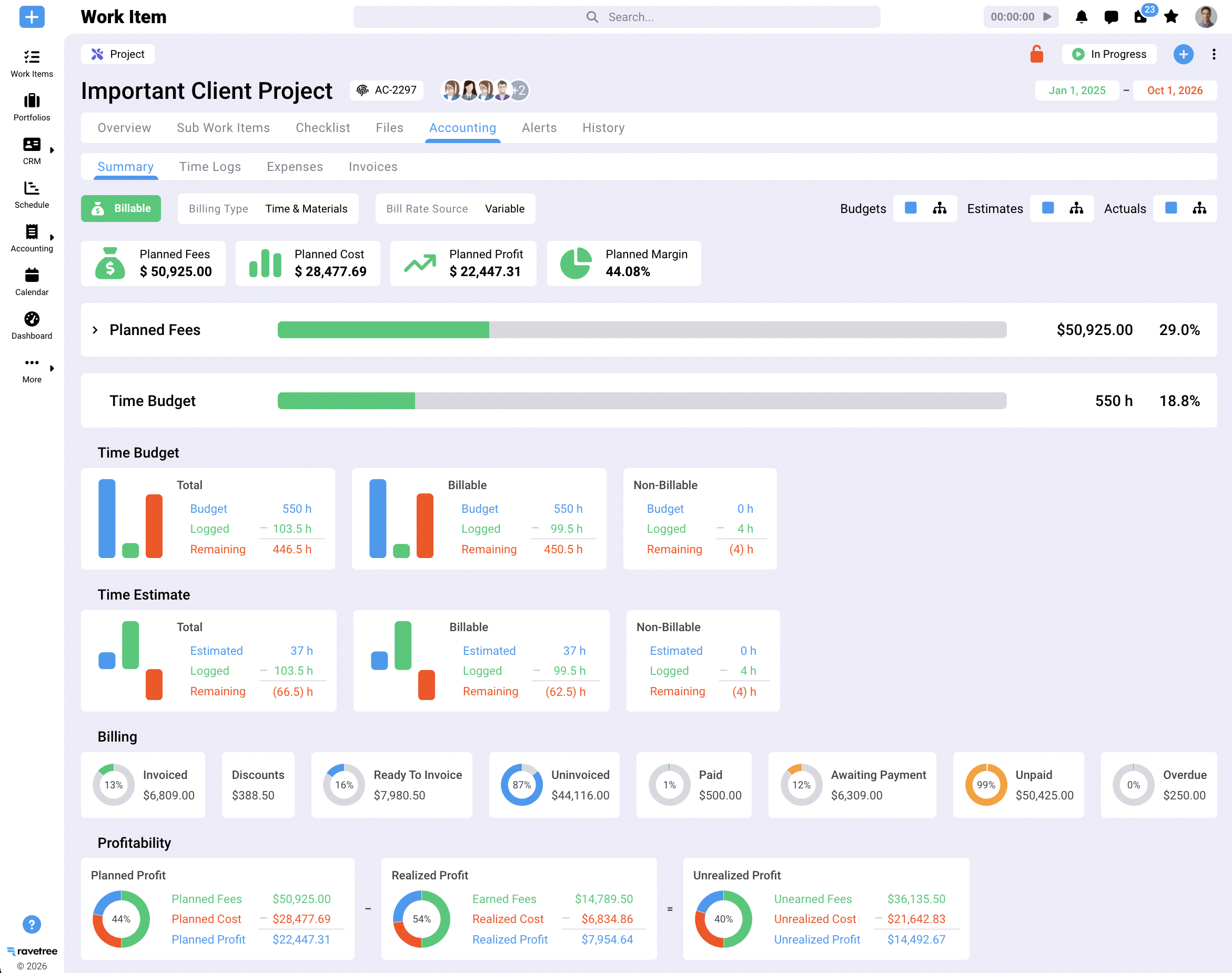
1. Ravetree: best for firms that want delivery and billing in one system
Ravetree is a PSA platform for agencies, consultancies, IT services, accounting, and architecture and engineering firms. Its center of gravity is the client project with its budget attached, and everything else hangs off that: project management with Gantt, kanban, and agile views; resource planning; time tracking; expense tracking; retainers; proposals; purchase orders; a built-in CRM; a client portal; structured requests for intake; and invoicing. A deal marked won in the pipeline can build its project from a template, so the budget you sold is the budget you track.
Pricing is one plan with every module: $29 per user per month billed yearly, $34 quarterly, or $39 month to month, with onboarding and training included. For a firm comparing against BigTime Premier at $45, that gap matters.
The pattern in Ravetree's Capterra reviews is worth noting. Several five-star reviewers arrived from Accelo, Scoro, or ClickUp, and the recurring themes are hands-on onboarding, a support team that turned requested changes around quickly, and finally getting projects, hours, budgets, and retainers under one login. A design studio's creative director singled out retainer handling as better than most platforms they'd trialed.
Where it fits less well: a five-person shop that only needs a timer and an invoice will pay for capability it won't use.
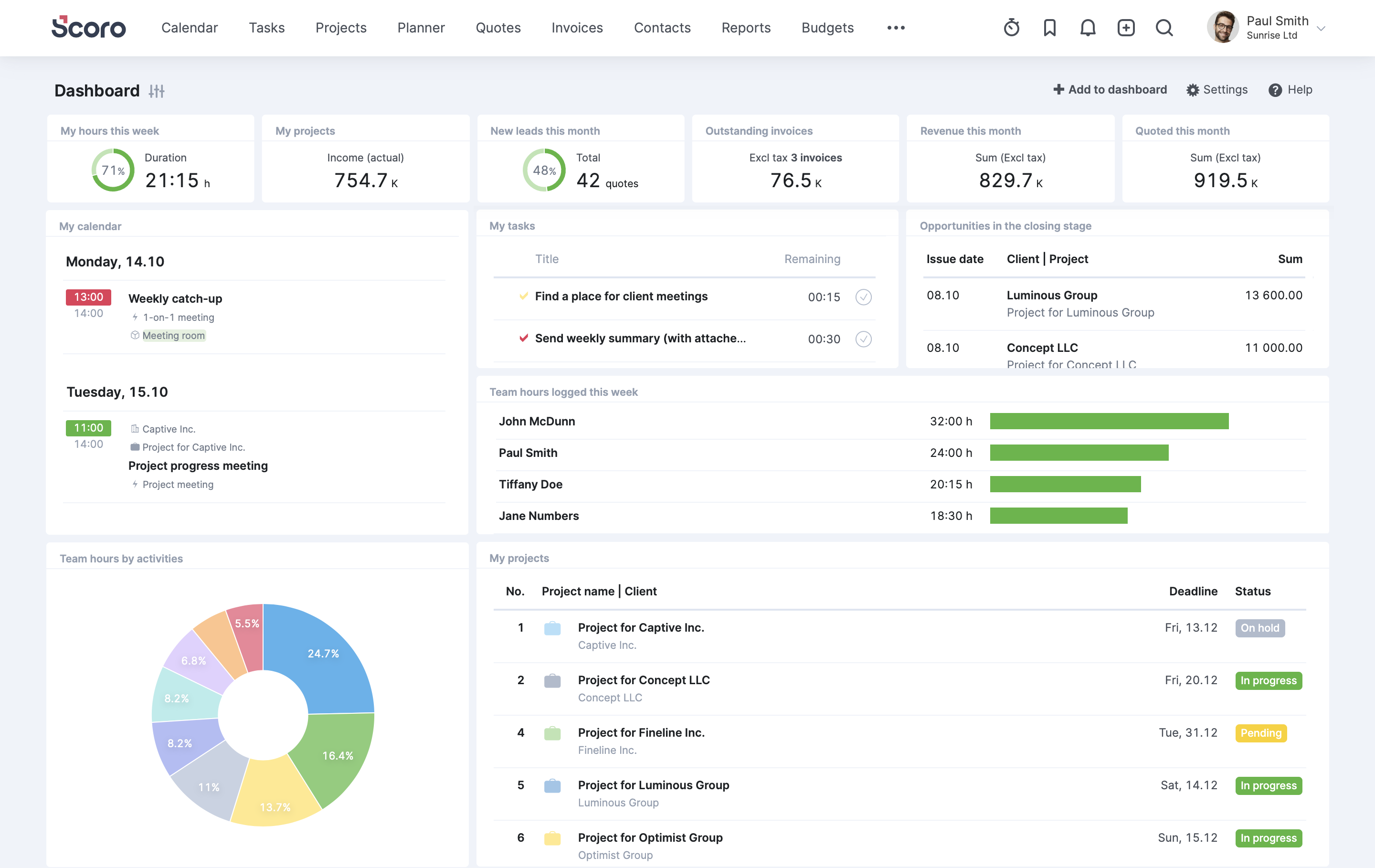
2. Scoro: best for owners who run the business from dashboards
Scoro pitches itself as end-to-end business management, covering quotes, projects, time, billing, and KPI dashboards for a leadership team that wants everything on one screen. The tiering is the part to read closely. Core starts at $19.90 per user per month billed annually with a five-seat minimum, and resource planning and revenue recognition don't arrive until Performance at $49.90. A BigTime Premier customer shopping for capacity planning is comparing $45 to roughly $50, not $45 to $20.
Good fit: 20 to 150 person agencies and consultancies whose principals want financial reporting without exporting to Excel. Plan for real configuration time. Ravetree's BigTime vs. Scoro breakdown covers the two head to head if Scoro is your front-runner.
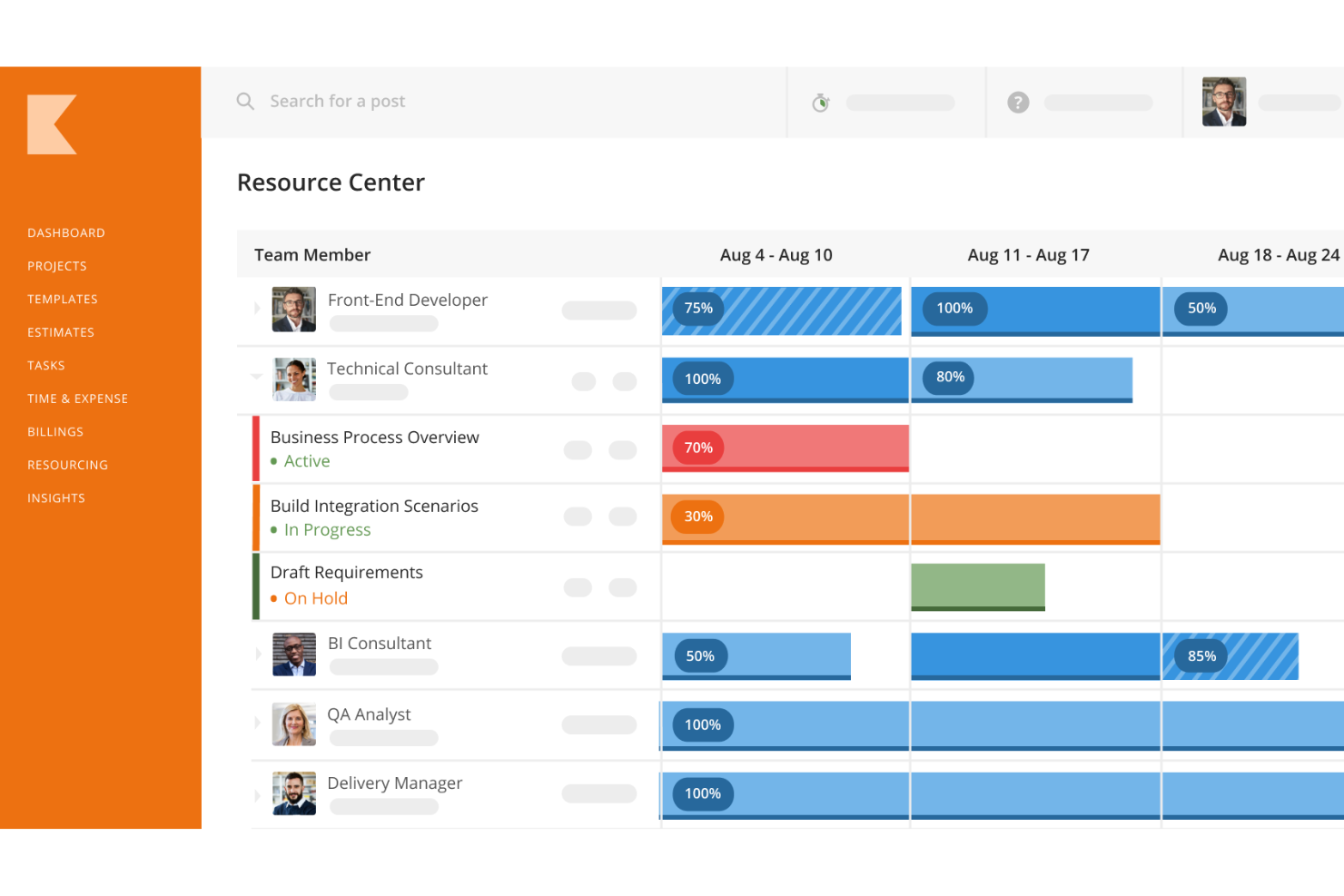
3. Kantata: best for large consulting benches
Kantata, formed from the merger of Mavenlink and Kimble, is the heavyweight here. Capterra positions it for professional services organizations of 50 to 5,000+ employees, and its reviewers say basic users onboard quickly while project managers and admins need more time for setup and reporting. Resource management is the calling card: role-based demand, skills matching, and forecasting across a big bench of consultants.
Pricing is quote-only. Pick it if you have 100-plus billable people and a dedicated operations owner. Below that, you're buying an enterprise implementation to solve a mid-market problem.
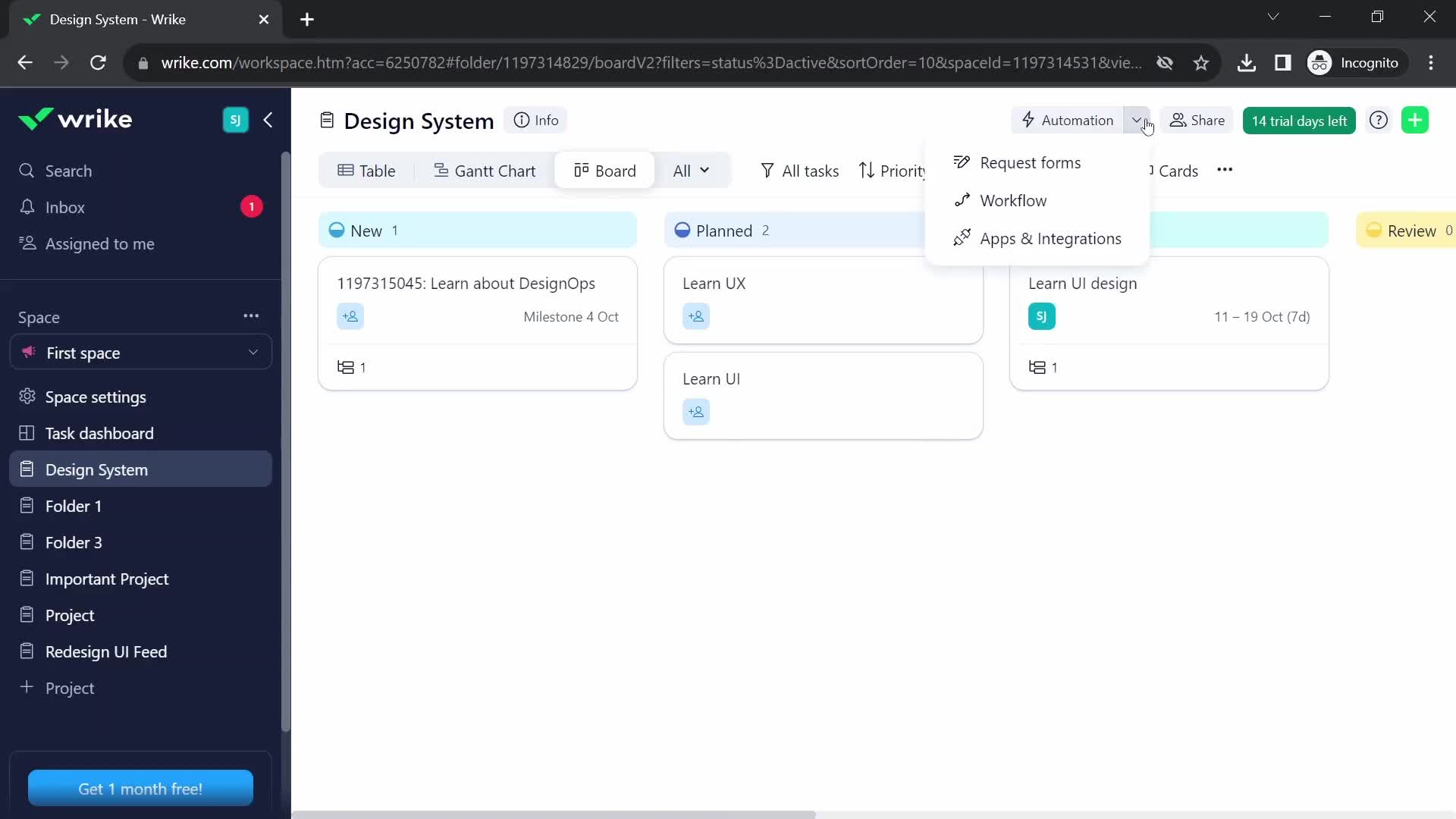
4. Wrike: best for complex delivery when billing stays elsewhere
Wrike is project management software, not a PSA, and that's the first thing to get straight. It handles complex project plans, request forms, proofing, and cross-team dashboards very well. The Team plan is $10 per user for 2 to 15 users, Business is $25 for 5 to 200 users, and the former Enterprise tier has been replaced by custom-quoted Pinnacle and Apex plans.
Time tracking sits on Business. Invoicing doesn't exist. Most services firms that move to Wrike keep BigTime or their accounting system for billing, so compare Wrike plus that tool against an all-in-one, not Wrike alone. And note the cliff: your 16th seat forces the jump from $10 to $25.
5. Accelo: best for a mix of projects, retainers, and tickets
Accelo was built around quote-to-cash for client services firms. It handles projects, recurring retainer work, and support tickets side by side, with strong email and activity capture tying conversations to clients. If your firm does a bit of everything for the same accounts, that shape fits.
Pricing has been a moving target. Accelo has reworked its pricing page several times, most recently hiding tiered plan prices behind a custom-quote page in Q2 2026. Get a written quote that names every module and user type you'll need before you compare it to anything.
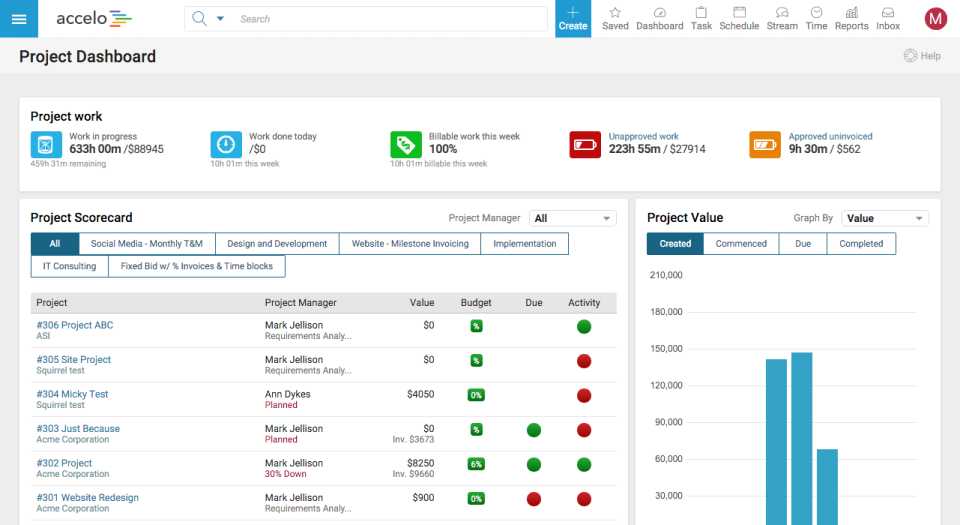
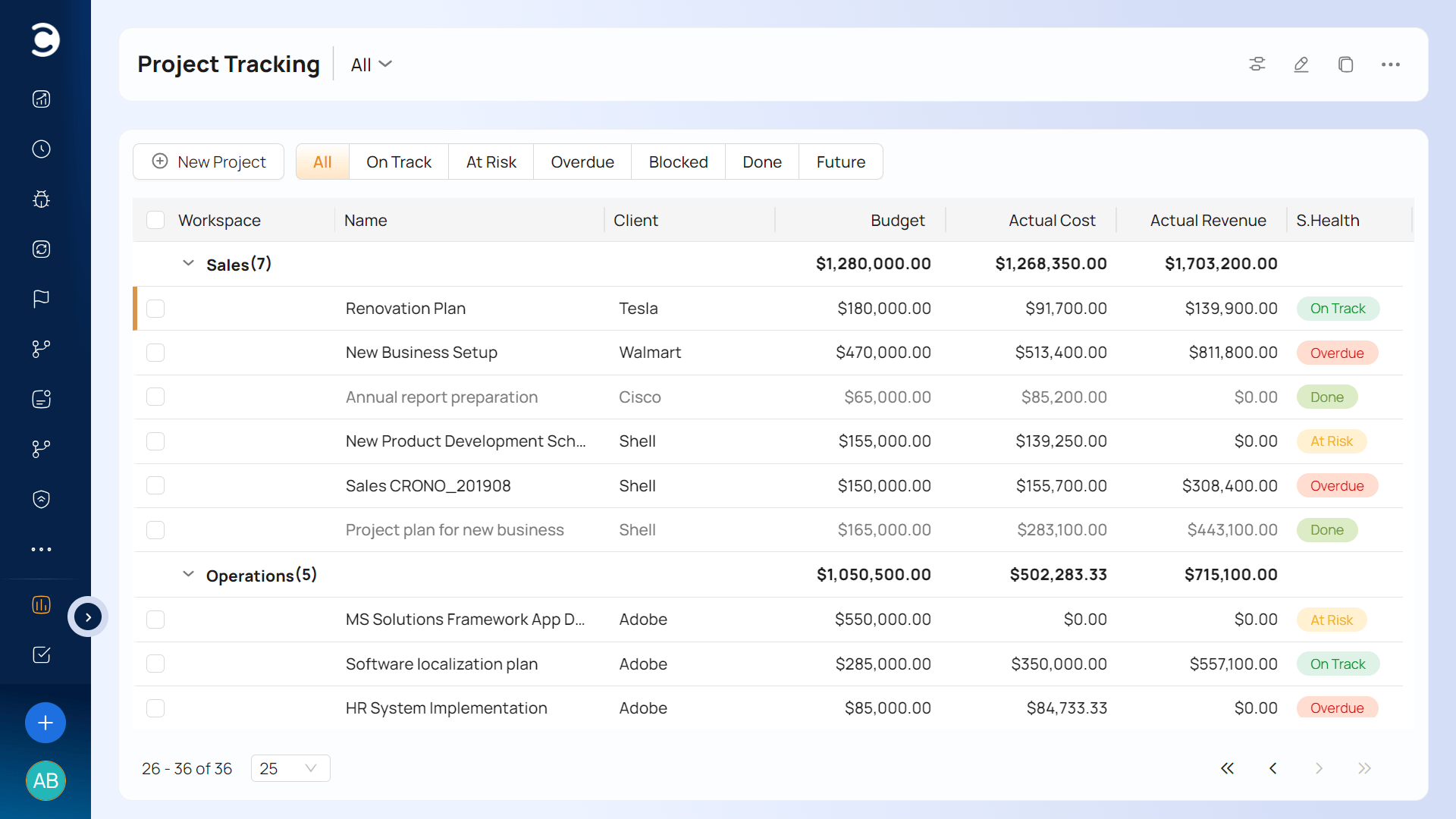
6. Celoxis: best for portfolio control and on-premise requirements
Celoxis is a project portfolio tool with genuine financials: budgets, cost and revenue tracking, timesheets, and dependency-driven scheduling. Plans start at $10 per user for Core, with Essential at $25 and Professional at $35, and it integrates with Jira, QuickBooks Online, Salesforce, and HubSpot. It's also one of the few options here that can run on-premise, which matters to government contractors and firms with strict data rules.
The tradeoff: billing is lighter than a dedicated PSA, so your accounting system will keep doing more of the invoicing work than it would with Ravetree or BigTime.
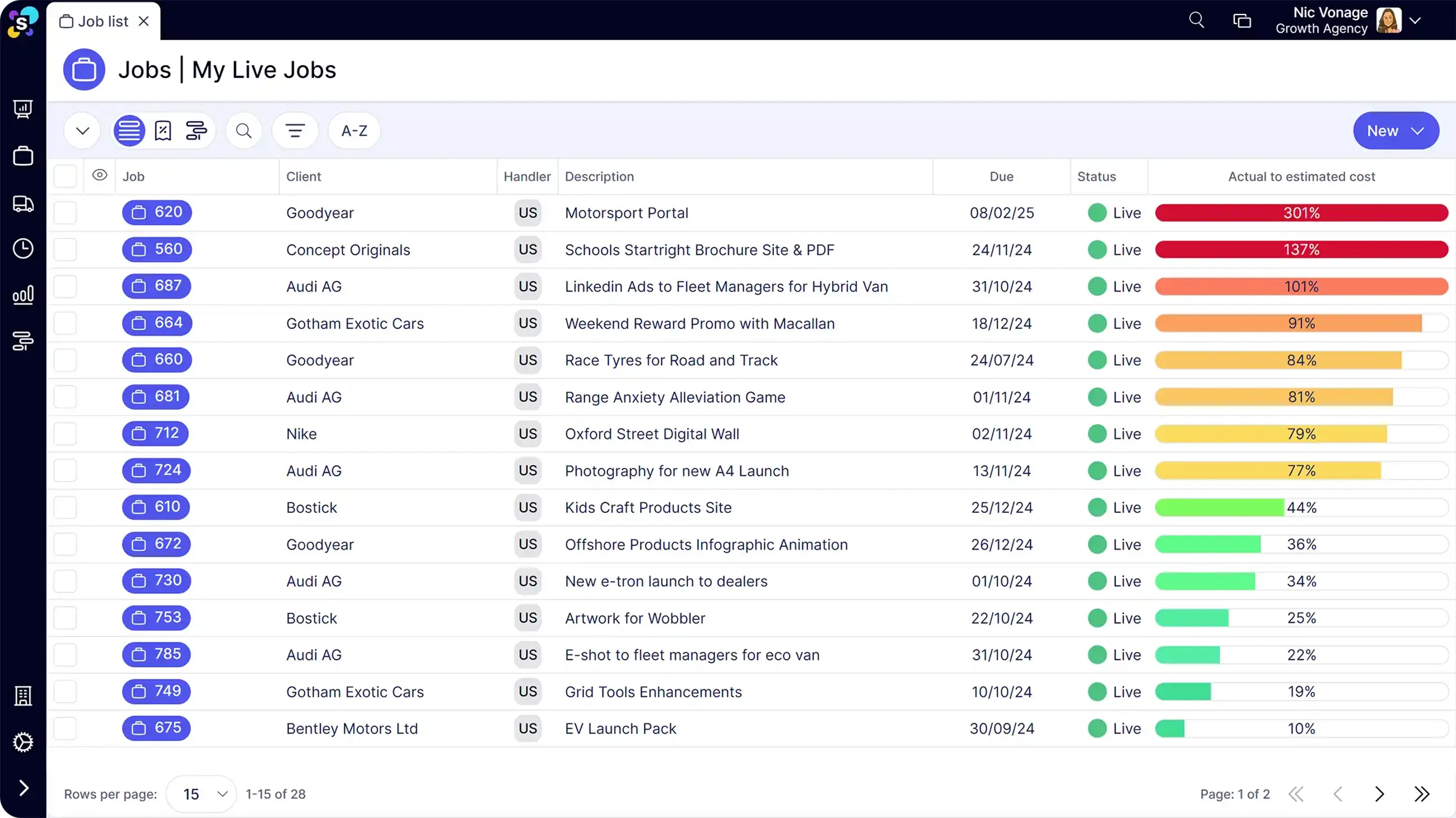
7. Synergist: best for UK creative and marketing agencies
Synergist is agency software in the traditional sense, organized around job numbers, estimates, job costing, and timesheets. The vendor says it has spent 20 years building for agencies and supports more than 1,000 UK agencies, with CRM, job costing, resource planning, timesheets, expenses, and billing in one system. If your team thinks in jobs and estimates rather than projects and sprints, it'll feel natural on day one.
Pricing comes in three tiers, available on request. Its customer base is concentrated in the UK, so North American firms should confirm accounting integrations and support hours before signing anything.
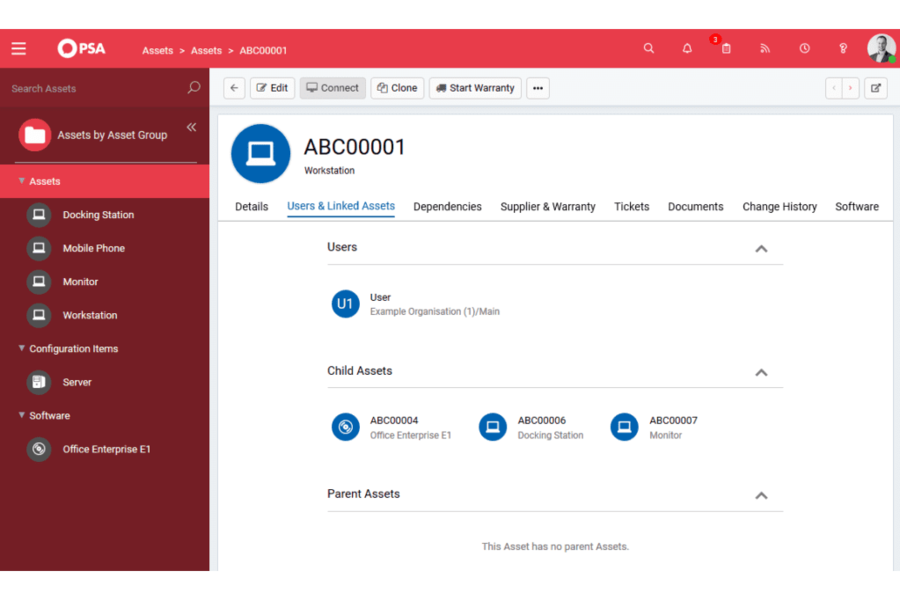
8. HaloPSA: best for MSPs and IT service providers
If your firm runs on tickets and SLAs rather than projects, BigTime was never quite the right shape. HaloPSA is built for managed service providers: service desk, contracts and recurring billing, asset tracking, project work, and reporting. Halo sells it at one per-technician price with every module included as standard, so there's no upgrade chase to unlock reporting or billing.
Two cautions. Onboarding is quoted separately from the license, and per-technician pricing is designed for service desk teams, not a 40-person consultancy where everyone logs time but nobody works tickets.
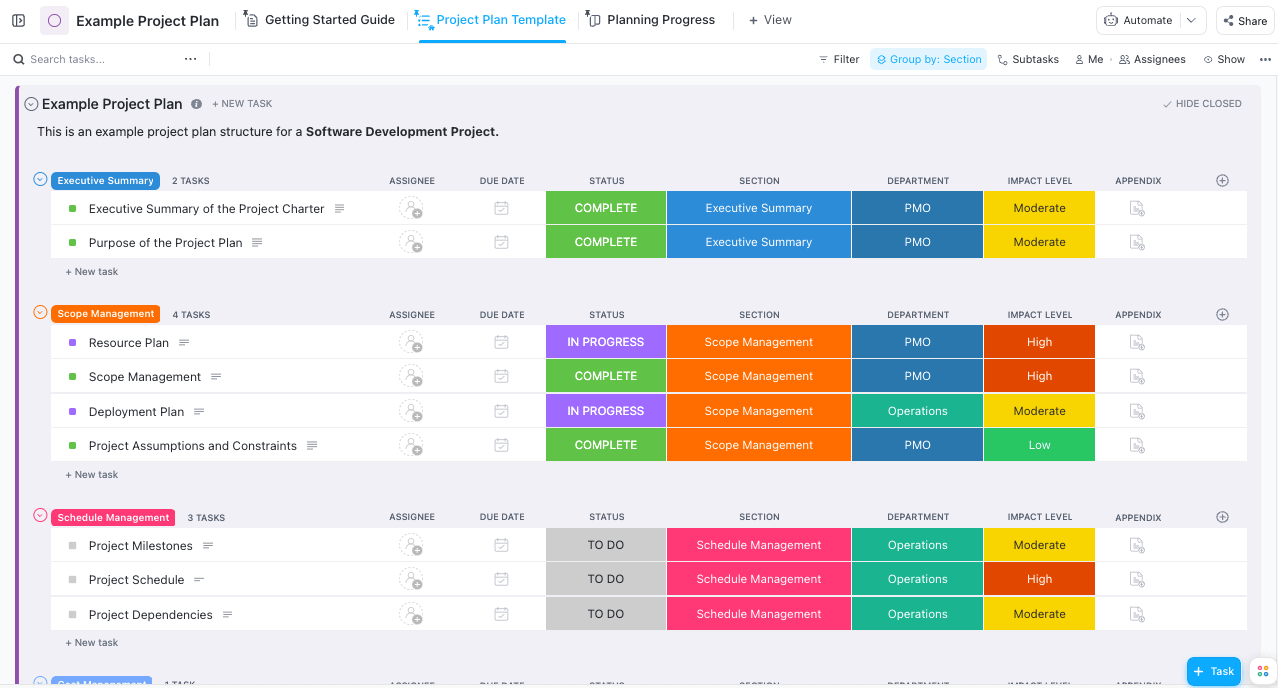
9. ClickUp: best for budget-conscious teams that live in tasks
ClickUp's pitch is breadth per dollar: docs, tasks, goals, dashboards, native time tracking, and a free plan with unlimited users. Paid plans run $7 per user on Unlimited and $12 on Business with annual billing, and the AI add-on is charged per seat on top.
What it isn't is a billing system. There's no invoicing and no rate-card logic in the PSA sense, so utilization and margin reporting become a spreadsheet project. ClickUp also fails in a predictable way at services firms: it's so configurable that each project manager builds a different workspace, and portfolio reporting falls apart within a quarter. Name one owner for the structure before anyone migrates.
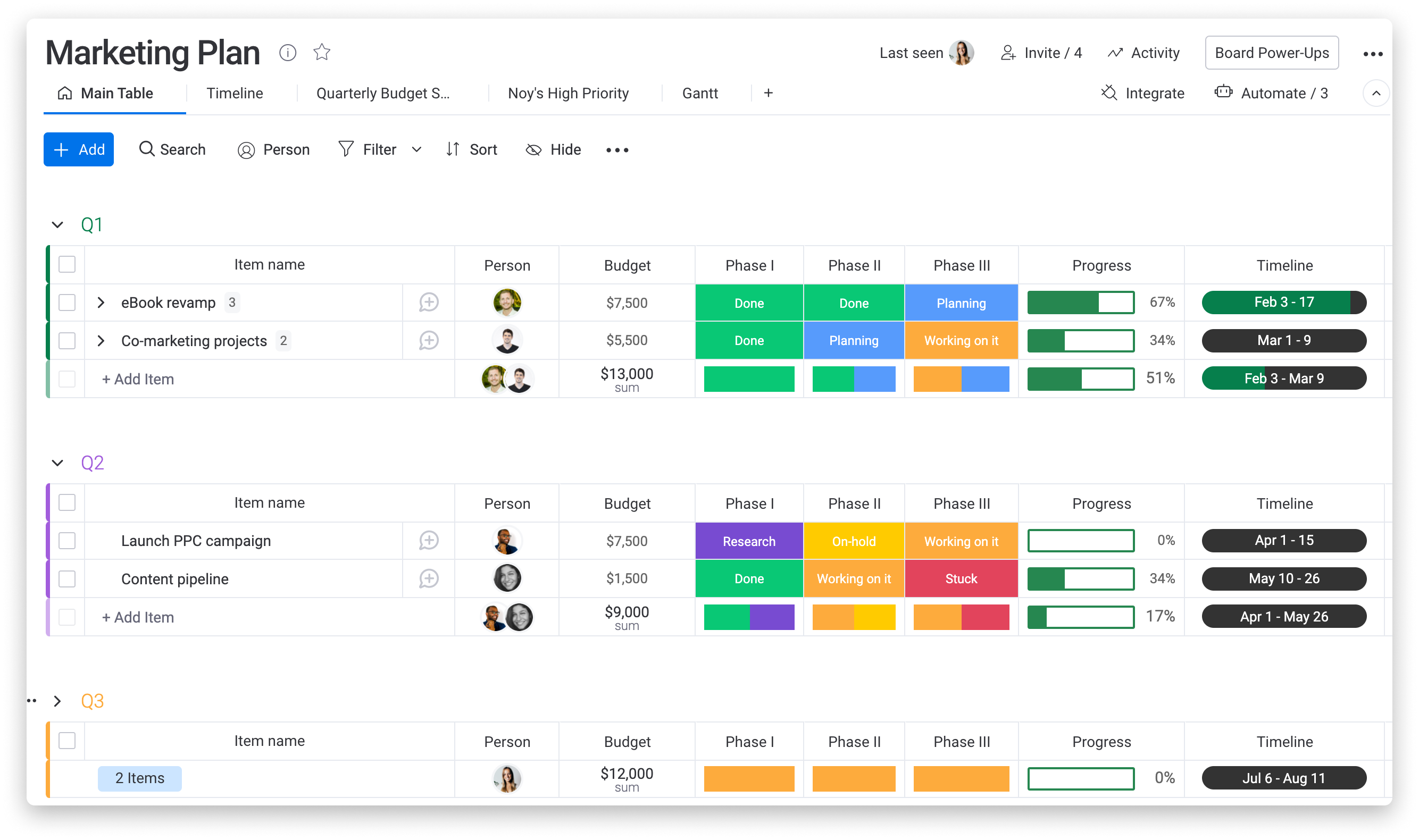
10. Monday: best for visual teams that need fast adoption
Monday's boards are easy to like, and teams pick them up quickly. Services firms should check two details. Time tracking only appears on the Pro plan at $19 per seat billed annually, and seats are sold starting at three and then in multiples of five, so a seven-person team pays for ten and a twelve-person team pays for fifteen.
Like Wrike and ClickUp, the core work management product has no native invoicing. It's a good choice for marketing or creative teams that want visibility and are happy to keep a separate billing tool.
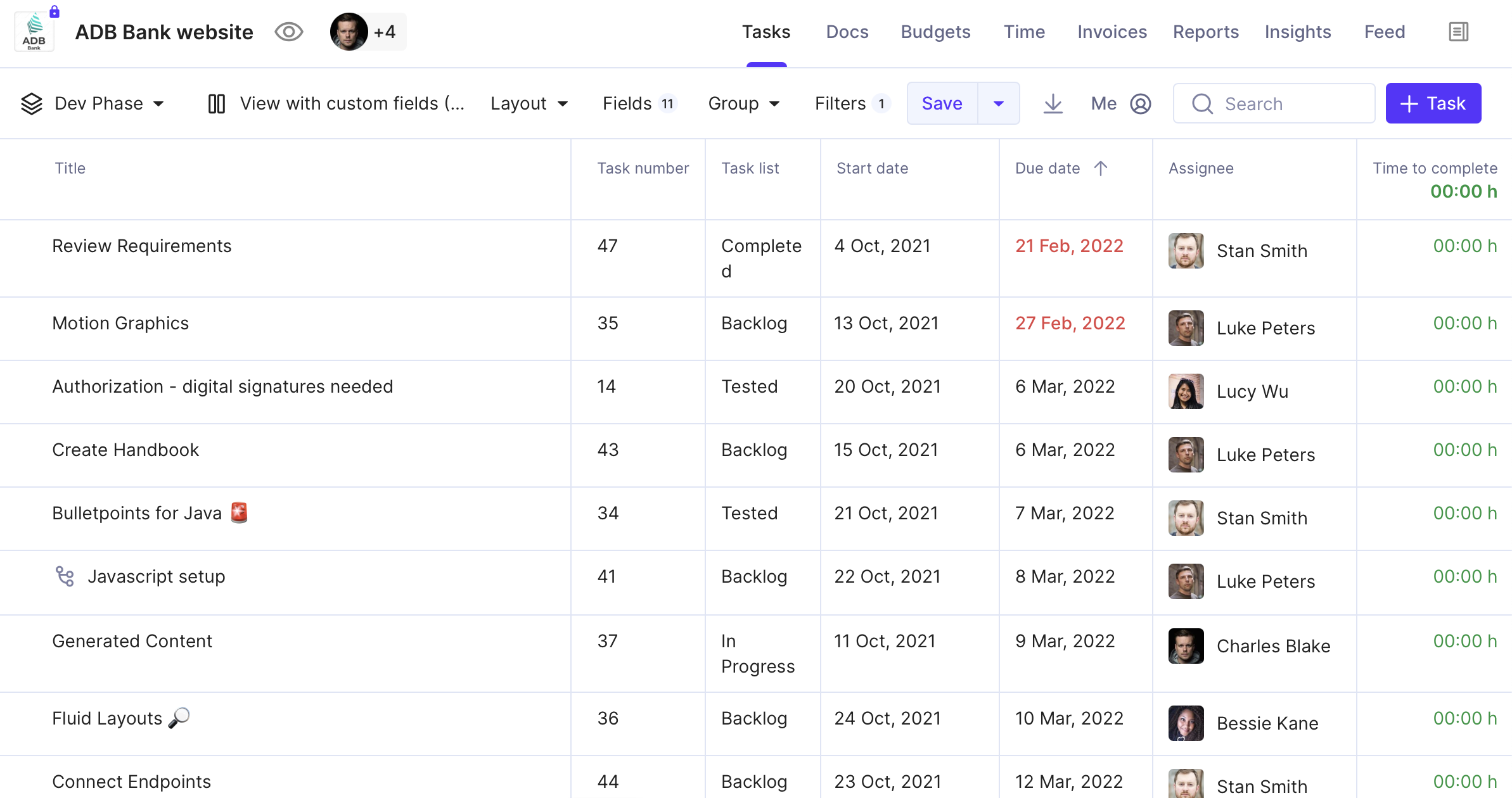
11. Productive: best for digital agencies under 100 people
Productive is the closest in philosophy to Ravetree: an agency-focused PSA covering budgets, resource scheduling, a sales pipeline, time, and invoicing. Entry pricing is low at $10 per user per month on Essential with annual billing, while Professional is $25 and Ultimate is custom-quoted.
That $15 gap between the first two tiers deserves attention during your trial. Confirm which tier carries the scheduling, budgeting, and reporting you're actually leaving BigTime to get, then build your cost comparison on that tier.
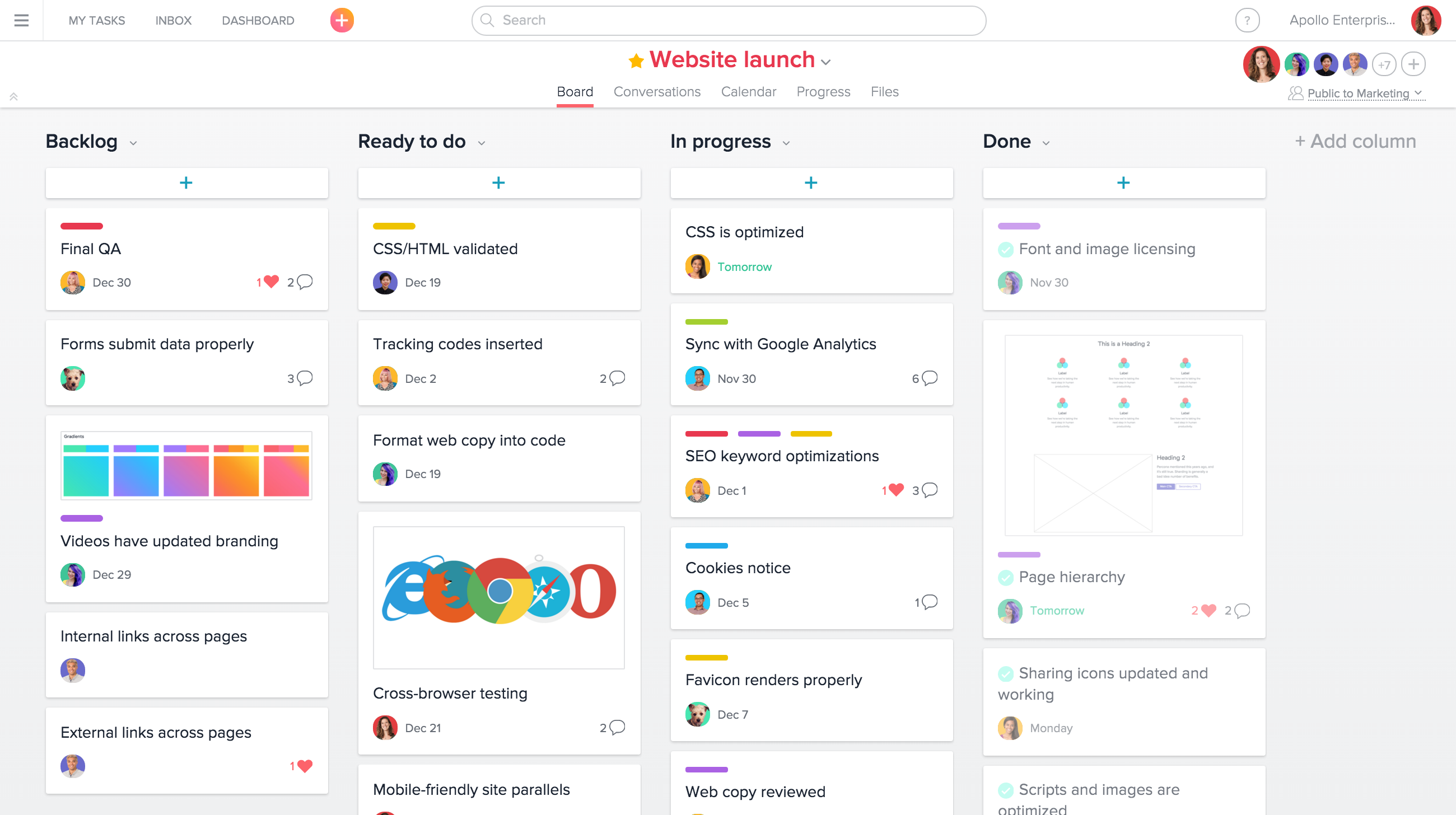
12. Asana: best when BigTime stays for billing
Asana is the cleanest task and project tool on this list, and plenty of firms already run it next to BigTime. That's the honest framing: Asana replaces BigTime's thin project features, not its billing. Starter is $10.99 per user per month billed annually, Advanced is $24.99, and paid plans start at two seats.
There's no invoicing and no rate management. If your problem is "our projects are chaos but billing works fine," Asana plus BigTime is a legitimate answer. If you want one system, go back up the list.
Matching the tool to how your firm makes money
Twelve options is too many to trial. Narrow it by the way revenue actually reaches your bank account:
- Blended project and retainer work, 10 to 150 people, one system wanted: Ravetree, Productive, or Scoro. These are the real like-for-like alternatives to BigTime, because they keep time, budgets, and invoicing in the same place.
- A large bench of billable consultants (100-plus) with a dedicated ops team: Kantata.
- Projects plus support tickets for the same clients: Accelo. If tickets dominate and you're an MSP, HaloPSA.
- Agency job costing, especially in the UK: Synergist.
- Portfolio governance or on-premise hosting: Celoxis.
- Delivery is messy but billing is fine: Asana, Wrike, monday.com, or ClickUp, kept alongside BigTime or your accounting system.
Smaller firms have one extra consideration. Below about 25 people there's rarely an operations manager to stitch tools together, so the reconciliation work lands on people who should be billing. Ravetree's guide to PSA software for small businesses goes deeper on that sizing question.
A quick cost reality check
Headline prices mislead, so here's a 12-person firm priced at list rates for the tier it would realistically need:
- BigTime Premier (to get resource scheduling): 12 × $45 = $540 per month.
- Ravetree, billed yearly, all modules: 12 × $29 = $348 per month.
- Scoro Performance, billed annually (to get resource planning): 12 × $49.90 = $598.80 per month.
- monday.com Pro (to get time tracking) sold in a 15-seat band: 15 × $19 = $285 per month, plus BigTime Essentials at 12 × $20 = $240 for billing, for $525 total.
- Asana Advanced at 12 × $24.99 = $299.88, plus BigTime Essentials at $240, for $539.88 total.
The pattern is the useful part. Pairing a cheap task tool with BigTime for billing ends up costing about what BigTime Premier does on its own, and you still run two systems with two sets of client records. Any of these alternatives to BigTime should be priced as the full stack you'll actually operate, never as a single sticker.
Timing the switch
Cut over right after an invoice run, not before one, so the first bill out of the new system covers a full, clean period. Keep BigTime in read-only mode (or export everything) for at least a quarter, because someone will ask for last year's realization by client the week after you cancel.
Pick the tool that matches what your firm runs on
BigTime is very good at one job: turning recorded hours into accurate bills. Most firms that outgrow it aren't fleeing bad timesheets. They're chasing the forward view, meaning who's free next month, which projects are drifting over budget, and what's in the pipeline that will need staffing. That's why the strongest alternatives to BigTime aren't better timers. They're systems that plan the work, staff it, track it, and bill it from the same data.
Start with the question from earlier: what does your firm actually run on? Projects with budgets point to Ravetree, Productive, or Scoro. A big consulting bench points to Kantata. Tickets point to HaloPSA or Accelo. Then rebuild your ugliest invoice in two trials and let that decide. Whichever of these 12 Best Alternatives to BigTime you shortlist, price the whole stack you'll run, not the cheapest seat on the pricing page.
Frequently Asked Questions
Which alternatives to BigTime are closest like-for-like replacements?
Ravetree, Productive, and Scoro, because each keeps time, project budgets, and client billing in one system. The work management tools on the list (Wrike, ClickUp, monday.com, Asana) replace BigTime's project features but not its invoicing.
Is it worth leaving BigTime if our only complaint is capacity planning?
Check your plan first. Resource scheduling sits on BigTime Premier, so upgrading may be cheaper and less disruptive than migrating. Switch when you also need delivery planning, a pipeline, or a client-facing view in the same system.
How long does a PSA migration usually take for a 20 to 50 person firm?
Plan for several weeks of setup and one full billing cycle of overlap checking. Clients, rates, active projects, and open retainers move first; historical timesheets can stay in a BigTime export.
What should we test during a free trial?
Rebuild one real, messy invoice from start to finish, then check whether a project manager can see next month's capacity without asking anyone. If either takes workarounds, keep looking.