
Key takeaways:
- Billable work needs two progress numbers, percent complete and percent of budget spent, and Asana shows only the first.
- The headline price rarely applies. Rates, hours and budgets often switch on one or two tiers up, as with Wrike Business, Monday Pro, BigTime Premier and Scoro Performance.
- Match the tool to your firm's shape: Ravetree for mixed billing models, Kantata for large PMO-led firms, Basecamp for flat-fee studios, BigTime for hourly work in QuickBooks.
- Test finalists on one closed project and check whether the tool shows budget burn beside progress.
Open any Asana project and every task looks the same: a checkbox, an assignee, a due date. Nothing on the screen tells you that the task on line three bills at $185 an hour while the one on line four is a pitch you'll never invoice. For an internal team, that's fine. For a firm that sells its hours, it's the whole problem. This guide to the 12 Best Asana Alternatives for Billable Projects starts with Ravetree and works through eleven other tools, judged on what they do once a rate, a budget and a client invoice enter the picture. If you're weighing Asana alternatives because the money side of your business lives in spreadsheets, this is your shortlist.
The tools below sit in a set order, but position isn't a score. Several of the later entries beat the early ones for the right kind of firm, and I've said so where it applies. Prices are list prices as of November 2026. Vendors change them often, so confirm before you budget.
Where Asana stops being the right tool for billable work
Asana is genuinely good at project management. Dependencies, templates and approvals keep repeatable work moving, and plenty of teams who leave it still say so. That's why this decision deserves care: you aren't escaping a bad tool, you're adding a financial layer it was never built to hold.
The gap shows up in three places. Asana's built-in timers start on its Advanced plan, and turning hours into billable money takes a separate add-on for timesheets, rates and budgets. There's no billing and invoicing layer, so logged hours leave as an export. And the larger pattern is the one Ravetree's own Asana comparison describes: because Asana lacks native financial management, firms end up stitching a timer app, an invoicing app and a spreadsheet together.
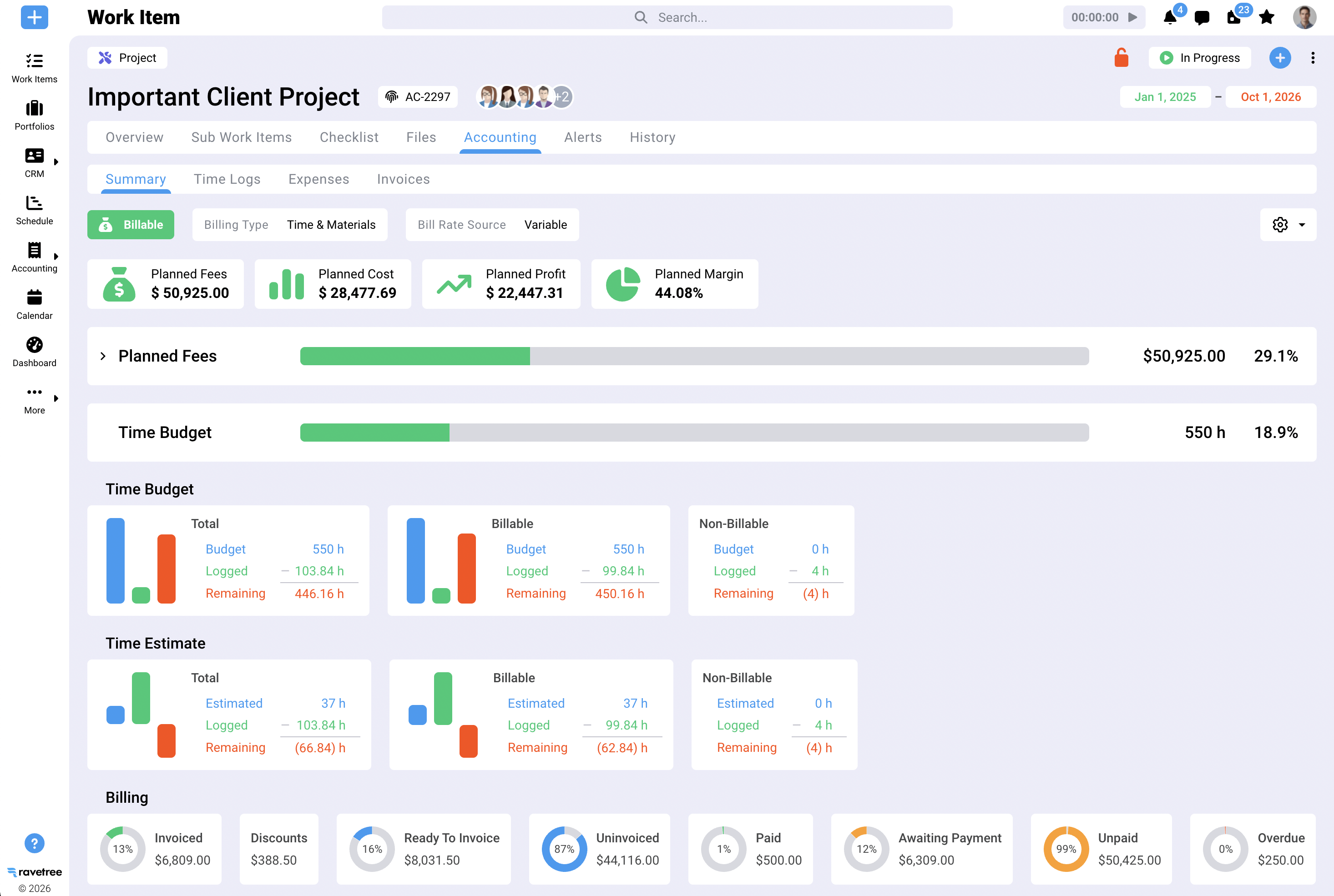
Underneath sits a modeling problem. An Asana task carries one kind of progress: done or not done. A billable task carries two. A website build can be 40% complete and 70% spent, and the gap between those numbers is your margin. Every one of the work management tools below handles the second number differently, and that difference, far more than board views or integrations, is what you're really buying.
Why the headline price on Asana alternatives misleads on billable work
Sticker prices describe the entry tier, and on billable work the entry tier is rarely the one you'll end up using. Four questions cut through most pricing pages.
Where do rates, logged hours and budgets all switch on? Find the plan where all three work together and price that one. Time tracking on its own is usually cheap. Time with rates and a project budget attached is where the bill changes, and in several tools below that's one or two plans above the number on the homepage.
Who needs a paid seat? The producer who logs six hours a day obviously does. The partner who approves timesheets once a month, the client contact who signs off proofs, and the freelancer who bills by the day might not. Ask each vendor how it counts them.
Which side did the tool grow from? Wrike, Monday, ClickUp, Basecamp and Smartsheet began as ways to coordinate work and added money features later. Kantata, BigTime, Accelo, Synergist, Scoro and Celoxis began in professional services automation (PSA) or portfolio planning and added task management around it. My read: the first group tends to feel thin when finance starts asking questions, and the second can feel heavy when designers open the app. Neither is a flaw so much as a lean.
What happens to future capacity and recurring work? Ask whether retainers track a balance that burns down, and whether resource planning shows next quarter's load or only this week's. Those two features separate tools that report on the past from tools that help you decide what to sign next.
The 12 Asana alternatives, one by one
1. Ravetree: the rate follows the work
Ravetree is an all-in-one work management platform built for client-service firms: agencies, consultancies, accounting practices, architects. The design choice that matters is that projects, people, hours, rates and invoices share one data model. A budget and a timesheet aren't two systems that need reconciling, because they're the same record viewed twice.
Rates live where the work happens. A single task can be assigned to several people, each with a different work role, time estimate and bill rate, so a senior strategist and a junior designer can touch the same task and bill differently. Hours logged against it draw down the project budget as they're entered, and Ravetree lists QuickBooks and Xero among its accounting integrations.
Recurring work gets the same treatment. Ravetree's retainer setup covers hour-based, project-based and pay-for-access arrangements, with alerts as a balance passes 50, 75 and 90 percent, so the scope conversation happens before the overage instead of after it. Overage charges and recurring invoices follow from there.
Capacity is the part generic tools rarely attempt. Utilization shows in hours and as a percentage for a person, team, office or department. Google and Outlook calendars feed availability, approved time off reduces it, and tasks can be assigned to a work role before anyone is named, which lets a pipeline project appear as a "soft" booking against future capacity. You can set a target billable utilization for each person and report against it. The payoff is answering "can we take this on?" before the contract is signed rather than three weeks after.
The commercial side of the business sits in the same system. A deal in the CRM can become a project, proposals are built from templates and past jobs, and expense tracking connects to purchase orders tied to vendors, so the photographer's invoice or the subcontractor's fee lands on the right job and client instead of general overhead. Clients get a client portal with file approvals, including multi-step approval chains that can include the client, and structured requests replace the "quick favor" email.
Customer reviews on Capterra and G2 point to a few recurring themes: responsive, personal support; deep project budgeting (one team compared it favorably with the spreadsheets and other tools they'd tested); flexible customization; and several apps collapsing into one. Those are individual experiences, mostly from small firms, not a promise about every deployment.
On cost, Ravetree runs $29 per user per month on yearly billing, $34 quarterly and $39 monthly, with a lower non-profit rate, and onboarding, training and support are included.
Best for: agencies and professional-services firms of roughly 10 to 200 people that mix retainers, fixed-fee and hourly work and want one system instead of four.
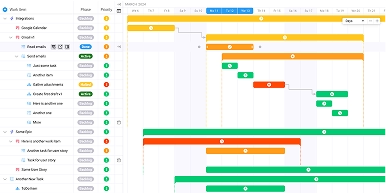
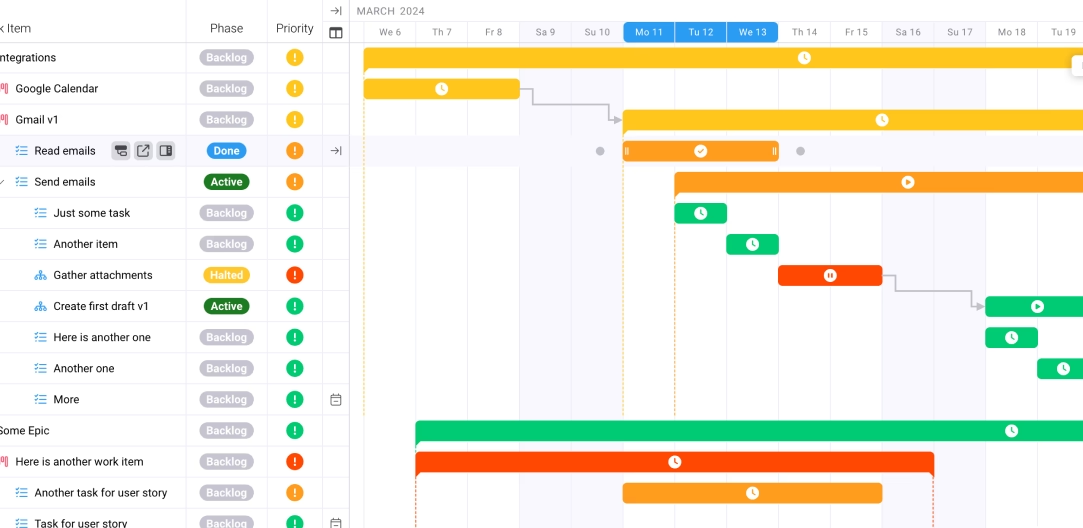
2. Wrike: proofing and request intake first, money second
Wrike's strength is the review cycle. Request forms feed work in, proofing and approvals move it out, and workload views keep the middle honest. For a marketing team serving big brands with formal sign-off chains, that's a real advantage.
The financial side arrives later in the pricing ladder. Business runs about $25 per user per month on annual billing for 5 to 200 users, and it's the plan that adds resource and capacity planning and time tracking. Effort, billing and budget columns also require Business or higher plus the matching permission, so a professional-services migration that carries rate and budget data can't land on the Team plan at all. Teams planning to start on the cheap tier and "upgrade later" tend to discover this on day one of the import.
Wrike tracks time and budgets, but it doesn't generate client invoices itself, so the last step still happens in accounting software. Think of it as a delivery tool with a decent money view rather than a billing system with a task board attached.
Best for: marketing, creative and PMO-style teams of 15 to 200 people where approvals are the bottleneck and invoicing already works elsewhere.
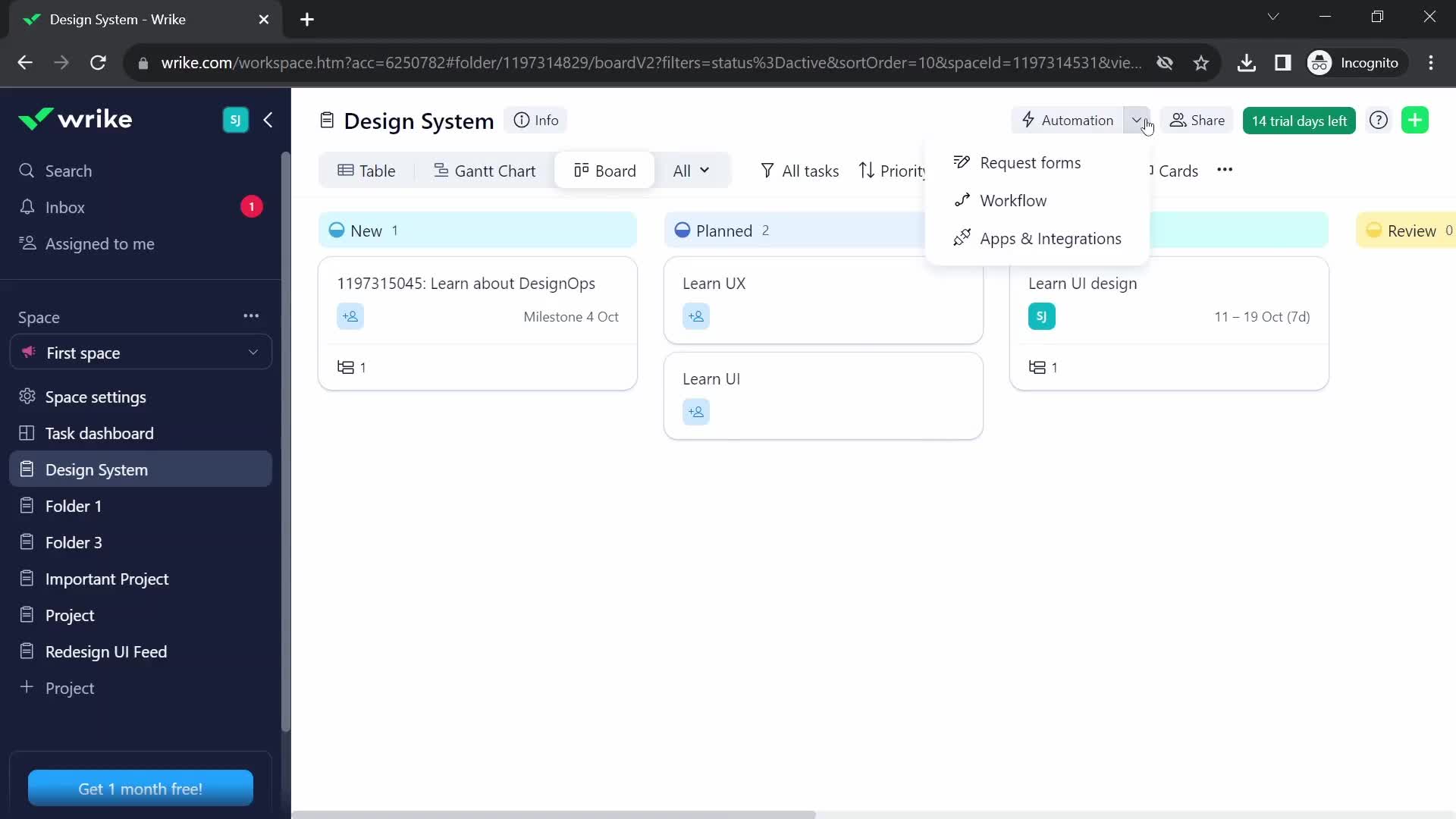
3. Monday: the board everyone opens, with money on the Pro tier
Monday wins on first impressions. Boards are colorful and readable, the automation builder doesn't need a consultant, and non-technical staff pick it up quickly. If your problem with Asana was that people stopped opening it, that counts for a lot.
For billable work, though, read the plan ladder carefully. Native time tracking starts on the Pro plan, which lists around $19 per seat per month on annual billing, against roughly $12 for Standard, and seats carry a three-seat minimum. An hourly-billing firm is therefore a Pro customer by default, and the Standard price on the comparison page is the wrong number to budget with.
There's also a ceiling to know about. Monday's work management product doesn't generate client invoices on its own, so hours still travel to finance software at month-end, and rate handling is thin next to purpose-built tools.
Best for: account-led teams whose billing already runs smoothly in accounting software and whose real problem is visibility into who's doing what.
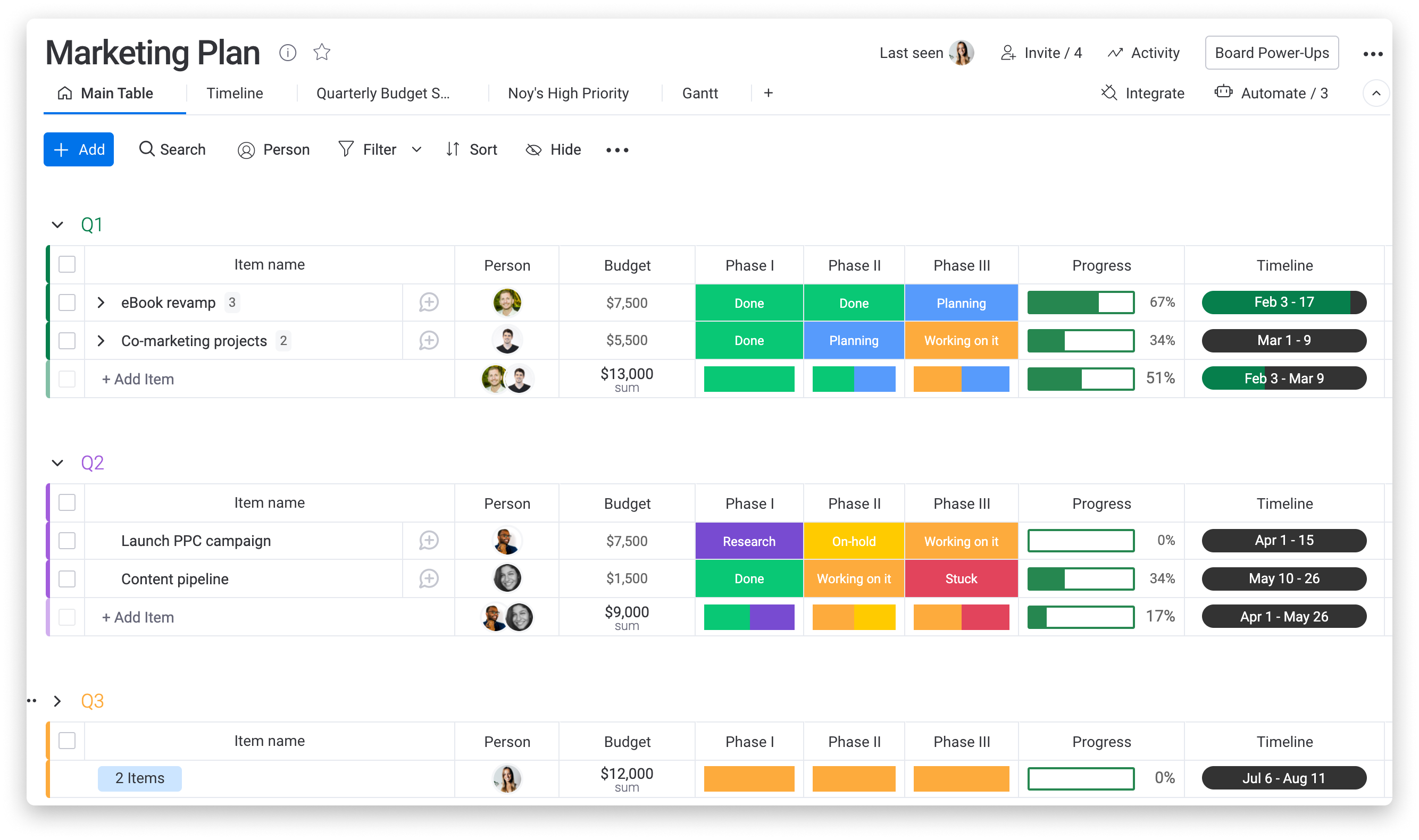
4. Kantata: the PSA for firms with a PMO and a finance team
Kantata sits at the heavy end of this list on purpose. It's designed for professional services organizations of roughly 50 to 5,000-plus people and unifies resource management, project delivery, financials and business intelligence in one system. Pricing is quote-based, which tells you who the buyer is.
What you get for the effort is depth. Resource scheduling covers skills and utilization, projects roll up into margin and forecast views, and billing, expense and time entry flow through the same record. Integrations reach into finance and ERP systems such as Sage Intacct and Microsoft Dynamics 365. Reviewers who like it tend to be in mature services businesses where a dedicated person owns the configuration.
Reviewers who don't like it usually say the same thing in different words: the functionality is there, but the setup and complexity are hard to justify at smaller scale. A 12-person agency shouldn't start here. A 300-person consultancy with a utilization target in the board deck probably should.
Best for: established services firms and software or IT consultancies with an operations lead, a finance team and the patience for a real implementation.
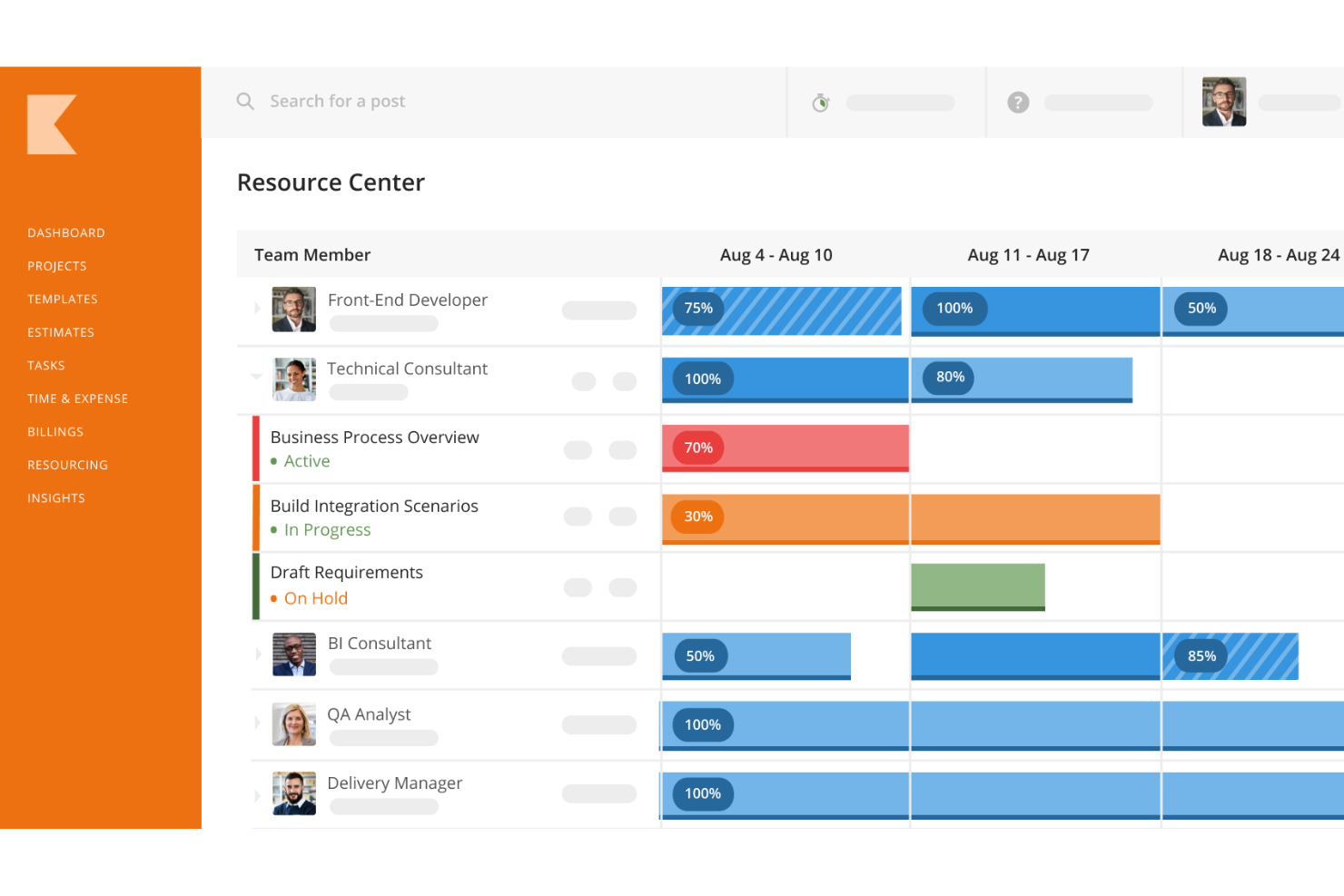
5. Basecamp: a flat fee, a calm interface, and a thin money layer
Basecamp is the odd one out because it resists per-seat pricing. The Plus plan is $15 per user per month, and Pro Unlimited is $299 a month billed annually for unlimited users. Divide one by the other and the break-even lands at about 20 people. A 35-person firm on Pro Unlimited pays roughly $8.50 per head, which is a fraction of what most tools here charge for time tracking tiers.
Projects get message boards, to-dos, schedules, files and group chat, and clients can be invited in to see what you choose to share. A Timesheet feature now exists for logging hours. What you won't find is a budget or rate layer that turns those hours into margin, or invoices that come out the other end.
That changes the arithmetic. Basecamp's license cost is the lowest here for larger teams, but the moment you add a standalone time tracker and an invoicing tool to cover the gap, you've rebuilt the Asana problem at a lower price. It works best when the work is mostly flat-fee and nobody needs to ask whether a project made money.
Best for: studios and small firms of 20-plus people on predictable flat fees who want clients in the loop without much process.
6. ClickUp: a billing workflow you assemble yourself
ClickUp offers more building blocks than any tool on this list: tasks, docs, dashboards, forms, custom fields and automations in one workspace. Billable work is where that breadth meets its limit. Native time tracking begins on the Unlimited plan, but the controls agencies bill on, including billable classification, labels, notes and entries not tied to a task, sit at the Business level.
The wrinkle is worth stating plainly. ClickUp gives you a billable flag, but not the rate that prices it or the invoice that follows. Agencies commonly add a standalone tracker or invoicing app on top, which means a second subscription and a second place for the numbers to drift.
A capable operations person can build a convincing system here, with a retainer balance in custom fields and a status for every approval stage. The risk is key-person dependency. When the person who built it leaves, the setup keeps running and nobody remembers why a given rule exists.
Best for: teams with a systems-minded owner, tight license budgets and invoicing handled in a separate tool.
7. BigTime: a billing engine that charges extra for capacity
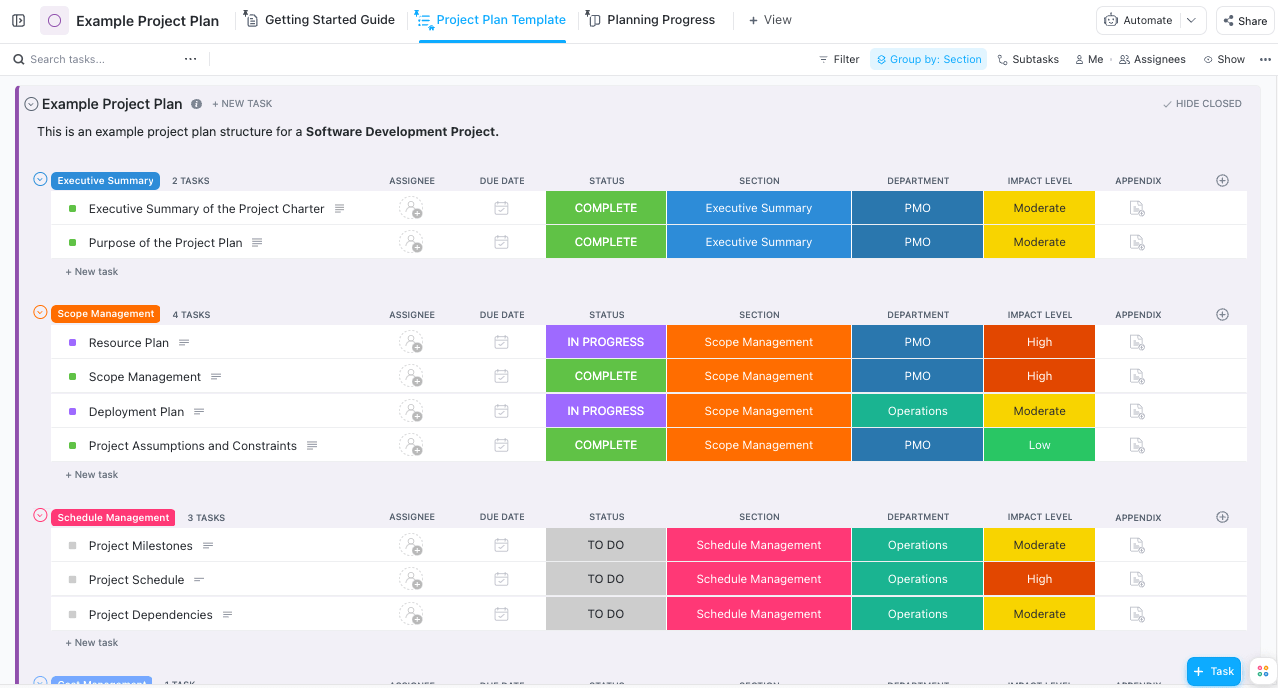
BigTime is the clearest example of why plan tiers matter. According to Capterra's pricing page, Essentials is $20 per user per month and covers time and expense tracking, rate management, approvals, billing and QuickBooks integration. Advanced is $35 and adds project templates, custom invoice templates and a client portal. Premier is $45 and adds project budgeting, multi-level approvals, multi-currency invoicing, and standard resource planning and skills management.
Run the numbers for a 12-person team: $240 a month on Essentials, $540 on Premier. If you need budgets and capacity planning, the Essentials price is fiction. You're a Premier customer, and the right comparison is $45 a seat against everyone else's all-in cost.
What BigTime does best is the path from timesheet to invoice. Approvals, rates and the accounting sync are mature, and that's where reviewers consistently praise it. The trade-off is that planning and budgeting sit behind the top tier, and the interface favors finance staff over designers.
Best for: consulting, engineering and IT firms that bill hourly, live in QuickBooks and can justify the Premier tier.
8. Smartsheet: the grid for planners, with billing left to others
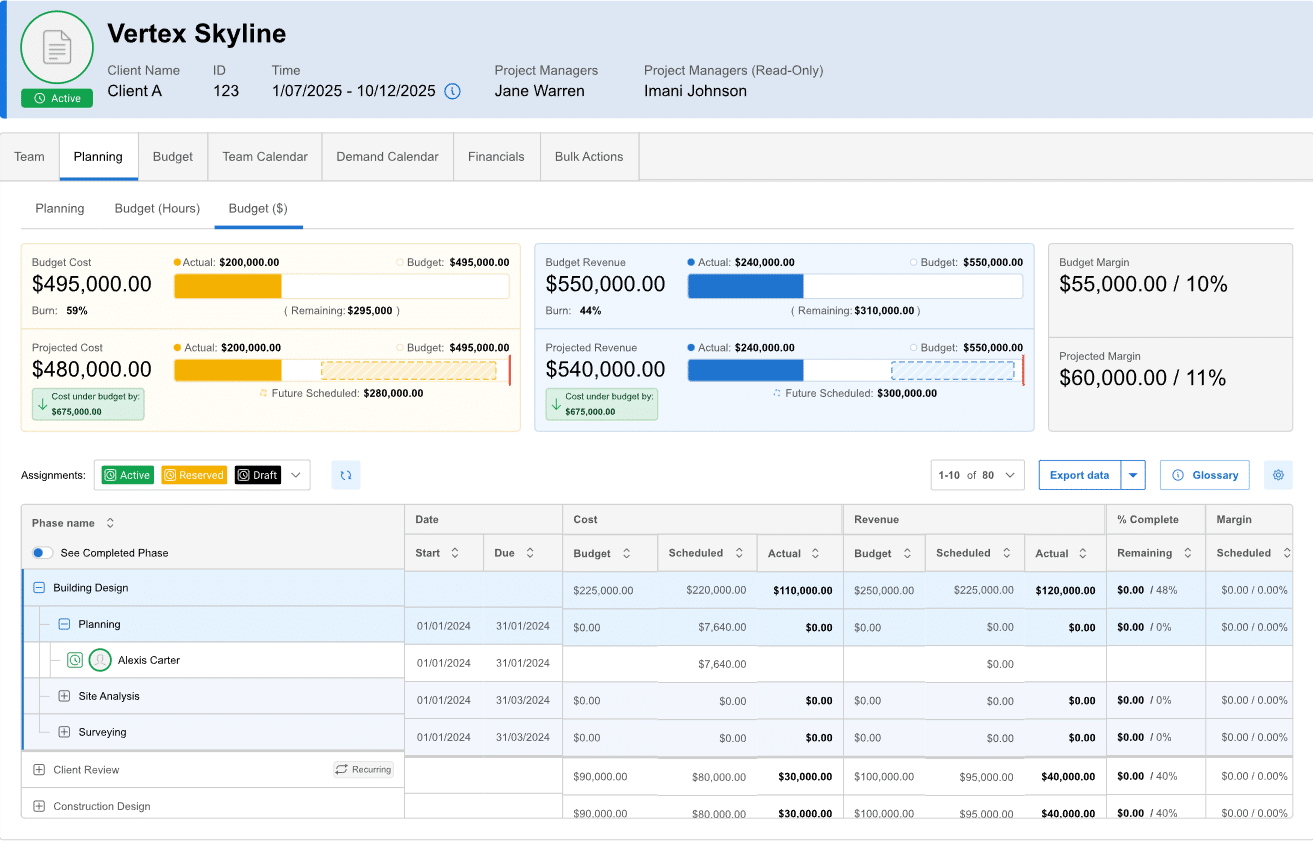
Smartsheet thinks in rows and columns, which makes it a natural fit for operations people who already live in spreadsheets. Gantt views, portfolio reporting and automation are strong, and contributors and guests don't take paid seats, which helps when clients or contractors only need to view and update.
On the paid side, Pro runs roughly $9 to $12 per member per month and Business about $19 to $24, with the lower figure tied to annual billing. The same pricing breakdown notes that Resource Management is sold as a separate add-on on the upper tiers. Smartsheet also has no native time tracking, so teams connect a third-party tracker.
Put that together for a billable firm and you're buying three things separately: the base plan, the resource add-on and a time tracker, before anyone has produced an invoice. Smartsheet is a reasonable planning layer on top of a billing stack. It's a hard sell as the stack itself.
Best for: PMOs and operations teams that run portfolios in grids and keep billing in a finance system.
9. Synergist: agency management that speaks in jobs
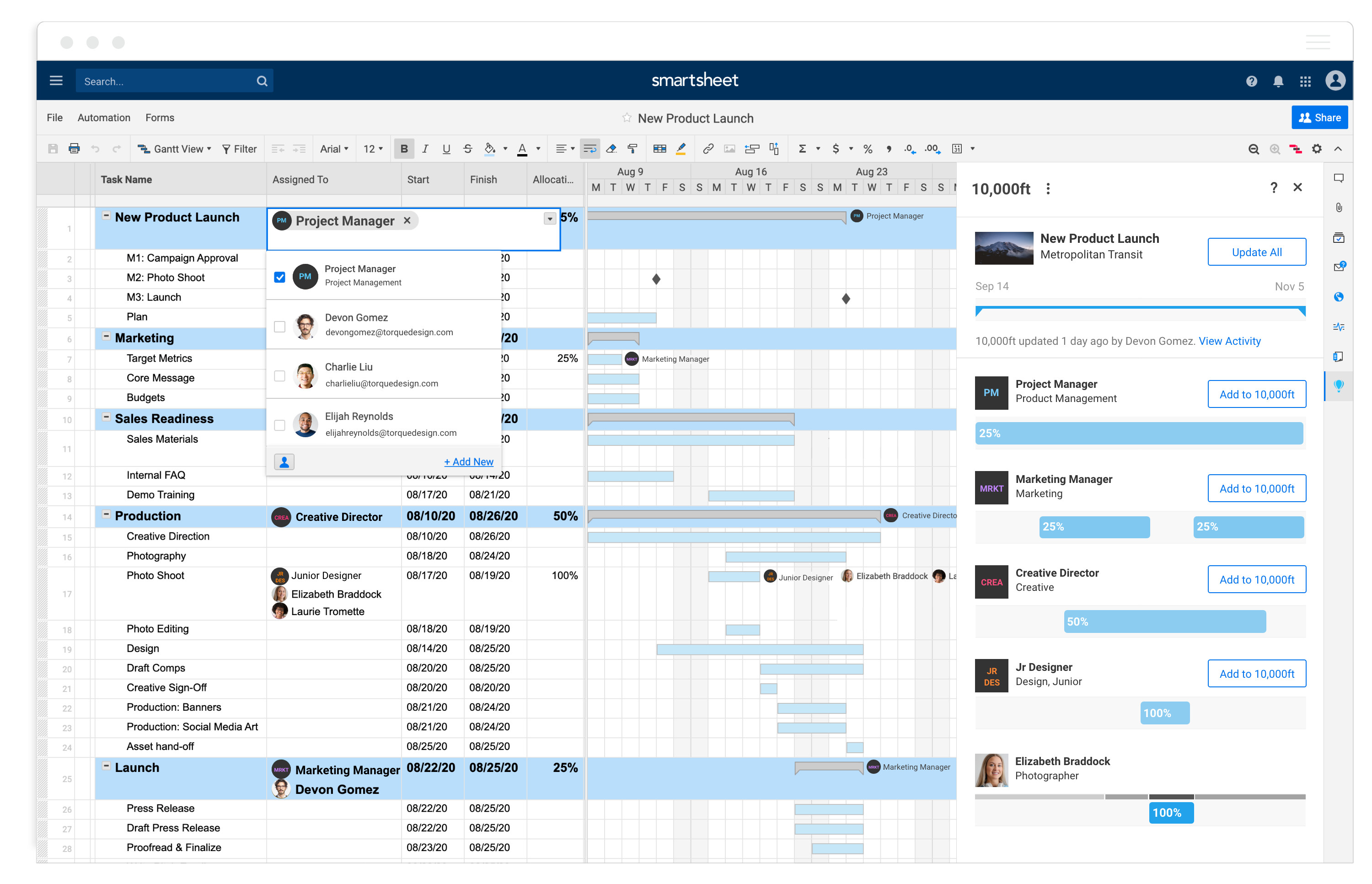
Synergist is a UK-built agency management system, and it shows in the vocabulary: jobs, job costing, tenders, quotes. It covers CRM, job costing, project management, resource planning, timesheets, expenses, billing and reporting in one product. Pricing starts from about £13 per user per month, and tiers add capabilities and carry minimum monthly subscriptions. The Professional tier adds multi-job quoting, tender management, scheduled reports and timesheet approval workflows.
Accounting integrations reach Xero, QuickBooks Online, MYOB and Sage 50, alongside HubSpot and Microsoft 365, which matches the way many UK and Commonwealth agencies run their finances. If your finance lead talks about "job bags" and margin per job, Synergist already speaks their language.
The honest limit is reach. Its strengths are agency-shaped, so consultancies and software teams may find the terminology and workflows less natural, and a US-based firm will have fewer local accounting options to lean on.
Best for: small and mid-sized agencies, particularly in the UK, that cost every job and quote through tenders.
10. Accelo: quotes, retainers, tickets and billing in one operations layer
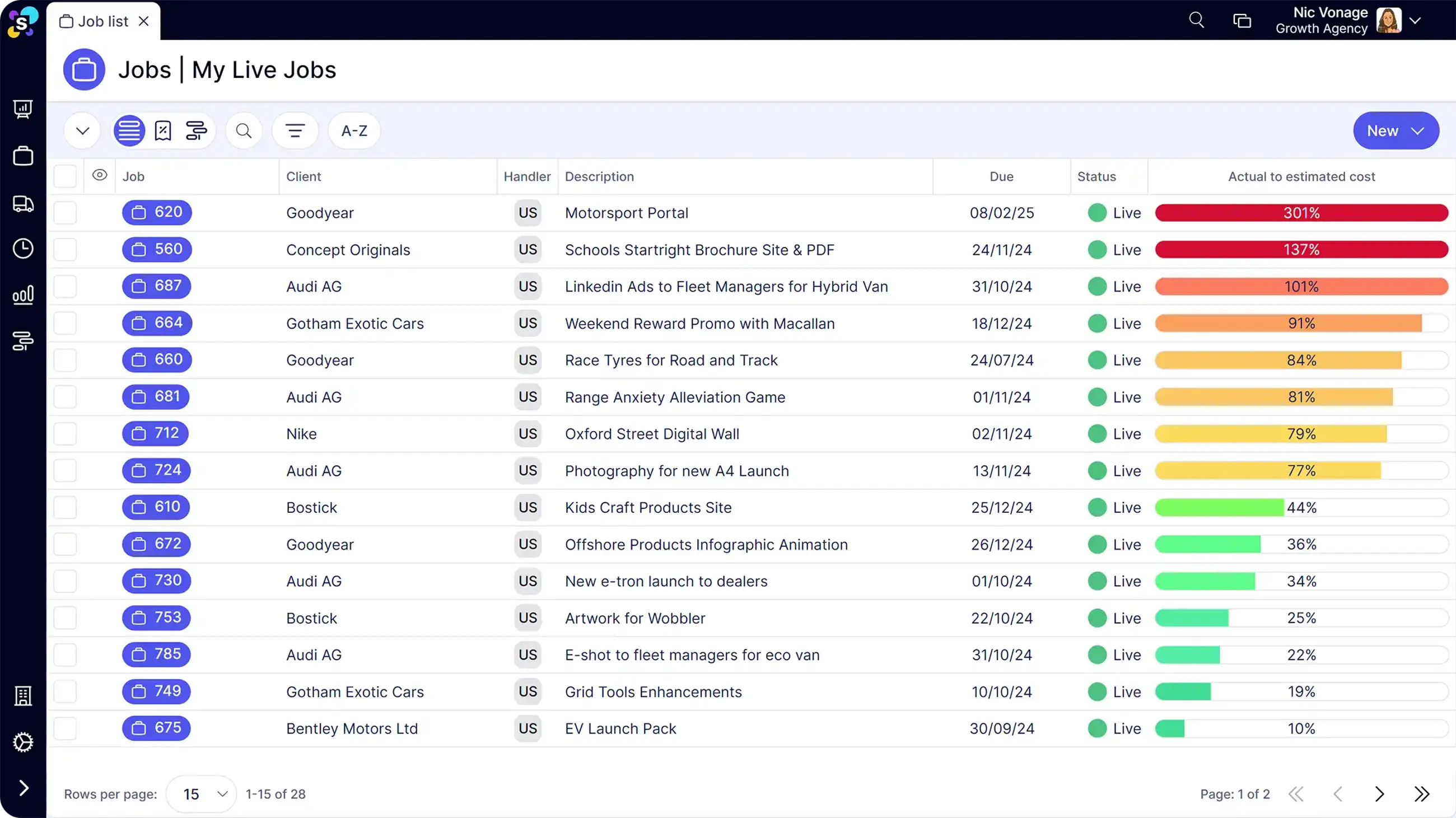
Accelo organizes client work around six components: sales, projects, billing, retainers, tickets and reports. That mix makes it unusually good for firms whose revenue isn't only projects. A managed IT provider with support tickets, an agency with monthly retainers plus campaign work, or a consultancy that quotes, delivers and then supports can keep all of it in one database.
Retainers carry usage limits and automatic billing, and quotes convert into projects. The cost to understand is packaging. Accelo prices by module and by user, with published listings starting around $24 per user per module and bundles quoted individually, so the total depends entirely on which modules you buy and how many seats each needs.
Ask for that in writing. Which modules are in the quote, what's the minimum seat count, and what does implementation involve? Accelo rewards firms that have decided how they want to run sales, delivery and support. It punishes firms hoping the tool will decide for them.
Best for: professional services firms with a mix of projects, retainers and ongoing support work, typically 10 to 50 people.
11. Celoxis: portfolio planning with financials attached
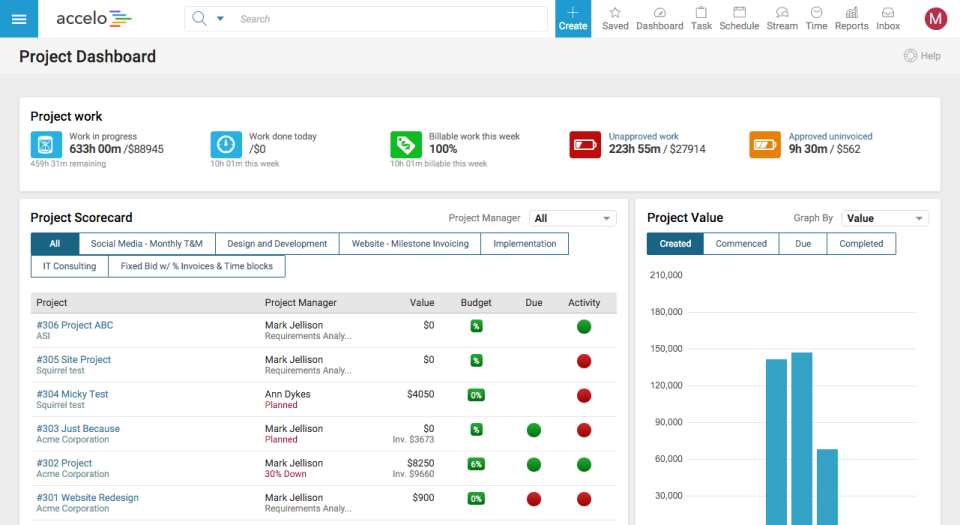
Celoxis comes at billable work from the planning side. Its strengths are portfolio management, resource and capacity conflict detection, baselines and dashboards. Listings show plans from around $10 per user per month at the Core level up to about $45 at Business, with timesheets, expenses, costing and billing appearing on the higher tiers, so budget for the upper half of that range if you invoice from it.
Hands-on reviewers praise the reporting and built-in budgeting while flagging a steeper onboarding. That fits the product: Celoxis is built for people who like to see every project, every constraint and every overallocated person on one screen, and it assumes someone on staff will tune it.
It's a better match for delivery-led IT services and engineering firms with a project office than for a creative studio. Designers want proofs and visual boards; a PMO wants baselines and variance. Celoxis serves the second group first.
Best for: PMO-led services firms that need portfolio-level planning, capacity conflict detection and project costing in the same tool.
12. Scoro: quote-to-cash on one screen, with capacity on the top tier
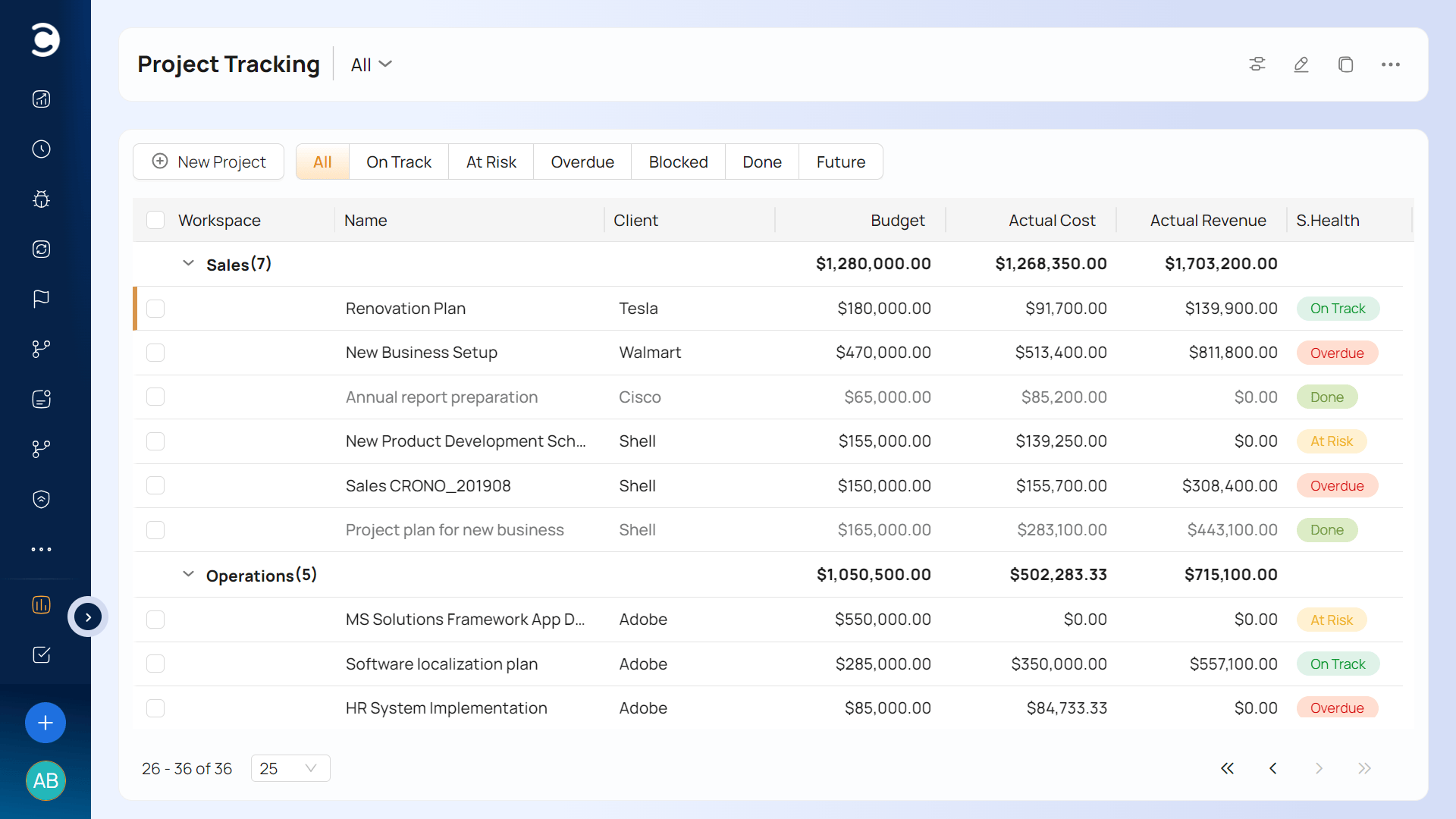
Scoro's pitch is the whole path from quote to cash. Proposals are built with an estimation matrix that breaks deliverables down by role and effort. A quote converts into a project, tasks, an invoice or a purchase order, and projects are tracked against that budget in real time. Plans start around $19.90 per user per month billed annually, with a five-seat minimum, and Growth, at about $32.90, adds project budgets and workflow automation.
Here's the catch, and it echoes BigTime. Resource planning and revenue recognition come with the Performance plan, listed around $49.90. A firm that wants quoting, budgets and capacity in the same tool should price the top tier, not the one on the pricing page's left-hand side. The five-seat minimum also rules out very small studios.
Scoro suits sales-led firms where the estimate is the center of gravity, and the work that follows has to match the quote.
Best for: consultancies and agencies of 10-plus people that quote by role and effort and want the estimate to drive the project and the invoice.
Matching Asana alternatives to the firm you actually run
Skip the feature grid and start with the shape of your business.
- Mixed commercial models, 10 to 200 people, one system wanted: Ravetree first, with Accelo or Scoro as alternatives depending on whether support tickets or quoting drive your revenue.
- Approval-heavy creative work for large brands: Wrike, paired with accounting software for invoicing.
- A visibility problem with billing solved elsewhere: Monday, ClickUp or Smartsheet, in that order of friendliness.
- Enterprise-style services firm with a PMO and finance team: Kantata, with Celoxis worth a look if portfolio planning leads.
- Small flat-fee studio, 20-plus people, little process: Basecamp, and the flat fee does the rest.
- Hourly billing tied to QuickBooks: BigTime, priced at the Premier tier if you need budgets and capacity.
- A UK agency that costs every job: Synergist.
Before you sign anything, run a live project through each finalist's trial and ask a single question: can I see percent complete and percent of budget spent side by side? That's the two-number problem from the start of this guide. If the screen can't show both, the tool can't tell you whether you're making money, however nice the board looks.
Pick the tier first, then the tool
These Asana alternatives don't differ most in what they do. They differ in where the money features switch on. Wrike needs Business, Monday needs Pro, ClickUp needs Business, BigTime needs Premier and Scoro needs Performance. Ravetree, Accelo and Synergist take different packaging routes, but the same lesson applies: price the plan you'll actually use.
So here's a practical next step with the 12 Best Asana Alternatives for Billable Projects in front of you. Shortlist two or three, find the tier where rates, logged hours and budgets all work together, and price that for your real headcount, including the people who only approve or review. Then test the finalists on one closed project and see which one tells you what you earned.
Frequently Asked Questions
What's the cheapest of these tools for a 40-person firm?
Basecamp, by a wide margin, at a flat $299 a month on annual billing. But cheapest to license isn't cheapest to run, because you'll likely add a time tracker and an invoicing tool to get billable reporting.
Which of these tools can create client invoices natively?
Ravetree, BigTime, Accelo, Synergist, Scoro and Kantata include billing, and Celoxis offers it on its higher tiers. Wrike, Monday, ClickUp, Basecamp and Smartsheet generally don't produce client invoices themselves.
Which of these tools handle retainers natively?
Ravetree and Accelo both have dedicated retainer features, with balance tracking and automated billing. For the others, check in a demo whether retainers are a real module or a custom-field workaround.
Can I keep Asana and add billing around it?
Yes, with a time tracker, an invoicing tool and a spreadsheet joining them. That's workable for a handful of people on simple hourly rates. It gets expensive in staff time once you have several rate cards or recurring contracts.