

Key takeaways:
- ClickUp, Monday.com, and Asana manage creative work well, but none treats retainers, fixed fees, and hourly billing as different financial rules.
- Real cost depends on seat blocks, guest rules, and add-ons, so price each tool at your actual headcount and at the tier that includes time tracking.
- Ravetree is more robust than ClickUp or Monday.com, and bundles retainers, rate cards, invoicing, CRM, and free client portal access into one system.
- Test any shortlist by rebuilding last month's messiest client invoice inside the trial without a spreadsheet.
It's 4:40pm on a Thursday, and your biggest client wants "one more" landing page before month-end. Saying yes should take thirty seconds. Instead, your account director opens three tabs: the board where the work lives, a spreadsheet tracking the hours left on your retainers, and a timesheet export finance pulled on Monday. That scramble is the real test in any ClickUp vs. Monday.com vs. Asana for Creative Agencies comparison. All three are capable work management systems. None of them was built around how an agency gets paid.
That last point matters more than any feature grid. In a Promethean Research survey of 165 digital agency leaders, 62% price project work, 60% sell retainers, 39% bill time and materials, and most run more than one model at once. A tool that can't hold all three at the same time leaves somebody reconciling by hand.
So this comparison grades ClickUp, Monday.com, and Asana on agency jobs rather than feature counts. Then it makes the case for Ravetree, a platform built specifically for client-service firms, as the better choice for agencies that want one system instead of a stack.
Why general-purpose work management systems strain inside an agency
ClickUp, Monday.com, and Asana are horizontal products. The same workspace that runs your rebrand could run a product launch, an HR onboarding checklist, or a nonprofit's volunteer calendar. That breadth is why they're good at project management: tasks, dependencies, timelines, boards, automations.
The trouble starts when money gets attached to the work. Picture one senior designer's week. Monday she logs six hours to a social retainer, where hours burn down a monthly allowance and unused time might roll over. Wednesday she logs six hours to a fixed-fee website, where those hours are pure cost against a price already agreed. Friday she logs six hours to a time-and-materials engagement, where every hour becomes revenue at that client's negotiated rate.
Most work management tools record those as the same thing: six hours on a task. The agency needs three different billing consequences. You can patch the gap with custom fields, add-ons, and integrations, and plenty of agencies do. Every patch, though, is a small piece of software your team now owns, documents, and fixes when it drifts.
Five agency jobs worth testing before you sign
Demos of work management systems are built around tasks because tasks look good on a screen. Ask instead how each product handles the five jobs that eat an agency's week:
- The client review round. Proofs go out, feedback comes back, round four becomes round seven. Can clients approve files in one place, and can new work arrive as structured requests instead of a Slack DM?
- Mixed billing in the same week. Retainer burn-down, fixed-fee budgets, and hourly work should all draw on one set of logged hours.
- Capacity across clients. Resource planning has to show the senior designer across every account she touches, not just inside one project.
- The handoff from sale to delivery to invoice. Does a won deal in your CRM become a scoped project, or does somebody retype it? When a client's rate rises in January, do December's hours still bill at the old number?
- Who needs a login. Count freelancers and client reviewers, not just staff. Ask whether clients get a client portal or a guest login that eats into your seat count.
Keep those five in mind. They explain most of what follows.
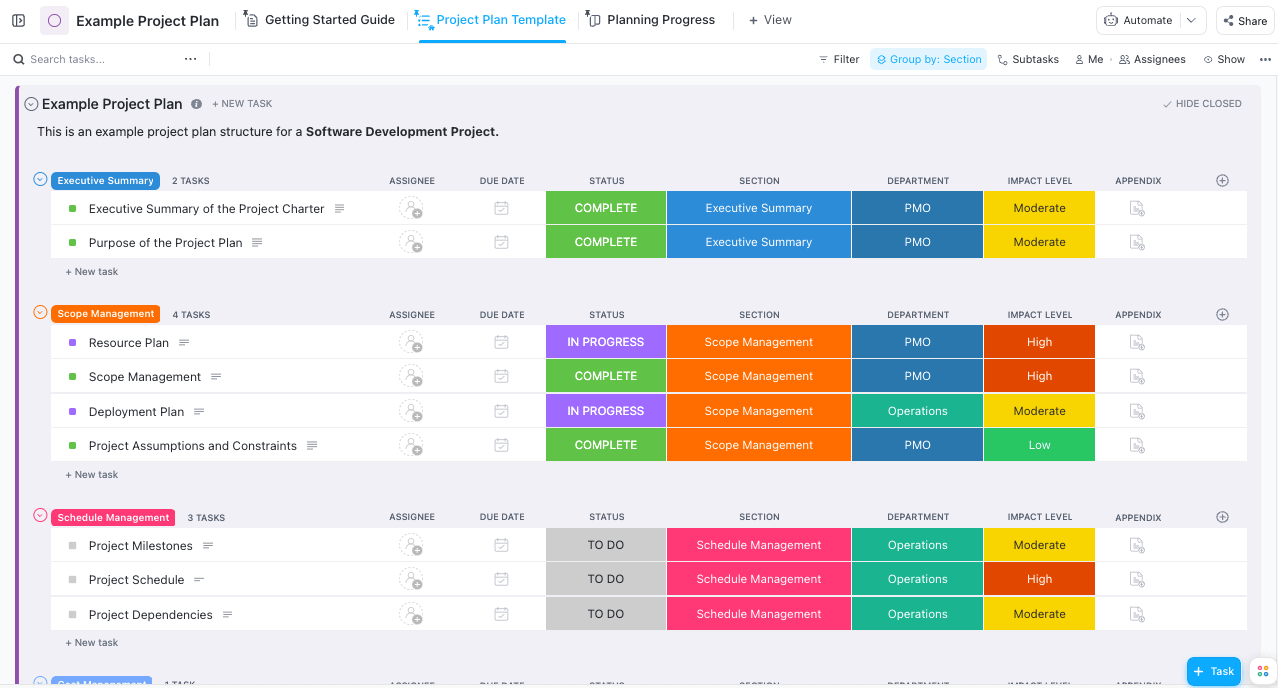
ClickUp: the most capable kit, if someone builds it
ClickUp is the one you can bend furthest. Custom fields, statuses, automations, dashboards, and docs all live in one workspace, so a determined operations lead can model a retainer balance, a revision counter, and a billable flag without leaving it.
The pricing is the lowest of the three. According to PageDog's September 2026 check of ClickUp's pricing, Unlimited runs $7 per user per month billed yearly ($10 monthly) and already includes native time tracking, while Business is $12 yearly ($19 monthly) with heavier automation and dashboard allowances. Two details matter for agencies. Everyone in a workspace sits on the same base plan, so you can't put two producers on Business and leave the designers on Unlimited. And permission-controlled guests come from an allowance tied to member count (five plus two per additional member on Unlimited, ten plus five on Business). Go past it and a guest can turn into a paid seat. AI is extra, at $9 or $28 per user for the two add-on tiers, and some workspaces are seeing a newer AI-inclusive plan lineup rolled out on a limited basis.
ClickUp's reputation tells the rest of the story. On G2's ClickUp review page, "easy to use" is the most common praise theme (about 4,200 mentions), yet "learning curve" shows up in roughly 1,750 reviews and "not intuitive" in nearly 1,200. Both can be true. ClickUp is easy to use once someone has set it up, and difficult to set up well—very difficult.
That's the overlooked agency risk. The retainer logic, the billable rules, and the client-review flow end up living in one builder's head. When that person leaves, the system still runs, but nobody fully understands why it does what it does. ClickUp also stops short of client invoicing, so billable hours still leave as an export for your accounting tool.
Monday.com: the friendliest boards, sold in blocks of five
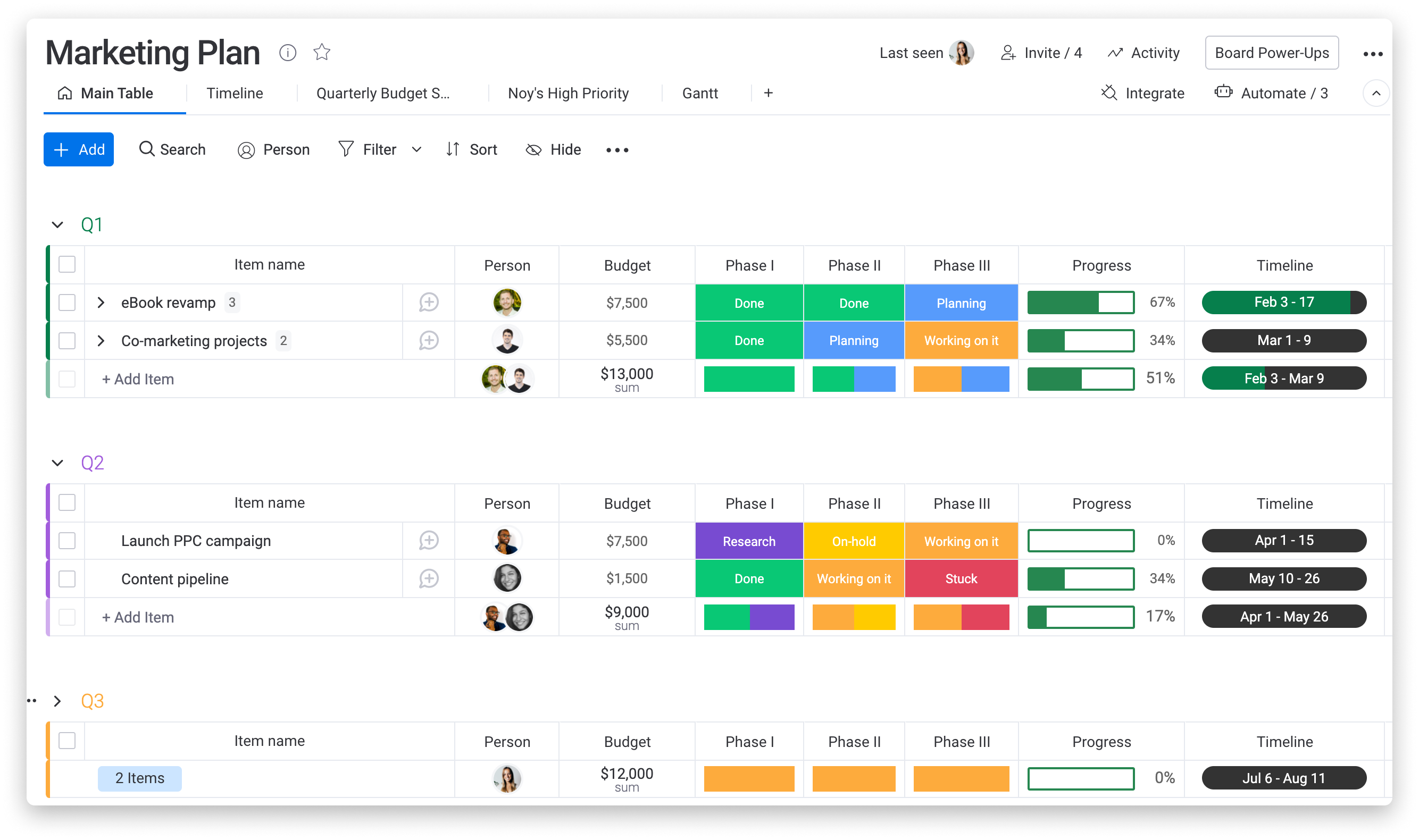
Monday.com is usually the tool account teams warm to fastest. Boards are colorful and readable, the automation builder is approachable, and read-only viewers are free on every paid plan, which helps when a client just wants to watch progress.
The pricing structure deserves a close read. Rock's August 2026 breakdown of Monday.com pricing lists Basic at $9, Standard at $12, and Pro at $19 per seat per month billed annually, with a three-seat minimum and seats sold in multiples of five after that. A 16-person studio buys 20 seats. Time tracking starts on Pro, so any agency that bills hourly is a Pro customer by default. Standard caps automation and integration actions at 250 a month (Pro allows 25,000), and a couple of busy client workflows can chew through 250 quickly. Portfolio and resource management sit on the sales-quoted Enterprise tier. monday's CRM is a separate per-seat product, and since May 2026 AI credits are priced alongside seats.
None of that makes Monday.com a bad choice. It makes it a tool whose sticker price rarely matches the invoice for a 10-to-40-person agency. Work Management also doesn't generate client invoices on its own, so hours still travel to finance software at the end of each cycle.
Asana: disciplined process, with the money sold separately
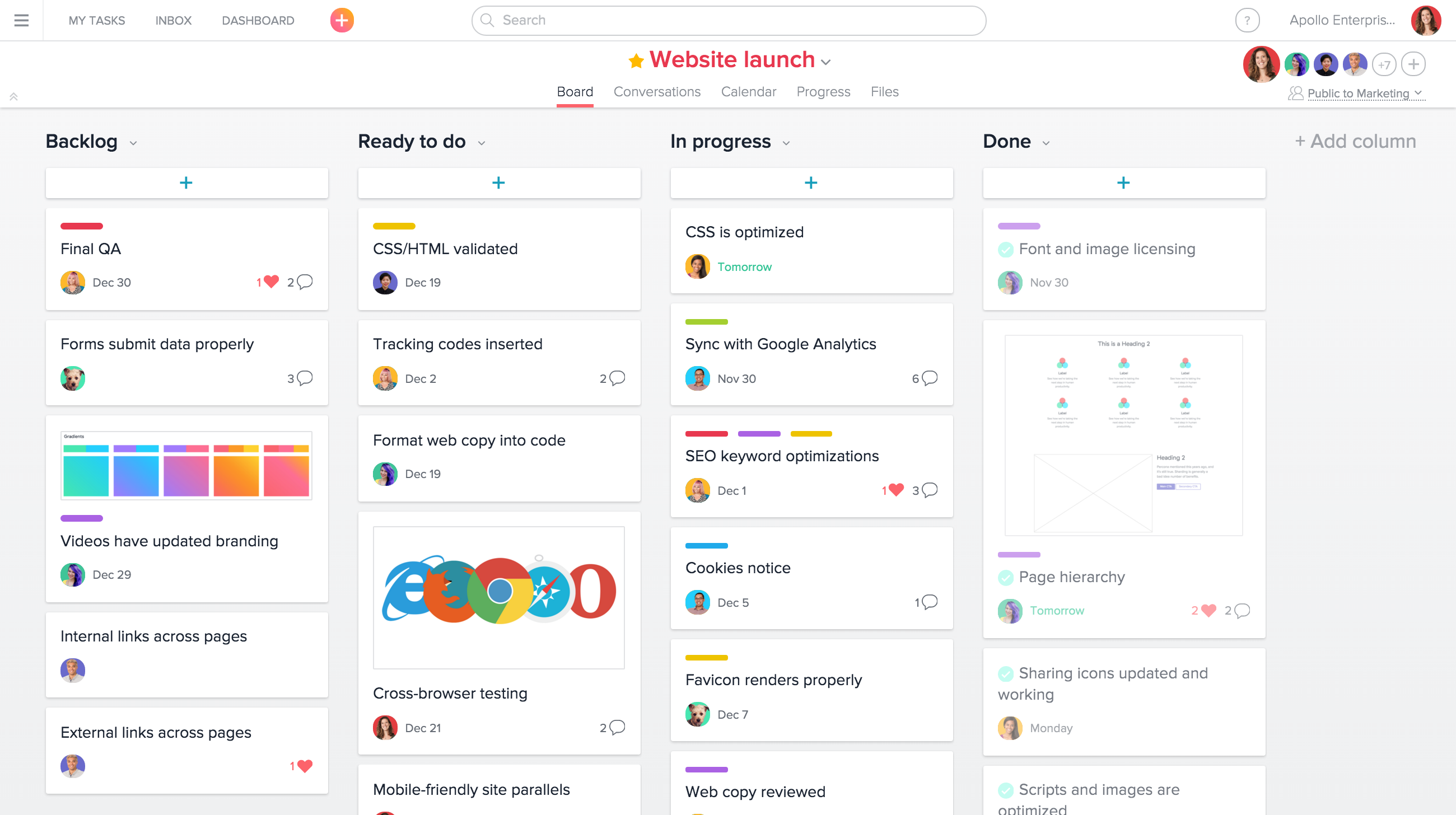
Asana is strongest where creative work is repeatable. If every product launch follows the same 40 steps, Asana's templates, dependencies, and rules keep the team running the same play each time. Approvals and proofing make the review round more orderly than email ever will.
According to PageDog's September 2026 review of Asana's pricing, Starter costs $10.99 per user per month billed annually and Advanced costs $24.99. The agency-relevant features (approvals and proofing, workload across projects, and native time tracking) all sit on Advanced. Timesheets, user rates, and project budgets need a separate Timesheets & Budgets add-on at $5.99 per user per month. Seats between six and 30 users are sold in blocks of five.
Credit where it's due: on an organization plan, external guests don't consume paid seats, so inviting client reviewers is genuinely cheap. The weakness is architectural. To get from a logged hour to a client bill, you assemble a tier upgrade, an add-on, and an external invoicing tool. Each piece works. Together they're three moving parts with three places for numbers to disagree.
What a 22-person studio pays before a single invoice goes out
List prices for work management systems only mean something at a real headcount. Take a 22-person studio that bills hourly on some accounts and therefore needs time tracking, priced on annual billing:
- ClickUp Business: 22 users × $12 × 12 months = about $3,170 a year.
- Monday.com Pro: 22 people round up to 25 seats, so 25 × $19 × 12 = $5,700 a year.
- Asana Advanced plus Timesheets & Budgets: 25 seats × $24.99 × 12 = about $7,500, plus roughly $1,800 for the add-on across those seats, or about $9,300 a year.
- Ravetree on yearly billing: 22 users × $29 × 12 = about $7,660 a year.
On license cost alone, Ravetree isn't the cheapest option here. ClickUp and Monday.com cost less for the most basic tier. The numbers above also leave something out. None of the three general-purpose totals include client invoicing, retainer rules, or a CRM tied to delivery, and the agency still has to buy, connect, and maintain those somewhere.
Freelancers move the math again. Say the same studio adds six contractors for a busy quarter. On Monday.com, 28 people push the bill from 25 seats to 30. On Asana, 28 people still fit inside the 30-seat block, so the jump already happened when you crossed 25. On ClickUp, a contractor with limited permissions might fit inside the guest allowance, but anyone who needs full member access is a paid seat. Ask every vendor on your shortlist, Ravetree included, exactly how a contractor who only logs time gets counted. Client reviewers are where the gap is widest, since portal access in Ravetree costs nothing regardless of how many client contacts you invite.
Then there's labor. Suppose a producer spends three hours a week stitching timesheets, retainer balances, and invoices together. Over 50 working weeks that's 150 hours, or close to a month of someone's capacity spent on reconciliation instead of client work. That number is a hypothetical, but most agency owners can estimate their own version in about a minute.
Why Ravetree is the stronger fit for agencies that want one system
Ravetree starts from the agency side of the problem. Where general-purpose work management systems ask you to model agency finances yourself, Ravetree ships with them. Projects, people, hours, rates, retainers, and invoices share one data model, which is the difference between an all-in-one platform and a bundle that syncs. Ravetree's own explainer on what separates a unified system from an integrated one covers that distinction in more depth.
Go back to the five jobs and it shows up in specific places:
- Retainers behave like retainers. Periods can be weekly, monthly, or quarterly. Logged time and expenses can burn down the budget at a fixed rate or at the person's role, personal, or custom rate. Unused amounts can roll over (or not), overage billing follows rules you set, and renewal invoices can be generated automatically. Recurring work can be created from templates linked to the retainer.
- Rates keep their history. Client rate cards carry start and end dates, so a January increase doesn't rewrite December's bill.
- The sale flows into delivery. A won deal can generate a project from a template, and proposals can be built from templates and past projects. Expense tracking connects to purchase orders linked to vendors, so a photo shoot's outside costs land on the right job.
- Clients don't cost seats. Client portal access is free and unlimited. Clients can approve files, submit requests, and comment, while internal teams keep private comments on the same projects.
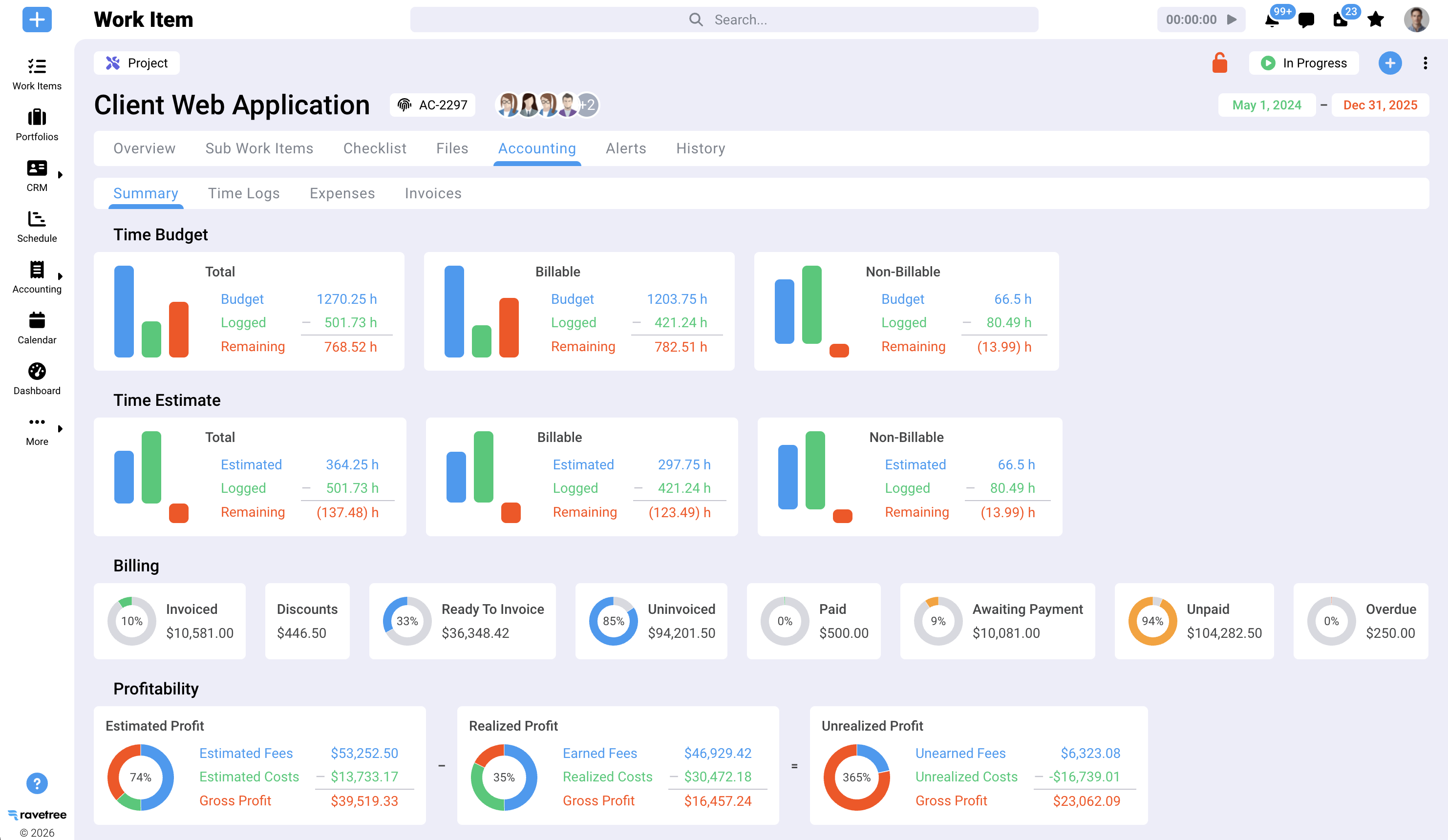
Customer reviews back up the agency fit, with useful nuance. On G2's Ravetree reviews, one small-firm president describes setting budgets per project phase, rolling them up to the project, and invoicing phases by percentage, which he says other tools he evaluated couldn't do. Another reviewer whose firm mixes retainer, fixed-fee, and hourly work singles out rate cards for client-specific pricing and notes, fairly, that Ravetree isn't the cheapest option. A director at another small business points to client approvals that would normally need several integrations, while warning that change-averse team members face a learning curve.
The most pointed comparison comes from a Ravetree user on SourceForge, a president and COO at a firm of 25 or fewer people, whose company moved through ClickUp, Monday.com, and Kantata in that order. Those tools, the reviewer says, were either too generic or too confusing, and adoption improved after switching. On Capterra, a marketing agency's head of operations who switched from Accelo says Ravetree let departments run without depending on other applications alongside it. A design studio's creative director on the same site calls the invoicing valuable, since many platforms have none at all, but names it as the area with the most room to improve.
That's an honest picture. Ravetree asks for real setup time, costs more per seat than ClickUp or Monday.com, and rewards teams that actually log their time. In exchange, it removes the reconciliation job entirely, and onboarding, training, and support are included in the per-user price rather than sold as a services package. For a sense of how it stacks up against other purpose-built agency platforms rather than general tools, see this comparison of six all-in-one creative agency platforms.

A quick way to decide
Each of these work management systems is the right answer for somebody. A blunt guide:
- Choose ClickUp if you have an operations person who enjoys building systems, your invoicing already runs well in accounting software, and license cost is the deciding factor.
- Choose Monday.com if your agency is account-led, clients like watching dashboards, your headcount lands near a seat block, and your finance stack is settled.
- Choose Asana if your work is highly standardized, clients collaborate inside projects as guests, and finance is happy staying in its own system.
- Choose Ravetree if you run retainers alongside fixed-fee and hourly work, you're past ten or so people, and nobody wants the job of reconciling three systems every month.
Before you sign anything, try a test most demos skip. Pick last month's messiest client invoice and work backward in each trial. Can the tool reproduce every line, from the hours and the rates in effect to the retainer balance and the outside costs, without a spreadsheet in the middle? Ravetree's 30-day trial plan for creative agencies and its ranking of seven agency work management systems both give you a structure to run it.
Choose the system that matches how you bill
The useful question isn't which tool has the best board view. ClickUp, Monday.com, and Asana all organize creative work well. The question is where your money logic lives. In all three, it lives in add-ons, exports, and the head of whoever built the setup.
If your agency runs on a single billing model and has a strong builder on staff, a general tool can work. If you juggle retainers, fixed fees, and hourly clients at once, purpose-built work management systems earn their higher sticker price by removing reconciliation as a job. That's the practical verdict on ClickUp vs. Monday.com vs. Asana for Creative Agencies: they're excellent at the work, and Ravetree is built for the business around it.
Frequently Asked Questions
Which is cheapest for a creative agency: ClickUp, Monday.com, or Asana?
ClickUp usually has the lowest license cost, starting at $7 per user per month billed yearly. Monday.com's seat blocks and Asana's add-on for timesheets and budgets can raise their real cost well above the headline rate.
Can ClickUp, Monday.com, or Asana send client invoices?
Not natively in their core work management products. Agencies typically export billable hours or connect an accounting or invoicing tool, which adds a step every billing cycle.
Do client reviewers count as paid seats?
It depends on the tool. Asana doesn't charge for external guests on organization plans, Monday.com offers free read-only viewers, and ClickUp's permission-controlled guests come from an allowance tied to member count. Ravetree's client portal access is free and unlimited.
When does an agency outgrow a general-purpose tool?
Common signals are your first meaningful retainer, a dedicated producer, or a monthly ritual of reconciling timesheets against invoices. Once any of those appears, a purpose-built platform tends to pay for itself in recovered hours.







.png)