

Key takeaways:
- Decide where your books will live first: keep QuickBooks or Xero with Ravetree or BigTime, or move the ledger into BQE CORE.
- Compare prices on the tier that includes phase budgets and staffing, not the entry tier; for BigTime that's Premier at $45 a seat.
- If owner requests and approvals leak margin, prioritize a client portal and structured intake, which is where Ravetree stands apart.
- Switch at a project seam, export your Monograph history first, and budget one billing cycle of overlap.
A five-person studio in its third year on Monograph usually hits the same wall. The MoneyGantt still looks great in the Monday meeting. But the owner asked for a second massing study by text, the bookkeeper is fighting the QuickBooks sync again, and the principal just priced out what two January hires will add to the subscription. That's usually when someone types "monograph alternatives" into a search bar.
This guide to Monograph Alternatives for Small Architecture Firms is written for that moment. It isn't an argument that Monograph is bad software. It's good at what it was built for, and plenty of small practices should stay put. The real question is whether the things you need now (owner-facing workflows, a different accounting setup, a price that makes sense at four seats) are things Monograph does well.
Below you'll find a short, honest read on where Monograph runs out of room, three questions that sort the options faster than any feature grid, and a close look at the three monograph alternatives worth a small firm's demo time: Ravetree, BigTime, and BQE CORE, in that order.
What Monograph Gets Right, and Where Small Firms Hit the Ceiling
Credit where it's due. Monograph was built by people with architecture and design backgrounds, and it shows. Projects are organized by phase, fees and hours share the same timeline, and the MoneyGantt makes a phase that's burning hot obvious to everyone in the room. Cloudwards' hands-on review praised the interface and training materials and rated the support team highly. If your firm is eight people, bills almost entirely by phase, and has a bookkeeper who's content in QuickBooks Online, you may not need to read further.
For everyone else, the friction tends to show up in four places.
The plan you need costs more than the plan you see first. Monograph sells two tiers. Per Cloudwards' July 2026 pricing check, Track runs $25 per member per month billed annually ($30 month to month), and Grow runs $45 annually ($55 monthly). The catch is what lives in Grow: staffing assignments, project templates, financial forecasting, and profit-and-loss reporting. Those are the tools most firms bought Monograph for in the first place. Cloudwards' own advice was that architecture firms should start on Grow, which makes $45 a seat the realistic floor.
Very small headcounts get squeezed. A reviewer from a 1–10 person architecture firm told SoftwareFinder that their main frustration was not getting access to the full feature set with fewer than five users. If you're a three-person office, confirm what seat count your quote assumes before you compare per-user prices with anything else.
Everything financial runs through QuickBooks Online. Monograph has no general ledger of its own and, per Cloudwards, just two integrations: QuickBooks Online and Stripe (card payments in the U.S. and Canada only). That works until it doesn't. A controller at a small firm wrote on G2 that some items were hard to get into QuickBooks Online and that implementation was a struggle. Another G2 reviewer liked the new pipeline feature but wished it came with their subscription instead of costing extra. And if your books are in Xero or QuickBooks Desktop, there's no direct connection at all.
It looks inward. Monograph is designed for the people inside the firm. It does much less for the people outside it: the owner who wants status without emailing the PM, or the facilities director whose "quick" asks should really be additional services. In a practice where margin leaks through undocumented owner changes, that's a structural gap, not a missing button.
None of these is a dealbreaker on its own. Two of them together usually is, and that's when monograph alternatives start earning a serious look.
Three Questions That Sort Monograph Alternatives Faster Than a Feature Grid
Most comparisons of project management software line up forty features in a grid and leave you to sort it out. For a firm under 15 people, three questions do more work.
1. Where will your books live two years from now? This is the real fork in the road. If you want to keep QuickBooks or Xero as your ledger and let a bookkeeper or outside CPA run it, you need a project-side platform that syncs cleanly: Ravetree or BigTime. If you're tired of reconciling two systems and want project accounting, the general ledger, and possibly payroll under one roof, you're looking at BQE CORE. Decide the accounting model first. The software choice mostly follows from it.
2. Who outside the firm touches the project? Count the owner's reps, consultants, and contractors who need to see something or ask for something during a typical commission. If the honest answer is "almost nobody," an internal tool is fine. If owners regularly send changes that turn into extra work, you want a client portal and a structured way to take in requests, so a fourth façade option becomes a priced additional service instead of somebody's weekend.
3. What will it cost at your real headcount, on the tier you'd actually use? List prices mislead in this category because the features small firms care about (fee budgets by phase, staffing views, client access) often sit one or two tiers up. Price the tier that has what you need, at the seat count you'll have next year, billed the way you'll actually pay.
These questions deserve more care than usual because a bad switch costs more than the subscription. Capterra's 2025 Tech Trends survey found that 59% of businesses regretted at least one software purchase made in the previous 18 months. Its breakdown by company size adds a detail small firms should take seriously: small and midsize businesses were more likely than enterprises to blame that regret on poor implementation. For a six-person studio, a fumbled migration doesn't mean a failed IT project. It means a month of invoices going out late.
If you're still deciding whether you need full practice management or just better project delivery, Ravetree's explainer on practice management software for architects draws that line clearly.
1. Ravetree: Best for Firms That Want the Owner's Ask, the Hours, and the Invoice on One Record
Ravetree isn't an architecture-only product, and it's worth saying so up front. It's an all-in-one work management platform for client-service firms, with architecture as one of its core use cases. What a small architecture firm gains from that broader design is exactly the part Monograph is thinnest on: the client-facing side of the job.
Here's how it answers the three questions.
Your accounting stays put. Ravetree builds invoices from project data and syncs with QuickBooks Online or Xero, so your bookkeeper keeps the ledger. Approved hours from time tracking, logged reimbursables, and retainers activity collect in one billing view, and billing and invoicing turns them into invoices organized by client. For firms on Xero, that option alone can settle the decision.
Owners get a front door. Custom request forms let a client submit a change through a defined channel. The PM estimates it, routes it for approval, and the team logs time against it, so the work shows up on the next invoice instead of disappearing into the fee. Owners can also review and approve files in multistage workflows through the client portal, with each decision timestamped, and there's no cap on how many client users you invite. If you've ever argued during construction administration about whether the owner signed off on a finish change, that record is worth more than any dashboard.
Pricing isn't split into feature tiers. Ravetree publishes a single plan with unlimited projects and free onboarding, training, and support. It costs $29 per user per month billed annually, $34 billed quarterly, or $39 month to month.
The rest of the practice is covered too: project management with Gantt charts, Kanban boards, dependencies, and phase templates from SD through CA; resource planning for capacity across every project; purchase orders that tie consultant commitments to vendors in the CRM; expense tracking for printing, travel, and permit fees; and proposals built from templates or past projects.
What do customers say? Ravetree's reviewers on Capterra are very positive. Three themes come up again and again in positive reviews: onboarding and support that reviewers describe as fast and hands-on during a migration, relief at folding several apps into one system, and flexibility in configuring workflows. A creative director at a small design studio singled out how well it handled retainers compared with the other platforms they tested.
Cost for a six-person firm, billed annually: about $2,088 a year, compared with roughly $3,240 for Monograph Grow at the same seat count.
For a closer look at how Ravetree handles fee tracking by design phase, see its guide to project management software for architecture firms.

2. BigTime: Best for Firms That Bill Heavily by the Hour and Want to Keep QuickBooks
BigTime is a professional services automation (PSA) platform with more than 20 years behind it, and its center of gravity is time and billing. According to its Capterra listing, 90% of its reviewers there come from small businesses, with architecture and planning making up about a tenth of them.
For a firm leaving Monograph, BigTime's strongest card is accounting flexibility. It connects to QuickBooks Online and QuickBooks Desktop, plus Salesforce, HubSpot, Jira, and Google's calendar and mail tools. If your bookkeeper won't give up Desktop, BigTime is one of the few modern options that won't force that argument.
The tier ladder is where you need to read slowly. Capterra lists four plans:
- Essentials, $20 per user per month: time and expense entry, approvals, basic project management, standard invoice templates, and online payments
- Advanced, $35: custom reporting, custom invoice templates, project templates, and the client portal
- Premier, $45: multi-level approvals, project budgeting, and standard resource planning
- Foresight, custom quote: skills- and demand-based planning and profitability forecasts
Notice where project budgeting and resource planning land. For an architecture firm that wants to watch fee burn and staffing, which is why most people bought Monograph, Premier is the realistic tier. That puts BigTime at the same $45 a seat as Monograph Grow, or about $3,240 a year for six people. The cheap entry price is real, but it buys a timesheet-and-invoicing tool, not a practice management system.
Capterra's review summary is consistent: people like the time entry and the live chat support. The recurring complaints are occasional bugs and sync glitches, plus a setup process that admins find confusing around reporting, customization, and the QuickBooks connection.
Choose BigTime if much of your work is hourly or time-and-materials, you need QuickBooks Desktop support, or you expect to grow well past 20 people. Skip it if owner-facing request workflows matter more to you than billing depth, or if paying $45 a seat just to reach phase budgets feels like the same problem you're trying to leave.
3. BQE CORE: Best for Firms Ready to Retire QuickBooks
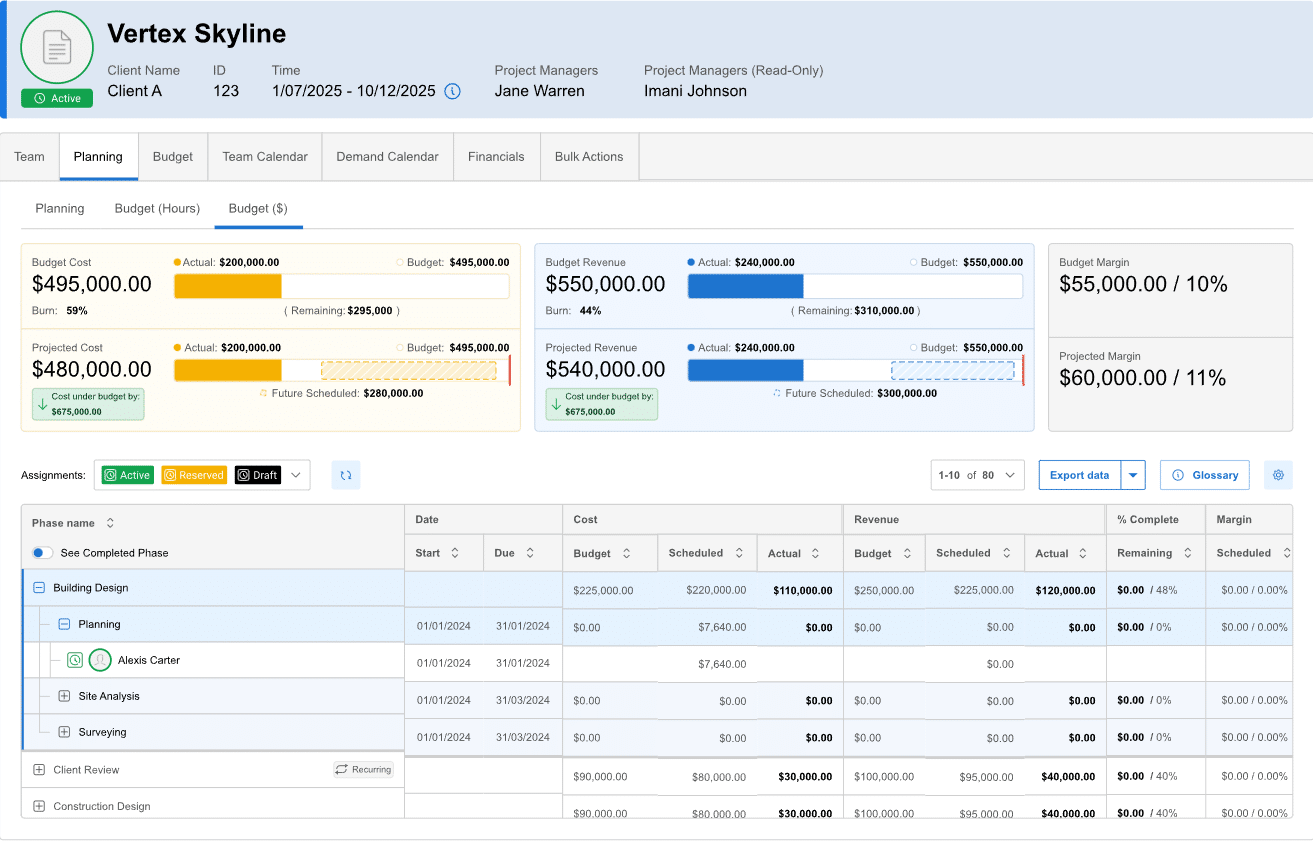
BQE CORE takes the opposite approach from the first two. Instead of syncing with your accounting system, it can become your accounting system. It's sold in modules: an all-in-one project foundation, with optional accounting, CRM, HR, and payroll on top. SoftwareFinder notes that the newer payroll module is powered by Gusto and ties payroll to project financials.
That makes CORE the strongest fit for a firm whose real problem with Monograph is reconciliation: invoices created in one system, payments recorded in another, and a month-end close that depends on the sync behaving. With the accounting module, project data, accounts receivable, and the general ledger live in the same place. Nobody has to ask the bookkeeper whether the owner paid.
It's also squarely aimed at your profession. On GetApp, architecture and planning is the largest single industry among BQE CORE reviewers, at 31%, and time tracking is the most frequently cited use case. Reviewers there consistently credit the timesheets, receipt capture, and a support team that's easy to reach.
The trade-offs are real, though:
- Pricing is quote-based and modular. GetApp's review summary says most users see good value, but some find the per-user and module costs, along with recent price increases, a burden. Price only the modules you'll actually turn on.
- The implementation is bigger. Moving your ledger is a much heavier lift than moving your timesheets. Plan it around fiscal year-end, with your CPA involved from the first call.
- Owner-facing workflows are thinner. CORE does include a client billing portal, but its focus is the firm's books. It won't change much about how owner requests reach your team.
Choose BQE CORE if you want one system of record for projects and money and you're ready to stop paying for QuickBooks. Skip it if your bookkeeper or outside accountant is committed to QuickBooks, or if you're a very small office where a ledger migration costs more attention than it saves. Ravetree's earlier shortlist of project management software for architects also profiles CORE if you want a second take.
Switching Without Losing a Billing Cycle
Whichever of these monograph alternatives you pick, the migration plan matters more than the logo. A few rules hold up regardless of vendor:
- Switch at a seam. Start new commissions in the new system and let projects already deep in CA finish where they are. Splitting one project across two systems mid-phase is how hours get double-counted or lost.
- Export history before you cancel. Pull timesheets, invoices, and phase budgets for every closed project into files you control. Those actuals are the evidence behind your next fee proposal.
- Build the new phase template from actuals, not memory. If your last three projects ran CA well past budget, the template should say so from day one.
- Settle the accounting handoff in writing. Decide which system creates invoices on the first day, and make sure invoice numbering continues without gaps or duplicates in QuickBooks, Xero, or the new ledger.
- Put the skeptic on the trial. Choose your most reluctant project architect. If they'll log time daily, everyone will.
Budget one full billing cycle of overlap. Firms that try to cut over in a weekend are the ones who end up inside that regret statistic.
So Which Monograph Alternative Should Your Firm Choose?
Monograph is a good tool with a narrow center. Small firms rarely leave it because it's broken; they leave because the tier they need costs more than expected, their accounting doesn't fit a QuickBooks Online-only model, or owners need a better way in.
Match the alternative to the reason you're leaving. If you want owner requests, approvals, hours, and invoices on one record while keeping QuickBooks or Xero, start with Ravetree. If billing depth and QuickBooks Desktop support matter most, BigTime is the better fit, provided you budget for Premier. If you'd rather stop reconciling and run the books inside your project system, BQE CORE is the one to demo.
Then test your top pick on a live project with an owner request already pending. That's the fastest way to judge the Monograph Alternatives for Small Architecture Firms covered here against your own work instead of a sales script.
Frequently Asked Questions
Which Monograph alternative is cheapest for a three-person firm?
On list price, BigTime Essentials at $20 per user per month is lowest, but it leaves out project budgeting and resource planning. Among the tiers that include phase budgets and staffing views, Ravetree's $29 per user per month (billed annually) is the lowest of the three; BQE CORE is quote-based.
Can I keep QuickBooks if I leave Monograph?
Yes. Ravetree works with QuickBooks Online or Xero, and BigTime supports both QuickBooks Online and Desktop. BQE CORE also connects to QuickBooks Online, but its accounting module is designed to replace it.
Is there a MoneyGantt equivalent in other tools?
Not a copy, since MoneyGantt is Monograph's own view. Each alternative shows budget versus actuals by project and phase, so in the demo ask the vendor to show fee consumed against percent complete for one live phase.
How long does it take to move off Monograph?
Plan on at least one billing cycle of overlap for Ravetree or BigTime. A move to BQE CORE's accounting module takes longer and is best timed to your fiscal year-end.