
Key takeaways:
- The deciding factor isn't features. It's whether the client's rate is attached to the hour when it's logged.
- Price the tier that actually switches on time tracking and decide who needs a seat, including contractors and clients, before comparing sticker prices.
- Ravetree, BigTime, Scoro, Accelo, Synergist and Kantata are built around billing. Wrike, Monday, Asana, Smartsheet and Celoxis are delivery-first tools that hand billing to other software.
- Run a rate-change test in every trial, and don't switch at all if you're under ten people with one pricing model.
Picture month-end at a 20-person consultancy. Everyone logged their hours in ClickUp, the work shipped, and now the finance lead is rebuilding invoices in a spreadsheet because the tool that tracked the time can't turn it into a bill. That's the usual trigger behind a search for alternatives to ClickUp, and it's why this list of the 12 Best Alternatives to ClickUp for Billable Projects ranks tools on how they handle money rather than how nice their boards look.
ClickUp isn't the villain. It's one of the most configurable work management tools around, and a team with a patient builder can bend it into almost anything. The catch is what nobody budgets for: the logic behind recurring client budgets, billable flags and rates ends up in one person's head, and ClickUp's steep learning curve makes that person hard to replace.
The twelve tools below run in the order we'd consider them for a firm that bills by the hour, by the phase or by the month. Ravetree leads, and Basecamp closes as the least billing-aware option here, on purpose. Plans and prices change constantly, so the figures below come from third-party listings and reviews. Confirm them with each vendor before you budget anything, and treat every number as a starting point.
What billable work asks of a tool
A professional services automation (PSA) platform ties project delivery, time, staffing and client billing to the same records. You don't have to buy one to bill well, but four questions will tell you quickly whether a tool can, and they're worth asking before you sit through a single demo of any alternatives to ClickUp.
- Where does the rate get attached? In a billing-aware system, the client's rate is stamped on each hour the moment it's logged. Where the money side lives outside the tool, the rate gets applied when somebody builds the invoice, so a January price increase can quietly rewrite December's work. Ask every vendor what happens to last month's hours when a rate changes.
- Which tier switches on time tracking? Plenty of tools advertise it and then gate it behind a mid-level plan, and some track hours without ever tying them to a rate or a budget. Price the plan that actually includes timesheets, not the one on the landing page.
- Who needs a seat? Contractors who only log hours, clients who only approve work, a bookkeeper who only sends invoices. Every vendor counts these people differently, and for firms that lean on freelancers the seat rules swing the annual cost more than the sticker price does.
- Can fixed-fee, hourly and recurring work sit side by side? Most firms run all three in the same month. A tool that models one well and the others badly leaves someone doing arithmetic on the side, and retainers are where that shows first, because the hours burn against a monthly allowance instead of a one-time budget.
The 12 tools, in order
1. Ravetree: the invoice is part of the project
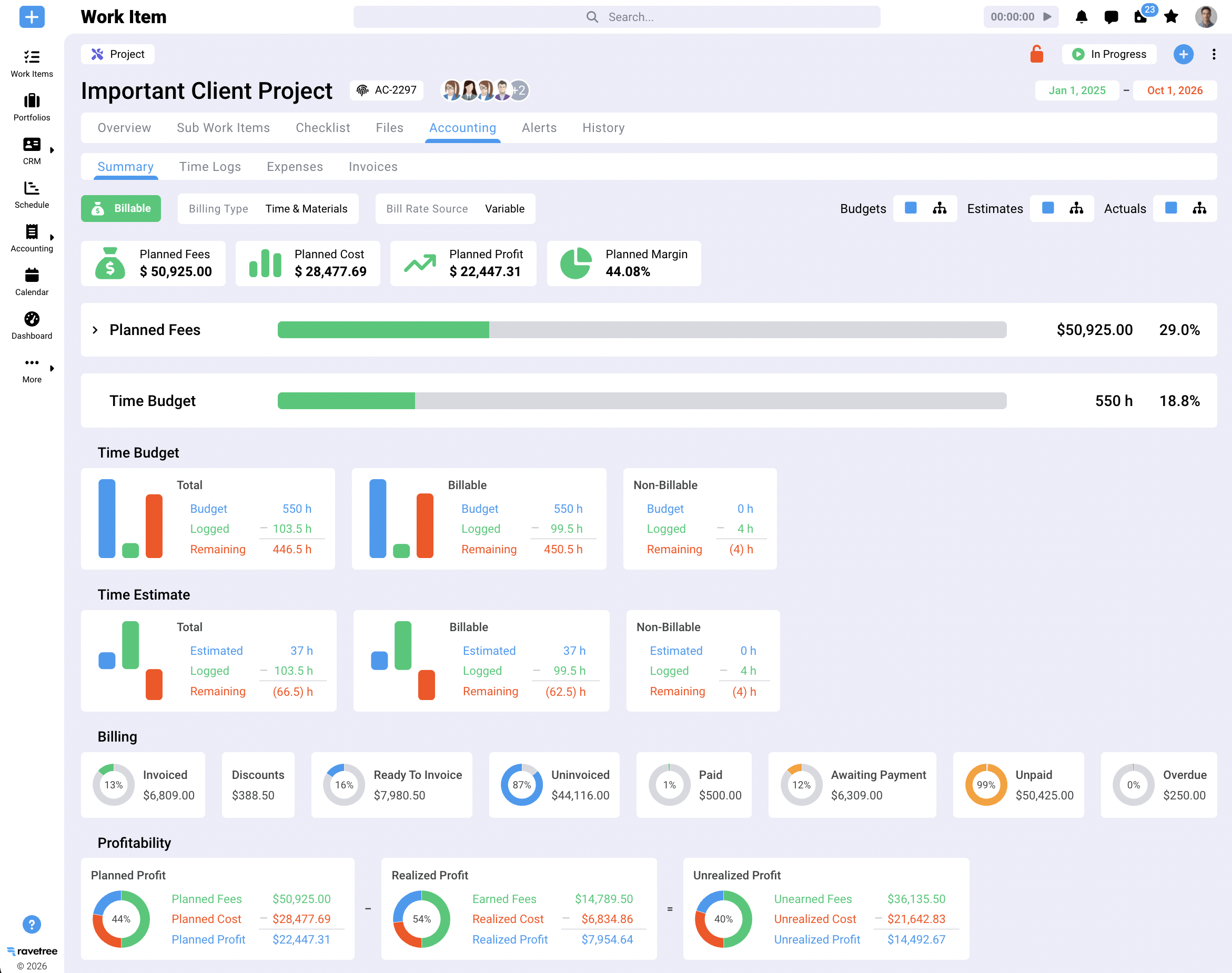
Ravetree started from the invoice and worked backward, which is rare in this category. Its project management covers traditional and Agile work, with Kanban boards, Gantt charts, task dependencies and sprint planning. The more interesting part is what sits behind the tasks. Hours logged against a task carry the person's rate and feed the project budget. Resource planning shows who has room before you promise a delivery date. A CRM and proposals built from templates or past projects mean an accepted estimate can become a scoped project instead of something a project manager retypes the following week.
The financial layer is where it separates from the general-purpose crowd. Retainers can run on weekly, monthly or quarterly periods, burn down at a fixed rate or a role-based one, roll unused amounts forward and generate renewal invoices. Rate cards keep start and end dates, which answers the January question from the checklist above. Expense tracking connects to purchase orders tied to vendors in the CRM, so a subcontractor's cost lands on the job it belongs to instead of vanishing into overhead. Clients get a client portal with no extra seat cost, where they approve files and submit requests through structured forms while internal comments stay private.
Customer reviews point in a consistent direction, with some context worth keeping. On G2, a small-firm president described needing to invoice each project phase, sometimes as a percentage of the total, and finding that Ravetree handled it. Other G2 reviewers keep coming back to the same two things: an interface that stays easy to use despite the feature count, and a support team that's easy to reach. Capterra reviewers echo the support point, including an agency that had tried everything from large suites to small single-purpose apps before landing here. Those are individual experiences, not a promise about every account, but the themes repeat.
Day to day, that shows up in three places. Project managers see budget burn while work is still underway, so a phase running hot gets caught in week three instead of at invoicing. Account leads can answer a client's "how many hours do we have left?" without asking finance. And finance sees which clients have completed work ready to bill, instead of reconstructing it from timesheet exports.
It also plays well with the finance stack: QuickBooks and Xero integrations, an open API, and onboarding and training included in the subscription rather than sold as a separate services project. For marketing agencies, consultancies, and architecture and engineering firms that mix retainers, phases and hourly work, it's the closest match on this list.
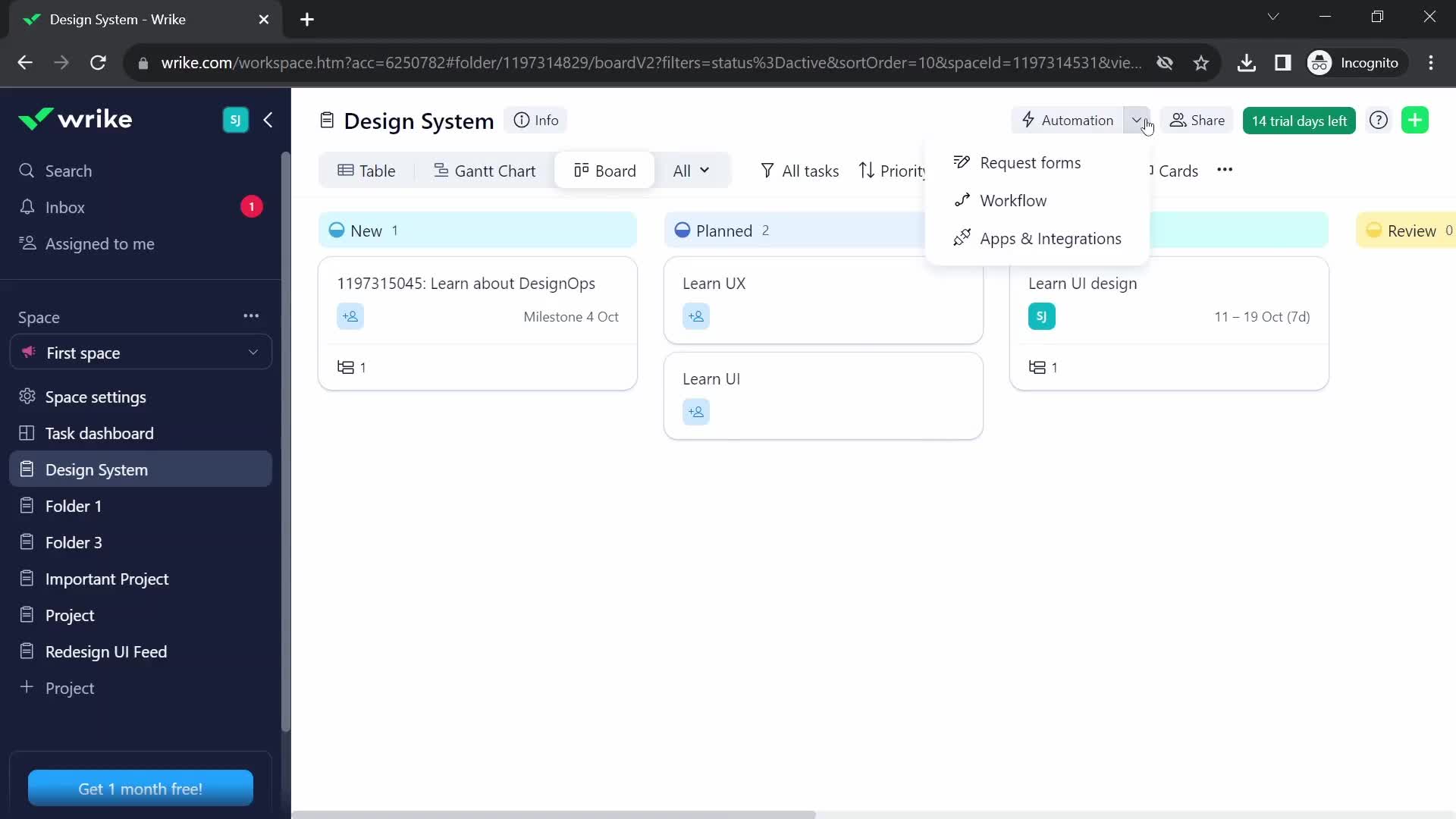
2. Wrike: deep delivery tools, billing handled elsewhere
Wrike is a heavyweight in the good sense: Gantt charts, approval workflows, built-in proofing for creative review, and workload views that large delivery teams really use. For billable work, the thing to understand is how the tiers stack. Time tracking and resource management arrive with the Business plan, which one 2026 review lists at $25 per user per month for 5 to 200 users, while deeper budgeting and billable-hour tracking tend to sit in the higher, quote-based tiers.
What Wrike isn't built to do is generate your client invoices. Approved hours leave for accounting software or a separate invoicing app, so the rate question from earlier stays with finance. Reviewers' recurring complaints are a complicated interface and a high price. It suits a 30-to-200-person team where delivery operations matter more than project financials, and it's a poor fit for a 12-person agency that just wants the invoice to build itself.
3. Monday: friendly boards, with the price landing on Pro
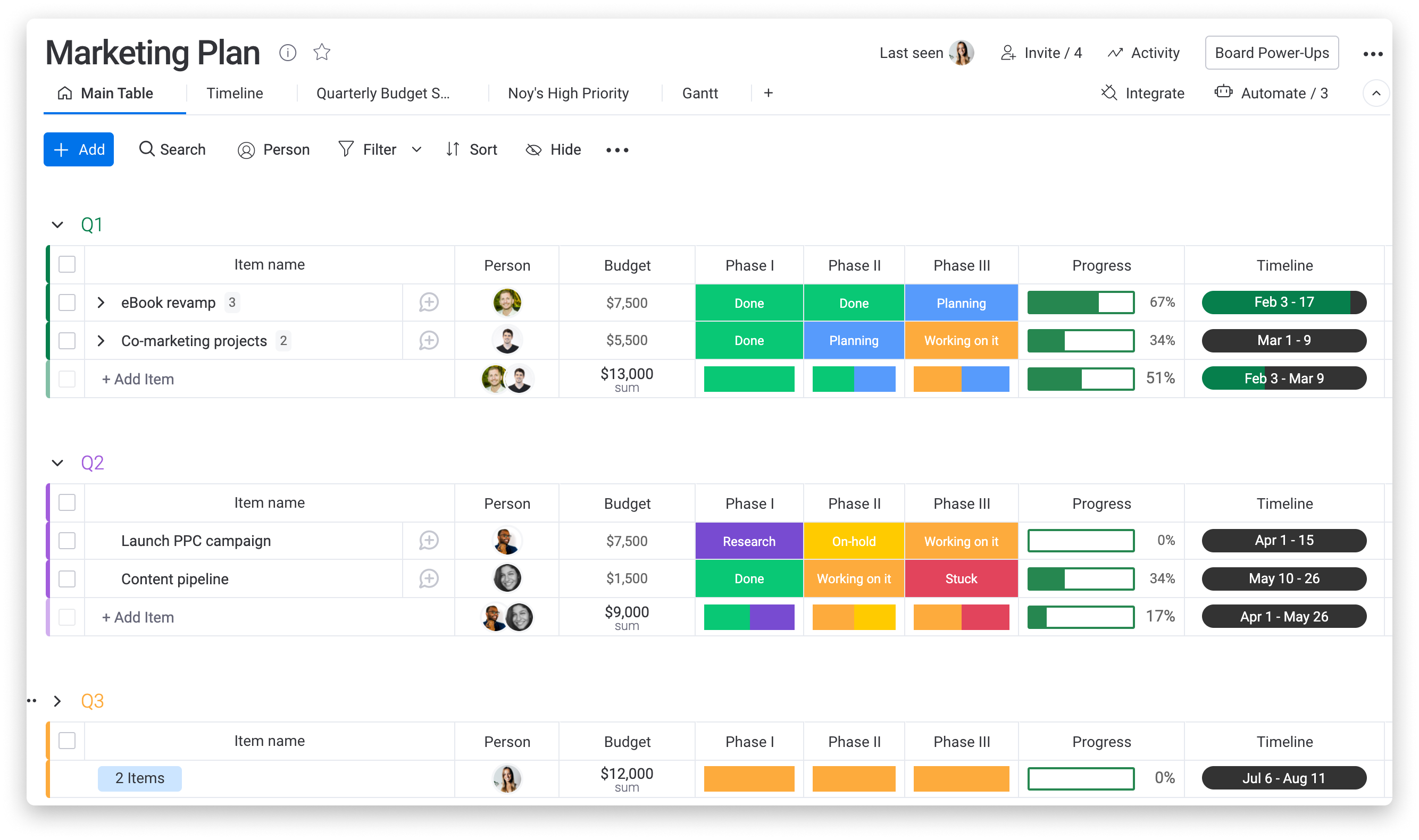
Monday is the tool account teams warm to fastest. Boards are colorful, the automation builder is approachable, and clients can follow progress without learning anything. The trouble for billable firms is where the price ends up. Time tracking sits on the Pro plan, listed at $19 per seat per month billed annually, paid plans start at three seats, and seats are sold in tiers, so a team that falls between tiers pays for people who don't exist.
Monday's CRM is a separate product with its own price, and Work Management has no native workflow for turning tracked hours into invoices, so hours still travel to finance software at the end of each cycle. None of that makes Monday a bad tool. It makes it a visibility tool. It fits an account-led team whose finance process already works and whose clients like dashboards. If your problem is margin, boards won't solve it.
4. Kantata: enterprise-grade PSA with the setup bill to match
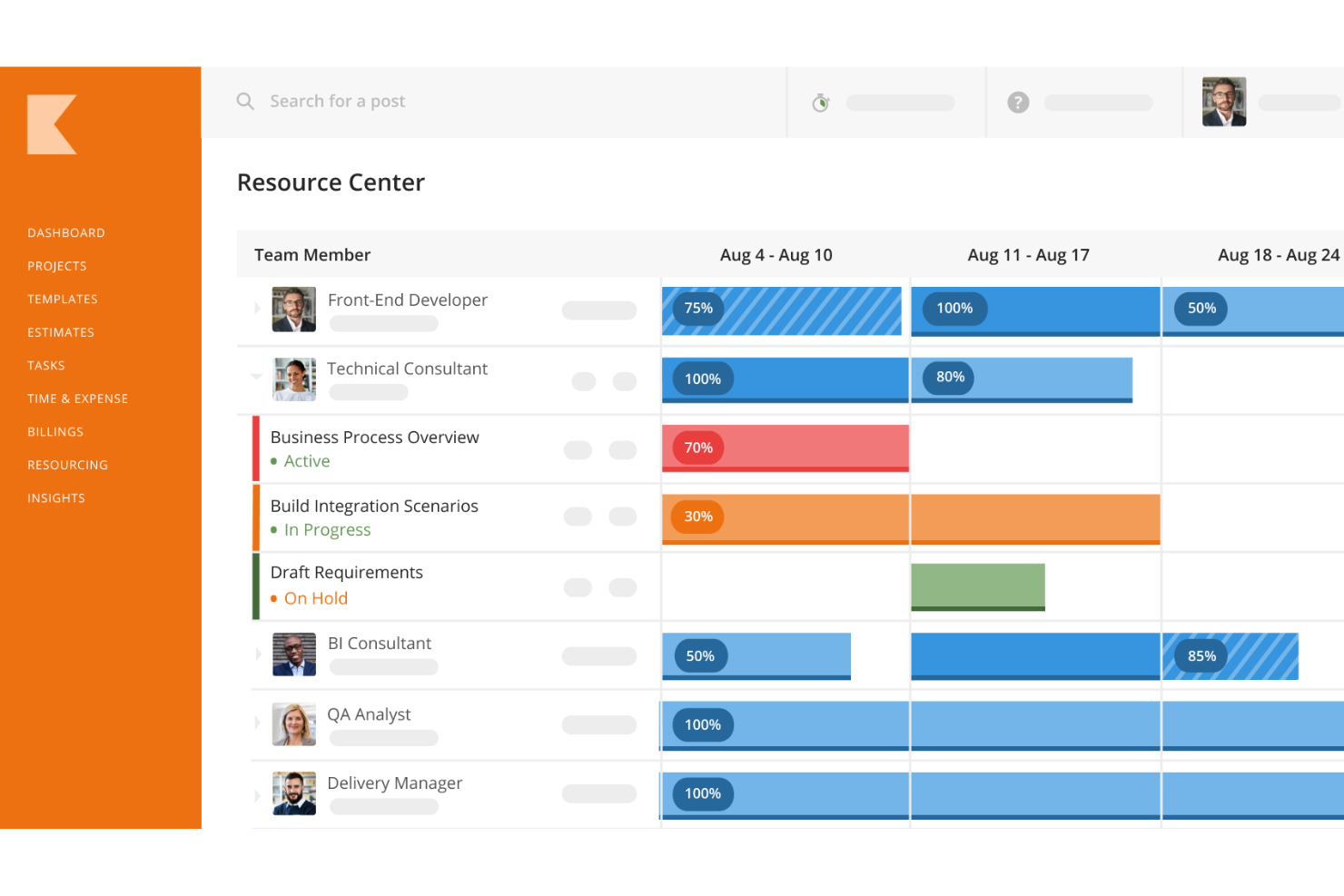
Kantata, formed when Mavenlink and Kimble combined, is the enterprise end of professional services automation. Capterra describes it as built for organizations of 50 to 5,000-plus employees, and the feature set reads that way: resource optimization, project accounting, billing, business intelligence and forecasting, all tied to the same project records.
Pricing is quote-based. Reviewers who weren't ready for it describe the complexity and setup effort as the sticking point, while calling it a strong option for mature, services-based teams. That's the real cost: not the license, but calendar time and the person who owns configuration. A 15-person firm will spend more energy feeding Kantata than it saves. A 150-person consultancy with a dedicated operations team, a utilization target and a finance group that wants forecasts will find depth the lighter tools can't match.
5. Asana: disciplined workflows, with money sold separately
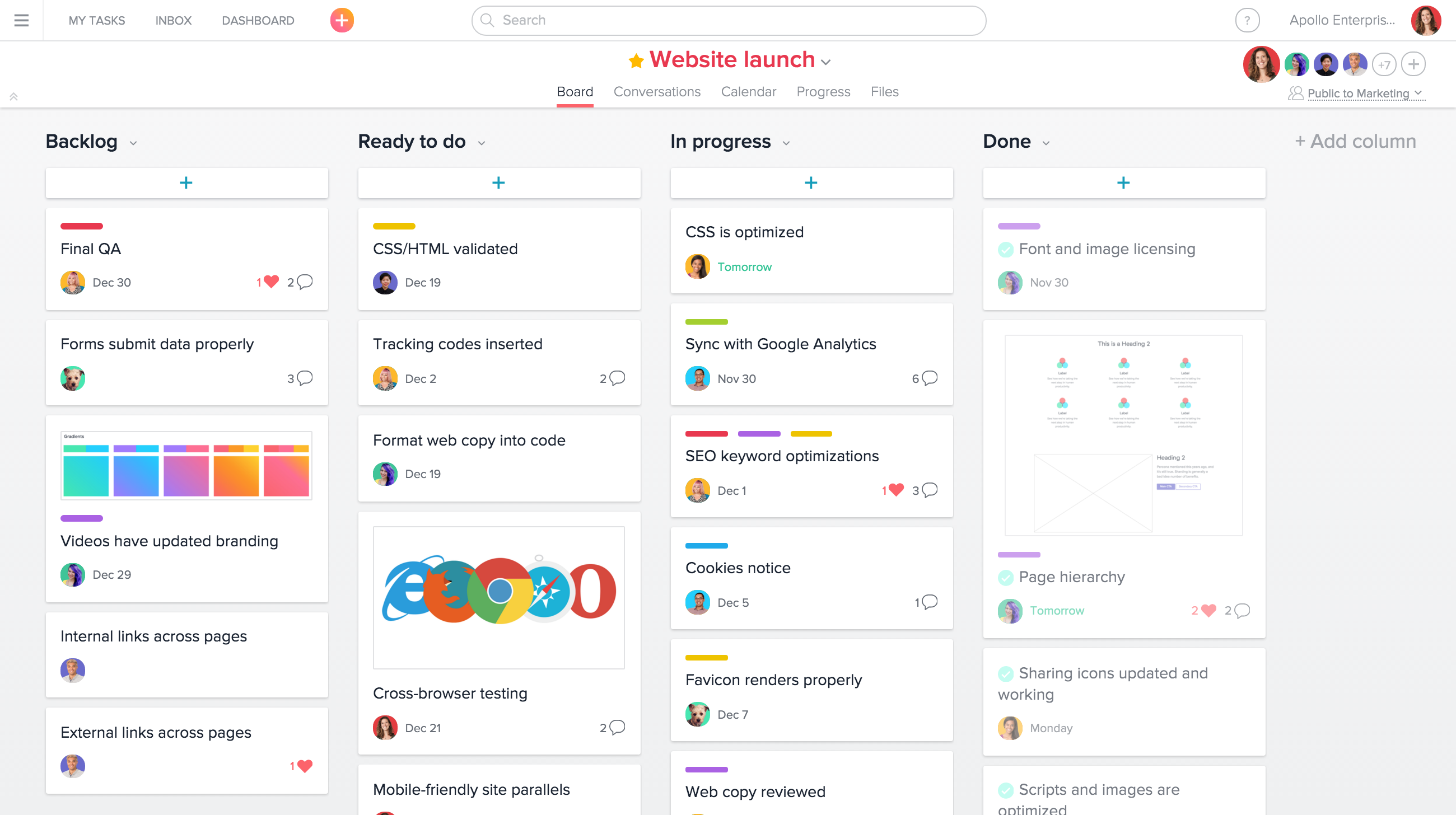
Asana earns its popularity on process discipline. Templates, dependencies and rules keep repeatable work repeatable, and proofing makes review rounds more orderly than email ever did. The money side is another matter. Native time tracking starts on the Advanced plan, about $25 per user per month, and even there it's basic: full timesheets, user rates and project budgets come from a separate Timesheets & Budgets add-on.
There's no native client invoicing either, so the stack becomes a plan upgrade, an add-on and an invoicing tool, with three places for the numbers to disagree. One real advantage: on organization plans, external guests don't use up paid seats, so client reviewers are cheap to invite. Asana suits a firm with highly standardized delivery whose finance function lives happily in its own system.
6. BigTime: time and billing first, planning later
BigTime is the accountant's pick, and that's a compliment. It was built around time and expense capture, billing and getting paid, and the plan ladder shows it. Capterra lists Essentials at $20 per user per month, Advanced at $35 and Premier at $45. Even Essentials covers time and expense, invoicing, a project portfolio view and a QuickBooks integration. Advanced adds a client portal, custom invoice templates and DCAA compliance, which matters if you do government contract work.
Premier adds project budgeting, multi-currency invoicing and resource planning. That last detail is easy to miss: staffing and capacity tools sit at the top tier, so a firm that schedules people weeks ahead is really buying Premier. Task and delivery tools are lighter than in the project-first products here, and prices climb with each added capability. It's best for consultancies, accounting firms and government contractors where hours and invoices are the business and delivery is comparatively simple.
7. Celoxis: a planner's tool with financials attached
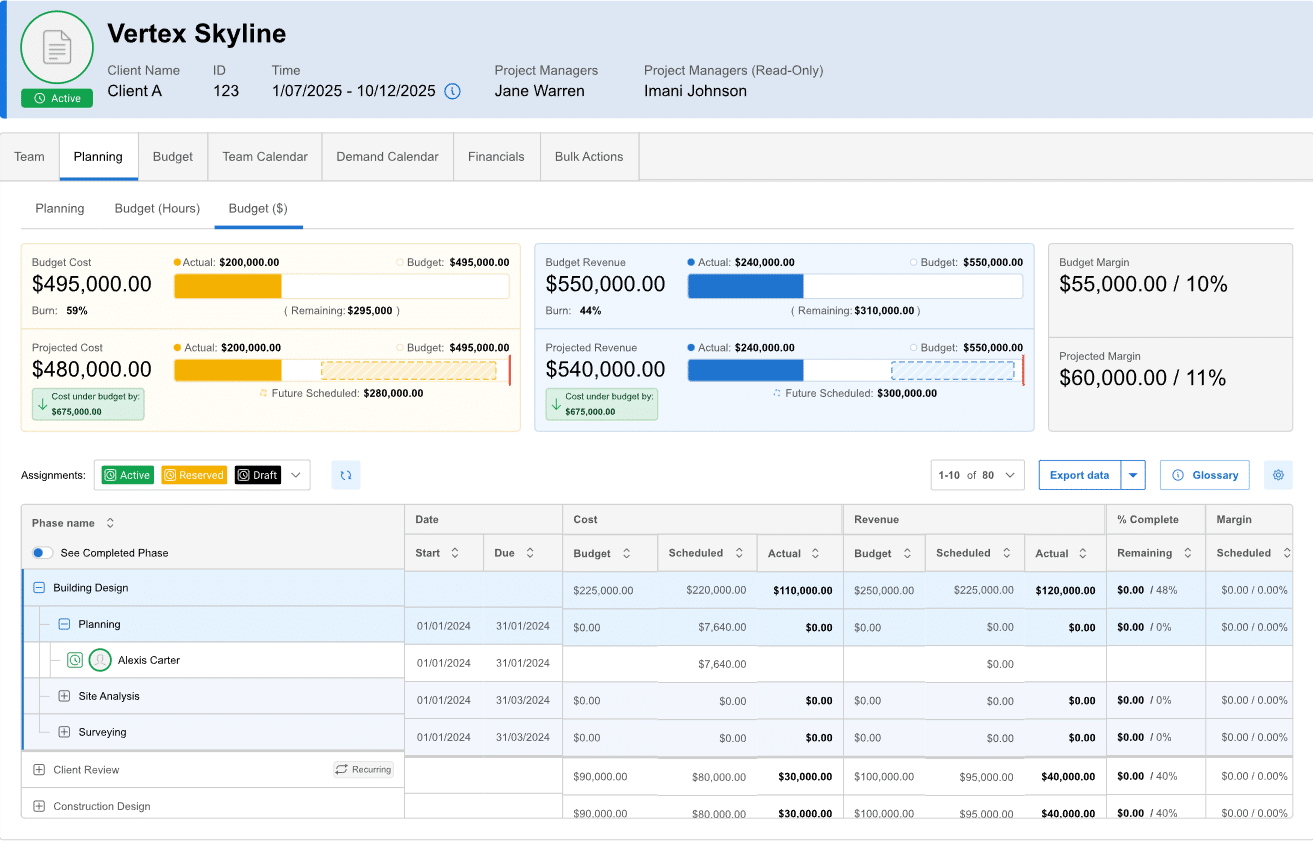
Celoxis comes at billable work from the planning side. Gantt scheduling with baselines, resource conflict alerts, workload views, portfolio dashboards, risk tracking and budget-versus-actual reporting are where it shines, which is why it turns up in PMO-led organizations more often than in small agencies. Listings put the Core plan at about $10 per user per month, with higher tiers raising custom-field and API limits.
Time and expense capture are included, but the center of gravity is schedule and portfolio health, not client invoices, so expect to hand finished timesheets to an accounting system. Reviewers like the all-in-one scope and the value against enterprise planning tools, and some note a slightly dated interface. It's a good match for a firm whose biggest risk is overbooked people and slipping schedules rather than leaky invoicing.
8. Synergist: agency software with a UK accent
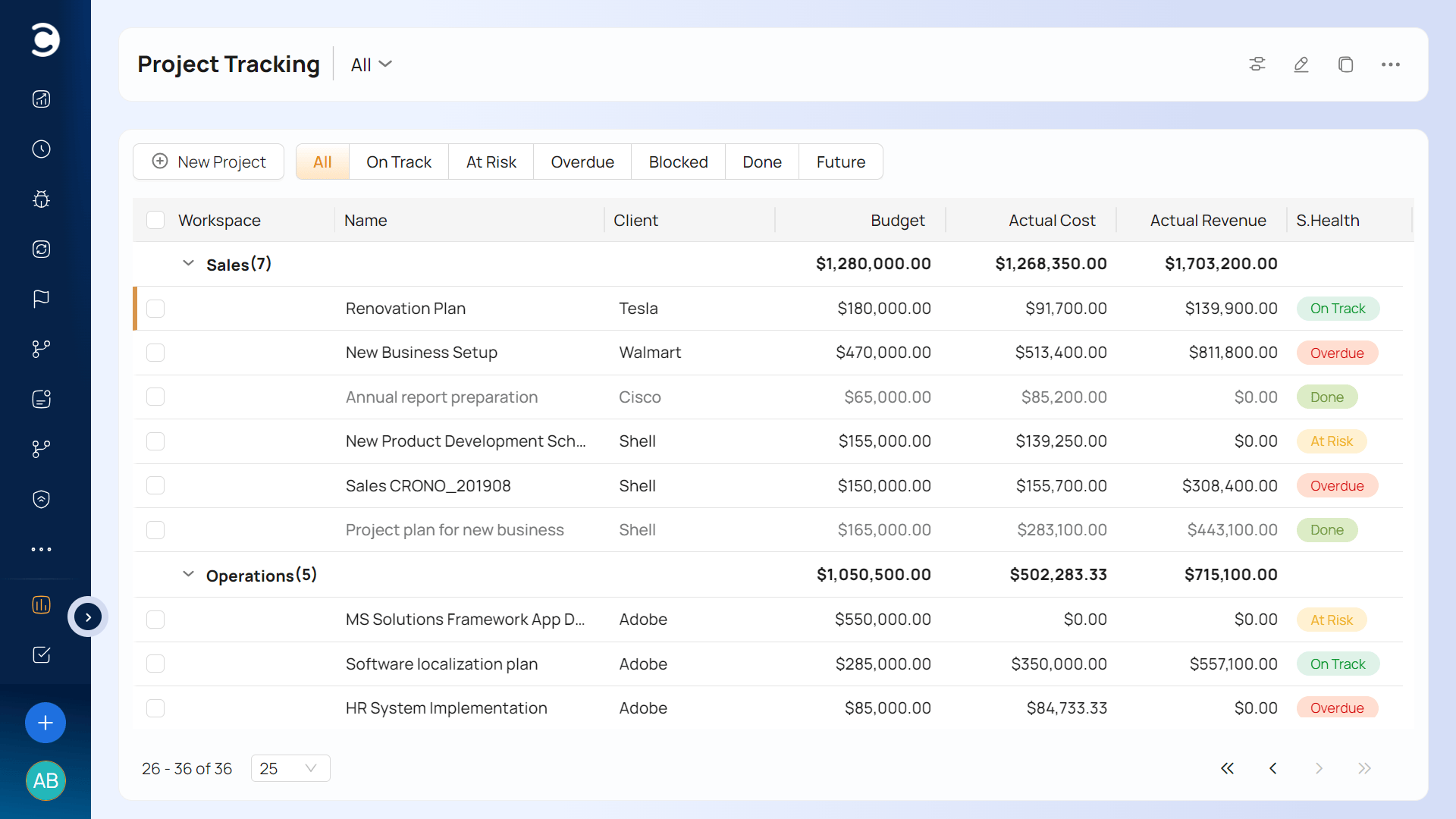
Synergist has sold agency management software out of the UK since 2003, and it covers the whole chain: CRM, quoting, job costing, project management, resource planning, timesheets, expenses, billing and reporting. Reviewers, mostly design, marketing and advertising agencies, describe using it from budgeting and quoting through to invoicing, and they praise the reporting.
Its pricing model answers the contractor problem better than most. Listings show timesheet-only users priced well below full users, starting from £13 a month. The caveat for North American firms is geography. The integration list leans toward UK accounting systems such as Access Financials, so confirm your accounting package is supported before committing. For UK and European agencies, it's a serious contender.
9. Accelo: quote-to-cash in modules
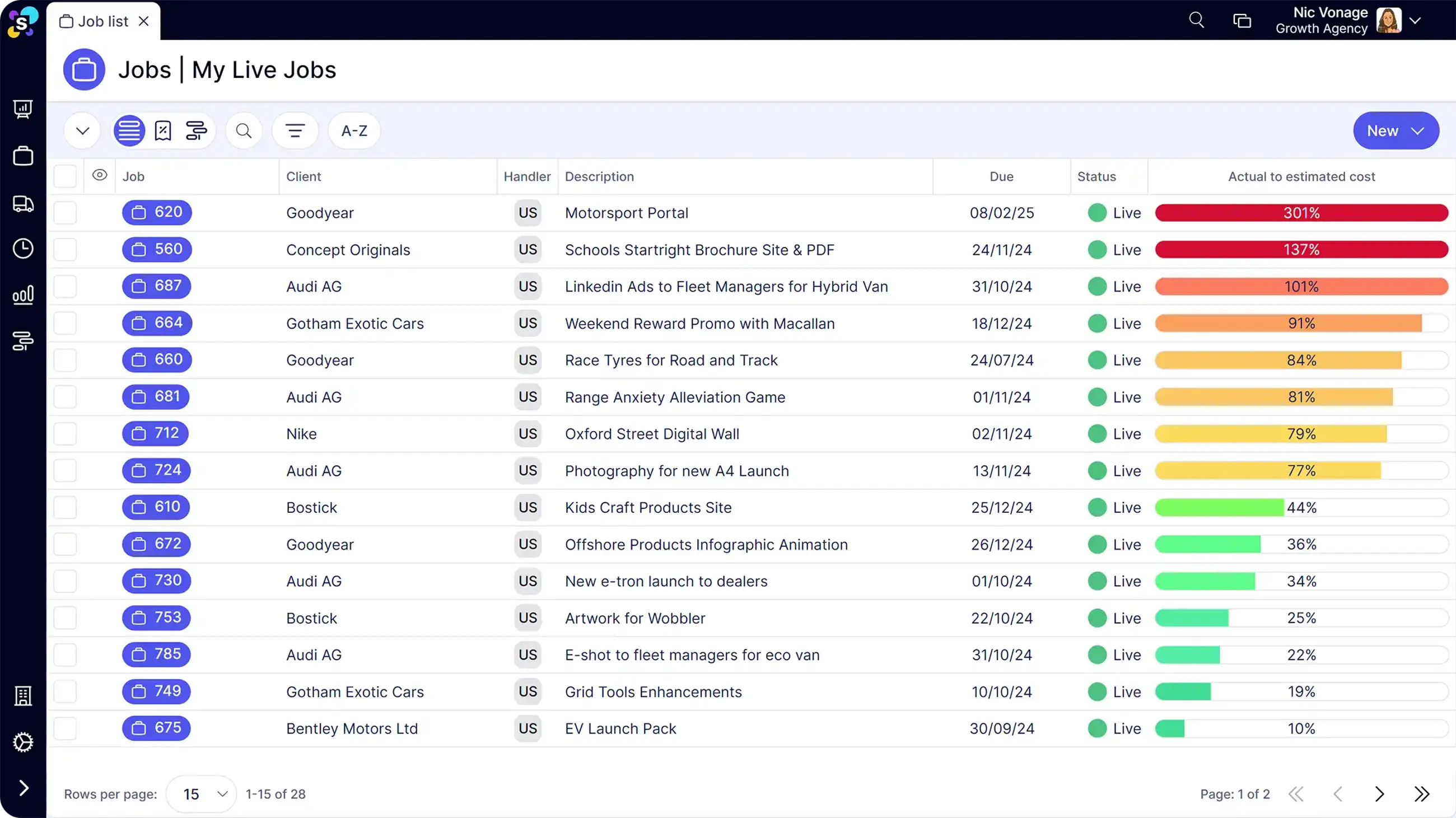
Accelo models the client relationship as a sequence: sales and quoting, projects, retainers, support tickets, then billing. Each stage is a module, and that modularity is both the draw and the catch. Features are gated by plan, and TechRepublic notes that the lower Core and Professional tiers lack ticket and retainer management. A firm that wants recurring work and billing under one roof needs to confirm which tier it's actually buying.
Pricing is largely quote-based, and Accelo's quoting is built for service engagements, not for complicated product catalogs, so a firm selling configurable products may feel the limits. The platform rewards teams that budget real implementation time. It fits service businesses that mix project work, ongoing support and recurring agreements, such as IT services firms running tickets next to retainers.
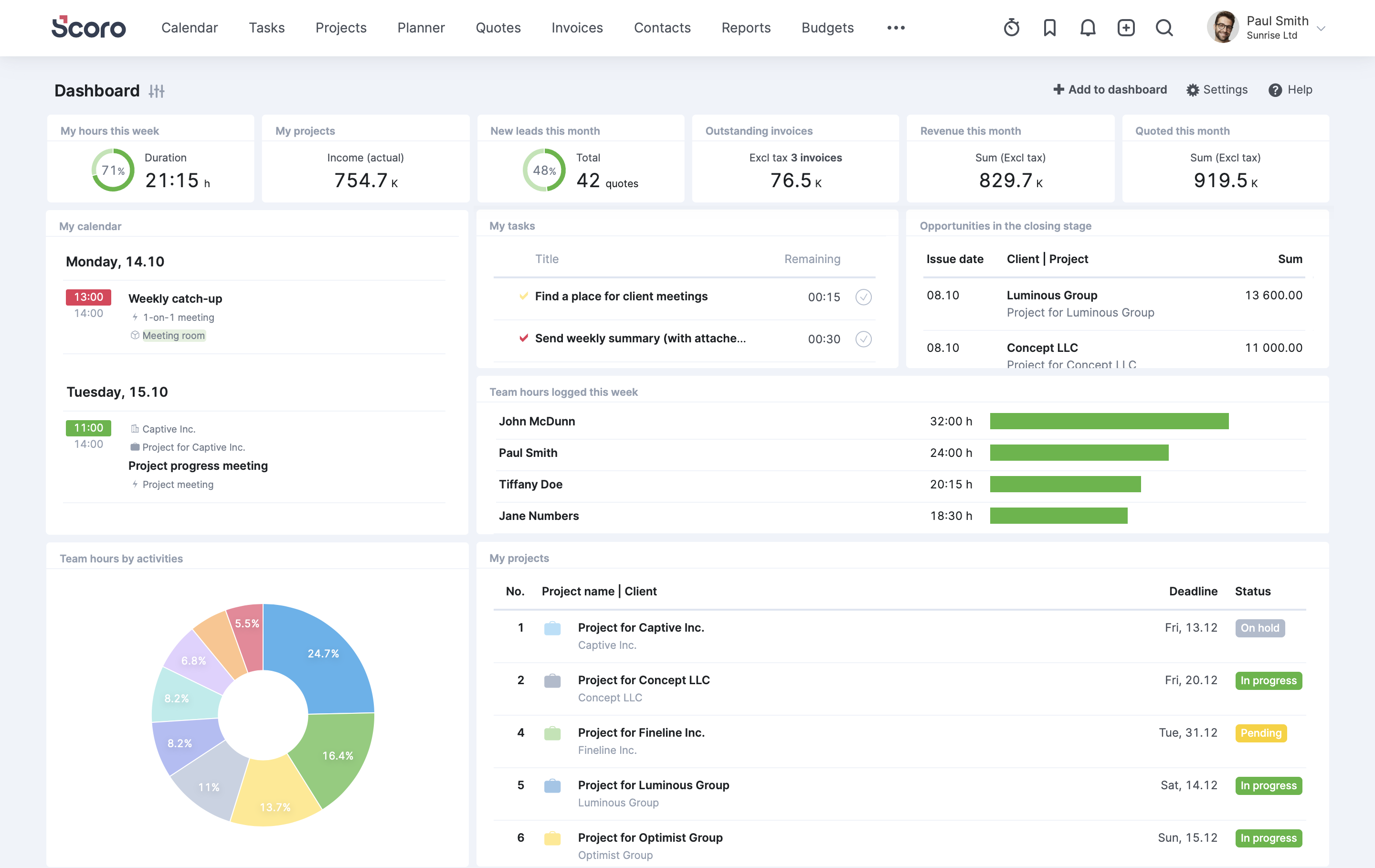
10. Scoro: one screen from quote to margin
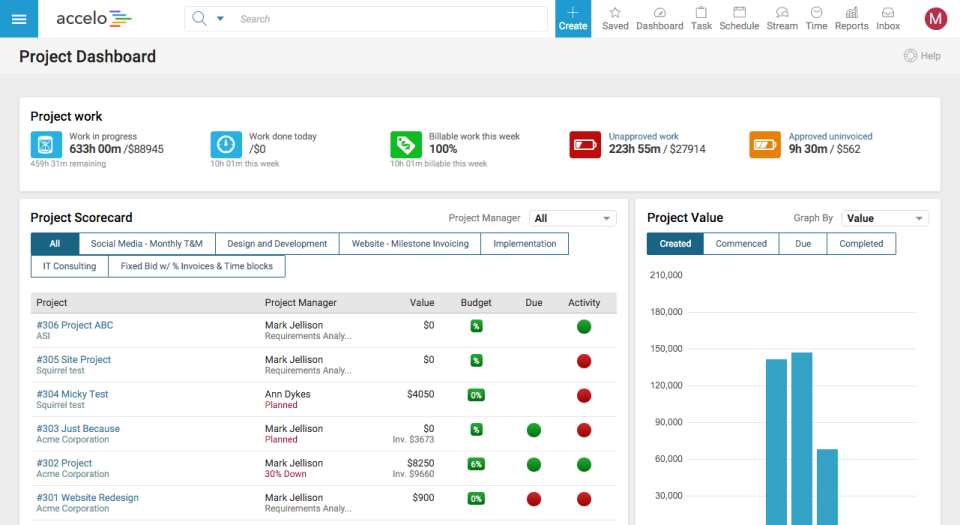
Scoro tries to put the whole business on one screen: quotes, projects, time, invoicing, CRM, calendars and financial reports. Its pitch is margin visibility, with budgets and profitability tracked by project, service and role. The catch is tiering. Capacity planning and utilization forecasting sit in the higher Performance tier on public listings, and some plans carry a minimum user count, so price the exact tier and seat floor you need.
Reviewers also say certain features need expert setup. It fits a 15-to-100-person agency or consultancy that wants quote-to-invoice in one interface and has someone willing to configure it. Without that person, the breadth becomes clutter.
11. Smartsheet: spreadsheet logic, enterprise governance
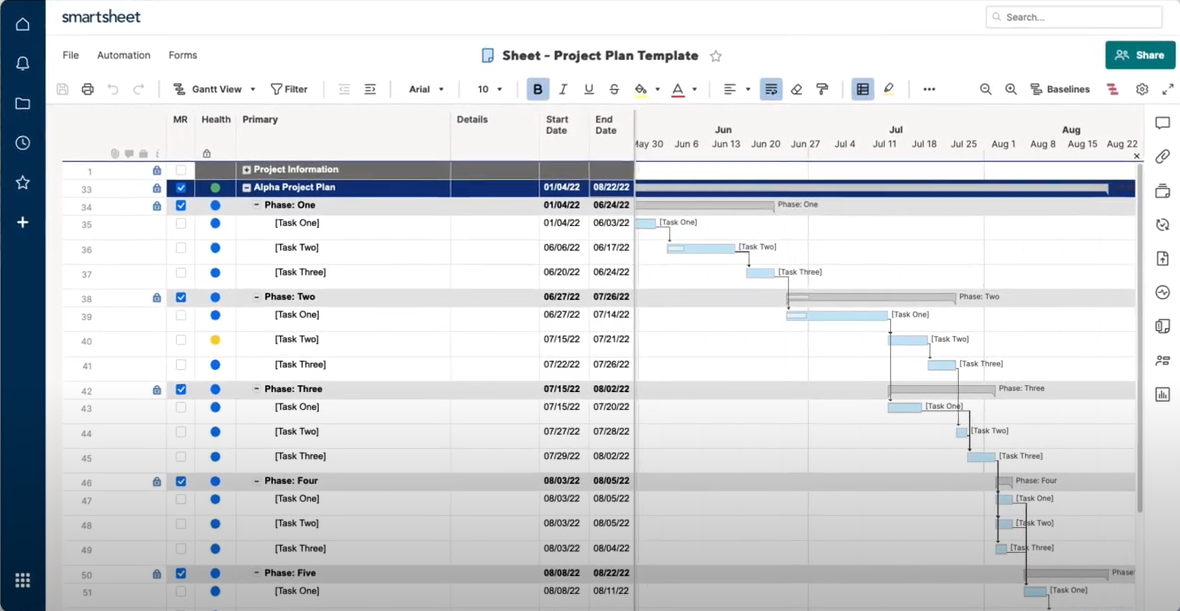
Smartsheet thinks in sheets: rows, columns, formulas, automation, dashboards. For governance and portfolio oversight at scale it's formidable, and operations teams like how closely it mirrors a spreadsheet. For billable work it needs help. Resource management and other premium capabilities cost extra, and some plans carry member minimums. Time capture depends on the plan or an add-on, and there's no client invoicing, so you'll pair it with accounting software.
Reviewers also flag a learning curve for people who don't think in grids. It fits an operations-led firm where billable work is one side of the business, not the whole of it.
12. Basecamp: calm, flat-priced, and not a billing tool
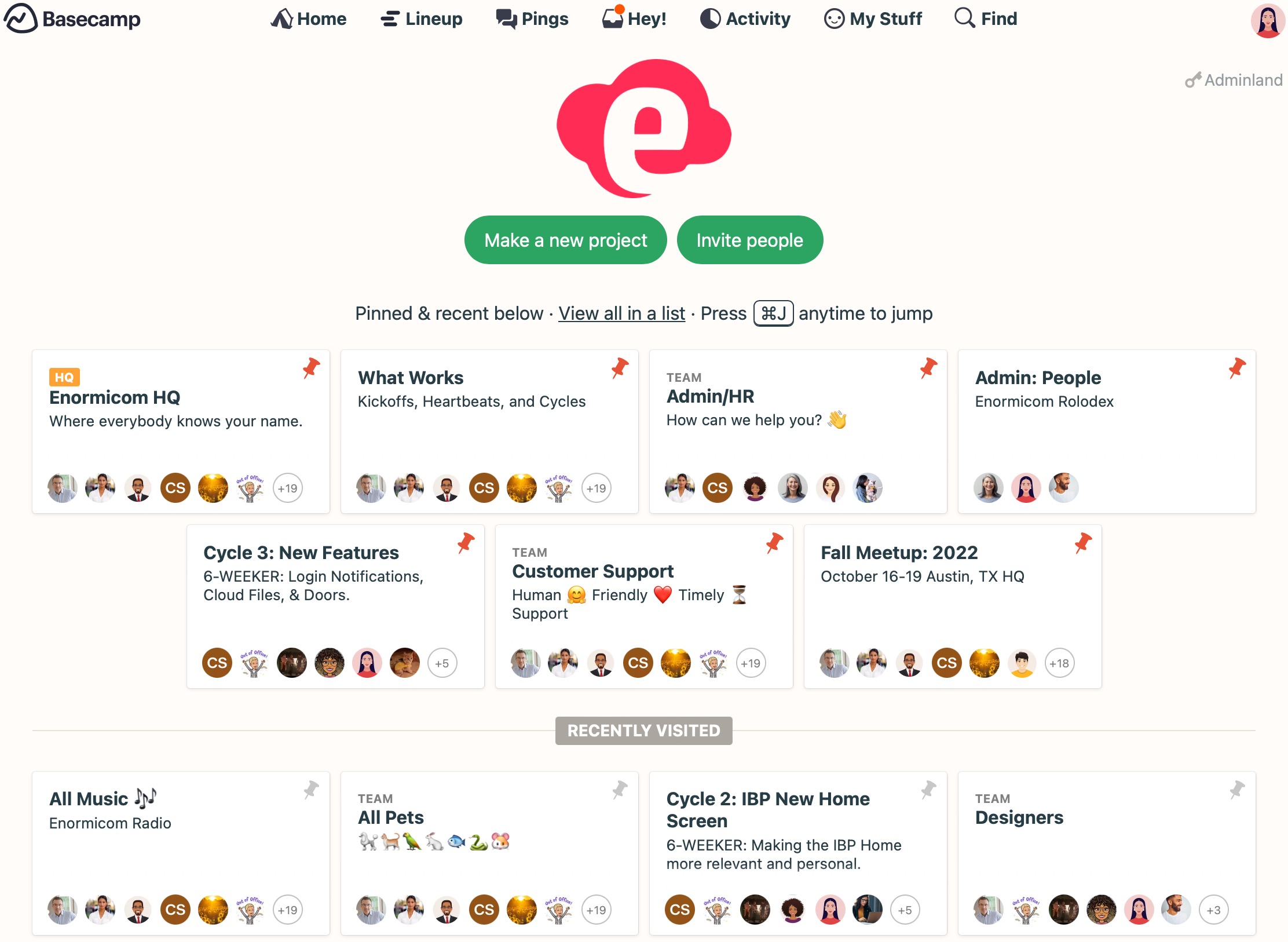
Basecamp is the deliberate outlier. It says no to Gantt charts, no to elaborate reporting and, historically, no to native time tracking. Reviewers report a timesheet add-on on some plans, but billing isn't in scope. What you get instead is calm: message boards, to-do lists, check-ins, client access and a flat-rate Pro Unlimited plan for unlimited users, which becomes cheaper than per-seat pricing once a team grows past a couple of dozen people. Published prices have shifted over the past year, so check the current number.
Pair it with an accounting tool and it works for a small firm on fixed-fee projects with simple tracking needs. It stops working the day somebody asks which client was profitable last quarter.
Matching a tool to the way you actually get paid
Skip the feature grid and sort by billing model, which is the only variable that really separates these twelve alternatives to ClickUp. Teams hunting for alternatives to ClickUp rarely lack features; they lack a place where rates live.
Hourly or time-and-materials, finance-led: BigTime, Scoro or Ravetree. Choose BigTime when delivery is simple and invoices are the point. Choose Scoro or Ravetree when staffing and sales need to live in the same place.
Mixed models with retainers and phases: Ravetree, Accelo, Synergist or Scoro. Synergist is the sensible pick for UK agencies, and Accelo suits firms that run support tickets next to projects.
Large, operations-heavy PSA: Kantata, with a dedicated owner and months, not weeks, for rollout.
Delivery-first, finance elsewhere: Wrike, Monday, Asana, Smartsheet and Celoxis. All five are good at organizing work. None of them is where your margin gets calculated.
Small and fixed-fee: Basecamp, or honestly, staying with ClickUp and a good bookkeeper. If you have fewer than ten people and a single pricing model, the right move may be no move.
Whichever of these alternatives to ClickUp you shortlist, run one test that demos never show. Log a week of hours, change the client's rate, and watch what happens to the entries you already made. A tool that rewrites last week attached the rate too late. It takes ten minutes, and it separates tools that bill from tools that only record.
Pick the tool that knows your rates
If you mix retainers, phases and hourly work and you're past ten people, start with Ravetree, Scoro or Accelo and give each a real month of data. If delivery depth matters more than invoicing, Wrike or Celoxis deserves a look. Shortlist no more than three alternatives to ClickUp, run the rate-change test in each trial, and let that result decide. That's the logic behind the 12 Best Alternatives to ClickUp for Billable Projects: choose the one that knows your rates before it knows your tasks.
Frequently Asked Questions
What's the best alternative to ClickUp if you bill clients by the hour?
Start with tools that attach the rate when the hour is logged and generate the invoice themselves, such as Ravetree, BigTime and Scoro. Wrike, Monday and Asana organize the work well but pass the money side to other software.
Can I add an invoicing app to ClickUp instead of switching?
For one billing model and a small team, yes, and it's often the cheapest fix. It stops working once retainers, phased budgets or contractors enter the picture, because each extra model needs another manual rule between the two systems.
Do contractors and clients count as paid seats?
It varies. Asana doesn't charge external guests on organization plans, Synergist prices timesheet-only users lower, and Ravetree's client portal costs clients nothing. Ask every vendor how a contractor who only logs hours gets counted.
Which tools handle retainers best?
Ravetree and Accelo both treat retainers as their own object, though Accelo's lower tiers leave them out, so check the plan. Scoro lists retainer features too, while the general-purpose tools usually need workarounds.