
Key takeaways:
- Wrike coordinates work well; the usual reasons to leave are missing financial visibility, late capacity planning and steep price steps between plans.
- Sort the 12 Wrike alternatives into tools that coordinate work and tools that account for it, then shortlist from the camp matching your unanswered question.
- Test every candidate with your last closed project and see whether it produces the margin without an export.
Picture a 35-person agency eighteen months after rolling out Wrike. Tasks are tidy, the Gantt charts look great, and nobody can say whether the Henderson retainer made money last quarter. That gap is why people go hunting for Wrike alternatives. This guide to the 12 Best Wrike Alternatives to Consider starts with Ravetree, then works through eleven others, with plain notes on who each one suits and where it will frustrate you.
Wrike is a capable tool. The trouble is what it was built to organize: tasks, approvals and portfolios. Plenty of work management tools share that bias, and for a service business the missing half is financial: hours sold, hours burned, invoices out, margin kept. The list below is ordered with that gap in mind.
When Wrike is still the right answer
Before swapping anything, be fair to what you already own. Wrike handles approvals, proofing and cross-team dependencies well, and large marketing organizations with an in-house finance team have little reason to leave it. If your work is mostly internal, nobody bills by the hour, and your complaint is that the setup feels cluttered, fix the configuration before you migrate. A rushed switch costs a quarter of lost momentum, and the new tool will clutter just as fast if nobody owns it.
The calculus changes when clients pay for your time. Then the missing half of the picture is money, and no amount of tidying fixes that.
Why teams start looking beyond Wrike
The friction tends to show up in three places, and which one you feel decides where to look next.
The money lives somewhere else. Hours, budgets and client invoices sit in a separate system, so somebody rebuilds the margin picture in a spreadsheet every month. Ravetree's own head-to-head with Wrike goes through that comparison feature by feature if you want the long version.
Capacity shows up late. SPI Research's 2026 benchmark put average billable utilization at 66.4% in 2025, the lowest in the survey's history. Do the arithmetic on your own firm: every six points of utilization on a 40-person team is roughly 2.4 people's worth of billable hours. Capacity planning that arrives after the project is sold can't protect that number.
Price steps. According to Capterra's Wrike pricing page, the Team plan covers 2 to 15 users at $10 per user, while Business starts at $25 and is where resource and capacity planning appears. Hire your sixteenth person and, at those published annual rates, the bill goes from about $150 a month to $400. That's $250 a month for one extra seat, a cliff worth knowing about before you're standing on it.
Four checks before you build a shortlist
- Does an hour logged on Tuesday reach a client invoice without being retyped?
- Can you see next month's capacity before you sign the next client, not after?
- What does the price look like at 15 people, at 16, and at 40?
- Will clients touch the tool, or only your staff?
The 12 alternatives, in order
The order below isn't a ranking of popularity. It runs from the most finance-aware tool in the context of client work toward the pure coordination tools, with a few specialists in between. Read the "best for" line first, since most of these Wrike alternatives are excellent for one kind of firm and poor for another.
1. Ravetree
Best for agencies, consultancies and other client-service firms that want delivery and finances in the same place.
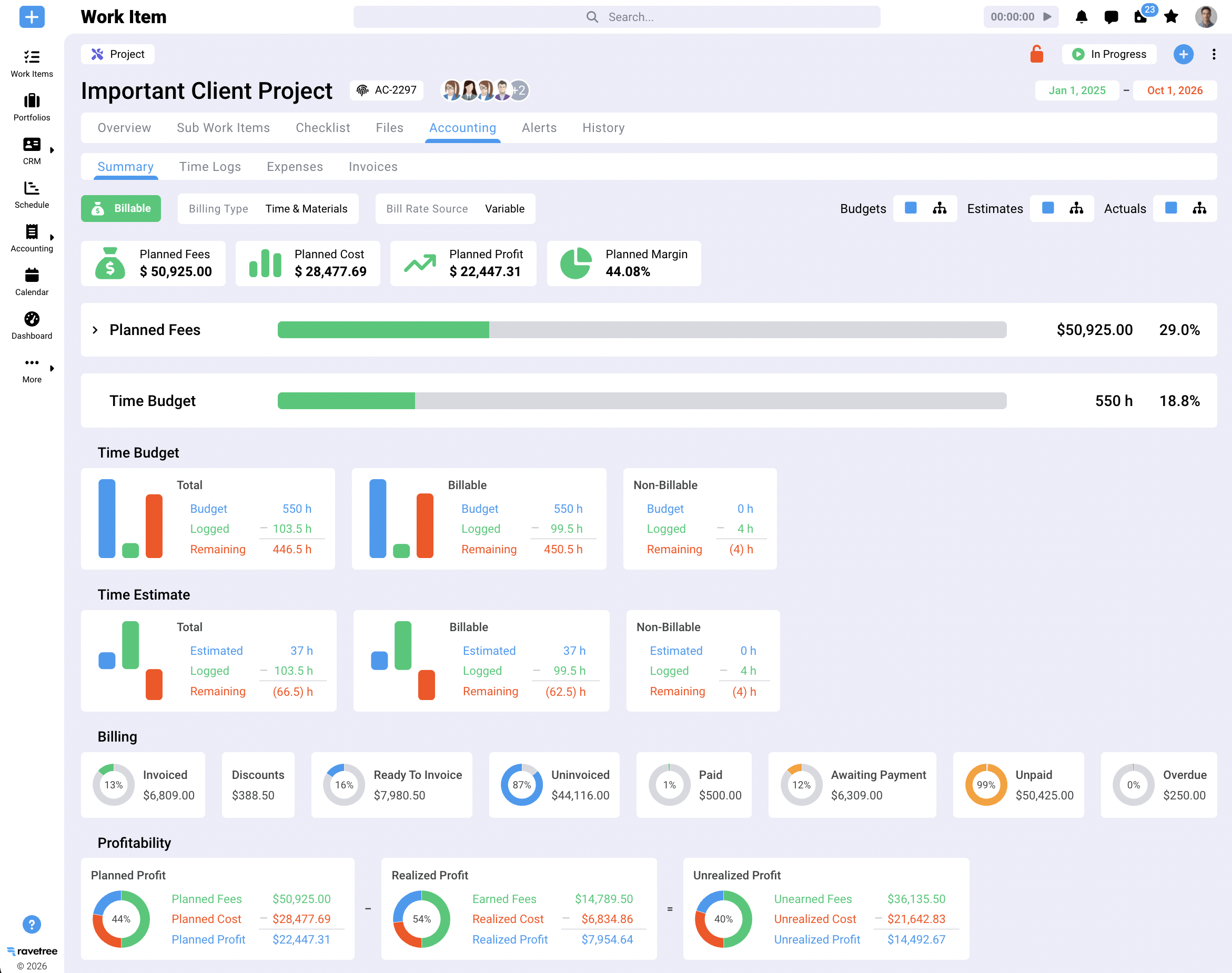
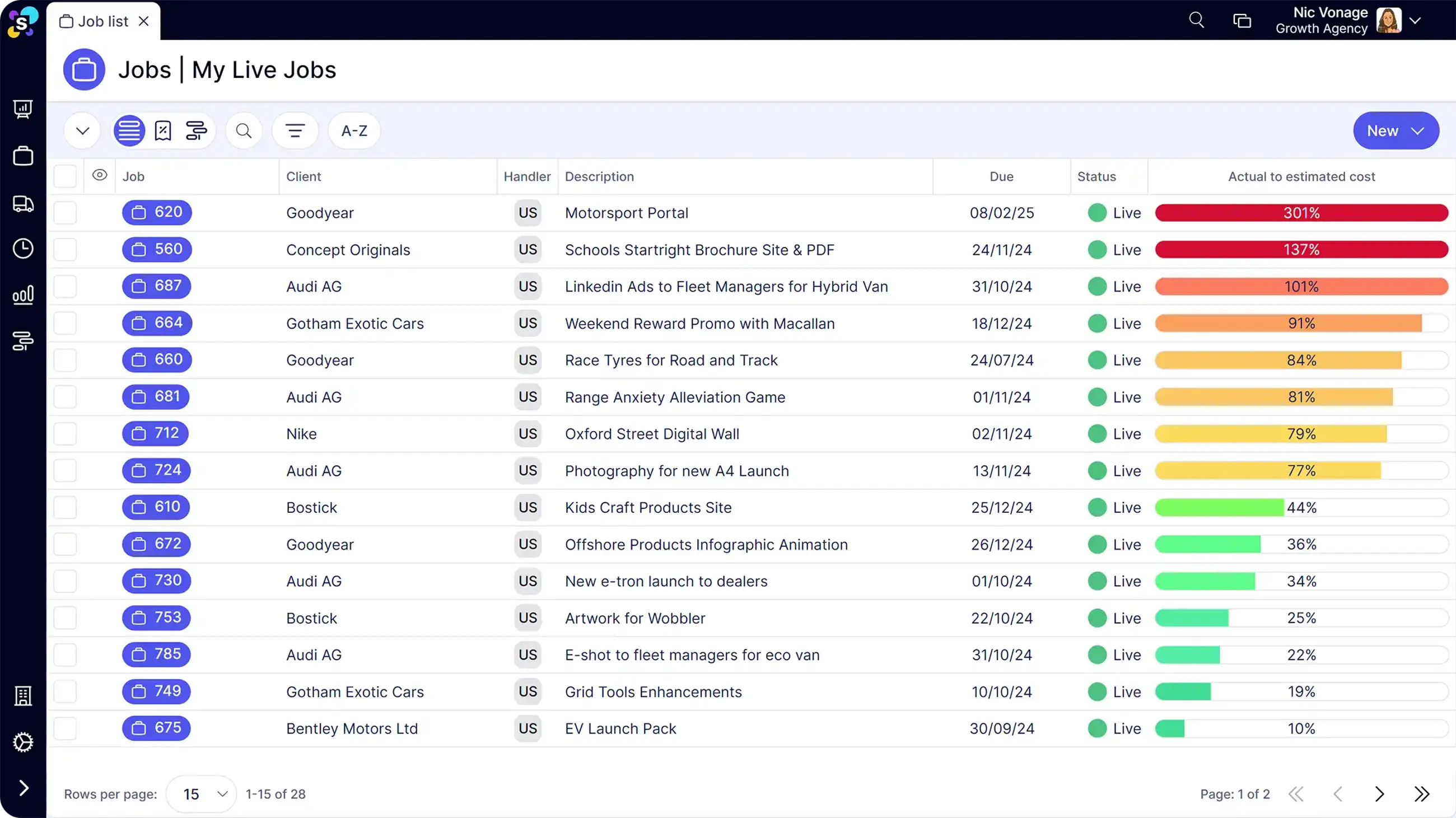
Ravetree runs the whole client-service loop from one login. Proposals and a CRM sit up front, then project management and resource planning carry the work through delivery. Time tracking, expense tracking and purchase orders feed billing and invoicing, retainers get their own handling, and a client portal plus structured requests keep small asks from hiding in email threads. Pricing is per user with every feature included: at the time of writing, $29 per user per month on annual billing, $39 if you pay monthly.
Reviewers on G2 and Capterra keep coming back to the support team and the onboarding help, and several describe the interface as easy to work in. One agency reviewer needed to invoice each project phase, sometimes as a percentage of the total, and found Ravetree handled it. The honest caveat is breadth: more modules means more to learn, so a team that wants one board and nothing else will find it more than it needs.
A scenario shows where this matters. Say a 25-person design studio sells a fixed-fee rebrand at $60,000 and logs 420 hours against it. At a blended internal cost of $85 an hour, that's $35,700 in labor before a single stock-photo expense lands. A task tool tells you the rebrand shipped on time. A system that holds the budget, the hours and the expenses together tells you it kept roughly 40 percent margin, and tells you while there's still time to renegotiate the next phase.
Choose it if your revenue depends on hours, fixed fees or retainers and you want the margin question answered inside the tool. Skip it if all you need is a task board. Ravetree makes the longer case for consolidating in its guides to all-in-one agency operations software and the all-in-one agency work management platform model.
2. Asana
Best for in-house marketing departments and agencies whose billing is simple.
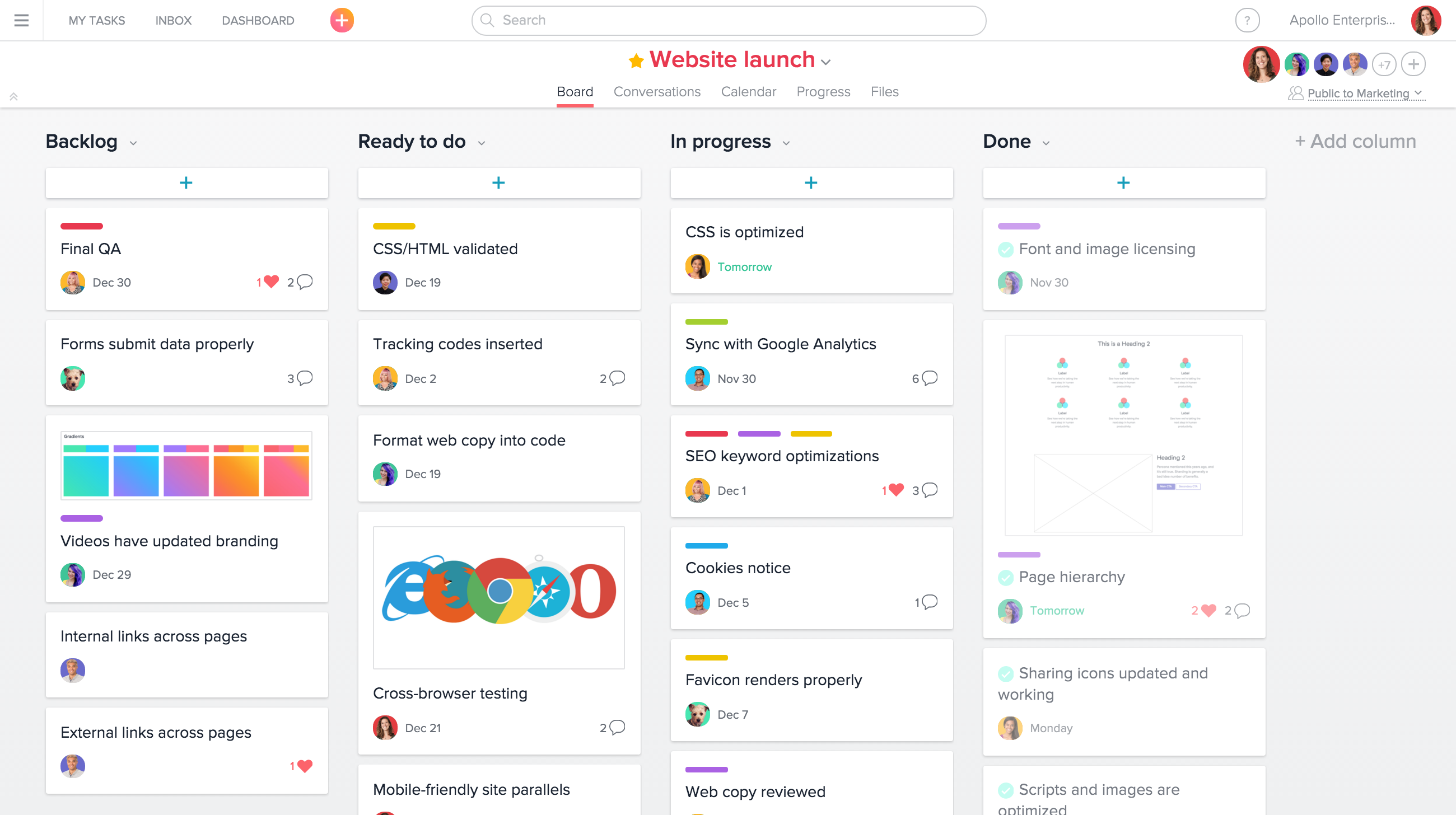
Asana is the tidy choice for cross-team coordination: clean task views, timelines, portfolios, and rules that route work without anyone chasing it. Creative and marketing teams tend to adopt it faster than almost anything else here. The catch for service firms is the one you'd hit with Wrike. Asana tells you what's getting done and when; it isn't designed around what that work cost against what you quoted. You'll pair it with accounting software and a spreadsheet, so be honest about whether that's a step forward or a sideways move.
3. ClickUp
Best for technical, process-minded teams who enjoy configuring their own tools.
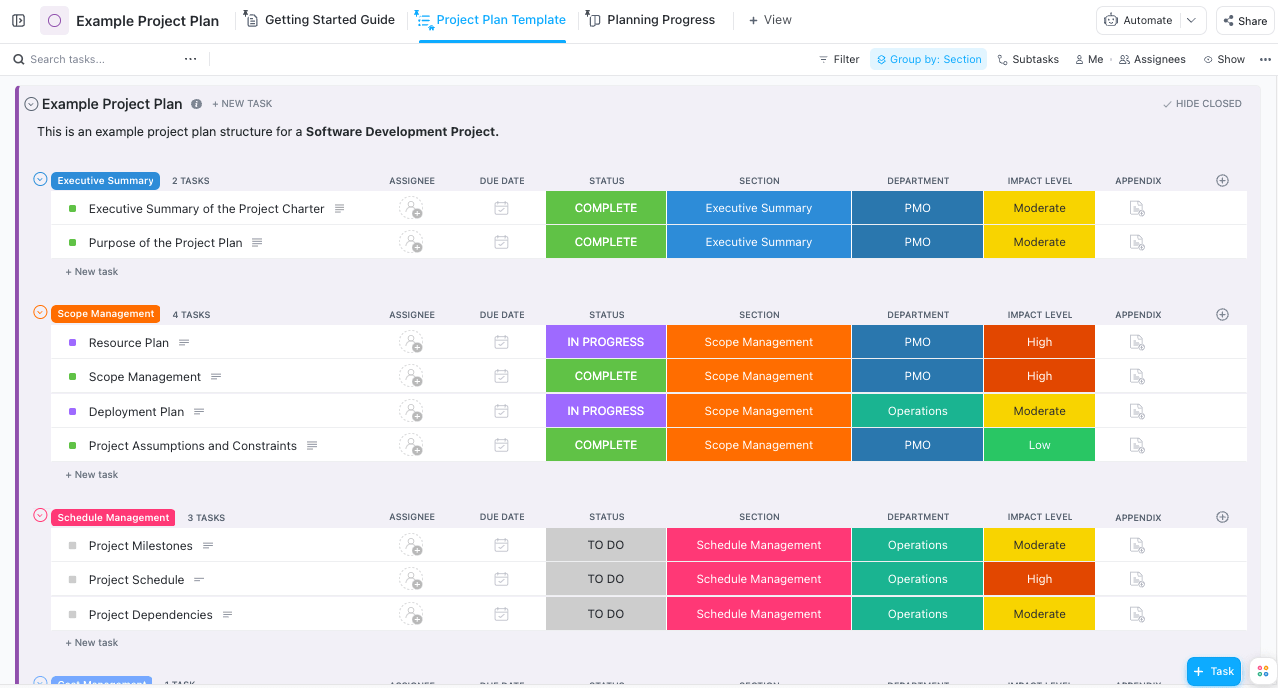
ClickUp's pitch is that you can build almost anything: docs, whiteboards, timers, custom statuses and dashboards in a single workspace. That freedom is the appeal and the risk. Without a named owner, workspaces drift into a tangle of custom fields nobody remembers adding, and someone quietly becomes a part-time administrator. For billing and retainers, expect to connect another system or build the logic yourself.
One practical test: ask who on your team would maintain it. If the answer is "whoever has time," a more opinionated tool will serve you better than a blank canvas.
4. Celoxis
Best for IT, engineering and consulting teams that plan projects in detail.
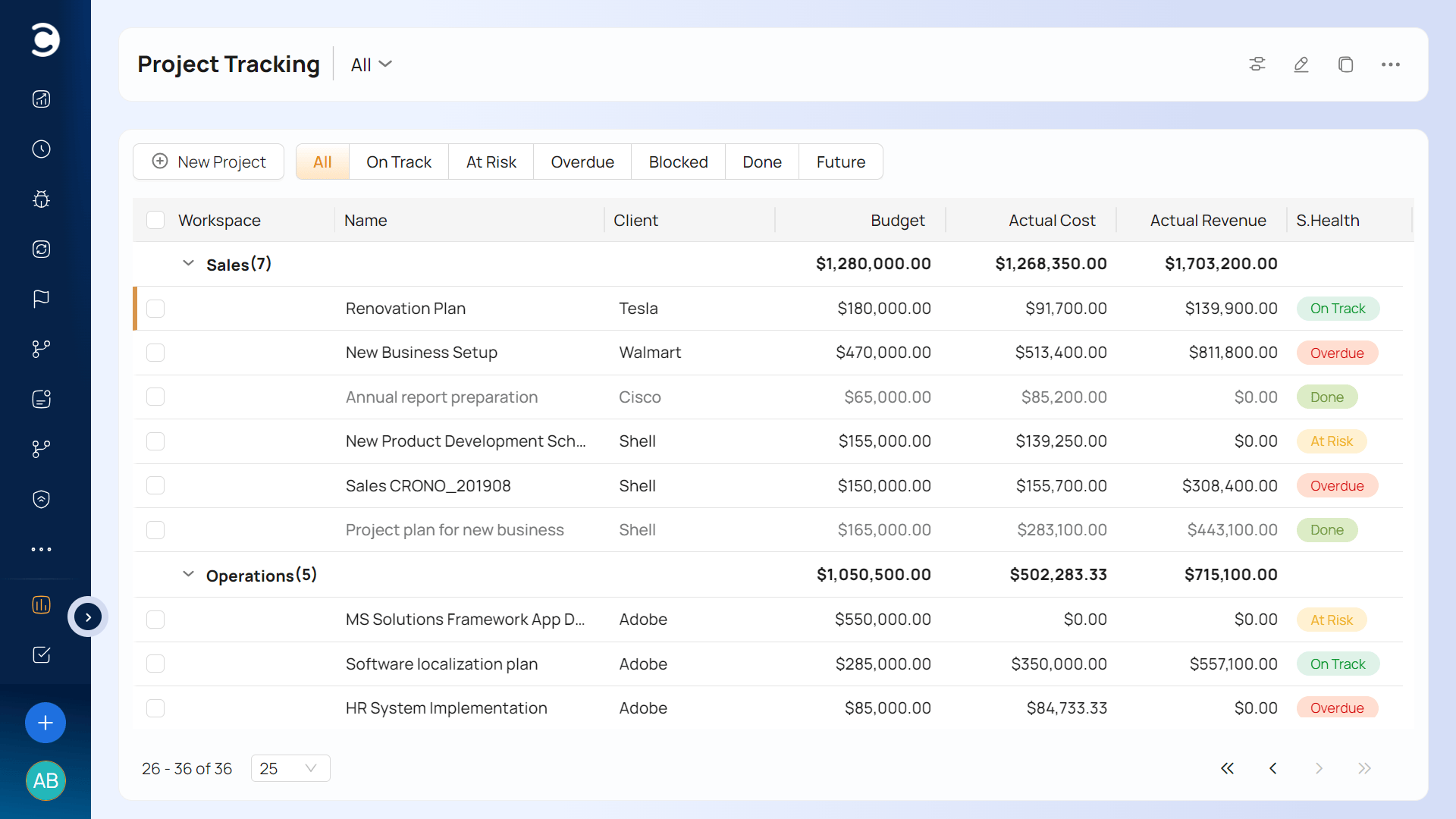
Celoxis leans toward planning rigor: Gantt-driven scheduling, resource loading and portfolio views that project offices like. G2's side-by-side listing shows its Core tier at $10 per user per month, half of BigTime's listed starting plan, which makes it one of the cheaper serious options here on paper. It will feel heavy to a ten-person creative shop that mostly wants to know who's free on Thursday.
5. Basecamp
Best as a communication hub for teams that don't bill by the hour.
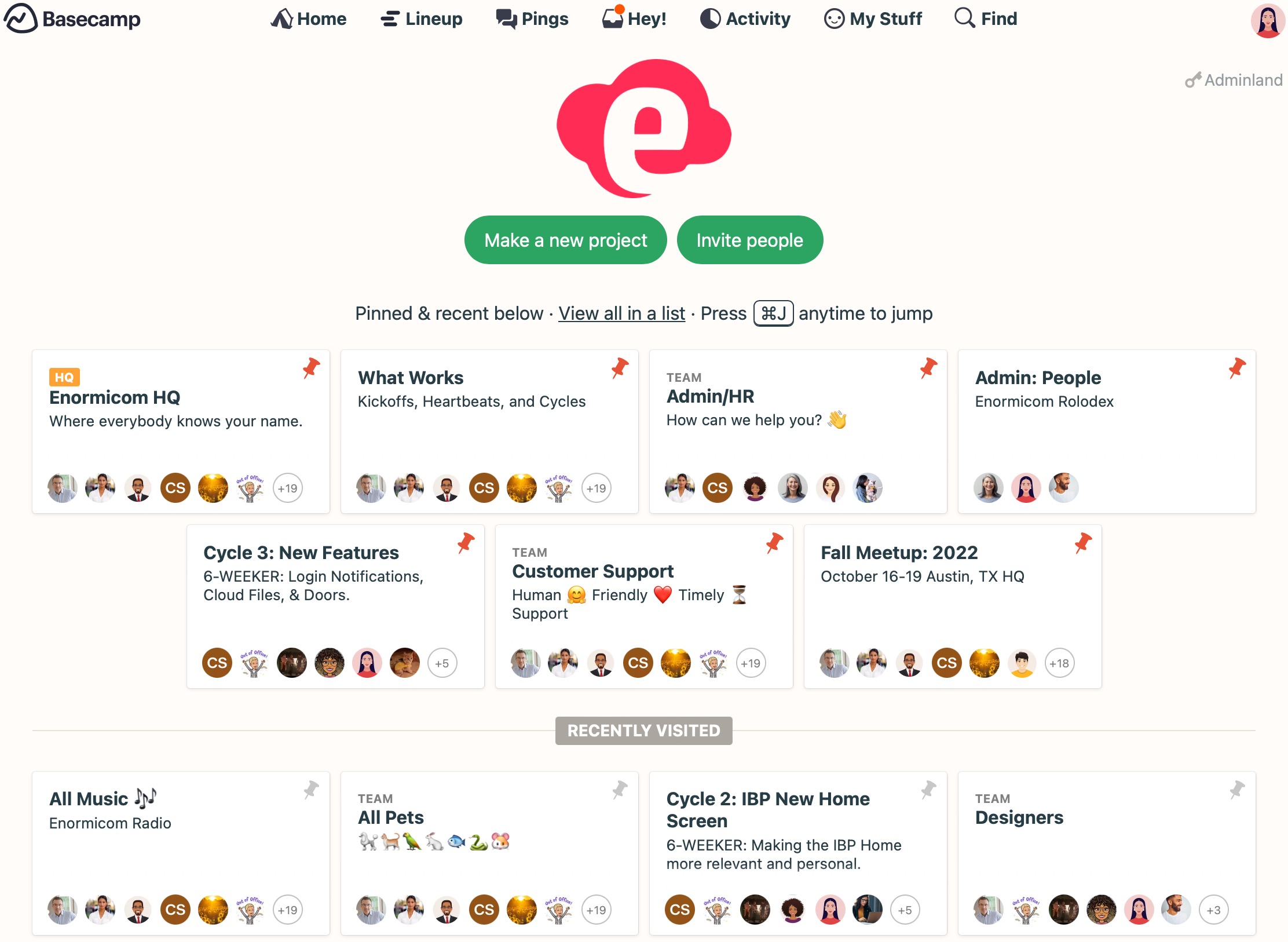
Basecamp is deliberately small: message boards, to-dos, schedules and file storage, plus a flat-rate plan for unlimited users that gets cheaper per head as you grow. The trade-off is blunt, and one review notes it falls short on budgeting, time tracking and invoicing. For an agency that means a separate timer, a separate invoicing tool and probably a spreadsheet, at which point the flat price covers less than it appears to.
6. BigTime
Best for firms where the timesheet is the product.
BigTime starts from the hours. Timesheets, expenses and billing sit at the center, with a QuickBooks integration, which is why consultants, architects and accountants have used it for years. Entry pricing sits around $20 per user monthly. The question to settle in a demo is forward-looking: can you see staffing and budget burn against next quarter's pipeline, or only against what's already been logged?
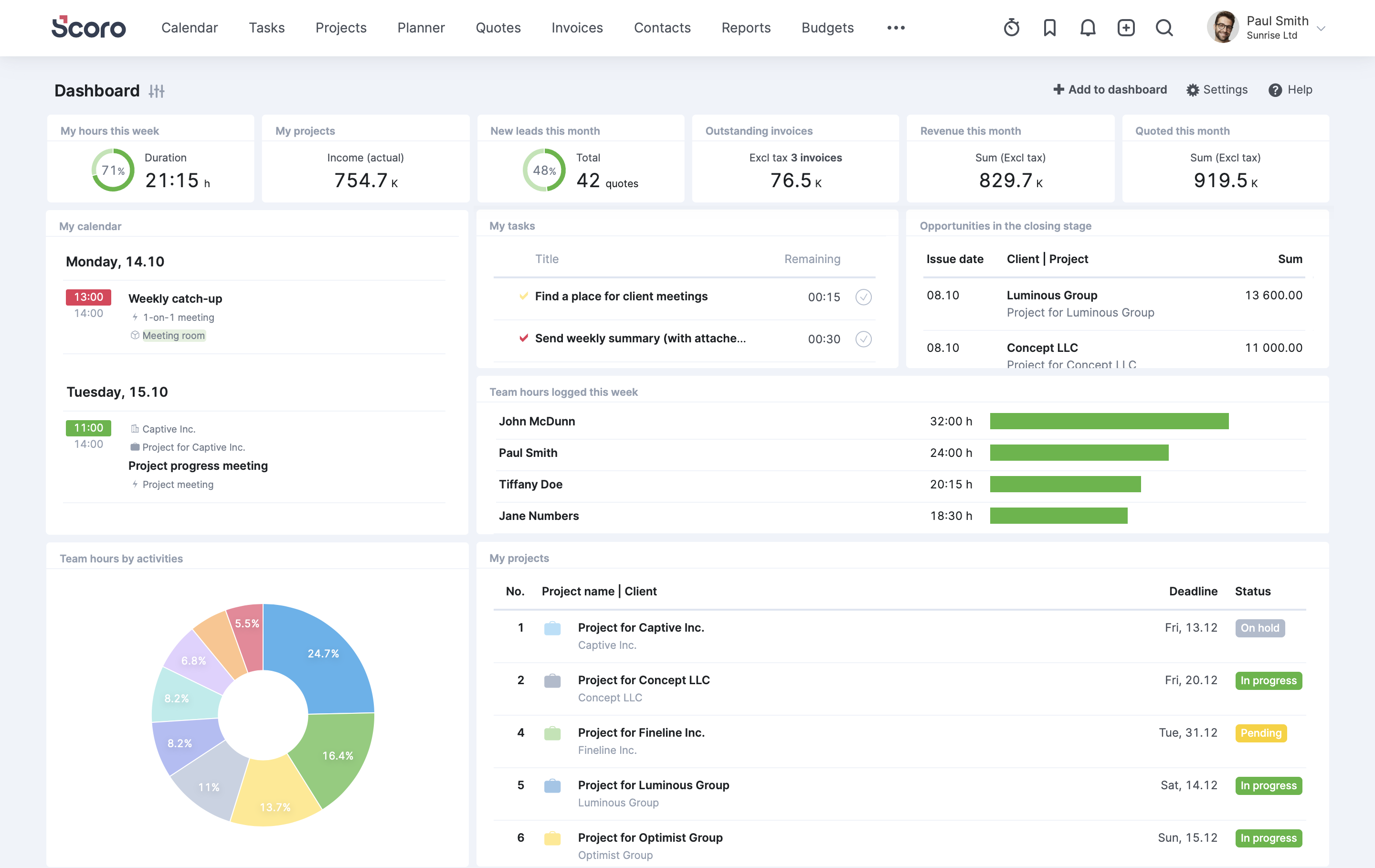
7. Scoro
Best for growing firms ready to replace several tools at once.
Scoro bundles quotes, projects, resource scheduling, billing and reporting for agencies and consultancies, and it publishes tiered plans rather than hiding them behind a sales call. Its selling point is comparing estimates against actuals as the work happens. Expect setup effort to scale with how much you switch on, and read the plan details closely, because features you assume are included can sit in higher tiers. If you want the quote-to-invoice chain in one system, it's one of the closest matches to Ravetree on this list.
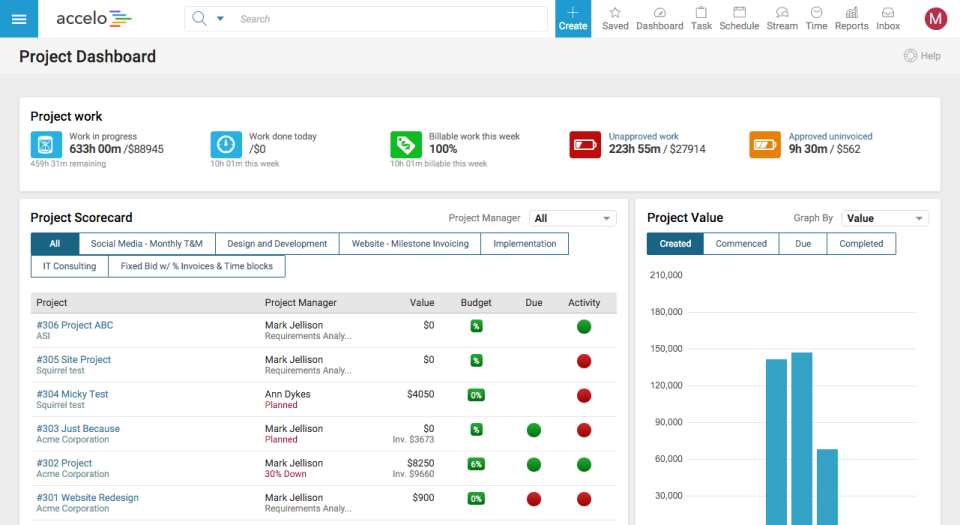
8. Accelo
Best for service firms with recurring work and a sales process worth tracking.
Accelo treats an engagement as a chain: opportunity, quote, project or retainer, invoice. That quote-to-cash framing is its strength. Pricing is the friction point, because all four tiers are listed as contact-sales, so budgeting means booking a call. The same roundup names reporting as the most common reason firms outgrow it, so ask to see the executive-level reports you'd actually use.
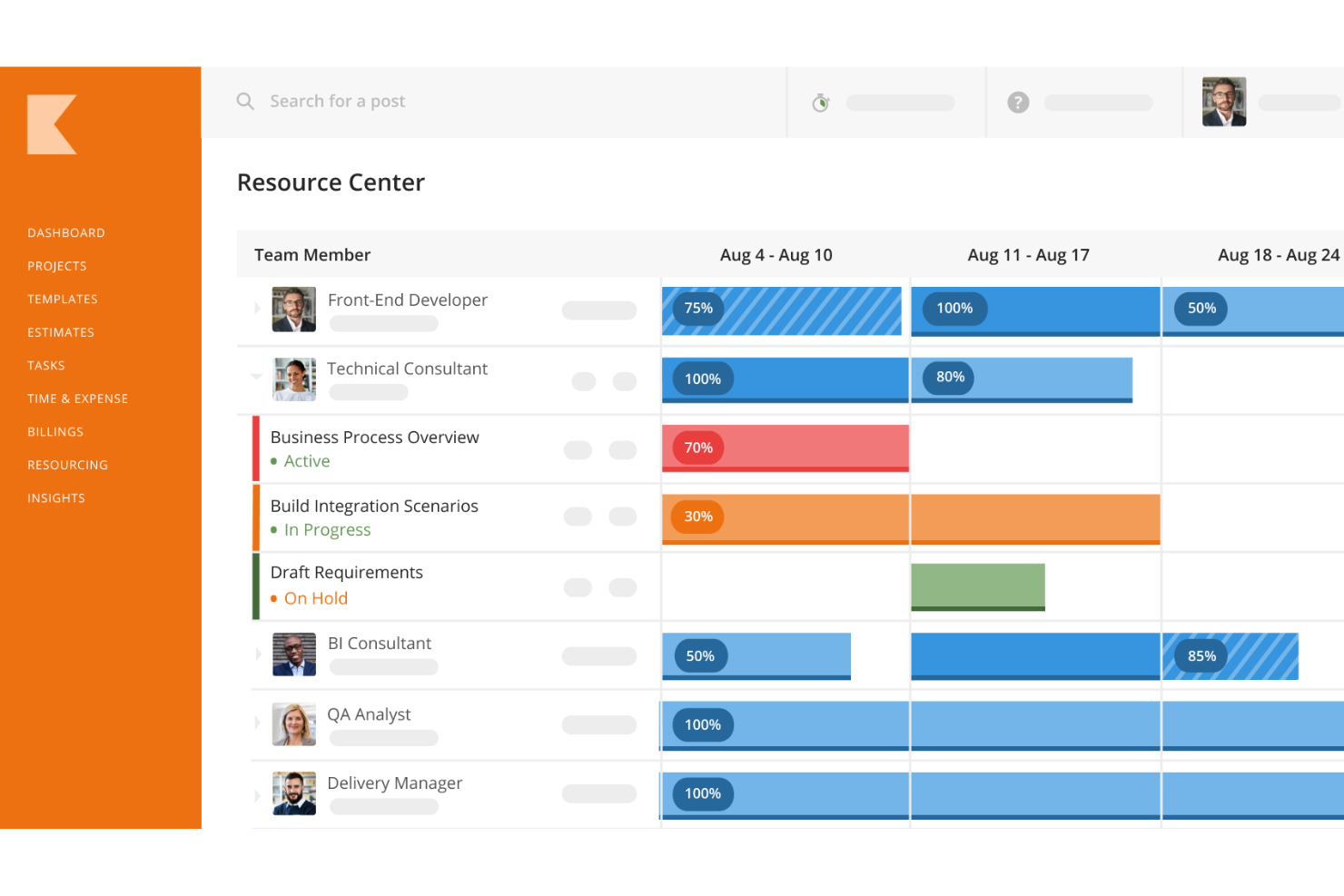
9. Kantata
Best for larger consultancies with a dedicated operations team.
Kantata is the enterprise end of professional services automation. It was formed when Mavenlink and Kimble Applications merged, and the combined company launched under the Kantata name in May 2022. The heritage shows in its focus on resource management and financial controls for big billable workforces. A 20-person agency would be buying a freight train to cross town, and you should budget real time for implementation.
10. Synergist
Best for UK and European agencies that run on Xero.
Synergist is agency management software with British roots, and it shows in the details. G2 lists pricing in pounds, including a lightweight timesheet-only user at £13 a month, a sensible way to price the designer who just logs hours. Reviewers praise its support and its Xero connection for invoicing, and one notes it can feel overcomplicated for people who use it for only a few tasks.
11. Monday
Best for creative and marketing teams that want visual workflows and already have finance tools.
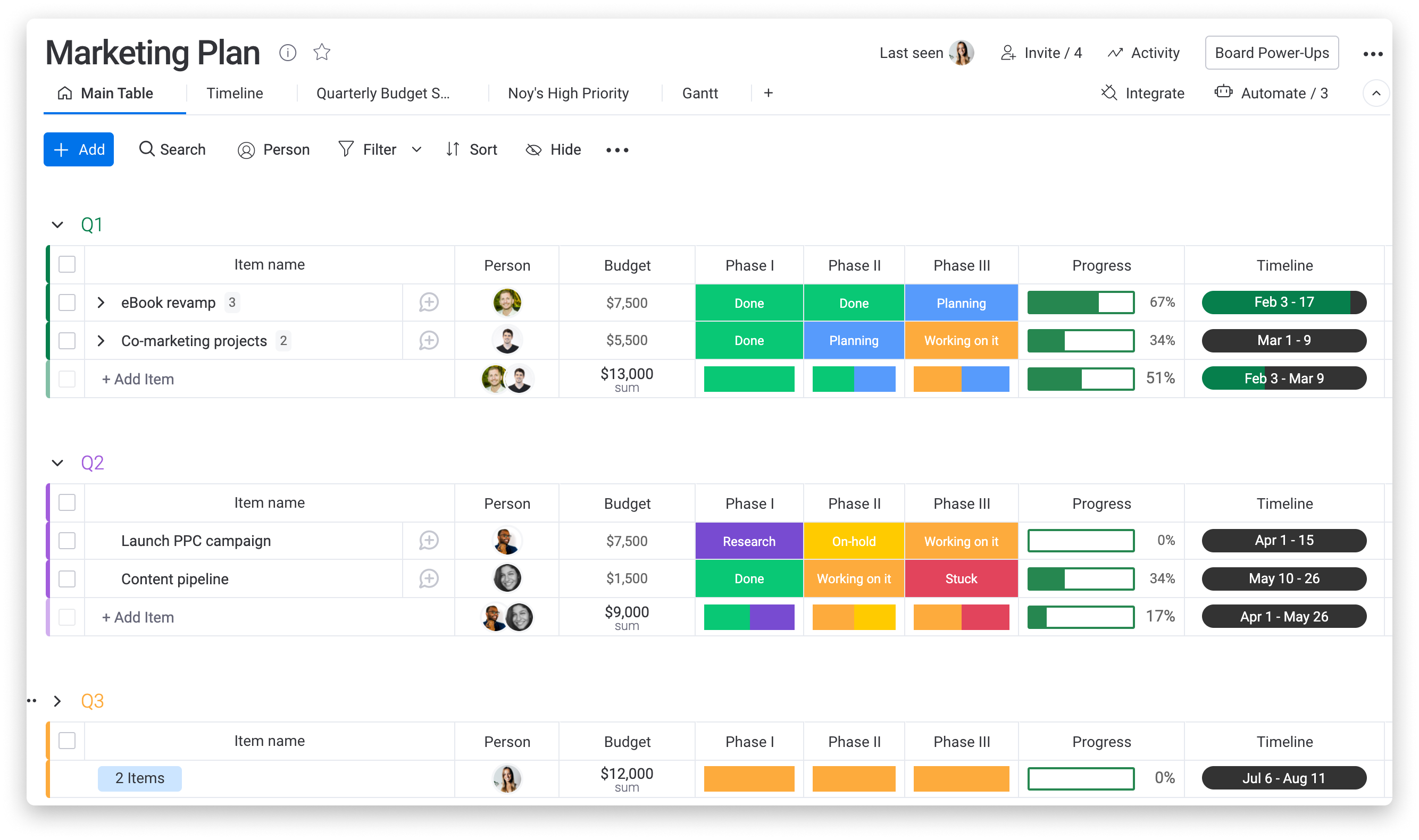
Monday makes work visible: color-coded boards, easy automations, and a friendly learning curve for non-technical staff. Financial depth isn't the pitch. Billing usually lives elsewhere, and paid plans start at three seats; one comparison lists $12 per user with a three-seat minimum. If your account managers live in spreadsheets, it's a gentle upgrade. If your finance lead lives in spreadsheets, it isn't.
12. Smartsheet
Best for PMOs and internal delivery teams.
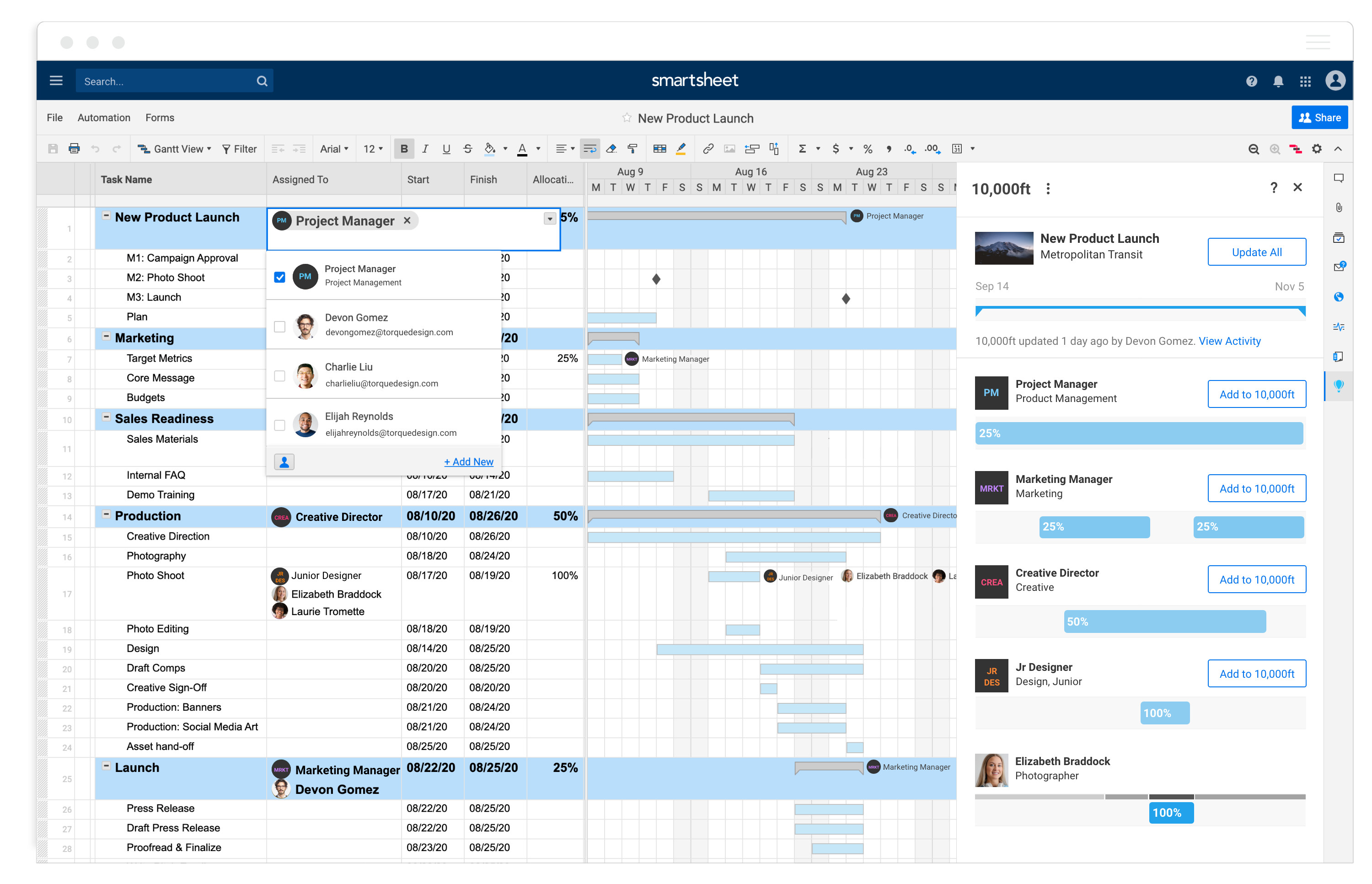
Smartsheet is a spreadsheet that learned about projects: grids, Gantt views, forms and dashboards built on a model finance and PMO staff already understand. It suits portfolio reporting and structured processes in operations-heavy organizations. For an agency billing clients, it's a coordination layer rather than a billing system, so the margin math stays outside and you'll want something alongside it.
Three ways firms pick the wrong replacement
Choosing by demo polish. A vendor's sample project is always clean. Your real one has a client who changes scope on day nine and a freelancer billing through a purchase order. Bring your messiest engagement to the demo and watch what the tool does with it.
Buying for the loudest team. Project managers want Gantt charts, account managers want a CRM, finance wants invoices. The Wrike alternatives that work are usually the ones where finance and delivery sign off together, because the hours entered by one group become the invoices sent by the other. If only one department evaluates the tool, the other two will route around it.
Replacing everything at once. An all-in-one platform doesn't mean a big-bang launch. Start with the pain, whether that's time tracking or capacity, and add modules as the team trusts the data. Firms that turn on every feature in week one tend to get inconsistent timesheets, and bad hours poison every report downstream.
What the price tags don't tell you
Per-user prices are the least useful number on any page of Wrike alternatives, and it's easy to compare the wrong ones. Three patterns matter more.
First, seat rules. Wrike's Team tier tops out at 15 users, Monday's paid plans start at three seats, and Accelo won't publish a figure at all. A tool that looks cheaper at five people can cost more at sixteen.
Second, the stack you'd still need. Basecamp's flat rate looks like a bargain until you add a timer and an invoicing tool. Put the whole bundle on one line when you compare, not just the project tool.
Third, the people-hours of switching. Plan on a few weeks of parallel running, one person responsible for templates, and a clear cutoff date for the old system. The subscription is usually the smaller cost. Firms that skip the cutoff end up running two systems for a year.
How to choose without a six-month trial
Skip the feature checklist and run one test. When you narrow your Wrike alternatives to two or three, pull the last project your firm closed and enter its budget, rates and logged hours into each tool on your shortlist during the trial. Then ask a single question: can you see the margin without exporting anything? The services-automation options on this list (Ravetree, Scoro, Accelo, Kantata, BigTime and Synergist) are built to pass. The coordination tools are often excellent at something else.
From there, match the rest to your situation:
- You bill by the hour or in phases and need margin visibility: start with Ravetree, Scoro, BigTime and Synergist.
- You run a large services organization with an operations team: look at Kantata, and at Celoxis if detailed planning is the priority.
- Coordination is the problem and billing already works: Asana, ClickUp, Monday, Smartsheet or Basecamp, depending on how structured your work is.
- You need a price before you commit: Accelo lists no public prices, so plan for a call.
Match the tool to the question you can't answer today
The 12 Best Wrike Alternatives to Consider fall into two camps: tools that coordinate work and tools that account for it. If your unanswered question is who's doing what, stay in the first camp. If it's whether the work made money, look at the second, and start with Ravetree, Scoro or Synergist. Run your last closed project through two of them this week. Whichever hands you a margin number first is your answer, and you'll have found it without reading another round of Wrike alternatives lists.
Frequently Asked Questions
Which Wrike alternatives include billing and invoicing?
Ravetree, Scoro, BigTime, Accelo, Kantata and Synergist all cover billing as part of the product. Asana, ClickUp, Monday, Smartsheet and Basecamp generally need a separate system for invoices.
Will my history move over if I switch?
Most tools import tasks and projects from CSV files, but comments and approval history rarely transfer cleanly. Move active projects first and keep closed ones archived.
When is a task tool no longer enough for a service firm?
A good trigger is when someone rebuilds project margin in a spreadsheet every month. At that point the missing piece is financial, not organizational.
What should I ask for in a demo?
When you evaluate Wrike alternatives, ask each vendor to enter a fixed-fee project and a retainer, log hours against both, and produce an invoice and a margin report on screen. Anything that needs an export is a gap.