
Key takeaways:
- Accelo's most common complaints on G2, Capterra and other review sites are a steep learning curve, a dated interface, limited reporting and customization, a weak mobile app and quote-only pricing with seat minimums.
- Ravetree is the best overall Accelo alternative, offering CRM, projects, resource planning, retainers, invoicing and client portals in one plan with every feature and free onboarding included.
- BigTime, Scoro and Productive are strong for billing and financial visibility, while Celoxis and Kantata suit larger organizations that need deep scheduling and resource planning.
- Teamwork excels at collaborative project delivery and Workamajig serves traditional creative agencies, but neither fully replaces Accelo's all-in-one scope as easily as Ravetree.
What Is Accelo?
Accelo is a cloud-based professional services automation (PSA) platform built for agencies, consultancies, IT firms and other client-services businesses. Formerly known as AffinityLive, it combines CRM and sales pipeline management, project delivery, retainers, client service tickets, time tracking and invoicing in one system. The idea is simple: instead of stitching together a CRM, a project tool and an accounting add-on, a services firm can run the whole client lifecycle from quote to cash in a single place.
The platform is modular, so firms can adopt Sales, Projects, Retainers, Tickets and Billing individually or as a bundle. In 2026 Accelo has leaned further into forecasting and AI-assisted planning, adding revenue forecasts and capacity planning to its pitch. It also integrates with popular tools such as QuickBooks, Xero, Gmail, Outlook and Salesforce, which is a big part of its appeal for firms that live in email all day.
Accelo is well regarded overall. It holds a 4.3 out of 5 rating on G2 from more than 680 reviews and a 4.5 out of 5 rating on Capterra. Reviewers often praise its all-in-one design, automation and responsive support. But a closer look at the critical reviews shows a consistent set of frustrations, and those are exactly why so many service firms go looking for an alternative.
If you're already weighing a switch, our head-to-head guide on Ravetree vs Accelo and our shorter roundup of the top 5 Accelo alternatives for professional services and agencies are good companions to this article.
Common Accelo Complaints
We reviewed user feedback on G2, Capterra, GetApp, Software Advice and TrustRadius. Most reviewers like what Accelo is trying to do, but the same complaints come up again and again.
1. A steep learning curve and long implementation. G2's own review summary groups "Learning Curve" and "Complexity" among Accelo's most-cited cons, and reviewers report an average implementation time of about two months. Several users say it took them two to three months, or in one case "the better part of a year," to get fully comfortable. For a busy agency, that is a long time to run in parallel systems.
2. A dated, cluttered interface. Because Accelo packs so many modules into one product, reviewers describe the interface as busy and not always intuitive. One long-time G2 reviewer went further, saying the UX feels years out of date and that new development moves slowly. Others mention small but daily annoyances, such as being sent back to the top of the page after logging a time entry.
3. Missing and limited features. "Missing Features" is the single most-mentioned con on G2. Users point to gaps such as no "save as draft" option for emails, limited scheduling and calendar views, and estimates that don't sync to QuickBooks the way invoices do.
4. Limited customization and clunky reporting. Reviewers want more control over reports and dashboards. Common complaints are that report descriptions don't make clear what a report will include, that some reports can't be simplified to the data you actually need, and that workflows are hard to tailor for firms with unusual processes or multiple business entities.
5. Glitches and reliability issues. A number of reviews mention bugs, from activity streams that don't appear until the page is refreshed to task start times that behave unpredictably. Automation triggers are powerful, but one reviewer noted that testing them caused irreversible problems in their data.
6. A weak mobile app. On GetApp and Software Advice, users repeatedly say the mobile app falls well short of the web version. For teams that need to log time or check project status on the go, that matters.
7. Opaque pricing and minimum seat requirements. Accelo has moved its pricing behind a "request pricing" form, and plans carry three- to five-user minimums. Some reviewers, especially at smaller firms, say the product was simply too expensive for them, and others note that onboarding and implementation fees add to the total.
None of this means Accelo is a bad product. But if your team is struggling with adoption, reporting, cost or day-to-day usability, there are strong alternatives worth a look.
The 8 Best Accelo Alternatives
1. Ravetree: The Best Overall Accelo Alternative
Ravetree is an all-in-one work management and PSA platform built for agencies, consultancies, architecture and engineering firms, IT services companies and other client-service businesses. Like Accelo, it covers the full client lifecycle: CRM and sales pipelines, proposals and estimates, project management, resource planning, time tracking, expense tracking, retainers, purchase orders, billing and invoicing, and client portals. The difference is how it delivers all of that. Ravetree is designed to be visual and approachable, so teams can get productive quickly instead of spending months on configuration.
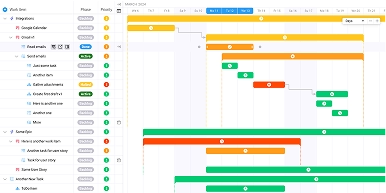
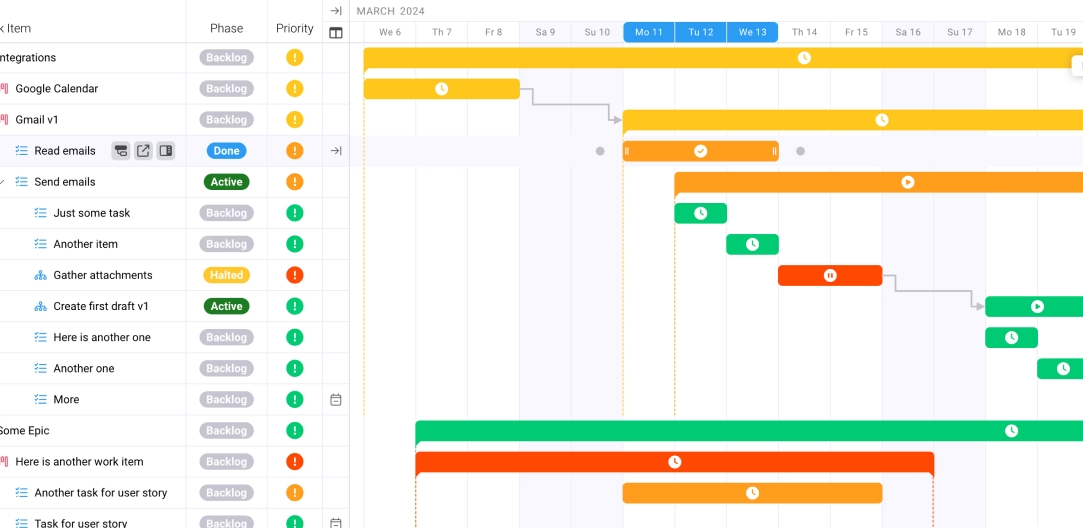
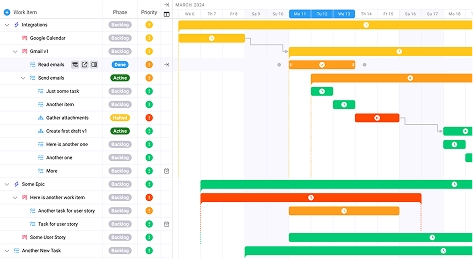
Project management is where Ravetree really pulls ahead of Accelo's dated interface. Teams can run traditional and Agile projects side by side, switching between Gantt charts, Kanban boards, lists and calendars within the same project. Gantt timelines connect directly to resource calendars, so project managers see task dependencies and team availability in one view. Customizable request forms let internal teams and clients submit new work in a structured way, and built-in file management and proofing keep feedback and approvals attached to the right task.
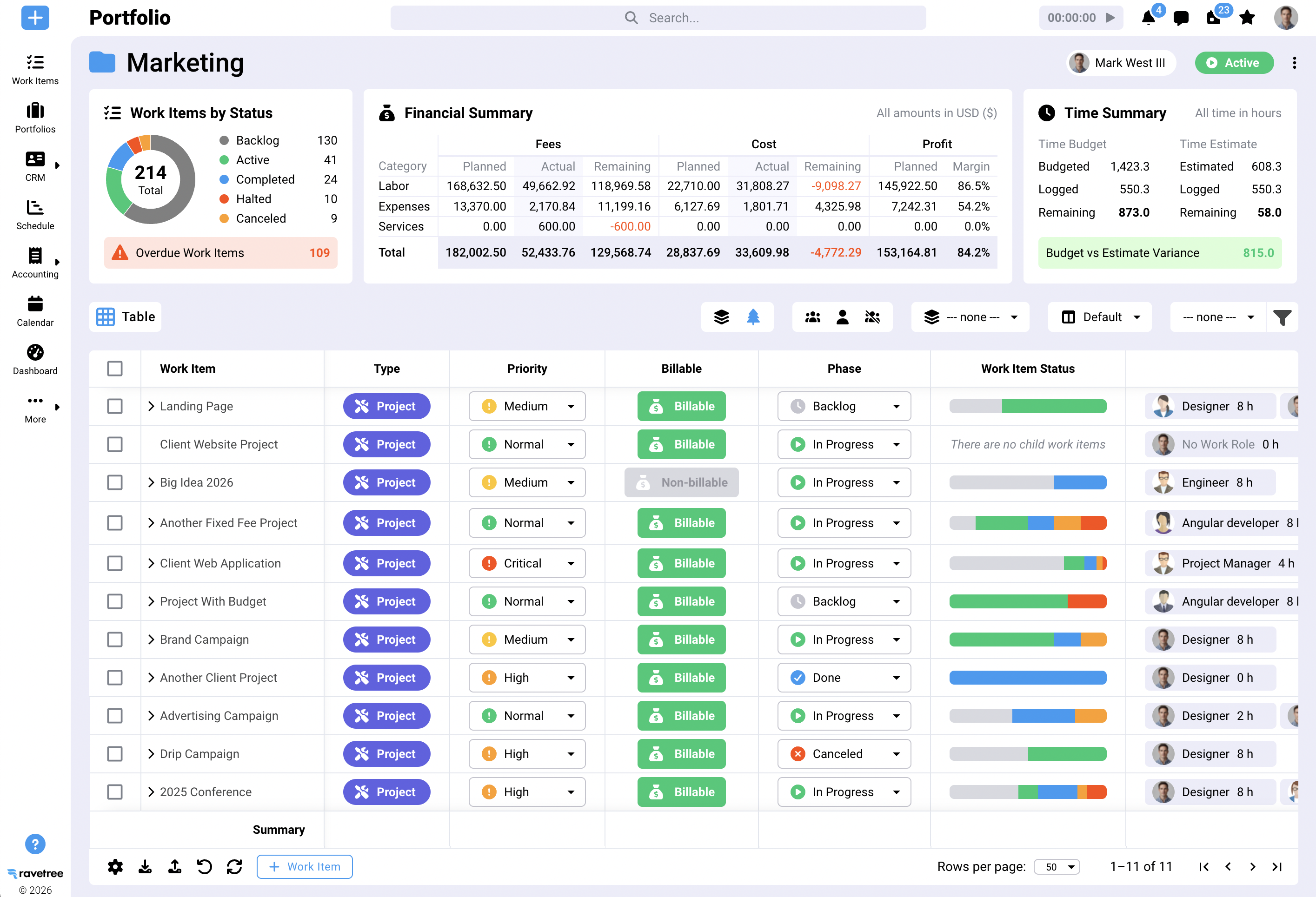
Ravetree also addresses several of Accelo's most common complaints head-on. Its resource planning tools forecast capacity against both current projects and tentative work in the sales pipeline, helping firms make smarter hiring and scheduling decisions. Financial dashboards show real-time budget burn and margin at the project, client and team-member level, and automated budget alerts flag problems before they turn into write-offs. Instead of fighting with rigid reports, managers get the profitability and utilization data they need without trial and error.
Pricing is another major advantage. Where Accelo hides its pricing behind a quote request and splits features across tiers with seat minimums, Ravetree offers a single plan that includes every feature. According to Capterra, it costs $39 per user per month billed monthly, $34 billed quarterly or $29 billed annually, with a $20 rate for non-profits. Onboarding, training and ongoing support are included free, and implementation is typically much faster than Accelo's multi-month rollouts.
Users notice the difference. Ravetree holds a 4.5 out of 5 rating on Capterra, with reviewers frequently praising its holistic feature set and responsive support, and G2's Accelo vs Ravetree comparison notes that Ravetree earns higher overall satisfaction scores. If you want Accelo's breadth without its learning curve, cluttered UI and opaque pricing, Ravetree is the strongest option on this list. For a deeper dive, read our full Ravetree vs Accelo comparison.
2. BigTime
BigTime is a professional services automation platform with deep roots in time tracking and billing. It serves accounting, architecture, consulting, engineering and IT services firms, and its core strength is turning logged hours into accurate invoices. Teams can manage complex billing rates, approvals, expenses and project budgets, and the platform integrates tightly with accounting tools such as QuickBooks.
For firms whose biggest Accelo frustration is billing, BigTime is worth a close look. It handles multiple rate structures, multi-currency invoicing and detailed budget-versus-actual reporting well. G2 reviewers consistently praise its ease of use for timesheets and expense entry, and it holds a 4.5 out of 5 rating on G2 from more than 1,700 reviews. That large, satisfied user base is a good sign for firms that want a proven, stable tool.
Pricing is more transparent than Accelo's, at least at the entry level. According to Capterra, BigTime's Essentials plan starts at $20 per user per month and covers time tracking, rate management, approvals, expenses and basic project management. Higher tiers (Advanced, Premier and Enterprise) require a quote, and capabilities such as Quotes, Resource Management and Data Hub are sold as add-ons. That means the true cost for a full PSA setup can climb quickly.
BigTime has its own weaknesses. G2 reviewers mention missing features, especially around reporting options and documentation, along with occasional bugs, limited customization and a learning curve for project management workflows. It also lacks the built-in CRM and client-facing collaboration tools that Accelo users may rely on, so many firms end up pairing it with separate sales and project tools. You can see how it compares with another option on this list in our BigTime vs Scoro breakdown.
BigTime is a solid choice for accounting, engineering and consulting firms that care most about time, rates and invoicing. If you need a broader platform with CRM, visual project management and resource planning included in one price, Ravetree is the stronger fit; our Ravetree vs BigTime comparison explains why, and our list of the 12 best alternatives to BigTime covers more options.
3. Celoxis
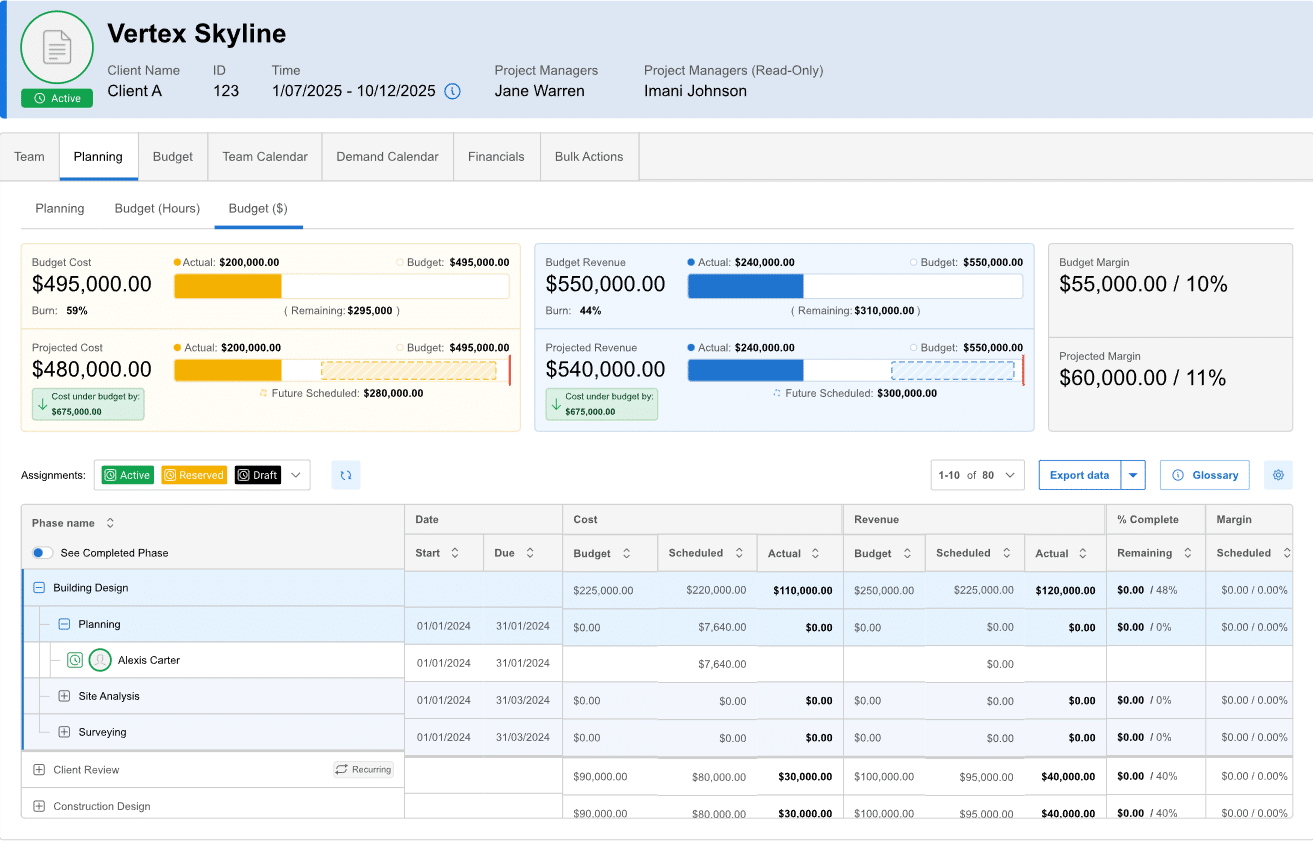
Celoxis is a project portfolio management (PPM) and PSA platform that has been around since 2001. It is aimed at mid-sized and larger organizations that run many projects at once and need tight control over schedules, resources and budgets. Its feature set includes advanced Gantt scheduling with dependencies and baselines, resource management, timesheets, project financials, portfolio dashboards, workflow automation and a client portal.
Celoxis's biggest strength is depth. It can handle complex scheduling scenarios, split and recurring tasks, and portfolio-level reporting that many lighter tools can't match. Reviewers on Capterra frequently highlight the visibility it provides across projects, resources and budgets, and they note that it is customizable enough to fit fairly specific processes. It is also one of the few tools on this list offering both cloud and self-hosted deployment, which can matter for organizations with strict data requirements.
Pricing is published and relatively affordable for the depth on offer. According to Capterra, the Essential plan costs $25 per user per month, Professional is $35 and Business is $45, with a free trial available. That transparency is a welcome contrast to Accelo's quote-only model, though advanced analytics and financial features push most service firms toward the higher tiers.
The trade-off is usability. On G2, "Learning Curve" and "Steep Learning Curve" are the most-cited cons, and reviewers often describe the interface as cluttered, dated or not intuitive for new users. Several Capterra reviewers also mention issues with the mobile experience and say a dedicated admin or consultant is helpful for configuration. In other words, Celoxis can share some of the same adoption problems that push teams away from Accelo.
Celoxis is a good fit for PMOs and project-heavy organizations that value scheduling power and portfolio reporting over ease of use. It holds a 4.4 out of 5 rating on Capterra from more than 330 reviews. Agencies and smaller service firms that want something their whole team will happily adopt, with CRM, billing and client collaboration built in, will likely find Ravetree a better match.
4. Kantata
Kantata is the company formed by the merger of Mavenlink and Kimble, two well-known names in professional services automation. It is built for mid-sized and enterprise services organizations, such as consultancies, IT services firms and large agencies, that need sophisticated resource management, project accounting and forecasting. Most of its G2 reviewers come from mid-market companies, which says a lot about who it is designed for.
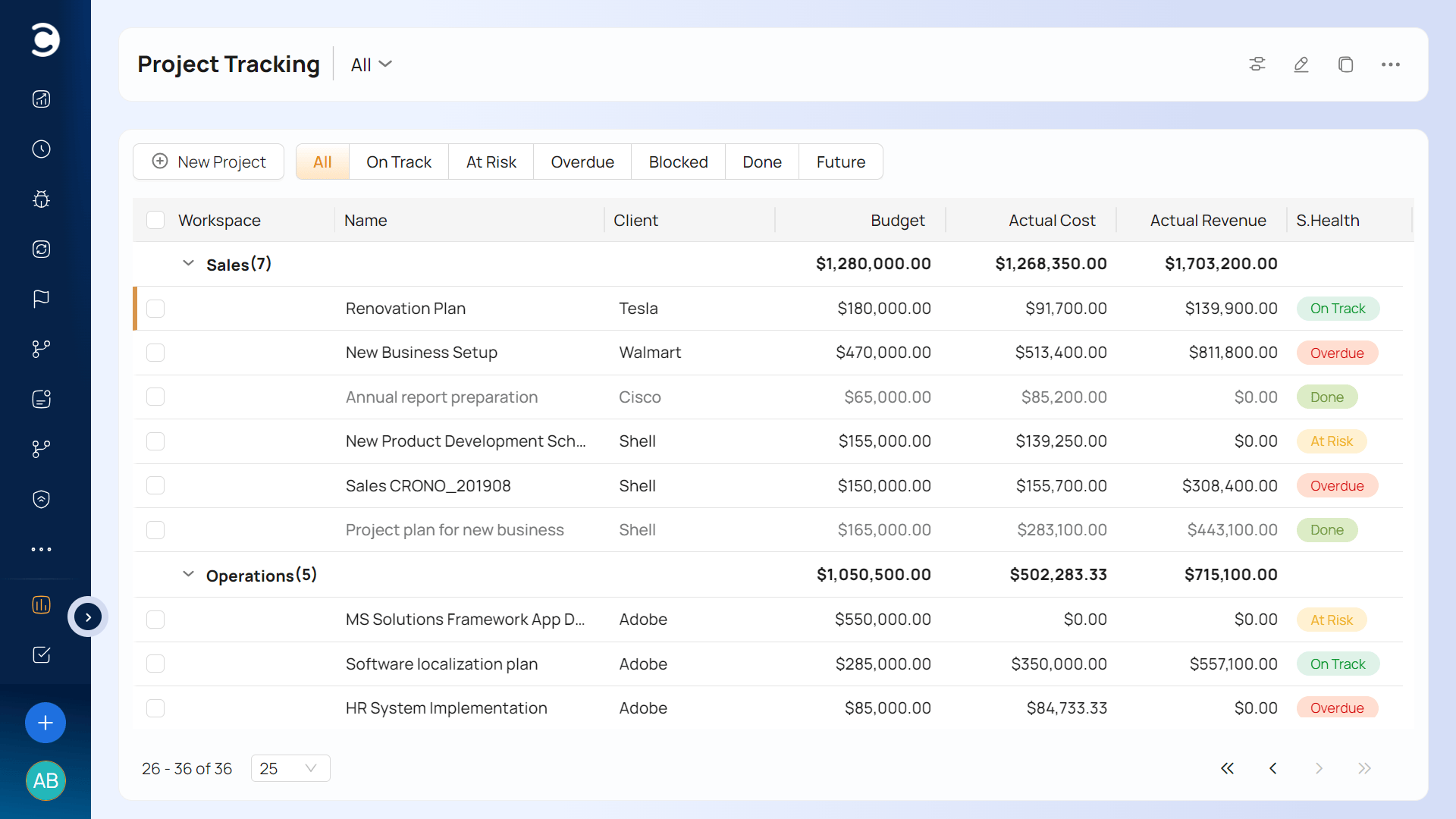
Kantata's standout capability is resource and workforce planning. It offers skills-based staffing, detailed capacity forecasting, rate cards, revenue recognition and portfolio-level financial reporting, along with integrations to major CRMs and ERPs. For large firms that need to optimize utilization across hundreds of consultants, those features can deliver real value, and Kantata has earned recognition from analysts and on G2's Best Software lists.
That power comes with significant cost and complexity. Kantata doesn't publish its pricing, and G2 data shows an average implementation time of about four months and an average return on investment of roughly 16 months, according to its G2 pricing page. Reviewers on GetApp also say it is expensive, especially for smaller businesses. If Accelo's rollout felt long and costly, Kantata is likely to feel even more so.
User feedback reflects that complexity. Kantata holds a 4.2 out of 5 rating on G2 from roughly 1,500 reviews, and its most-cited cons are complex usability, a learning curve, limited customization for reports, slow performance and reporting issues. Those are many of the same pain points that drive firms away from Accelo in the first place. Our guides on Kantata alternatives worth switching to and Kantata vs Productive dig into these trade-offs.
Kantata makes sense for large, process-heavy professional services organizations with the budget and internal resources to support a major implementation. Smaller and mid-sized agencies will usually get faster value from a lighter platform. See how it stacks up in our Kantata vs Teamwork.com comparison and our Ravetree vs Kantata breakdown, which explains why Ravetree is often the more practical choice.
5. Scoro
Scoro is an all-in-one business management platform for agencies, consultancies and other professional services firms. It is one of Accelo's most direct competitors, covering CRM and quoting, project and task management, time tracking, resource planning, invoicing and financial reporting in a single system. G2 lists Scoro as a top-rated Accelo alternative, and the two are frequently shortlisted together.
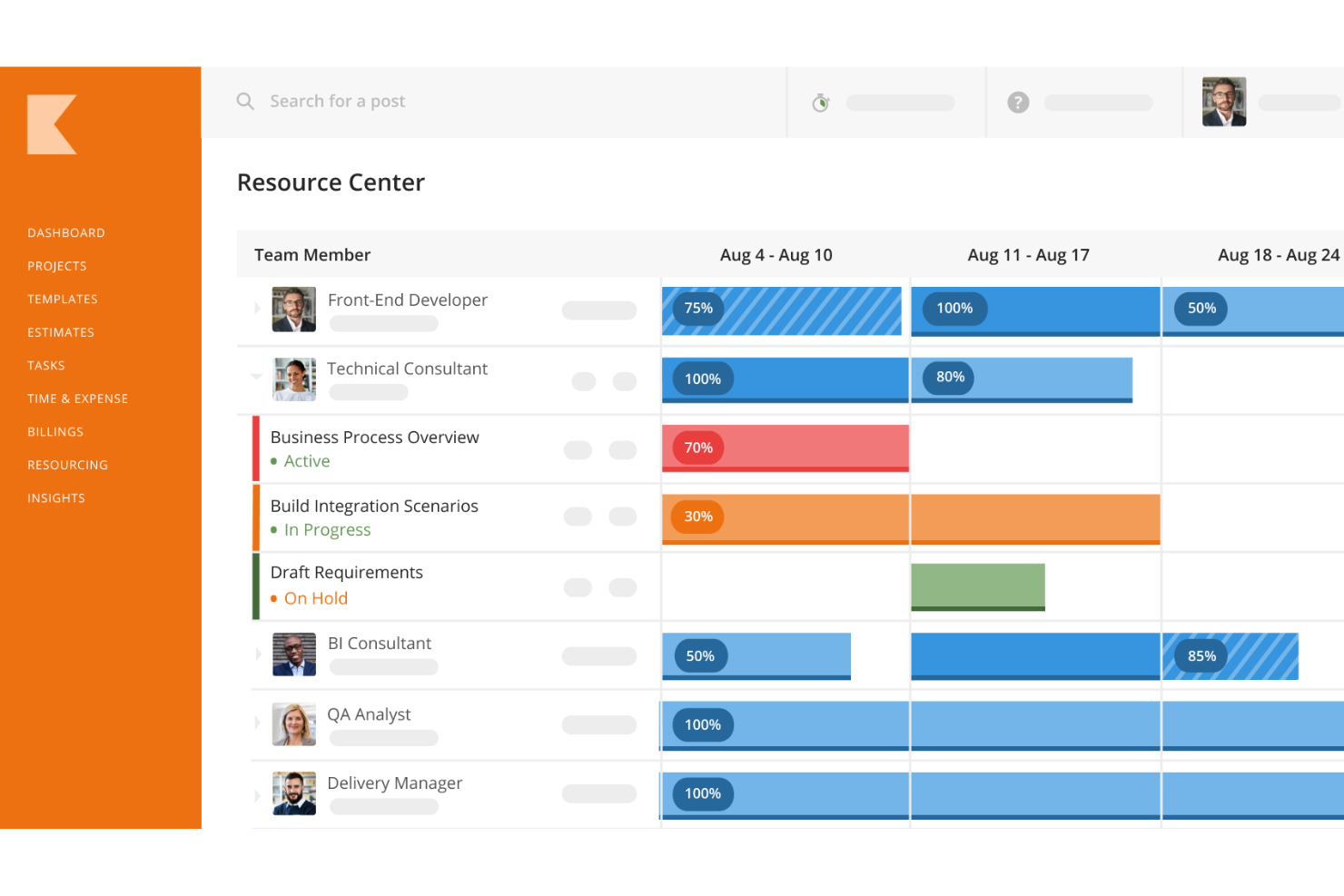
Scoro's strongest suit is reporting. Its customizable dashboards give leadership real-time visibility into budgets, utilization, pipeline and profitability, and reporting is one of the most praised themes in its G2 reviews. It also handles quote-to-cash workflows well, letting firms move from quote to project to invoice without re-entering data, and it connects with more than 40 third-party tools.
Unlike Accelo, Scoro publishes its pricing, but the numbers need a careful read. According to ERPResearch, plans start at $19.90 per user per month billed annually, with a five-seat minimum. Pricing trackers list Growth at around $32.90 and Performance at around $49.90 per user per month on annual billing, with Enterprise quoted separately. Key features like resource planning and advanced reporting sit in the higher tiers, so most agencies end up paying well above the entry price.
Scoro also has a learning curve. On G2, where it holds a 4.5 out of 5 rating from about 500 reviews, "steep learning curve" is its most-cited con, followed by limitations in invoice formatting, contract creation and document handling, plus limited customization. Some reviewers also note the lack of built-in chat and that creative workflows can feel rigid. Our BigTime vs Scoro and Scoro vs Productive comparisons cover these strengths and weaknesses in more detail.
Scoro is a strong pick for data-driven agencies that want powerful dashboards and are willing to pay for the upper tiers. If you'd rather have every feature at one transparent price with free onboarding, Ravetree is the better value; see our Ravetree vs Scoro comparison and our guide to Scoro alternatives worth switching to.
6. Teamwork
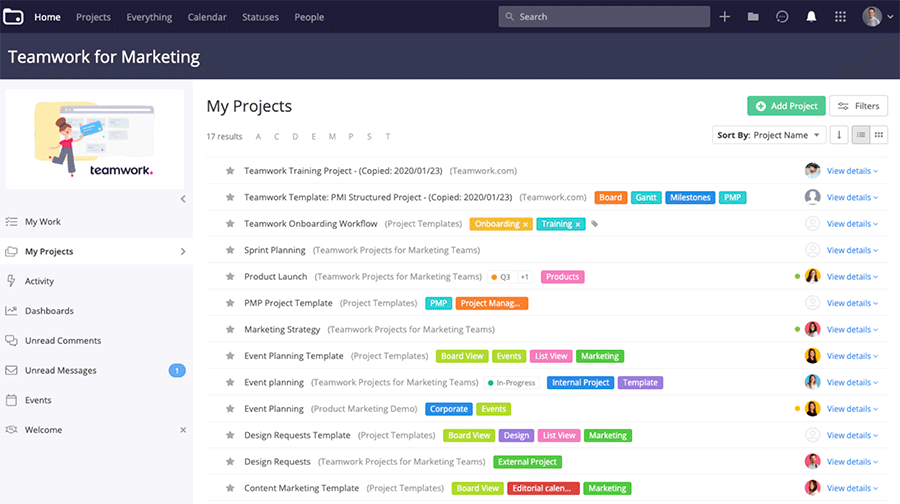
Teamwork.com is a project management platform designed with client-service teams in mind. It started as a task and project tool and has grown to include time tracking, resource scheduling, workload management, project budgets, profitability reporting and client collaboration features. Agencies and professional services teams that care most about day-to-day project delivery tend to find it a natural fit.
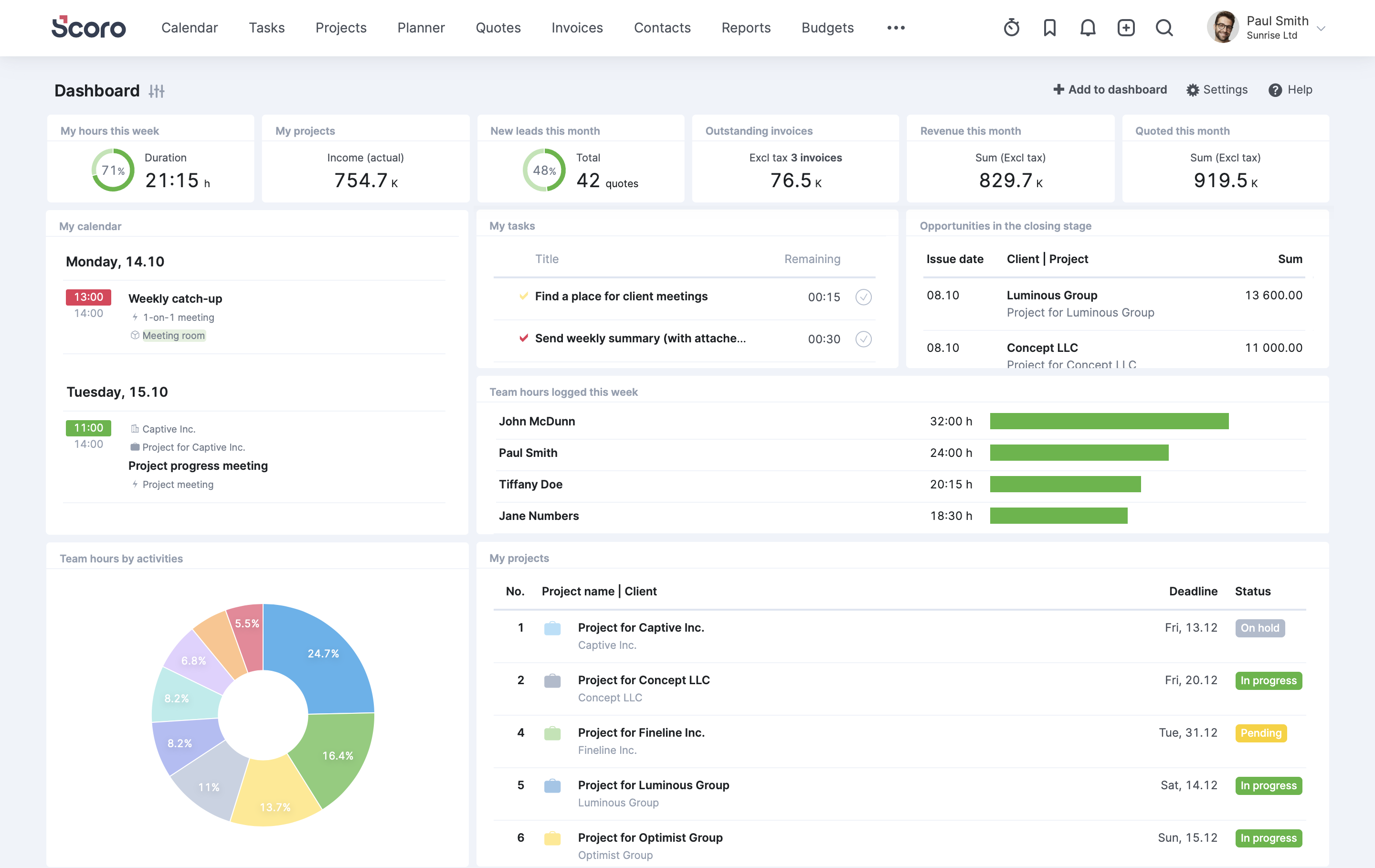
Teamwork's biggest strength is project and task management. Reviewers praise its robust task features, flexible views (lists, boards, Gantt charts and tables), project templates and the ability to invite clients into projects for feedback and approvals. It is well established, with a 4.4 out of 5 rating on G2 from more than 1,200 reviews and a strong presence in Capterra's "Best of" lists for professional services and resource management.
Teamwork is also far more accessible on price than Accelo. G2 lists its entry-level Deliver plan at $10.99 per user per month billed annually, with no long sales process required. The catch is that many of the features a services firm actually needs, such as advanced budgeting, profitability reporting, custom fields and deeper resource planning, live in higher tiers, so the real cost climbs as your requirements grow.
The bigger issue for Accelo users is that Teamwork isn't a full PSA. It doesn't offer the same depth of built-in CRM, quoting and invoicing (Teamwork's CRM is a separate product), so firms often still rely on other tools for sales and billing. Capterra reviewers also mention that the sheer number of features can feel overwhelming, that email integration is limited and that there's no offline access. Our Kantata vs Teamwork.com comparison explores where it fits among heavier PSA tools.
Teamwork is a good option for agencies that mainly need strong project management and client collaboration at an approachable price. If you want project management plus CRM, proposals, retainers and invoicing in one place, Ravetree is the more complete replacement for Accelo. Read our Ravetree vs Teamwork comparison, our case for the best all-in-one Teamwork alternative and our roundup of the 16 best Teamwork alternatives.
7. Productive
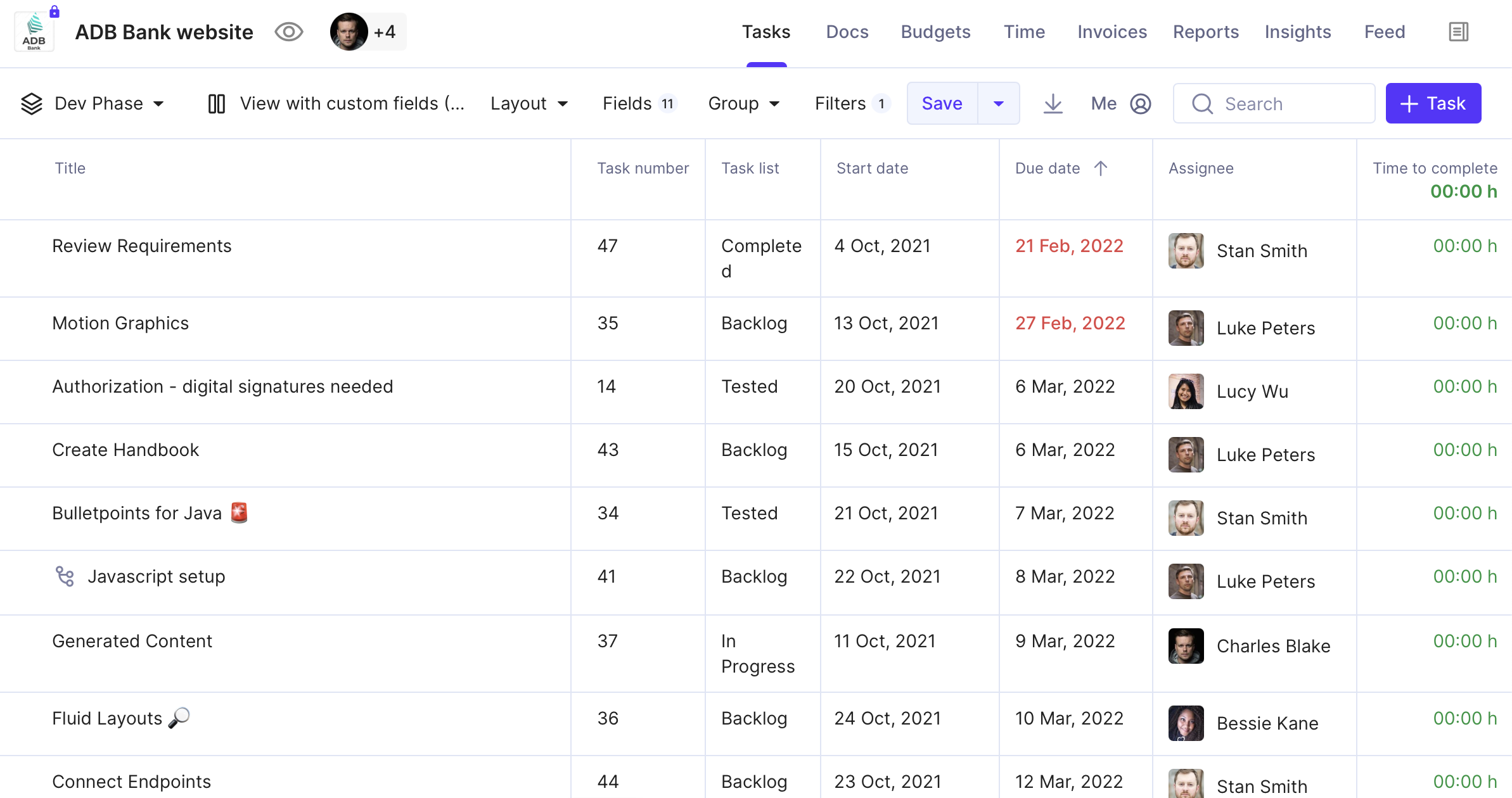
Productive is an agency management platform built primarily for creative, digital and consulting agencies. It brings together project and task management, time tracking, budgeting, resource planning, a sales pipeline, invoicing and profitability reporting. Its focus on agency economics, especially tracking budget burn and margins in real time, makes it a frequent name on Accelo shortlists.
Productive's strength is financial visibility. Reviewers like how clearly it shows budgets, forecasts and the profitability of ongoing projects in a single system, and its higher tiers add revenue forecasting and scenario planning. It also has a modern, clean interface, and G2 users highlight its ease of setup and the responsiveness of its support team. Those qualities directly address the dated-UI complaints that frustrate many Accelo users.
Pricing is published and starts low. According to Software Advice, the Essential plan costs $12 per user per month and includes budgeting, resource planning, project and task management, docs and time tracking. The Professional plan is listed at around $29 per user per month, while Ultimate, which adds forecasting, scenario planning and advanced security, is quote-based. As with several tools on this list, the features agencies need most often sit above the entry tier.
Productive does have gaps. Its review base is relatively small, with a 4.6 out of 5 rating on Capterra from about 100 reviews. Reviewers point to limitations in analytics and reporting (such as net revenue reporting), project planning, the sales board and third-party integrations. Compared with Teamwork, G2 users also rate it lower on task prioritization. Our Kantata vs Productive and Scoro vs Productive articles look at these trade-offs in more depth.
Productive is a strong fit for small and mid-sized creative agencies that want tight budget control in a modern interface. Firms that also need robust client portals, request intake, purchase orders and all features at one flat price will get more from Ravetree. See our Ravetree vs Productive comparison and our list of the 8 best alternatives to Productive.
8. Workamajig
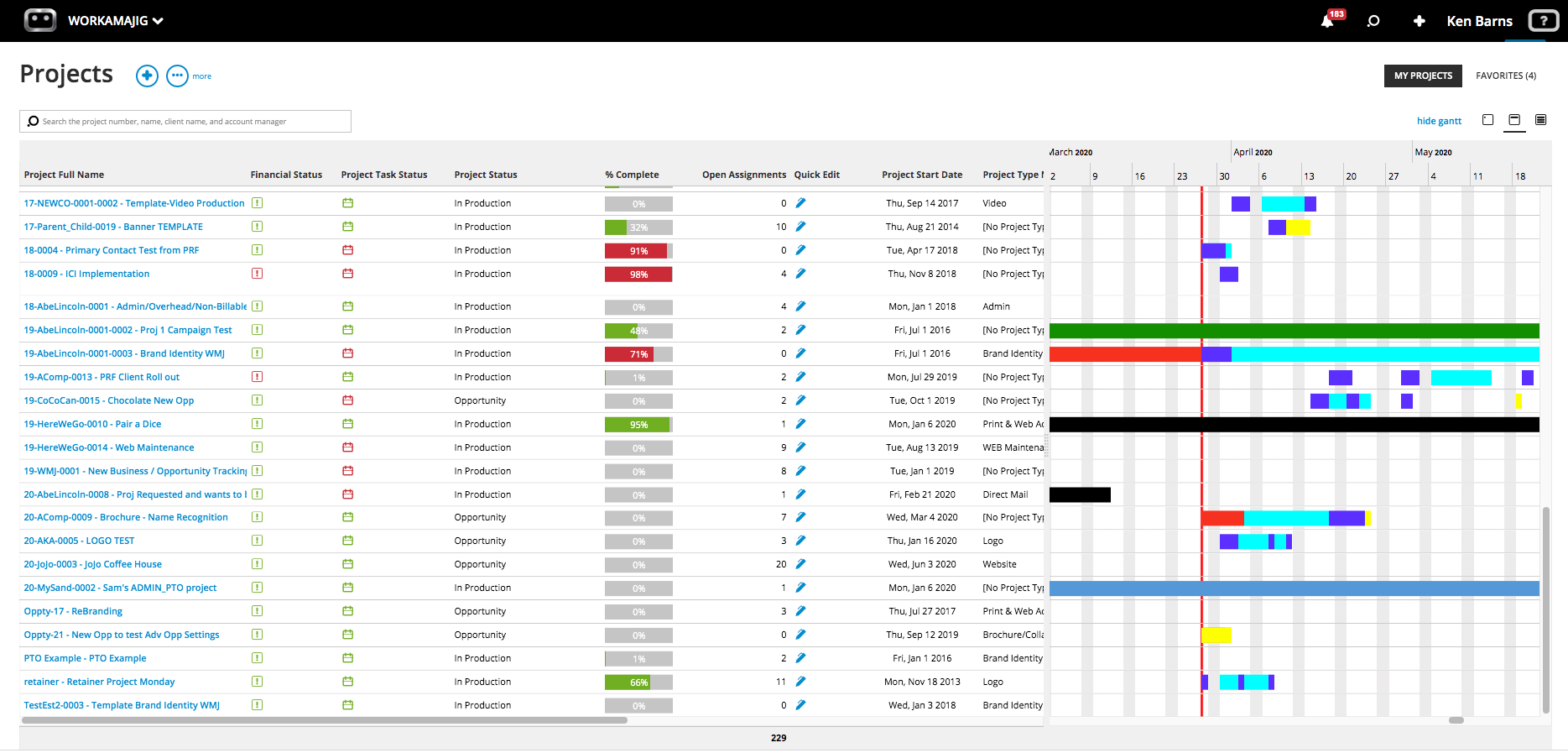
Workamajig is an agency management system that has served creative agencies and in-house marketing teams since 2003. It covers project management, job tickets, resource scheduling, time tracking, budgeting, media planning and buying, CRM and full agency accounting. For traditional advertising and creative shops, that combination of creative workflow and financial back office is its main appeal.
Workamajig's strength is its agency-specific depth. Features such as job estimates, creative proofing, media buying and built-in accounting are things general-purpose PSA tools often lack. Capterra reviewers frequently cite its integrated project management platform and comprehensive project monitoring as positives, and some G2 reviewers say it covers everything an advertising or marketing agency needs at a lower cost than competitors. If your agency's Accelo setup struggles with creative production workflows, Workamajig speaks that language natively.
Pricing is less transparent. Workamajig doesn't publish full pricing on G2, and Capterra notes that there is no free trial or free version. Pricing generally depends on user count and modules, so expect a sales conversation, similar to buying Accelo.
Usability is where Workamajig struggles most. It has the lowest ratings on this list, with a 3.8 out of 5 rating on Capterra from about 350 reviews and an ease-of-use score of just 3.3. Reviewers describe a steep learning curve, a complex interface, a mobile experience that doesn't always work well and difficulty reaching a person for support. For teams leaving Accelo because of complexity, that's an important warning sign. Our Workamajig vs Accelo head-to-head review compares the two in detail.
Workamajig is best suited to established creative and advertising agencies that need media buying and full agency accounting in one system, and that have the patience for a heavier rollout. Most other agencies will be happier with a more modern, easier-to-adopt platform. Our Ravetree vs Workamajig guide explains how the two compare, and our list of the 5 best Workamajig alternatives offers more options.
Conclusion: Which Accelo Alternative Is Right for You?
Accelo pioneered the idea of running a services business from quote to cash in one platform, and many firms still rely on it. But reviews on G2, Capterra and other sites show a clear pattern of frustration: a steep learning curve, long implementations, a dated interface, limited reporting and customization, a weak mobile app and pricing that's hard to pin down. If those issues sound familiar, it's worth exploring what else is out there.
Each alternative on this list has a niche. BigTime is excellent for time and billing-centric firms. Celoxis and Kantata offer deep scheduling and resource planning for larger, process-heavy organizations, though both come with their own learning curves. Scoro and Productive deliver strong financial dashboards for agencies, Teamwork shines at collaborative project delivery, and Workamajig serves traditional creative agencies that need media buying and accounting.
For most agencies and professional services firms, though, Ravetree is the best Accelo alternative. It matches Accelo's all-in-one scope, with CRM, proposals, projects, resource planning, time and expenses, retainers, invoicing and client portals, while delivering a modern, visual experience your team will actually want to use. Every feature is included in a single transparent plan, with free onboarding, training and support, so there are no tier surprises or hidden implementation fees.
To dig deeper, read our Ravetree vs Accelo comparison or our shortlist of the top 5 Accelo alternatives for professional services and agencies. Better yet, request a demo or start a free trial and see how quickly your team can get up and running.