
Key takeaways:
- Firms usually leave Celoxis because project plans and billing live in separate systems, not because scheduling falls short.
- Test every shortlisted tool by tracing one real hour from timesheet to invoice and configuring one real client retainer during the demo.
- Weigh review complaints about daily friction (time entry, glitches, reporting) more heavily than complaints about onboarding.
- Most small and mid-sized services firms need a more connected platform, not a more configurable one, when choosing among Celoxis alternatives.
Picture a 25-person consultancy that bought Celoxis for its Gantt charts, dependency mapping and portfolio dashboards. A year later, the schedules look great. But every month-end, the operations manager still exports timesheets to a spreadsheet, reconciles them against the retainer agreements by hand, and builds invoices somewhere else. The plan lives in one system; the money lives in three.
That gap is usually what starts the search for Celoxis alternatives, and it's the problem this list of the 7 Best Celoxis Alternatives & Competitors is built around. Celoxis is a capable project and portfolio tool, and plenty of teams are happy with it. The trouble starts when a services firm needs its project data to flow straight into utilization, margin and billing, and finds that the work of connecting those dots still falls on people.
The list is written for that firm: agencies, consultancies, IT services shops and other teams that sell their time. We cover what each platform does well, who it fits, and what its own users complain about on review sites, because the complaints tend to tell you more than the feature lists.
Why services firms outgrow Celoxis
Celoxis was built as a project and portfolio management (PPM) platform. Its strengths show up where you'd expect: detailed scheduling, task dependencies, portfolio rollups and a lot of room to customize fields, workflows and reports. If your main problem is coordinating complex, interdependent work across many projects, that's a solid foundation for project management.
Services firms tend to hit a different wall. Their hardest questions aren't about task sequencing. They're about money and people: Which retainer is quietly running 30% over its hours? Who can take a new $40,000 engagement starting in three weeks? Why did a fixed-fee project that looked healthy in the schedule end up with a 12% margin? A PPM tool can hold some of that data, but it usually isn't organized around it.
That's the core distinction worth keeping in mind as you read the rest of this guide. Most project management software (PPM tools included) treats time and budget as attributes of a project. Professional services automation (PSA) software treats the project as a container for billable time, costs and revenue. Same data, different center of gravity. And the center of gravity decides which reports are easy, which workflows are automatic, and which ones someone ends up rebuilding in a spreadsheet every month.
Celoxis users also raise a few recurring usability points. Reviewers on Capterra have mentioned that the interface feels dated and that advanced customization takes time to learn. Neither is a dealbreaker on its own. But a deep configuration layer is a mixed blessing for a 20-person agency with no dedicated systems admin: every custom field you can build is also one you have to maintain.
If you're seeing the symptoms (billing that depends on one person's spreadsheet, utilization numbers that arrive a month late, scope creep you only notice at invoice time), Ravetree's rundown of the signs it's time to invest in PSA software is a useful gut check before you start booking demos.
Four tests to run before you shortlist anything
Feature grids won't separate these tools much. Nearly every platform below claims projects, time, resourcing and invoicing. The differences show up when you push on how those pieces connect. Here's what we'd test.
1. Does it bill the way you actually bill? Plenty of firms say "we do time and materials" and then, on closer inspection, run a mix: monthly retainers with rollover hours, a few fixed-fee projects, and change orders billed hourly. Ask each vendor to configure one real client of yours during the demo, not a sample account. If the retainer needs a workaround on day one, it'll need one every month. Ravetree's guide to retainer and mixed billing PSA software covers the edge cases worth bringing to that conversation.
2. Can you trace one hour from timesheet to invoice? Pick a single entry and follow it. Logged through time tracking, approved, rated, written down or up, and pulled onto a draft invoice. Count the clicks and the handoffs. Any step that involves an export is a step where billing and invoicing can drift from what was actually worked.
3. How current is the utilization number? A utilization report that's accurate on the 5th of next month tells you what went wrong. One that updates daily lets you fix it. Look at how resource planning views pull in actual hours versus scheduled hours, and whether a project manager can see a capacity problem before the account lead promises a start date. (More on why this matters in Ravetree's piece on real-time billable utilization tracking.)
4. Who will own configuration after go-live? A tool that takes two months to implement is fine for a 200-person firm with an ops team. It's a different proposition for a 15-person studio where the "systems admin" is also the finance lead.
One more thing about review sites. "Learning curve" appears in the complaint column for almost every all-in-one PSA platform, including several on this list. That alone doesn't tell you much. What's more useful is where the friction sits. Complaints concentrated on onboarding tend to fade after a few months. Complaints about daily tasks (time entries that don't save, slow screens, clunky reports) compound, because your whole team hits them every single day. Weight those far more heavily.
The 7 best Celoxis alternatives, and what their users complain about
Each of these Celoxis alternatives leans toward the services side of the PPM/PSA divide, but they lean at different angles. For each one, we've noted who it fits and pulled the complaints that show up on G2 and Capterra, because a tool's weak spots matter more than its brochure once you've signed a contract.
1. Ravetree
Best for: small and mid-sized agencies, consultancies and professional services teams that want the whole client lifecycle in one place without an enterprise-sized rollout.
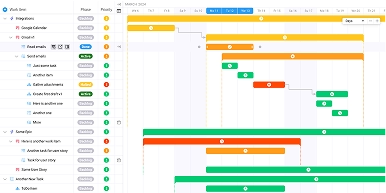
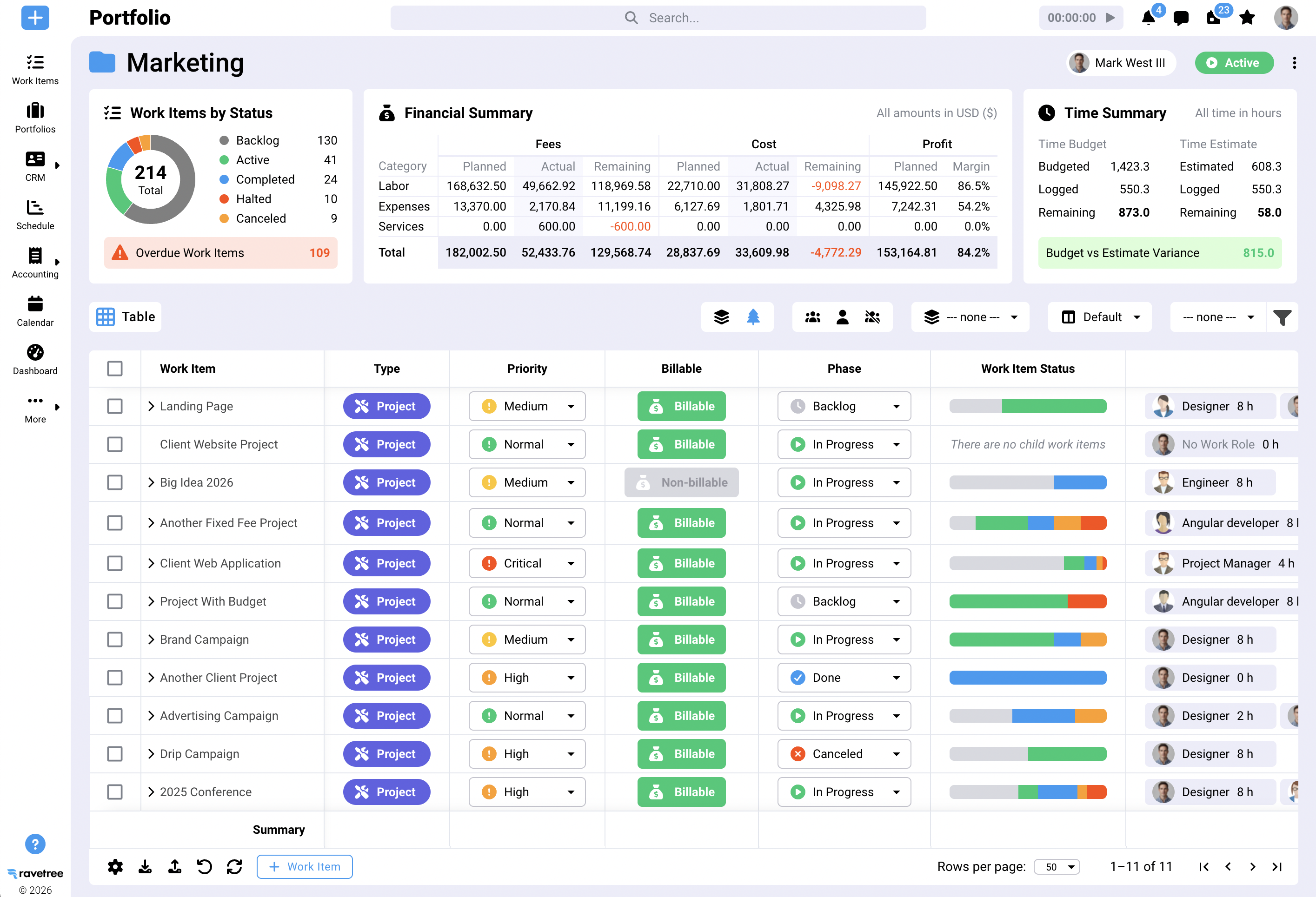
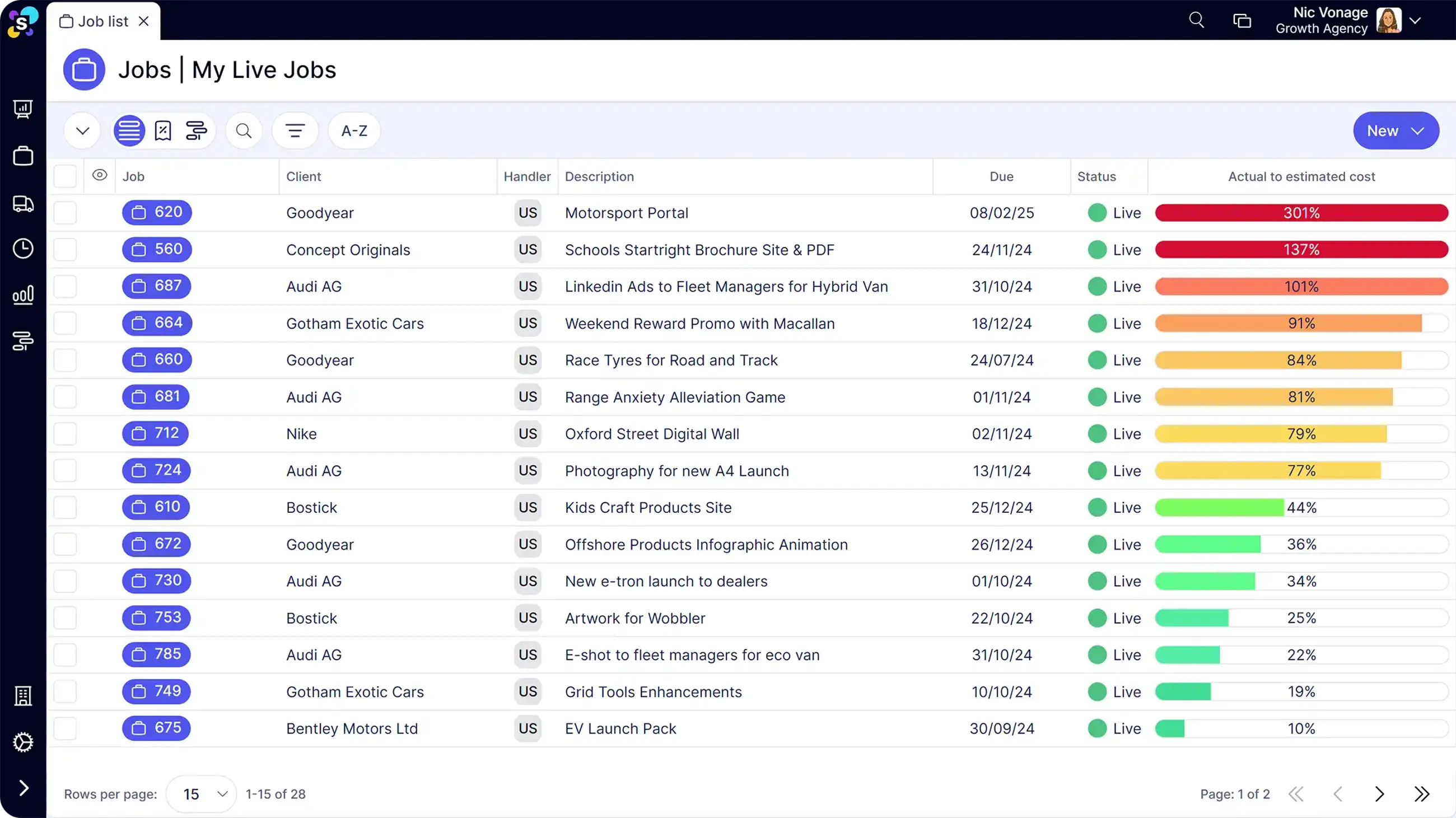
Ravetree covers the path from first conversation to final invoice. A built-in CRM tracks opportunities, proposals turn into scoped work, and won deals can spin up projects from templates. From there it handles scheduling and capacity, time, budgets, retainers and invoicing, plus the operational pieces that usually live in yet another tool: expense tracking, purchase orders, intake through requests, and a client portal for approvals and file sharing.
The pattern in its positive reviews is consolidation. On Ravetree's Capterra page, several agency reviewers describe switching from Accelo, citing better retainer management and less reliance on side applications. Others call out the pairing of Gantt charts, time logs and billing in one system, and the ability to track project dollars against hours to see client profitability. Onboarding support comes up repeatedly too, including from a project manager who moved over from Scoro.
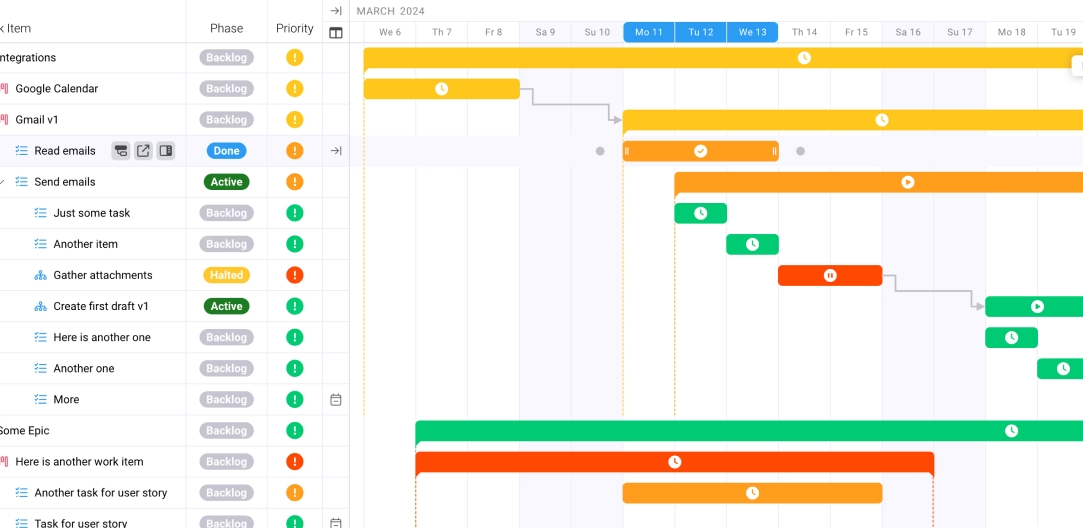
Why it fits a former Celoxis shop: you keep Gantt-style planning but gain the financial layer, so the margin question gets answered in the same place the schedule lives. (If profit leakage is your main pain, Ravetree's breakdown of how PSA software stops profit leakage is worth a read.)
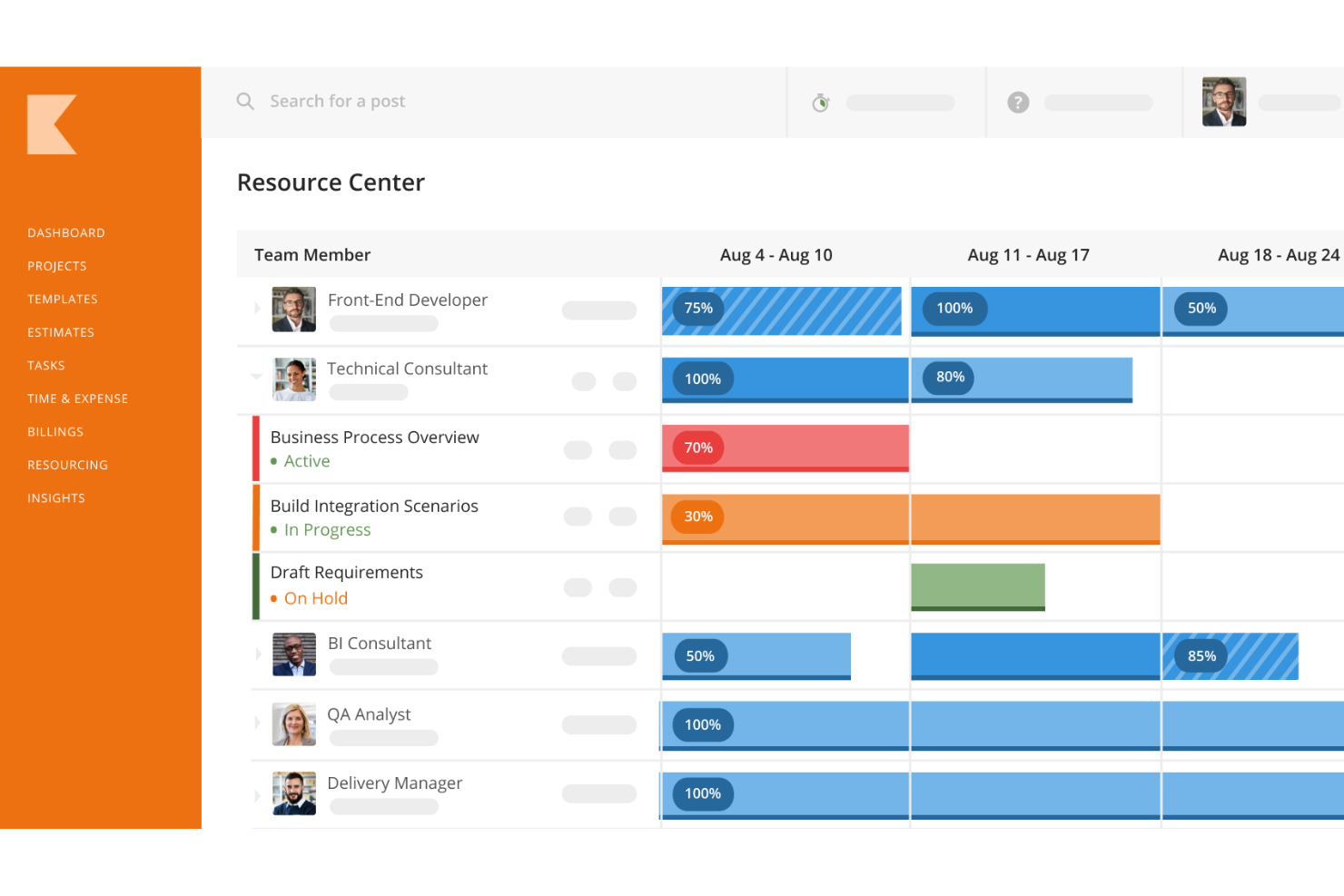
2. Kantata
Best for: mid-market and enterprise services organizations, often 100+ billable people, that need heavy-duty resource management and BI-style reporting.
Kantata (the product formed from Mavenlink and Kimble) is one of the most established names in PSA. Its resource management and Insights reporting are genuinely deep, and there's a Salesforce-native edition for firms that run their pipeline there. Pricing is quote-based.
What reviewers complain about: depth comes with weight. G2's review summaries flag a steep learning curve and a lack of customization as the leading complaint themes, with users saying tailored reporting can be time-consuming to set up. On Capterra, one reviewer put it bluntly, describing the product as very complex, with some features difficult to use. For a 40-person firm leaving Celoxis because it felt heavy, Kantata can trade one kind of complexity for another.
3. BigTime
Best for: accounting, architecture, engineering and consulting firms where hourly billing and clean timesheets are the heart of the business.
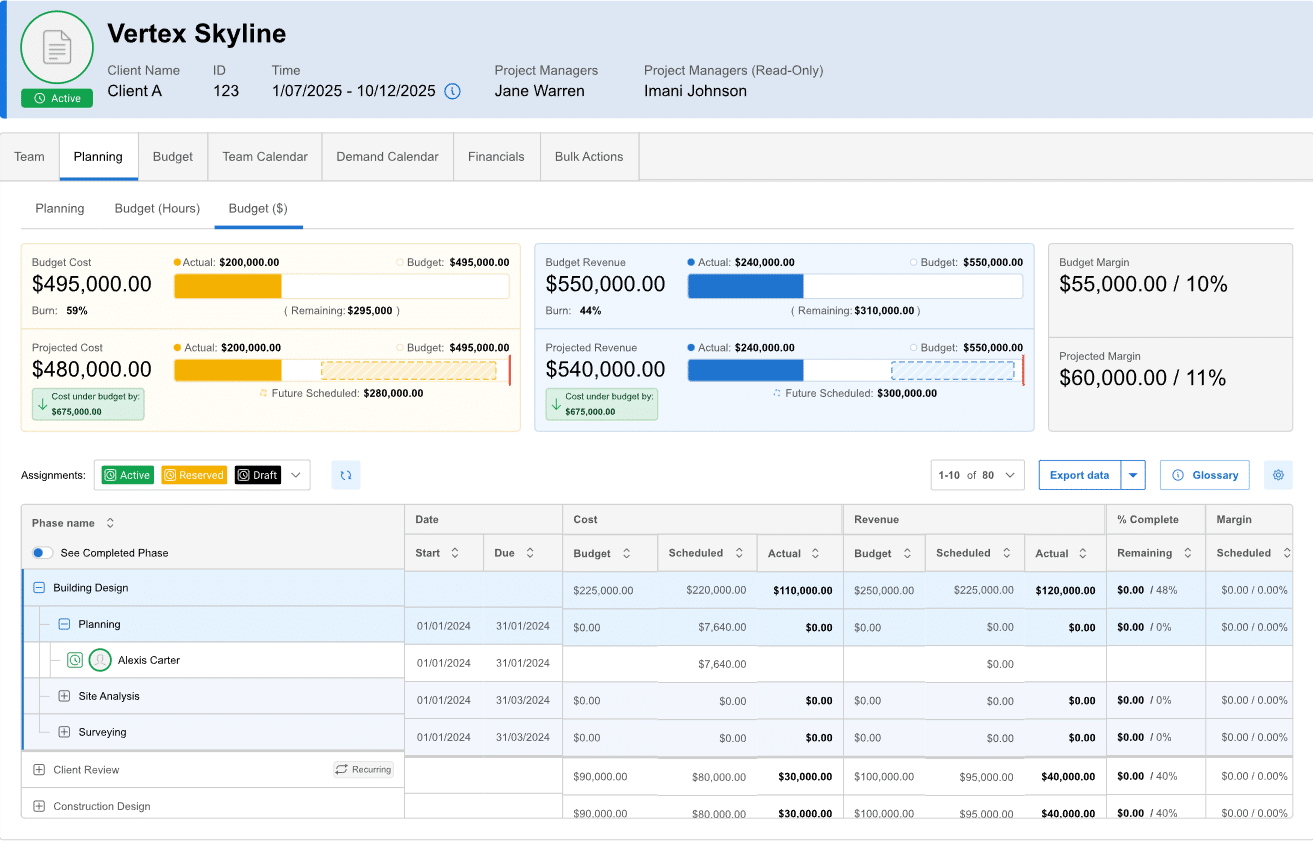
BigTime started as time-and-billing software and it shows, in a good way. Timesheet entry is fast, QuickBooks integration is a long-standing strength, and G2 lists published per-user plans starting at $20 per month (Essentials), $35 (Advanced) and $45 (Premier). Engineering firms in particular tend to like how it handles project accounting; Ravetree's look at PSA software for engineers covers what that segment needs.
What reviewers complain about: G2's own summary of BigTime reviews names the recurring complaint as time entries that can fail to save without warning when fields are filled out of the expected order. That's exactly the kind of daily-friction issue that compounds. Reviewers also mention slow follow-up from support on more involved issues, and reports that are harder to filter and tailor than they'd like. Compared with Celoxis, BigTime is also much lighter on scheduling and dependency management, so complex delivery planning may need another tool.
4. Scoro
Best for: agencies and consultancies that want quoting, CRM, projects and financial reporting tightly connected, and have time to invest in setup.
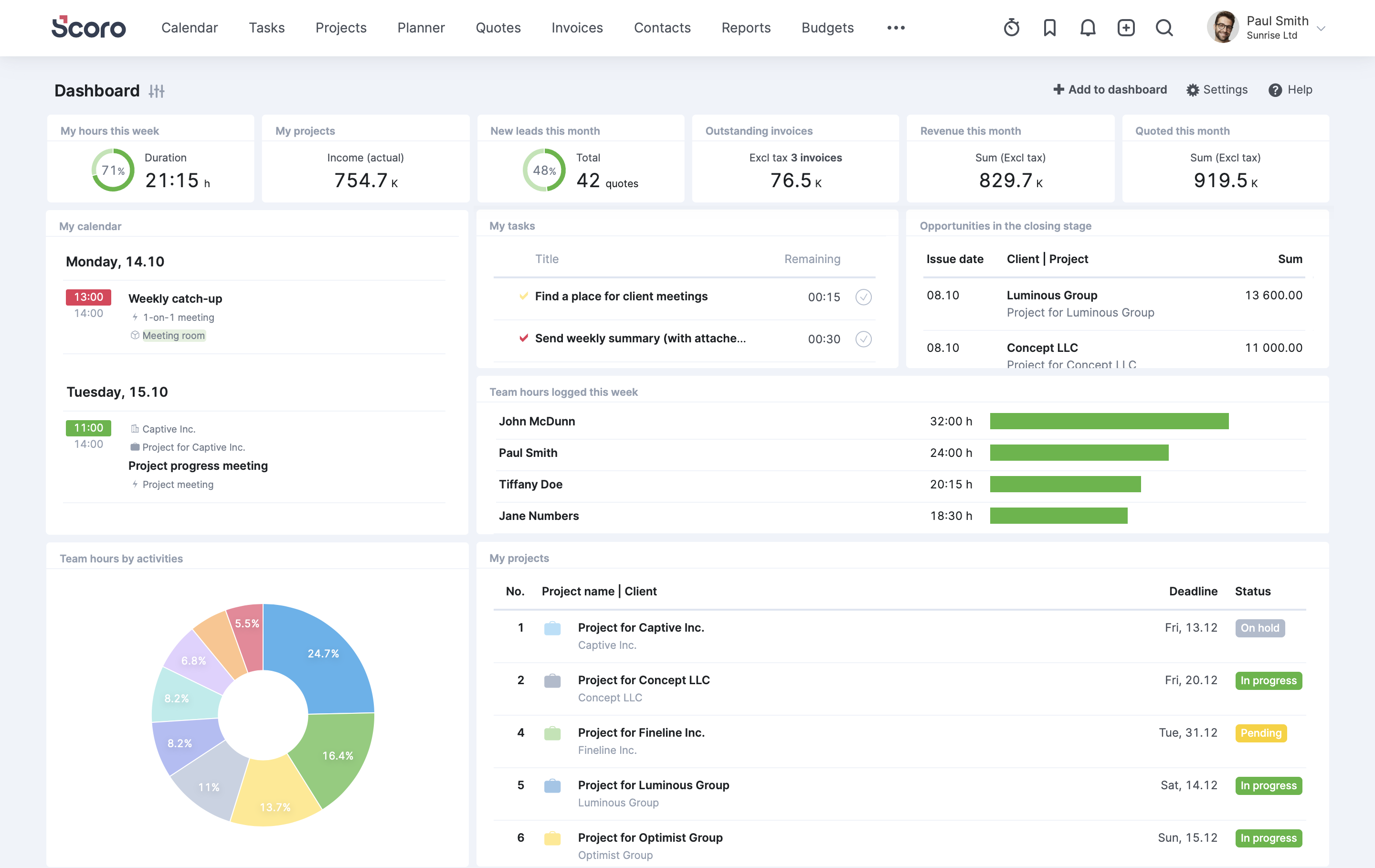
Scoro's strongest card is its quote-to-invoice flow and the reporting on top of it. Agencies coming from a patchwork of spreadsheets and point tools often stay for the financial dashboards alone.
What reviewers complain about: learning curve, again and again. One Capterra reviewer described a long learning curve for staff and a migration where they ended up doing much of the setup themselves. Price is the other thread; even a happy reviewer conceded that Scoro is a little expensive, though they felt the value justified it. For creative teams specifically, Ravetree's roundup of PSA software for creative agencies is a useful comparison point.
5. Accelo
Best for: service businesses that run projects, retainers and support tickets side by side, especially IT services firms and marketing agencies.
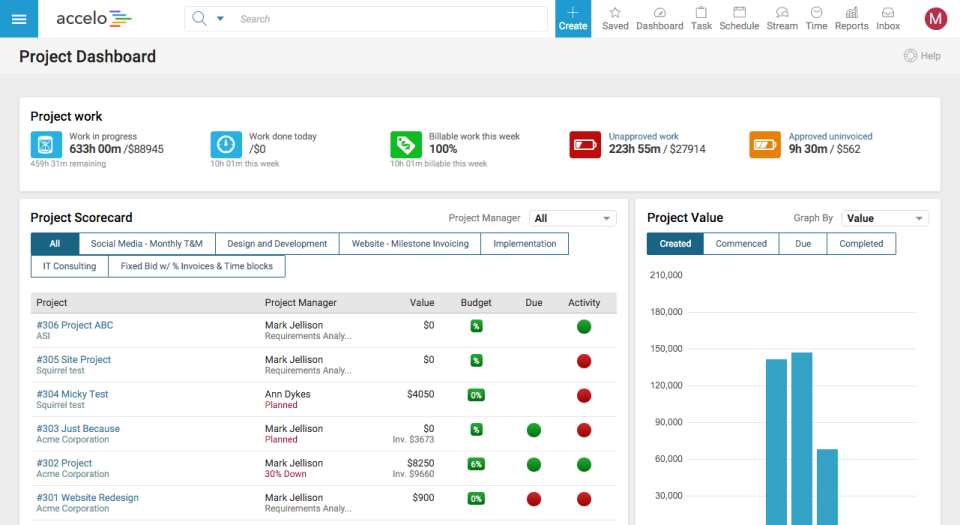
Accelo's appeal is breadth. Sales, projects, tickets, retainers, time and billing sit in one platform, and its email capture keeps client correspondence attached to the work. That ticket-plus-project combination makes it a regular on shortlists for IT shops; Ravetree's guide to PSA software for IT consultancies digs into that use case.
What reviewers complain about: the G2 reviews for Accelo list missing features and learning curve as the top complaint themes, followed by limited features, limited customization and complexity. Individual reviewers go further, describing glitches, a dated UX and support that's helpful during onboarding but inconsistent afterward. G2's AI summary also puts the most commonly reported implementation window at one to three months, which is worth planning around.
6. Synergist
Best for: UK and European agencies (design, marketing, PR) that want job costing and agency finance at the center of the system.
Synergist describes itself as agency management software, covering new business, job costing, scheduling, timesheets, expenses, billing and reporting. Its reporting gets consistent praise, and G2 lists pricing at £13 per month for timesheet-only users and £33 per month for full users, which makes the cost of a mostly-timesheet team easy to model.
What reviewers complain about: the review base is small, so treat themes with some caution. Still, G2's summary of Synergist reviews points to a difficult onboarding that needs extensive training, and to users who find it unintuitive, with a steep learning curve and features that are hard to discover. Feature-dense screens can slow down occasional users, which matters if half your team only opens the system to log time.
7. Productive
Best for: digital, creative and software agencies that want a modern interface and agency profitability metrics without enterprise overhead.
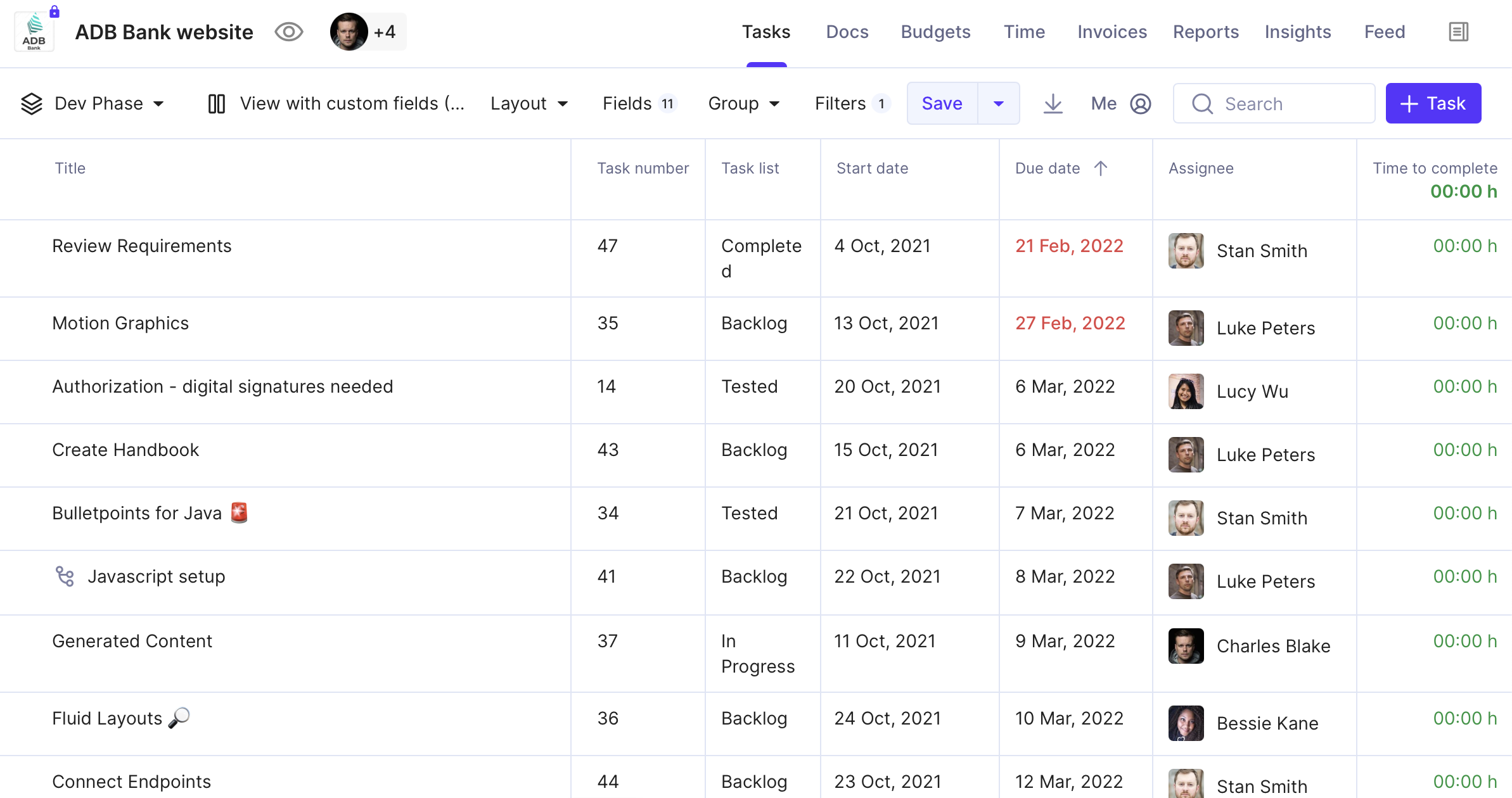
Productive is the youngest-feeling tool on this list. It combines projects, time, budgets, resourcing, invoicing and a sales pipeline, with a strong focus on margin and forecasting. Paid plans are per user with a three-seat minimum, so it's not built for solo operators.
What reviewers complain about: like Synergist, the sample is small. On G2, the leading complaint themes for Productive are lack of integrations and organization difficulties, each mentioned in only a handful of reviews. A Capterra reviewer noted that you can't currently report on net revenue, and others ask for better analytics, project planning and third-party integrations. Former Celoxis users will notice the planning gap most: Productive's scheduling is simpler than a dedicated PPM tool.
Matching the tool to the firm
The honest answer to "which is best?" depends less on features than on three facts about your business: how many people bill time, how you bill clients, and who will run the system. Here's how we'd narrow the field of Celoxis alternatives.
- Under 50 people, mixed billing, no dedicated ops admin. Prioritize a platform that's quick to configure and handles retainers natively. Ravetree and Productive are the natural first demos. Ravetree's guide to the best lightweight PSA tool for a 10- to 50-person consultancy goes deeper on this size band.
- Boutique consulting or advisory practice billing mostly by the hour. BigTime's timesheet focus is hard to beat if accounting integration matters most. If you also need proposals, client communication and project budgets in the same place, put Ravetree alongside it. See also: PSA software for boutique consulting firms.
- Agency running projects plus support tickets. Accelo and Ravetree both cover this. Accelo's ticketing is mature; just budget for a longer implementation.
- UK agency where job costing drives everything. Synergist was built for exactly that workflow.
- 100+ billable staff with a PMO and a BI habit. Kantata and Scoro are the heavier-duty choices. Expect a real implementation project, and staff it accordingly.
A counterintuitive point: firms leaving Celoxis often over-buy. The reasoning goes, "Celoxis was powerful but didn't do finance, so we need something even more powerful." Usually what they need is something more connected, not more configurable. A tool with fewer settings but a straight line from timesheet to invoice will often beat a deeper platform that nobody finishes configuring.
Whichever way you lean, run the four tests above on a real client during each demo, and talk to a reference customer of similar size. For a fuller scoring process, Ravetree's complete guide to selecting the right PSA software lays out a structured evaluation.
The real reason to switch
Nobody leaves Celoxis because its Gantt charts stopped working. Firms leave because the schedule and the money live in different places, and closing that gap every month costs hours, margin and a fair amount of patience. The right replacement is the one that answers "are we making money on this client?" without an export.
If you're a small or mid-sized services firm, start with the tools that connect time, retainers and invoicing out of the box, and save the enterprise platforms for when you genuinely have the team to run them. Book two or three demos, bring a real client's billing setup, and judge each tool by how few workarounds you need.
Use this list of the 7 Best Celoxis Alternatives & Competitors as your shortlist, and let your own billing model make the final cut among the Celoxis alternatives.
Frequently Asked Questions
Is Celoxis a PSA tool or a project management tool?
Celoxis is primarily a project and portfolio management platform with time and budget features added on. Firms that bill clients for time usually find a dedicated PSA tool handles utilization, retainers and invoicing more directly.
What are the best Celoxis alternatives for small agencies?
For agencies under about 50 people, Ravetree and Productive are the strongest starting points because they connect projects, time and invoicing without a heavy implementation. Synergist is worth a look for UK agencies built around job costing.
Which Celoxis alternative is best for hourly billing?
BigTime is built around timesheets and QuickBooks sync, which suits accounting, engineering and consulting firms. Ravetree is a good alternative if you also need CRM, proposals and retainers in the same system.
Which Celoxis alternatives publish their pricing?
BigTime lists per-user plans starting at $20 per month on G2, and Synergist lists £13 per month for timesheet users and £33 for full users. Productive publishes per-user plans with a three-seat minimum, while Kantata is quote-based.
How long does it take to switch from Celoxis to a PSA platform?
It varies by tool and by how much you configure. G2 reviewers most often report BigTime going live in under a month, while Accelo's most common implementation window is one to three months.
Why do reviewers complain about learning curves on PSA software?
All-in-one platforms combine sales, delivery and finance, so there's simply more to learn than in a task tracker. The useful question is whether the friction fades after onboarding or shows up in daily tasks like time entry.
Should we run Celoxis and the new tool in parallel?
For at least one full billing cycle, yes. Comparing invoices from both systems is the fastest way to catch missing rates, retainer rules or time entries before clients see them.