

Key takeaways:
The typical firm in Zweig Group's AEC benchmarking waits 76 days to collect on its invoices. That number isn't necessarily about slow-paying owners. More often, it reflects the gap between time tracking in one tool and billing in another: the week or two it takes for logged hours to become an invoice that someone must manually enter into QuickBooks.
That's why AEC work management software with QuickBooks integration deserves more scrutiny than it typically gets. Nearly every vendor of work management tools claims to offer a QuickBooks connection. Very few explain what data gets transferred, which direction it moves, or which system controls the invoice when changes are made.
This guide is for principals and operations leaders at small and midsize architecture, engineering, and design-build firms. You'll get a clear definition of what a proper integration should do, learn about the four places revenue can slip through the cracks between project tools and accounting software, and get an honest look at how Ravetree handles the process, including where it may not be the right fit.
QuickBooks Is a Ledger, Not a Project System
QuickBooks does exactly what it was designed to do. It records revenue, tracks accounts receivable, runs payroll, and provides your CPA with a clean trial balance. What it doesn't know is that a $48,000 invoice for a medical office covers 70% of design development, one approved additional service, and a structural consultant pass-through.
That context lives somewhere else. In most small firms, "somewhere else" means a timesheet app, a fee spreadsheet, an email thread with the owner, and the project manager's memory.
And most firms are small. Roughly three-quarters of the more than 19,000 U.S. architecture firms employ fewer than 10 people. These firms often don't have a controller to translate project data into accounting data. Instead, the principal handles it at 9 p.m. on the third of the month.
The result is a predictable divide. Project managers oversee the work, the bookkeeper manages the accounts, and nobody is responsible for translating project activity into financial records. At the end of every month, someone has to piece everything together manually.
This is the problem AEC work management software is designed to solve. A proper platform sits upstream of QuickBooks. It maintains the project record (phases, fees, hours, costs, and approvals) and passes completed financial documents downstream to the general ledger.
QuickBooks remains the system of record for accounting. The work management platform becomes the system of record for the project information that drives the numbers. For a broader evaluation framework beyond accounting, Ravetree's guide to the best work management software for AEC firms walks through seven important tests.
Why the handoff matters more right now
Architecture firms posted an index score of 47.2 in August 2026, and the share expecting billings to decline rose from 21% to 29% between the first and third quarters. In July, project inquiries remained positive at 52.6, while newly signed design contracts slipped to 47.2. Clients are still asking for proposals, but they're signing fewer contracts.
Engineering firms face a different challenge. They report a median backlog of 12 months, and 88% have at least one open position.
Together, these trends highlight two financial and operational challenges. Architecture firms can't afford to leave earned fees uncollected. Engineering firms can't afford to have scarce professional engineers spending time on data entry. Both problems can stem from the same broken handoff between project management and accounting.
What "QuickBooks Integration" Should Actually Mean for an AEC Firm
"Integrates with QuickBooks" can describe anything from a CSV export button to a live, two-way sync. Ravetree's roundup of tools that integrate with QuickBooks illustrates how much integration capabilities can vary. Before comparing features, examine these five mechanics. They determine whether an integration actually eliminates work or simply shifts it elsewhere.
1. Which system creates the invoice?
This is the most important design decision. If invoices are created in QuickBooks and merely assigned to projects, your team still has to assemble each invoice manually using project data. If invoices are created in your AEC work management software and then pushed to QuickBooks, the project data can be used to generate the invoice automatically.
For AEC firms, the second approach is generally more practical. An invoice may need to account for phase completion percentages, approved additional services, and reimbursable expenses. The project management system is where that information is maintained.
2. Does payment status flow back?
A one-way data transfer solves only half the problem. When the bookkeeper records a payment in QuickBooks, project managers should see the invoice marked as paid without having to ask anyone. Otherwise, PMs may waste time following up with owners who have already paid. They may also overlook invoices that remain unpaid.
3. Do invoice numbers match?
This may seem like a minor detail until an owner's accounts payable clerk calls about "invoice 2231" and your two systems show different invoice numbers. Matching invoice numbers across both systems eliminates an entire category of reconciliation work.
4. How are line items mapped?
QuickBooks reports revenue by products and services. A good integration lets you map each type of billable line item (labor, expenses, and fixed fees) to a QuickBooks service item during setup. Once configured correctly, this allows your profit-and-loss report to distinguish fee revenue from reimbursable expenses automatically.
5. QuickBooks Online or Desktop?
Most modern integrations connect only to QuickBooks Online. Check compatibility early because Intuit stopped selling new QuickBooks Desktop Pro Plus, Premier Plus, and Mac Plus subscriptions to U.S. customers after September 30, 2024. If your firm still uses Desktop, consider the transition to Online as part of your software decision rather than waiting until after implementation.
The Four Places Revenue Leaks Between Project Tools and QuickBooks
Once you understand what a good integration should do, the weaknesses of a disconnected setup become easier to identify. Revenue typically slips through the cracks in four areas.
Hours that never reach an invoice
When time is logged late, the details are often vague. Vague time entries are more likely to be written off. When timesheets live in one application and invoices are created in QuickBooks, the bookkeeper becomes the last line of defense. However, the bookkeeper may not know whether 14 hours of "coordination" belong to the base fee or the owner's third lobby redesign. Every hour written off at $150 represents $150 in revenue that never reaches an invoice, and the loss may go unnoticed.
Phase fees billed by gut feel
Most AEC contracts bill clients based on the percentage of work completed in each phase. Without a current view of fee burn, project managers may estimate progress based on how complete the drawing set looks. These estimates can be overly optimistic early in a project and overly pessimistic later. Both can negatively affect cash flow.
For example, suppose construction documents account for $120,000 of a project's total fee. If the firm bills 50% of that phase when the work is actually 60% complete, $12,000 in earned revenue remains unbilled for another 30 days. Repeat that across a dozen projects, and the firm is effectively providing clients with an interest-free line of credit.
Additional services with no paper trail
Scope creep rarely arrives with a formal change order attached. Instead, it often starts with a hallway conversation or a Friday-afternoon email. Without a structured way to capture and approve these requests , additional work can go unbilled and never make it into QuickBooks.
Consultant and reimbursable costs caught too late
Structural, mechanical, electrical, plumbing (MEP), civil, and geotechnical subconsultants can account for a significant share of a project's costs. When consultant commitments are buried in email and receipts are scattered across files, reimbursable expenses may be billed a month late or not at all.
Each of these revenue leaks can compound the others. The cost of switching between applications adds to the problem. Research published in Harvard Business Review found that workers switch between applications about 1,200 times a day, losing nearly four hours a week to reorienting. In a 15-person firm, that's roughly 60 hours a week, or more than one full-time employee's worth of time spent finding the right application or information.
How Ravetree Connects AEC Delivery to QuickBooks Online
Ravetree is an all-in-one work management platform for project-based service firms. Its QuickBooks Online integration follows the project-system-creates-the-invoice model described above. Here's how the different components fit together as work moves through an AEC firm.
From pursuit to contract
Opportunities start in Ravetree's built-in CRM, where firms can track requests for qualifications (RFQs), business relationships, and repeat clients. Once a project is won, proposals created from templates or previous projects can provide the fee structure for the new job. For example, when pricing a 40,000-square-foot clinic, you can use actual hours from your last three clinic projects instead of relying entirely on estimates.
From contract to delivery
Each project runs on Ravetree's project management tools, with phase templates for schematic design, design development, construction documents, bidding, and construction administration. Resource planning shows who has available capacity before you commit to a start date. That's particularly important when your licensed professional engineer (PE) is already booked through November.
Owners can review deliverables and approve additional services through the client portal, which maintains a timestamped record of what was approved and when. That record can be valuable if a fee dispute arises during construction administration.
Engineering leaders can explore additional considerations in Ravetree's engineering-focused software guide, while architecture practices can find discipline-specific criteria in its guide for architecture firms.
From delivery to invoice
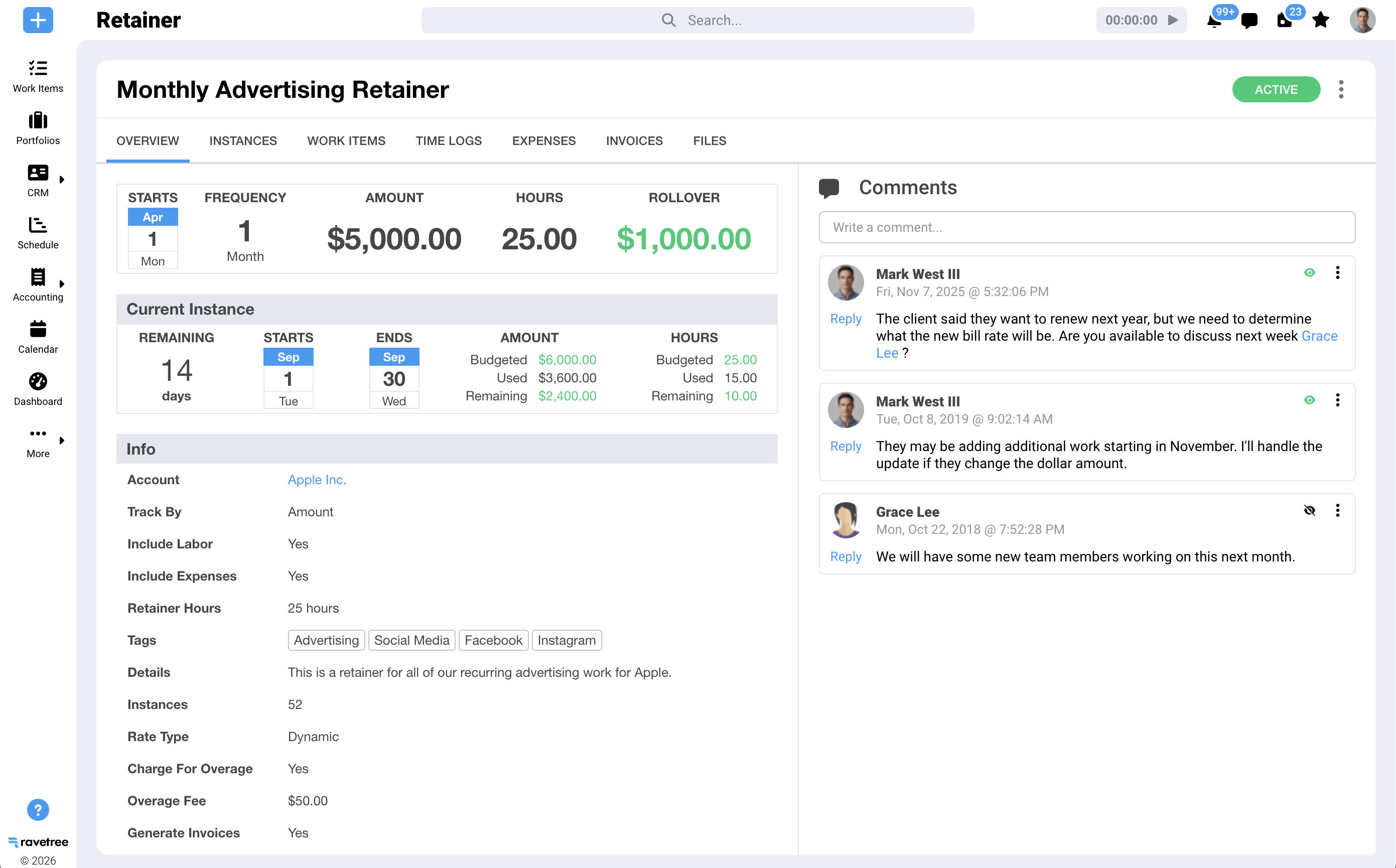
Your team logs hours against each project and phase. Consultant commitments are tracked through purchase orders linked to vendors, while reimbursable costs are recorded through expense tracking. For on-call, campus, or municipal agreements, retainers track spending against each period's allowance.
When it's time to bill, Ravetree's billing view shows everything ready to invoice by client, including approved time, expenses, retainers, and completed work items. You can create the invoice there while retaining the project context. For an AEC firm, this is where invoicing should happen.
From invoice to QuickBooks
This is where the integration takes over. According to Ravetree's QuickBooks setup documentation, the process works as follows:
- Invoices push automatically. Every invoice created in Ravetree is transferred to QuickBooks Online with the same invoice number in both systems.
- Payments sync both ways. When a payment is recorded or a status is changed (such as sent or paid) in either system, the changes sync between the two.
- Edits follow the invoice. Adding, editing, or removing line items in Ravetree updates the corresponding QuickBooks invoice.
- Line items map once. Ravetree's five invoice line-item types are each mapped to a QuickBooks service item during setup.
- Estimates can sync, too. Estimates can optionally be pushed from Ravetree to QuickBooks in one direction.
- Customers carry over. Your QuickBooks customer list is imported as Ravetree contacts when you connect the systems. New clients are created in QuickBooks the first time you invoice them.
Setup takes place in Ravetree's Admin area under Connections. You authenticate with QuickBooks Online, select "Invoices" (and "Estimates" if needed), and map your line items. For most firms, this should take an afternoon rather than require a full implementation project.
One design choice is worth understanding: invoices and estimates must originate in Ravetree. That's deliberate. It keeps project data as the single source of truth, helping maintain consistent invoice numbers, line items, and payment statuses across both systems.
A Month-End Close, Before and After
Consider an 18-person architecture and interiors firm with approximately $3.2 million in annual net revenue and a dozen active projects.
Before: Timesheets are collected on the 1st and 2nd of the month. The office manager exports hours to a spreadsheet, project managers estimate phase completion percentages, and consultant invoices are tracked down through email. Around the 10th, invoices are entered into QuickBooks one by one. Two go out with incorrect additional-service amounts, and a batch of reimbursable expenses gets pushed into the following month.
After: Hours are logged daily in Ravetree against the appropriate project phases. Additional services are approved through the client portal as they arise, and consultant purchase orders are already included in project budgets. On the 2nd, project managers review the billing view, adjust phase percentages based on actual fee burn, and generate invoices. Each invoice appears in QuickBooks with a matching number. When an owner's check arrives and the bookkeeper records the payment, the PM sees the invoice marked as paid in Ravetree.
The math is straightforward. At $3.2 million a year, this firm earns roughly $8,800 per calendar day. Sending invoices eight days earlier each month shifts approximately $70,000 in working capital from accounts receivable into the bank, without winning a single new project.
That matters because industry benchmarks highlight the importance of timely collections. Sage notes that a collection period of around 70 days is fairly typical in construction, and design firms face similar payment delays because they often depend on the same owners and payment chains. When AEC work management software shortens the time between logging an hour and creating a QuickBooks invoice, it can reduce days sales outstanding through a more efficient process rather than relying on employees to work harder.
Where Ravetree and QuickBooks Aren't the Right Pairing
A credible recommendation should also acknowledge where a product may not be suitable. Ravetree is a work management option for many small and midsize firms using QuickBooks Online, but it may not be the right fit for every business.
- You're committed to QuickBooks Desktop. Ravetree's integration connects to QuickBooks Online. If your firm plans to keep using Desktop, you'll need to consider a migration first. (Ravetree also integrates with Xero if you're open to using a different accounting system.)
- Your accounting has outgrown QuickBooks. Multi-entity consolidation or complex revenue recognition across subsidiaries may require an ERP-grade system. Test your specific requirements in a demo.
- You're a sole practitioner with two projects a year. QuickBooks alone may be sufficient. The benefits of a work management platform become more apparent when you're managing several concurrent projects, coordinating subconsultants, and billing by phase.
- You expect it to replace Revit or AutoCAD. It won't. Ravetree manages the business operations surrounding your design tools, not the design work itself.
Five Questions to Ask Before You Connect Any Platform to Your Books
Bring an active project to every software demo. Then ask:
- Where is the invoice created, and what happens in each system if I edit it afterward?
- If a payment is recorded in QuickBooks, how quickly does the project manager see it, and where?
- How do fixed-fee phases, hourly additional services, and reimbursable expenses map to QuickBooks items?
- What happens to my existing QuickBooks customer list when I connect the systems? Are there duplicates, merges, or a clean import?
- Which of our current tools does this platform replace? Can you put that in writing?
If a vendor can't answer the first two questions clearly, the integration may not work the way its sales materials suggest. Evaluating several vendors at once? Ravetree's shortlist of top tools for architects provides a useful starting point for comparing different platforms.
Let QuickBooks Keep the Books. Let Project Data Write the Invoices.
The real question isn't whether a platform connects to QuickBooks. It's whether project data generates the invoice or someone has to rebuild it manually every month. Firms that let their project system create invoices and QuickBooks record the transactions can bill faster, reduce write-offs, and spend less time resolving discrepancies between spreadsheets.
Your next step is to choose one active project with at least one subconsultant and one pending additional service, then run it through a trial, from proposal to paid invoice. When evaluating AEC work management software with QuickBooks integration, this single test can reveal more than a feature comparison. For many small and midsize practices, Ravetree is one platform worth including in that evaluation.
Frequently Asked Questions
Does Ravetree integrate with QuickBooks Desktop?
No. Ravetree's integration connects to QuickBooks Online. Firms using Desktop should plan a migration to QuickBooks Online or consider Ravetree's Xero integration.
What syncs between Ravetree and QuickBooks Online?
Invoices created in Ravetree are pushed to QuickBooks with matching invoice numbers. Payments and status changes sync in both directions. Estimates can optionally be pushed to QuickBooks, and customer records are transferred between the systems.
Do I still need QuickBooks if I use AEC work management software?
Yes. QuickBooks remains your general ledger for accounting, payroll, and taxes. AEC work management software manages projects, time, costs, and approvals, then transfers completed invoices to QuickBooks.
Is this worth it for a small AEC firm?
It can be worthwhile once you're managing several concurrent projects with phase-based fees and subconsultants. A sole practitioner with just a couple of projects a year may be able to manage with QuickBooks alone.






.png)