

Key takeaways:
- Most firms leave Harvest over capacity, margin and billing models, not timers, since time tracking is table stakes everywhere.
- Match the tool type to your billing model: hourly, fixed-fee or recurring-hours work each need different features.
- Small hourly firms may be better off staying put or moving to a lighter timer.
- Test any shortlist against your messiest past invoice, not a demo project.
Here's how it usually goes around the 15-person mark. Harvest has worked for years: people use the timers, invoices go out, nobody complains. Then a client asks how many of their monthly hours are left, a project quietly burns through its budget, and whoever schedules the work is doing it in a spreadsheet only they understand. Harvest didn't fail. The job outgrew it. This guide to the 12 Best Alternatives to Harvest for Billable Projects is for firms at that point.
Two notes before the list. Ravetree publishes this blog and sits first, so weigh that however you like; the other eleven follow in a fixed order, not a quality ranking. And these tools aren't like-for-like swaps. Some are project management tools that bolt on a timer, some are professional services automation (PSA) platforms, and a couple are closer to "Harvest, but more." Matching the type of tool to your actual problem matters more than the logo.
What you've actually outgrown
Harvest is very good at one thing: turning logged hours into invoices with little friction. That's also why switching for better time tracking is usually the wrong reason. Timers are everywhere now, and 84% of reviewers in Capterra's project management category call time and expense capture highly important, which is exactly why it doesn't separate the tools on this list. What separates them is everything around the timesheet. The cracks tend to show up in one of four places:
- Capacity. You can't say who's free in three weeks without opening a second tool, because Harvest's scheduling lives in a companion product, Forecast.
- Margin before the fact. Harvest compares hours to budget, but a fixed-fee job's real question is whether you're on track to make money, and that needs costs, rates and scope in one view.
- Billing models. Hourly is the easy case. Recurring-hours agreements, milestones and fixed fees each want different tracking.
- Clients. Someone outside the firm needs to see progress or submit work, and email is carrying that load.
Why bother? Because utilization is where the money hides. SPI Research's 2026 benchmark, drawn from 509 firms, put billable utilization at 66.4% for 2025, while SPI's long-running optimum sits around 75%. A rough illustration: take a 20-person firm with about 1,800 available hours per person and a realized rate of $150. One point of utilization is 360 hours, or $54,000 a year. Don't chase it blindly, though; SPI also reports that firms pushing past 80% see more burnout and attrition. The right tool shows where hours go. It shouldn't just squeeze them.
Three questions that narrow twelve tools to three
How do you bill? Billing and invoicing needs differ sharply by model. Hourly work wants a clean time-to-invoice path, which Harvest already gives you. Fixed-fee work cares about burn against budget, so timers matter less than estimates. Recurring-hours clients need drawdown visibility. Settle this first, because it eliminates half the field.
Who has to live in it? Everyone logs time, but only some people open the tool daily. Pure project management software gets adopted by the delivery team and ignored by finance. Accounting-led tools do the reverse. The winner is whichever one both groups will tolerate.
What happens before the timer starts? Resource planning, the part that answers who's free next month, is where most Harvest users first feel boxed in. If proposals, deals and staffing also sit outside your timesheet tool, count those as part of the problem.
Fixed fees and retainers: the case Harvest wasn't built around
Picture a 14-person design studio with three kinds of clients. One pays by the hour. One pays a flat $48,000 for a rebrand. One buys 40 hours a month on a standing agreement. Harvest handles the first client in its sleep. The second is trickier: the invoice is the same whether the team spends 300 hours or 450, so the only number worth watching is how fast the budget drains relative to milestones. The third needs a running balance of hours bought, used and rolled over.
Most people comparing alternatives to Harvest never test those two cases, and it's where tools part ways. A hands-on check helps: set up the flat-fee client with a budget, log a week of time against it, and see whether the tool shows projected margin, not just hours consumed. Then set up the 40-hour client and look for a balance you'd be comfortable sharing with the client. If either answer is "export to a spreadsheet," you've found the limit.
What switching costs, and how to keep it small
Nobody tells you this part. The tool isn't the hard bit; history is. Open invoices, old rate changes, approved-but-uninvoiced time and the project codes your team has memorized for years all have to land somewhere sensible. A few habits keep the migration from turning into a quarter-long project:
- Move projects at the end of a billing cycle, not the middle, so nothing sits half-invoiced.
- Carry over rate history deliberately. If last year's rates vanish, so does your ability to reconcile an old dispute.
- Run the new tool beside Harvest for one full cycle and compare the invoices line by line.
- Pick one person who owns the setup. Committees produce tools configured for nobody.
Budget a few weeks of attention, not a few days, and expect the team's timesheet discipline to wobble for the first fortnight. It recovers.
The 12 alternatives
1. Ravetree: for firms that want billing, budgets and capacity in one place
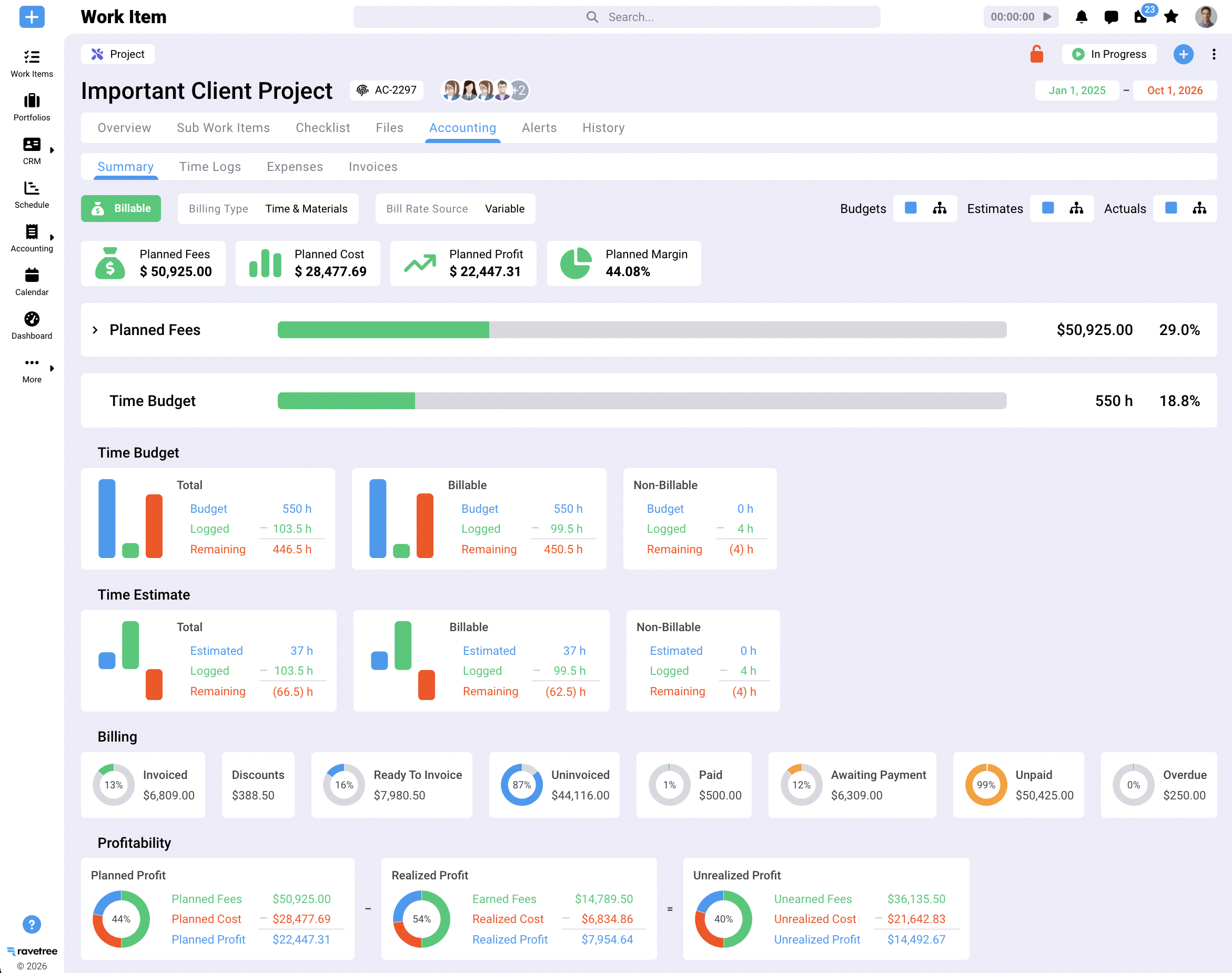
Here's the case for putting it first. Ravetree covers what Harvest does, then adds the layers around it. Rate cards carry start and end dates, so a July rate change doesn't rewrite March invoices. Project budgets track burn against estimates, and invoices built from approved time and expenses sync with QuickBooks and Xero. Around that sits resource planning, retainers, a client portal, a CRM, proposals, expense tracking, purchase orders and customizable requests forms. It handles both Gantt-style waterfall and agile boards, so a firm doing a fixed-scope build for one client and an ongoing sprint for another doesn't need two tools.
Reviewers on Capterra and G2 keep coming back to the same themes: project budgeting, an onboarding team that actually helps, and a platform that's powerful without being a maze. Several describe arriving from spreadsheets or cheaper tools. That tracks with the type of firm it suits, roughly ten people and up, where profitability per project is a weekly question.
The honest limit: it's more platform than a freelancer or a three-person studio needs. If a faster timer is all you want, you'll pay for a lot you never touch.
2. Toggl Track: the nearest relative
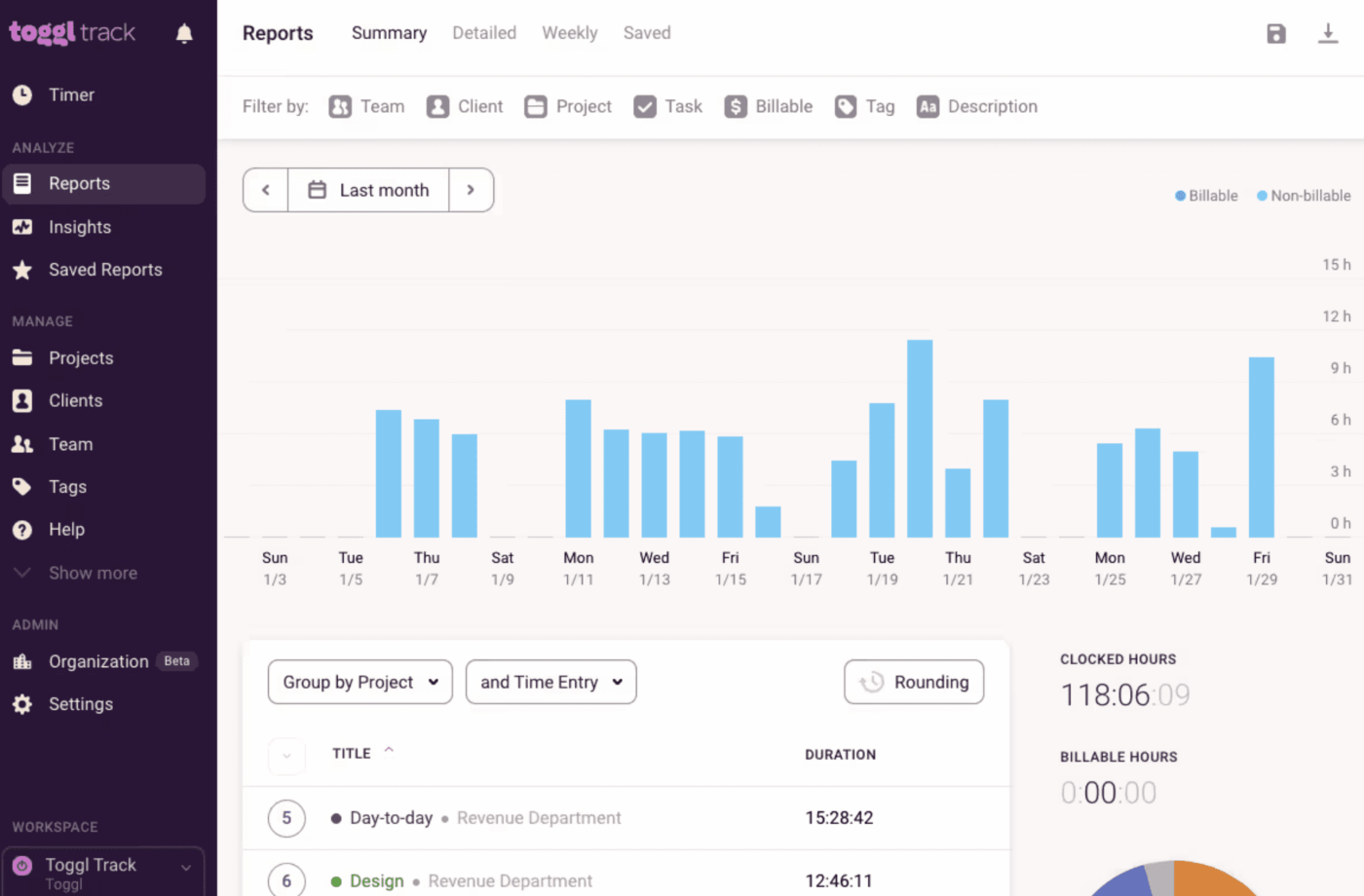
If what you like about Harvest is the timer and what you dislike is the reporting or the price, Toggl Track is the closest relative. It's built around fast time capture and good reports for small and mid-sized teams, while invoicing and project financials are lighter, so it usually gets paired with accounting software. It suits a firm that bills monthly and mostly wants honest timesheets, and the learning curve is close to zero, which counts for more than people admit when half the team resents logging hours at all. It's a poor choice if you wanted fewer tools rather than different ones. For a side-by-side of this lightweight end of the market, Ravetree's roundup of project management tools with time tracking and invoicing sets Harvest, Toggl, Clockify and Paymo against each other.
3. Wrike: when coordination is the real problem
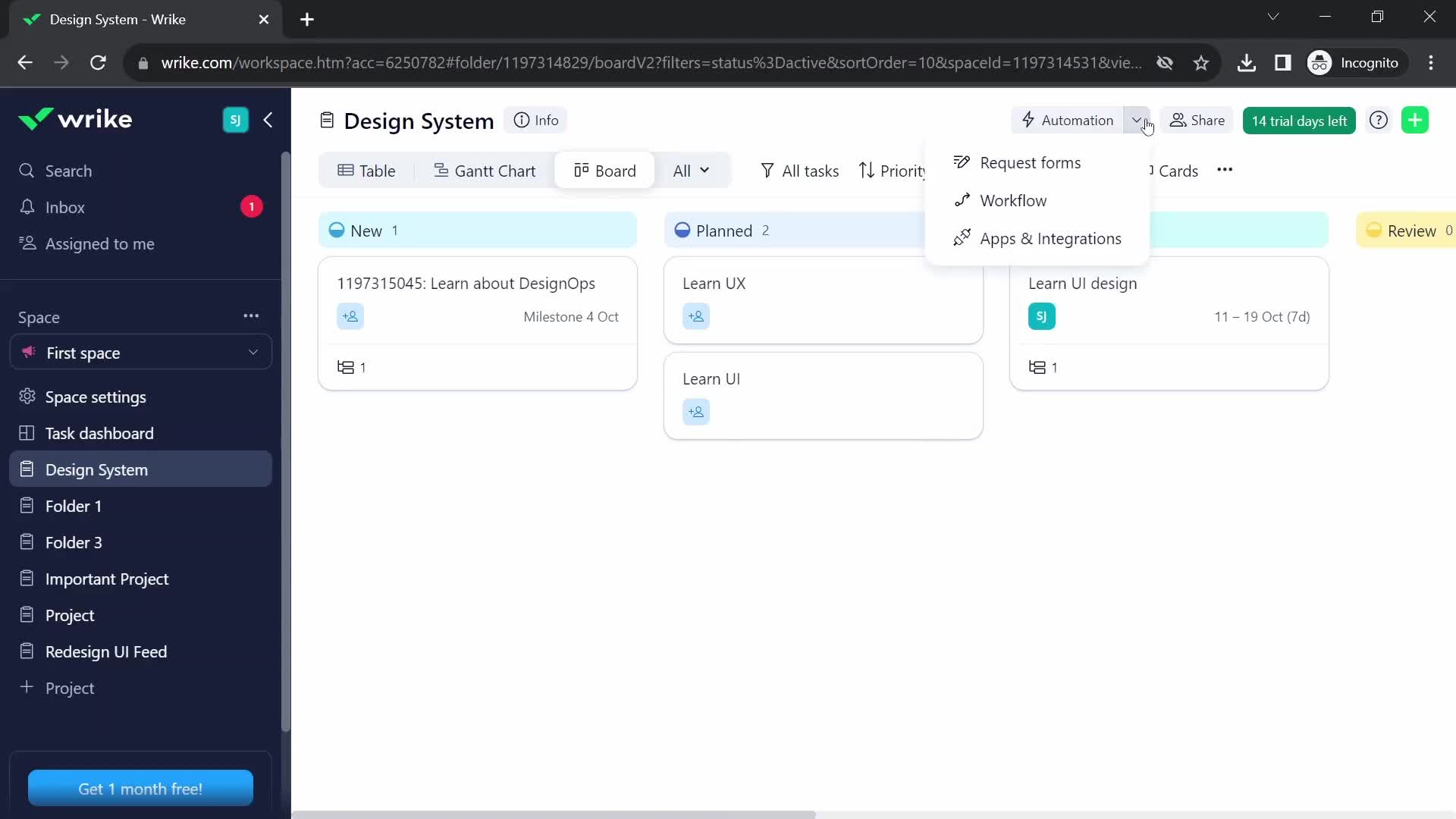
Wrike is a work management platform first: dependencies, request forms, dashboards, and a reputation for flexibility on big creative and marketing workloads. Among the alternatives to Harvest on this list, it's the one that asks the least of you on billing and the most on workflow design. Time tracking and budgeting exist, but billing isn't the point, so firms typically invoice elsewhere. Pick it when the pain is coordinating dozens of moving tasks across departments and the fact that you bill hourly is secondary.
4. Celoxis: planning with a PMO mindset
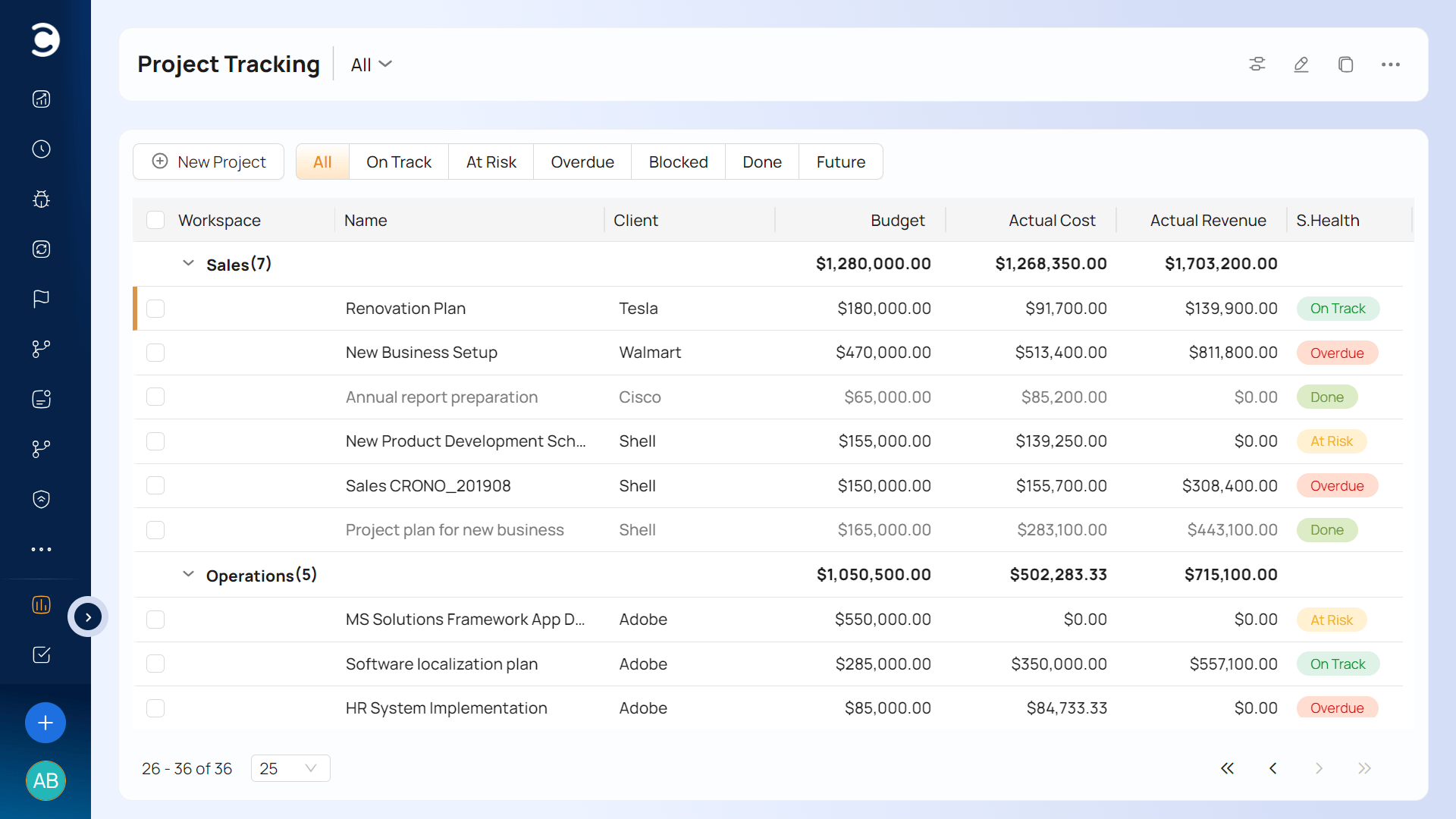
Celoxis comes from the project portfolio side, which tells you who it was built for: a PMO that wants to see every project's schedule, cost and resource load on one screen. Think Gantt scheduling, resource allocation across many projects at once, and cost tracking. It fits engineering and IT firms with formal plans and dependencies. Expect a longer setup than Harvest's afternoon, and a tool more at home with planning than with polished hourly invoicing.
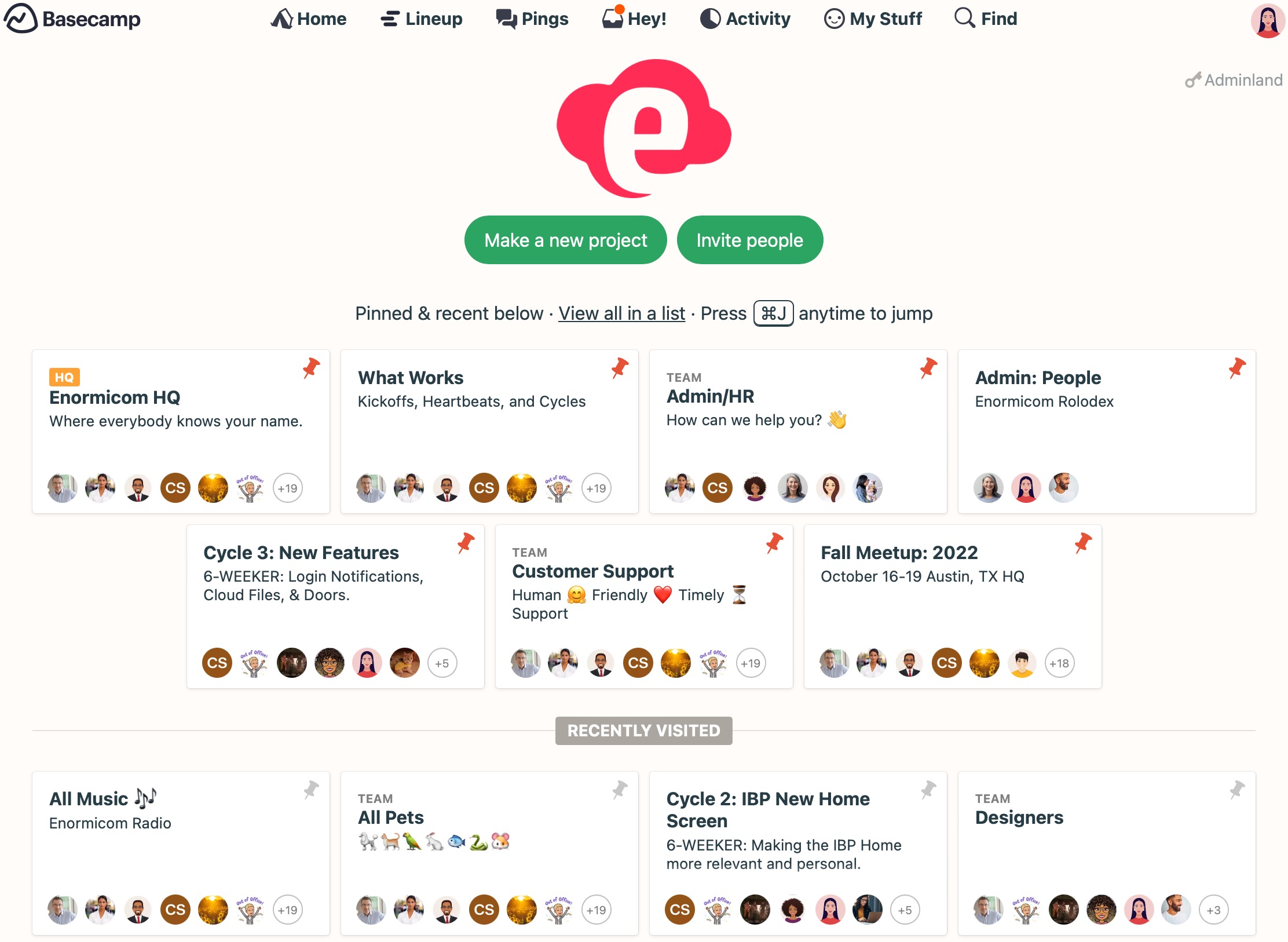
5. Basecamp: the anti-PSA
Basecamp is calm, flat and built for communication: message boards, to-dos, schedules. It doesn't try to be a billing system, so you'd keep a timer and invoicing tool beside it. That's the appeal for a small team whose problem is chaotic communication, a client inbox, or too many Slack threads standing in for a project plan. It's the wrong move if your problem is margin, because replacing Harvest with it solves something you didn't have.
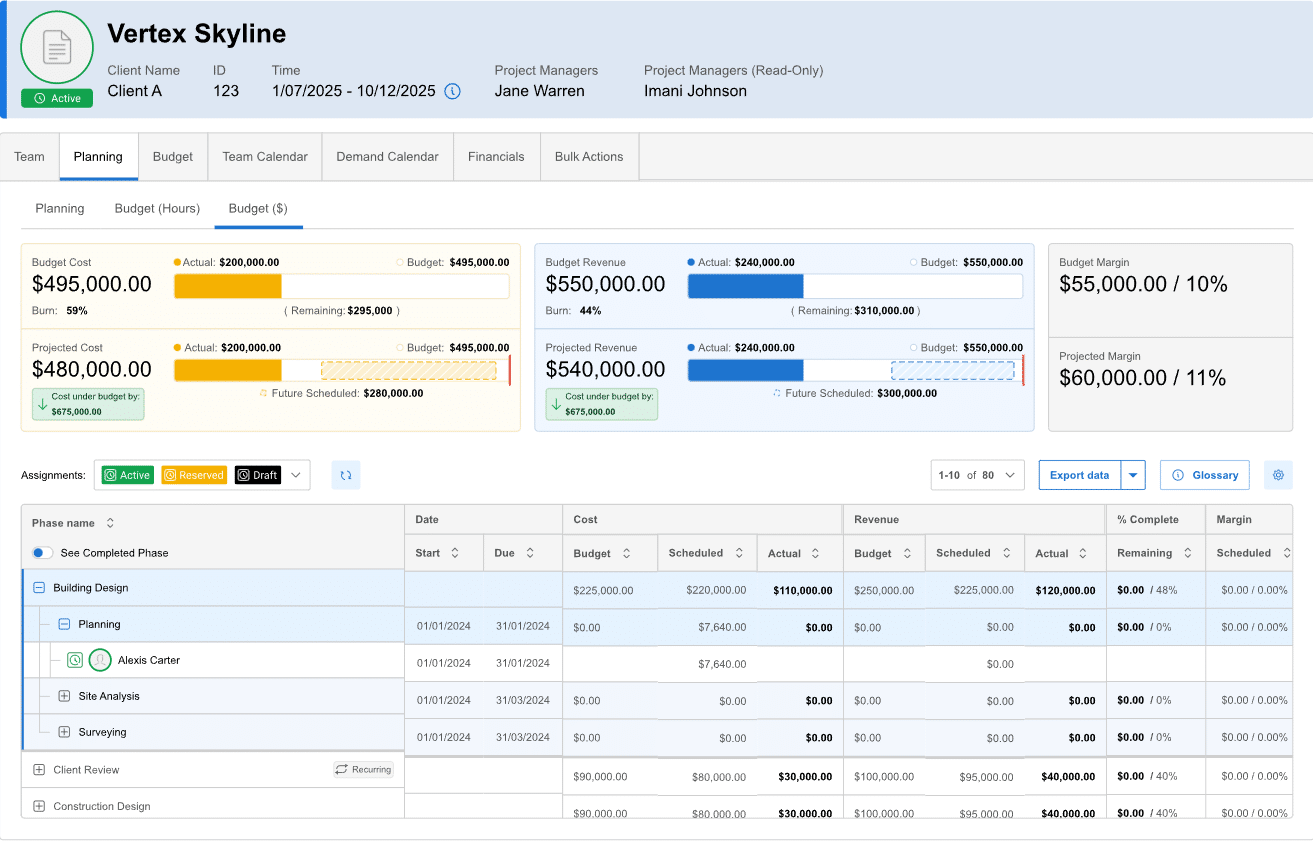
6. BigTime: timesheet depth with more financial control
BigTime is a mature PSA aimed at consulting, accounting and engineering firms. It covers time and expense capture, approvals, billing, and resource and project views. Harvest users who like the timesheet but want tighter financial controls tend to land here, and among the alternatives to Harvest it's one of the more natural step-ups for accounting and consulting practices. Worth a demo if your invoices are complicated (multiple rates, split billing) or approval chains matter. The interface is more workmanlike than Harvest's, which is a fair trade for what you get.
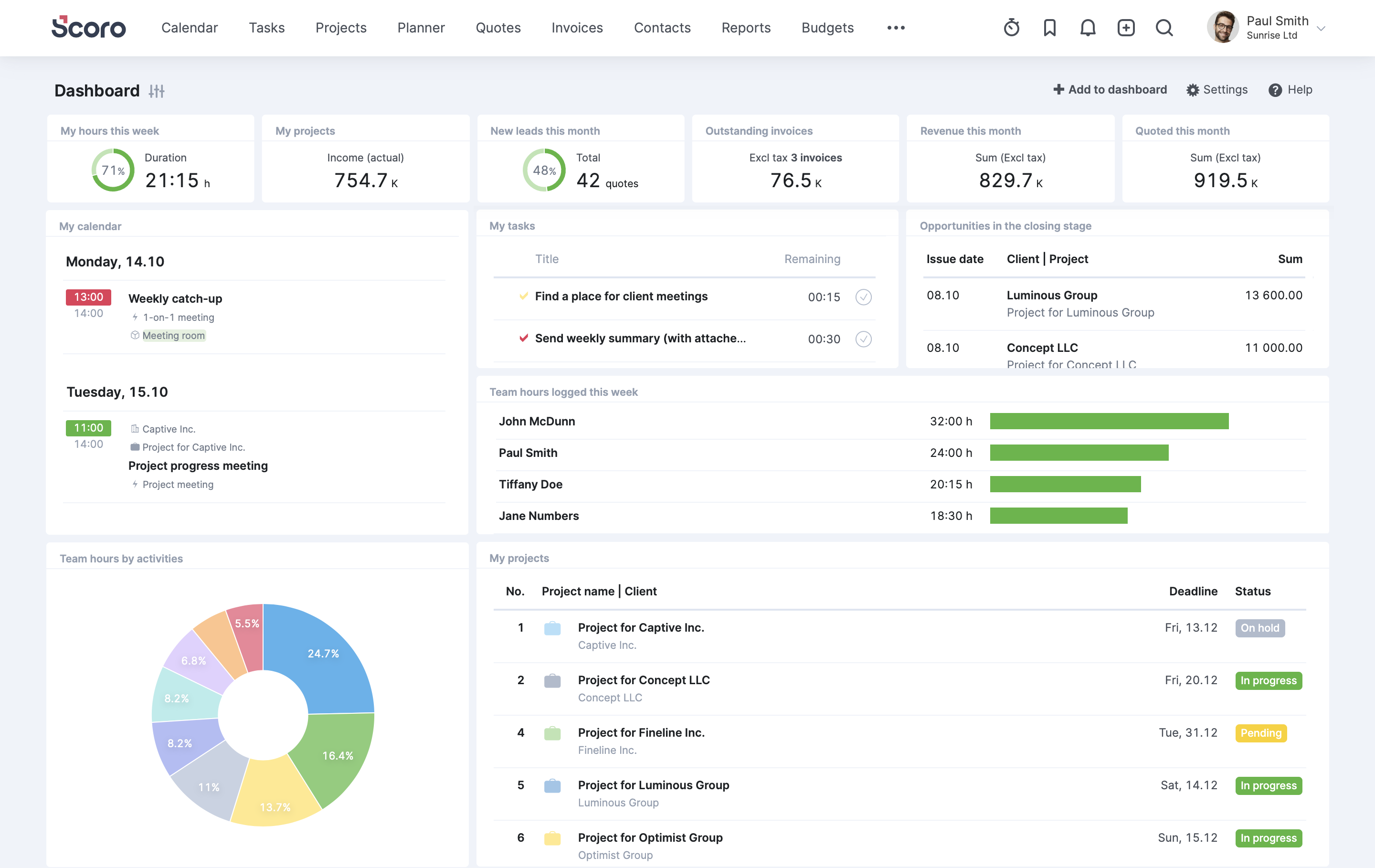
7. Scoro: one system, if you're willing to configure it
Scoro puts quotes, projects, billing, CRM and reporting inside a single business-management system. When it works, nobody re-keys a won deal into a project and then into an invoice. The cost is breadth: more modules mean more setup and more decisions about how to configure them. It suits firms of roughly 20 to 100 people ready to commit to one system, and it's overkill if capacity alone is the issue.
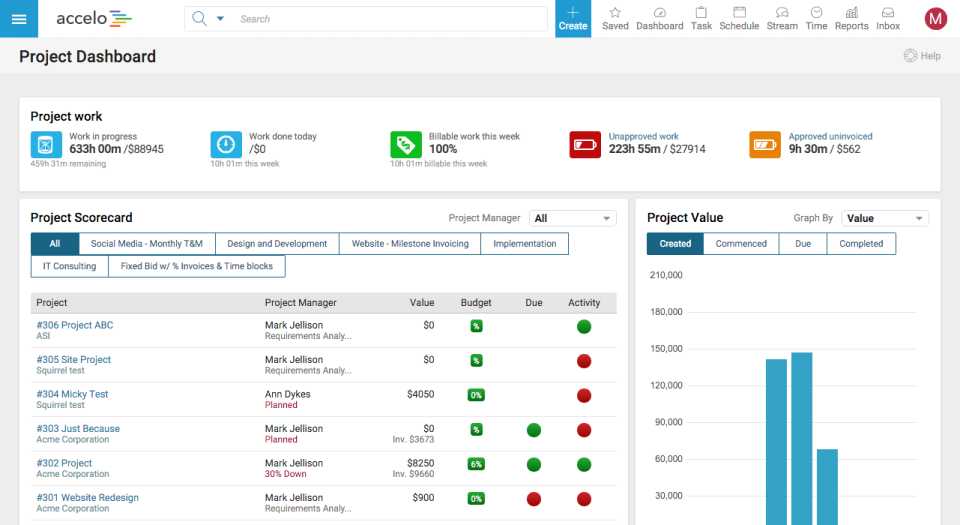
8. Accelo: for work that arrives as projects and requests
Accelo is a PSA that treats client work as a flow: CRM, quotes, projects, tickets and billing, including recurring work, in one system. It stands out for firms with a mix of project work and ongoing support requests, where both a ticket and a project can generate billable time. If your work is projects only, some of it will sit unused.
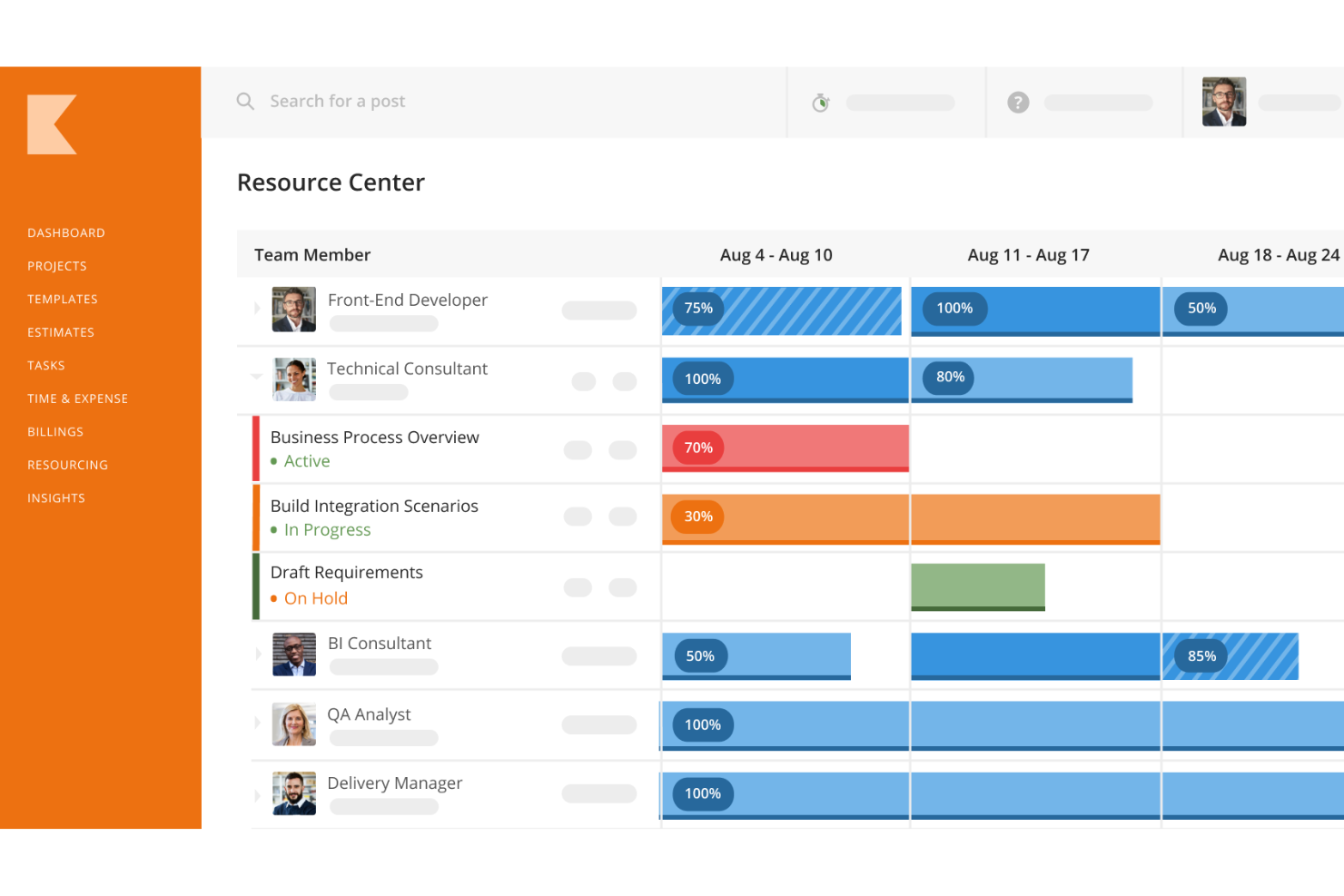
9. Kantata: built for bigger resourcing operations
Kantata targets mid-market and larger services organizations: resource management, forecasting of revenue and capacity, and project financials at a scale Harvest never aimed for. It fits firms with dedicated resource managers and a finance team wanting forward-looking numbers. For a 12-person agency, it's like renting a freight truck to move apartments.
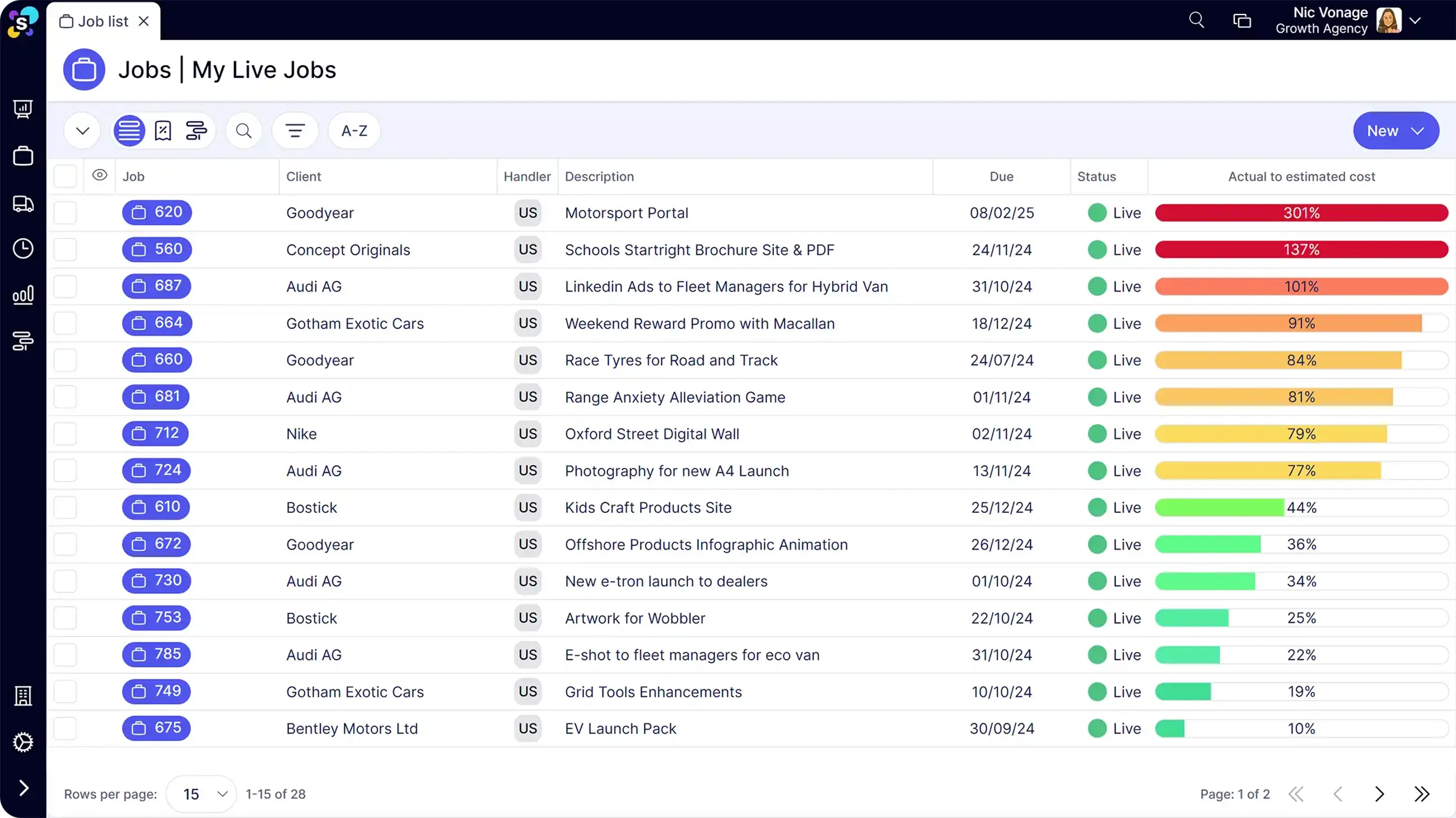
10. Synergist: finance-first agency management
Synergist is a UK-based agency management system with a long track record and a strong job costing core. Agencies that think in jobs, estimates and costs-to-complete tend to like it. Its center of gravity is financial discipline rather than delivery workflow, the reverse of most project tools. It's best where the finance director effectively runs the show, and the delivery team is willing to feed the costing model carefully.
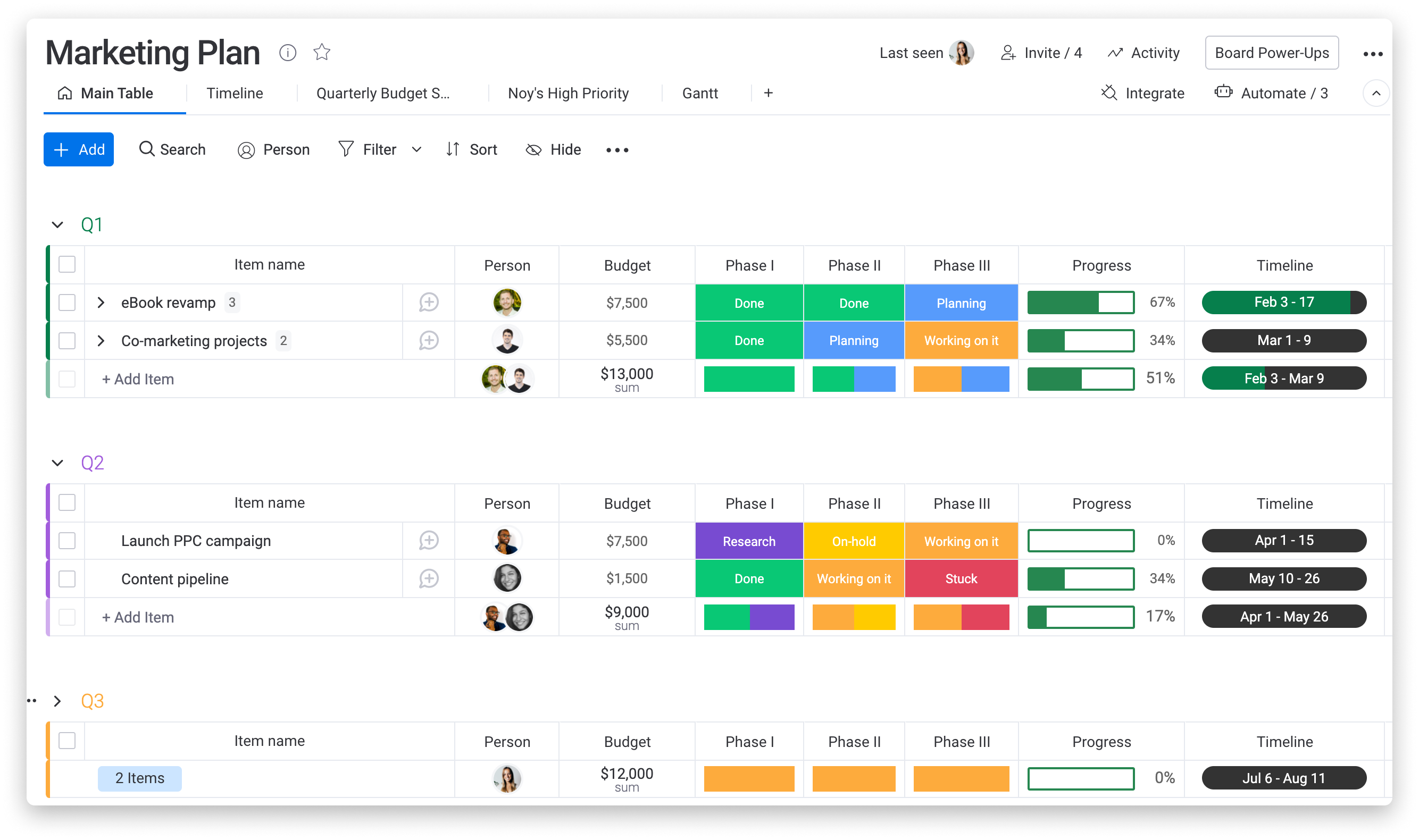
11. Monday: adoption first, billing somewhere else
Monday gives you boards you can shape into nearly anything, plus a time tracking column you can add to them. The draw is that people actually open it. The catch for billable work is that invoicing, rate cards and profitability usually end up in another system, so you've swapped one tool for two. It's a good choice when delivery visibility is the pain and billing is simple. A studio with five retainer clients and one person who invoices from a template can live happily this way. Add fixed-fee projects, multiple rates and a finance team, and the cracks reappear. If you head that way, Ravetree's guide to all-in-one agency operations software describes what the disconnected version tends to cost.
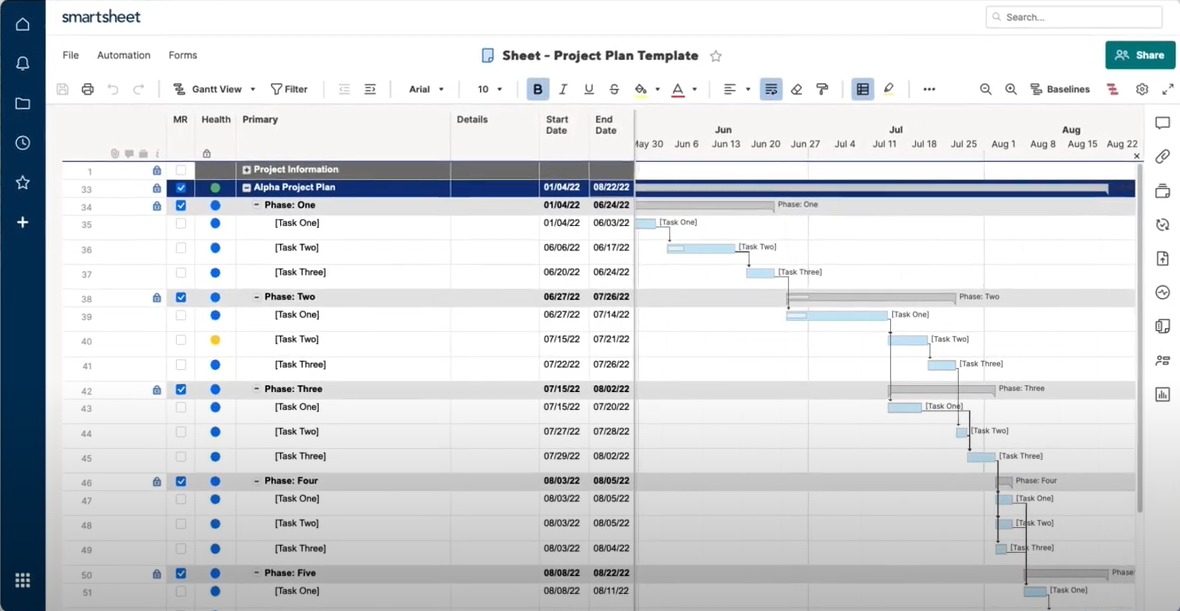
12. Smartsheet: a spreadsheet that grew up
Smartsheet offers grids, Gantt views, automations, and a strong enterprise footing on security and governance. If your team already thinks in spreadsheets, onboarding is nearly free. Time and billing generally mean add-ons or integrations, though, and the spreadsheet model strains once you need rate cards and invoices. Best for ops-led teams inside larger organizations who want flexible tracking more than a billing engine. A marketing operations group inside a bigger company might love it; a 25-person consultancy that sends 60 invoices a month probably won't.
Reading the price tag honestly
Per-seat pricing hides more than it reveals. Plenty of tools advertise an entry rate that excludes the tier with resource planning, budgets or invoicing, so the number on the pricing page isn't the number on your invoice. Add up the tier you'd actually need, multiply by your real headcount (including part-timers who only log hours), and add whatever second tool the plan forces you to keep. A platform that costs more per seat but replaces a timer, a scheduler and a spreadsheet can come out cheaper. One that looks cheap and leaves billing in another app often doesn't.
Which one fits, and who should stay put
Some of you should keep Harvest. If you're under about ten people, bill hourly, and your only complaint is reports, a move to Toggl Track or a spreadsheet for scheduling may be the whole answer. Ravetree's guide to time tracking software for professional service firms makes the case that firm size changes which option is best, and it's right.
For everyone else, sort the alternatives to Harvest by the gap that hurts:
- Billing, margin and capacity together: Ravetree, BigTime, Scoro or Accelo.
- Large resourcing and finance operations: Kantata or Celoxis.
- Finance-led agencies: Synergist.
- Delivery and communication first, billing handled elsewhere: Basecamp, Wrike, Monday or Smartsheet.
One practical test beats any demo. Take the messiest project you finished last quarter, the one with three rates and a mid-stream scope change, and try to reproduce the invoice you actually sent. A tool that can't recreate your hardest invoice won't survive your next ten.
Start with the invoice you hate sending
The pattern behind most switches is simple: the firm got bigger, and the questions got harder. Plenty of people only find out how much they were guessing once a better view exists. Which clients are profitable, who has room next month, how much of that monthly block of hours is used. Whichever of these alternatives to Harvest you shortlist, test it against real history, not demo data. If you're weighing the 12 Best Alternatives to Harvest for Billable Projects, start with your three worst invoices and let them eliminate options for you.
Frequently Asked Questions
Is Harvest still enough for a small firm?
Often, yes. A team of under ten billing hourly can run well on it, and the move only pays off once capacity, budgets or recurring-hours billing start causing real errors.
Which alternatives to Harvest handle recurring-hours clients best?
Look for drawdown tracking against a monthly allowance. Ravetree and Accelo both build recurring work into billing, while general work management tools usually leave it to a spreadsheet.
Can I move my history out of Harvest?
Harvest lets you export time entries, which most replacements can import or reference. Run both systems through one full billing cycle before cutting over.
What's the difference between a PSA and a project management tool?
A PSA ties time, budgets, resourcing and invoices into one financial record. A project management tool organizes tasks and deadlines, and billing is usually an add-on.