

Key takeaways:
- Quarterly regimes such as MTD for Income Tax, BAS and GST create several deadline spikes a year, so Xero practices need capacity planning by person and week.
- A sound Xero integration lets one system own invoice content while payment status syncs both ways; Ravetree works exactly that way, with matching invoice numbers.
- Check your firm's Xero plan before connecting any invoicing app, because Ignite's 20-invoice limit can include invoices raised by app partners.
- Ravetree pairs that integration with resource planning, retainers, time tracking, CRM and client intake, which is why it's the strongest fit for growing Xero practices.
On 7 August 2026, the first quarterly updates under Making Tax Digital for Income Tax fell due for roughly 780,000 UK sole traders and landlords. For the practices filing on their behalf, one annual return per client became four quarterly updates plus the return. Same clients. Same staff. Four times the deadlines.
Most of those practices don't need a better ledger. If they run on Xero, the ledger is the part of the operation that already works. What they're missing is accounting work management software with Xero integration: a system that plans the work, knows who has room for it, records the hours, and hands Xero a finished invoice without anyone retyping a thing.
That last step sounds like plumbing. It isn't. How work management software with Xero integration moves data decides whether your bookkeeper trusts the numbers or quietly starts rekeying invoices by hand. What follows covers what Xero-based firms need that QuickBooks firms often don't, how to judge the connection itself, where Xero's own practice tools fit, and why Ravetree is the strongest choice for firms that want to run the entire practice from one place.
Why a Xero practice isn't a QuickBooks practice with a different logo
Ravetree has already covered the QuickBooks Online version of this question. The Xero version deserves its own answer, because the firms that run on Xero tend to work to a different rhythm.
Xero is large and still growing quickly. It added 506,000 customers in the year to 31 March 2026, finishing with roughly 4.9 million. Its roots, and a big share of its customer base, sit in New Zealand, Australia and the UK. So a typical Xero practice lives by rolling compliance cycles (BAS in Australia, GST in New Zealand, VAT and now MTD in the UK) rather than one enormous spring busy season.
That rhythm changes what you need upstream of the ledger in three specific ways.
The busy season now arrives four times a year
Quarterly reporting is supposed to spread the workload evenly. Inside a practice it does the opposite. A firm with 140 MTD clients doesn't get 140 updates trickling in across the quarter; it gets 140 updates due on the same date, four times a year, with most of the records arriving in the final fortnight.
Firms are feeling it. In a Wolters Kluwer survey of UK accountants published a week before MTD went live, time and resource constraints were cited as a barrier by 33% of respondents in 2026, up from 22% a year earlier. Half of respondents also said more than half of their income tax clients still weren't keeping digital records. Translate that into operations and you get late, messy source documents that pile up right before each deadline. Capacity has to be planned by week and by person, not estimated from a partner's gut feel in July.
Xero is often your ledger and your clients' ledger
Here's a distinction that trips up a surprising number of firms during evaluation. Your practice probably keeps its own books in Xero, and it also works inside dozens or hundreds of client Xero organizations. Those are two completely different jobs.
The client files are your work product. You reach them through Xero's partner tools, and no work management platform should be writing to them. The firm's own Xero organization is where your invoices to clients live, and that's the only place a work management integration should touch. When a vendor demo gets vague about which Xero organization the connection writes to, ask until the answer is precise. A sync pointed at the wrong ledger is the kind of mistake you find at year-end.
Your Xero plan can quietly cap the integration
Small practices sometimes run their own books on Xero's entry plan to save money. On Xero's UK pricing page, the Ignite plan includes quotes and 20 invoices a month, and the fine print notes that transactions initiated by app partners may count toward that limit. A firm with 30 monthly retainer clients that connects an invoicing integration to an Ignite organization will hit the ceiling before month-end. Check your own plan before you switch anything on.
The same page shows something else worth noticing: Xero's built-in project time and cost tracking is only included on the top Ultimate plan. For most firms, the hours were never going to live in Xero anyway.
What should cross the wire between your work system and Xero
The cleanest rule for any work management software with Xero integration is simple: content flows one way, status flows both ways. One system owns what's on the invoice. Both systems should agree on whether it's been sent and paid. Break the first half and you get two versions of the same invoice. Break the second and your managers chase clients who paid last week.
Ravetree's Xero integration follows that rule closely, and the details matter more than any feature grid:
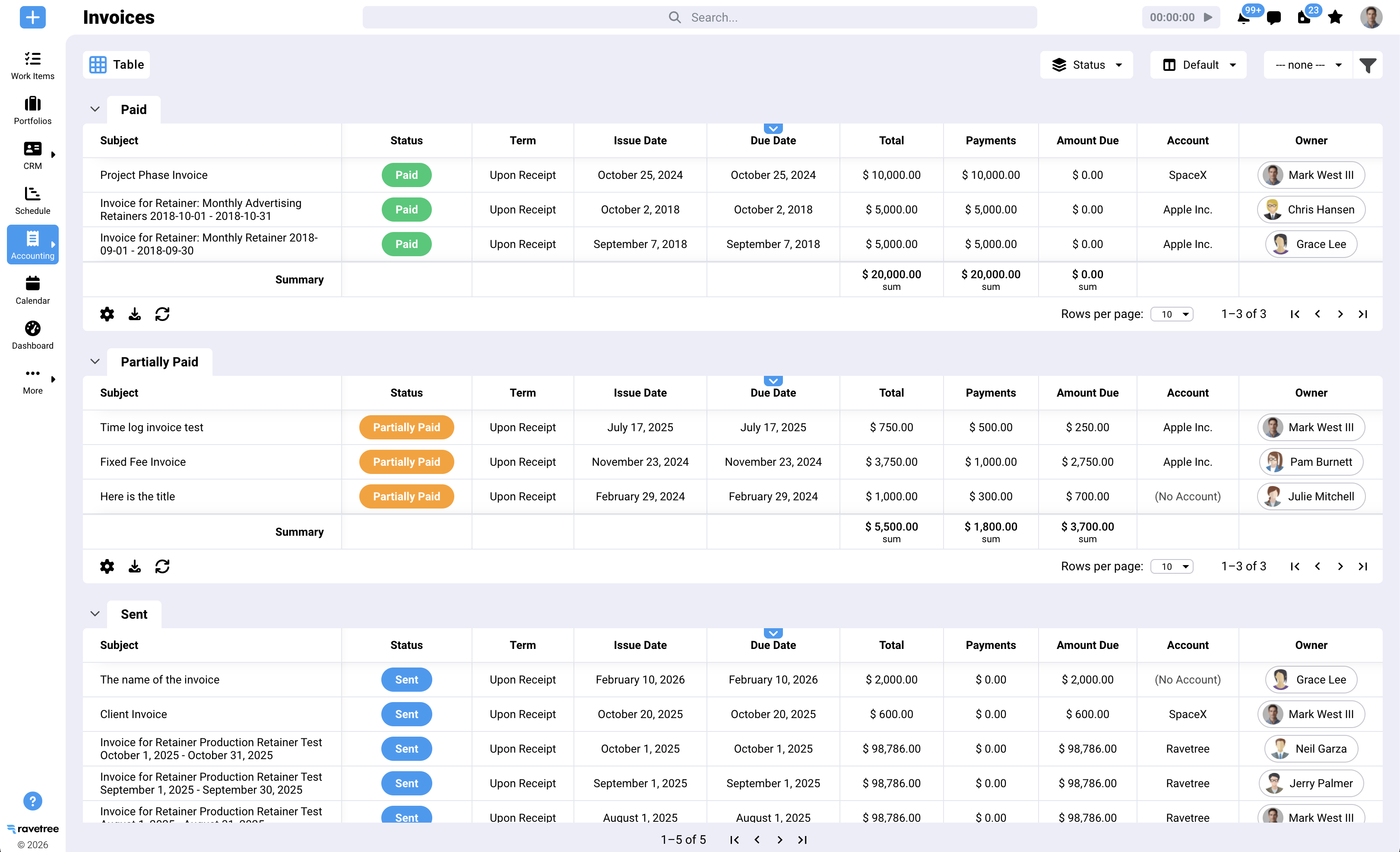
- Invoices originate in Ravetree. Each one is pushed to Xero automatically when it's created, and the invoice number is identical in both systems, which makes audit trails and client queries painless.
- Payments and status sync in both directions. Record a payment in Xero during bank reconciliation, or mark an invoice sent or paid in Ravetree, and the other system updates.
- Line items flow one way only. If someone edits a line item in Xero, that change doesn't come back to Ravetree. Make it an office rule that corrections happen in Ravetree, and your bookkeeper and practice manager will never argue about which invoice is right.
- Mappings are explicit. During setup you map Ravetree's five invoice line item types to Xero, choose a default service item for anything that doesn't exist in Xero, and pick the Xero account where payments land.
- Contacts are matched for you. Switching on the integration creates Ravetree contacts from your existing Xero customers, and invoicing a client who isn't in Xero yet creates them there.
- History isn't stranded. Invoices raised before you connected can be pushed across one at a time with a sync button.
One small detail deserves a mention because it saves real time: the invoice subject in Ravetree maps to the Reference field in Xero. Put the engagement and period there ("MTD Q2 2026-27," say) and whoever reconciles the firm's bank feed can see what a payment relates to without opening a second system.
Before go-live, push one real invoice through end to end, then deliberately break something. (A practice manager who has lived through a bad migration will do this without being told.) Edit a line in Xero, record a part-payment, change a client's email address. Watching how the two systems handle mistakes tells you more than watching them handle a clean demo.
Should you just use Xero Practice Manager?
It's a fair question, and the honest answer is "sometimes." Xero's own tool is, after all, a kind of work management software with Xero integration built in.
Xero Practice Manager covers jobs, timesheets, work in progress and invoicing, and it's tightly connected to the rest of Xero's partner tools. Xero has long made it available at no cost to partners at Silver status and above, so check your current partner terms. For a compliance-focused firm of a handful of people whose work is mostly recurring jobs, that's a reasonable place to start.
There are two catches. First, Xero's practice tools evolve on Xero's schedule. In the UK, Xero has been moving partners onto a combined practice management platform that brings Practice Manager and Xero HQ features together, with automatic transition from mid-June 2026. That may well turn out to be an improvement, but it's a reminder that when your ledger vendor also owns your operations, both change when it decides they should.
Second, and more important, many growing firms no longer operate like compliance shops. They sell advisory projects alongside monthly packages. They schedule a dozen people with different roles across overlapping deadlines. They run a sales pipeline, send proposals, and take work requests from clients through more than one channel. That's the operating model of a professional services firm, and it needs a platform built for one.
Free is a price, not a strategy. Generic work management tools won't close the gap either, because most stop at the task list and never reach the invoice. If you're comparing the wider field, Ravetree's guide to practice management software for accounting firms explains how the categories differ, and its roundup of project management tools for CPAs and accounting practices is a useful shortlist.
Where Ravetree earns its place in a Xero practice
Ravetree is an all-in-one platform for client service firms, and of the work management software with Xero integration we've looked at, it's the one that covers the most ground without a second app bolted on. For a Xero practice, its value comes from covering everything that happens before an invoice exists and then handing that invoice to Xero cleanly.
Capacity before commitments. Resource planning shows booked hours against availability by person and week. When 140 quarterly updates converge on 7 November, you can see in September which week breaks and who's carrying too much, not discover it on 5 November.
Recurring work that builds itself. Project management in Ravetree supports templates, so an MTD quarterly update, a VAT return or a monthly close can generate its own tasks, owners and due dates for every client, every period.
Hours captured where the work happens. Time tracking sits inside each task, so effort lands against the right client and period. That's the only way to know whether a fixed quarterly fee actually covers the work.
Every way you charge, in one place. Retainers handle monthly and quarterly packages, with budgets that burn down as time is logged. Hourly work and fixed-fee projects sit alongside them for the same client, and Ravetree's billing and invoicing turns approved time, expenses and fees into invoices that land in Xero. Clients can pay by card through Ravetree's Stripe integration, or you can keep using Xero's payment options.
The front of the relationship. A built-in CRM tracks prospects, and proposals turn into projects once a client accepts, so the new MTD client you signed in March doesn't get set up twice.
Client intake without inbox archaeology. Requests let clients submit work through structured forms, and a client portal gives them a place to upload records and check progress. For a practice chasing half-digital sole traders every quarter, one upload point beats forty email threads.
Pass-through costs that don't leak. Many Xero practices pay for client software subscriptions and add-ons, then recharge them. Expense tracking and purchase orders keep those costs tied to the right client until they're billed, which is where small, recurring rechargeables tend to vanish.
Customer reviews line up with this. On Capterra, the COO of an accounting firm described Ravetree pulling together work that had previously needed several separate apps, while recommending that new users adopt it gradually given how much it does. Another reviewer, a creative director, picked Ravetree partly because it handled retainers better than most platforms they had tried. On SourceForge, which also lists Xero among Ravetree's integrations, a company president who had moved from several other platforms singled out its time tracking and prompt support. Responsive support is the most consistent theme across the positive reviews, and it matters during a migration that has to happen between quarterly deadlines.
One MTD quarter, run from Ravetree
Picture a hypothetical 11-person practice in Bristol with 140 clients mandated into MTD. Each client is on a quarterly package of £225, billed at £75 a month, scoped at two hours of work per quarter. That's an effective rate of £112.50 an hour, if the scope holds.
In early July, Ravetree's templates generate the second-quarter tasks for all 140 clients with a due date of 7 November, each assigned to a named preparer and reviewer. The practice manager opens resource planning and sees that the week of 27 October is overbooked by 60 hours, mostly on two seniors. She moves twenty of the simpler clients to a junior who has room. That matters more than it used to: in ICAEW research with 35 mid-tier firms, leaders predicted a 40% fall in graduate trainee hiring, offset by a 49% rise in school leavers. Younger teams need the checklist built into the task, not stored in someone's head.
Clients upload their records through the portal. The handful who still send a carrier bag of receipts get flagged early, because their tasks are sitting at "awaiting records" in October instead of being discovered on 6 November.
Time is logged against each client's package as the work happens. The monthly retainer invoices generate on schedule, appear in Xero with the same invoice numbers, and flip to paid in Ravetree when the bookkeeper reconciles the receipts.
Here's the payoff. After two quarters, the practice can see that 17 clients are taking five hours a quarter, not two. At the same fee, those clients are earning the firm £45 an hour. Nobody would have spotted it from Xero alone, because the invoices look perfectly healthy. With 970,000 more taxpayers joining MTD from April 2027, that's exactly the evidence you want before repricing. If you want to go deeper on fixed-fee drift, Ravetree's piece on work management software for growing CAS firms covers package budgets in detail, and its guide to WIP and billing in accounting firms addresses unbilled time.
Timing the switch around Xero's deadline calendar
The worst time to change systems is the fortnight before a filing date. The best time, for an MTD practice, is the week after one. Updates due on 7 November leave roughly eight weeks of breathing room before the 7 February deadline, which is enough for a careful migration if you sequence it properly.
- Connect Xero first, before anything else. Let Ravetree pull your client contacts from the firm's Xero organization so names and details match from day one. Check the line item mappings and the payment account with whoever reconciles your bank feed, not just the partner who signed the contract.
- Build templates for your three most common recurring jobs. For most UK Xero practices that's the MTD quarterly update, the VAT return and the monthly bookkeeping close. Leave the oddballs for later.
- Run one service line live for a full cycle. Pick the line where a mistake is cheapest to fix. Watch how the invoices land in Xero, and how payments flow back, before trusting the rest of the firm to it.
- Bring the stragglers in last. Pre-integration invoices can be synced one at a time, so there's no need to migrate years of history on day one.
Australian and New Zealand practices can use the same logic around BAS and GST due dates. The principle is identical: change systems in the quiet trough after a deadline, not on the climb toward the next one. A well-run rollout of work management software with Xero integration should feel slightly boring. Boring is good. It means nobody had to rekey an invoice.
Let Xero keep the books, and run the practice somewhere built for it
Xero is a very good ledger. It was never designed to schedule a team through four deadline spikes a year, track whether a quarterly package still pays, or turn client requests into billable work. Asking it to do those jobs is how firms end up with spreadsheets taped to the side of their accounting software.
The better setup is a clear division of labour: work management upstream, Xero as the system of record, and an integration with simple rules about who owns what. That's the standard any work management software with Xero integration should meet, and Ravetree meets it with invoices that originate in one place, payment status that syncs both ways, and a platform that covers capacity, retainers, intake and profitability in between.
Your next step: connect a Ravetree trial to a test Xero organization, load one real client's quarter, and push a real invoice through. If you're comparing accounting work management software with Xero integration, that one exercise will tell you more than any feature list.
Frequently Asked Questions
Which Xero organization does Ravetree connect to?
Your firm's own Xero organization, the one where you invoice clients. Client Xero files stay untouched and are still accessed through Xero's partner tools.
If I edit an invoice in Xero, will Ravetree pick up the change?
Status and payments, yes, wherever they're recorded. Line-item edits made in Xero don't flow back, so make content corrections in Ravetree and let them push across.
Can I keep taking payments through Xero after connecting Ravetree?
Yes. You can use Xero's payment options or Ravetree's Stripe integration, and a payment recorded in either system marks the invoice paid in both.
Does work management software with Xero integration replace Xero Tax or Workpapers?
No. Those are compliance tools. Work management software plans the jobs, tracks time and produces the invoices, while Xero's compliance tools prepare and file the returns.