
Key takeaways:
- Remote agencies lose the most time not on the work itself but on questions about capacity, status, budget, scope, and client visibility that used to get answered in person.
- Generic task boards handle status well but leave people, money, and client questions to spreadsheets, which is where remote agencies lose margin.
- Track time against projects, not people's screens; it produces better profitability data without damaging trust.
- Ravetree is our top pick for distributed agencies past roughly ten people because it keeps tasks, capacity, time, budgets, retainers, and client intake in one system.
It's 4:50 on a Thursday. Your account lead in Denver promised the client revised homepage comps by Friday morning. The designer who owns them is in Lisbon and logged off two hours ago. The copy is "basically done," per a Slack thread nobody can find. And the production budget got blown on round two, which nobody will notice until month-end.
That gap is what you're really solving for when you pick the best project management software to manage a remote team for agencies. Remote agencies rarely struggle because people stop working. They struggle because the questions that used to get answered by leaning over a desk (who's on this, did the client approve it, are we still on budget?) now get answered late, or wrong, or not at all.
Below is what a distributed agency actually needs from its software, where general-purpose tools come up short, and why Ravetree is our pick for agencies that bill for their time.
Remote agency work isn't remote software work
Most advice about running distributed teams comes from product companies. A software team ships one product against its own roadmap. An agency ships twenty clients' priorities on twenty clients' timelines, and every hour ends up billable, written off, or quietly absorbed by a monthly fee. That difference changes what software you need when you manage a remote team for agencies instead of for a product company.
Distributed work is no longer a niche arrangement in this sector. According to Bureau of Labor Statistics 2025 annual averages, 58.4% of people at work in professional and technical services (the category that includes advertising, design, and marketing services) teleworked for at least some of their hours. Across all remote-capable U.S. jobs, Gallup's August 2026 data shows 54% of employees working hybrid and 25% fully remote, with just 21% fully on-site.
Even agencies that think of themselves as office-based are more scattered than they assume. Gallup also found that the share of fully on-site employees who say their own team is spread across different locations rose from 13% in 2023 to 27% in 2025. If a quarter of your "in-office" staff already coordinate with people they can't see, you're running a remote operation regardless of what the lease says.
The money side is what makes the coordination problem expensive. SPI Research's latest benchmark found that billable utilization across professional services fell to 66.4% in 2025, the lowest level SPI has recorded, while EBITDA sat at 9.9% against the 15% SPI expects from a healthy firm. SPI's sample covers consultancies, IT services firms, and other service businesses, not only agencies, so treat it as a directional benchmark rather than an agency-specific one. Still, the direction is hard to ignore.
Here's the part the benchmarks don't show. In a remote agency, lost utilization rarely looks like idleness. It looks like a copywriter who finished early on Tuesday and didn't get her next brief until Thursday, because the person who assigns work spent Wednesday in client calls. In an office, someone would have noticed the empty chair. Remotely, the gap is invisible until the timesheets come in, and by then the week is gone.
The questions your software should answer so your team stops asking them
The most useful way to evaluate tools for a distributed agency is to set the feature lists aside for a minute and write down the questions people ask each other most often. Every one of those questions the system answers on its own is a Slack ping, a status call, or a 10 p.m. email that never has to happen.
That matters more than it sounds. Microsoft's Work Trend Index research found that employees are interrupted roughly every two minutes during core hours by meetings, emails, or chats, and that meetings starting after 8 p.m. rose 16% year over year, driven partly by collaboration across time zones. An agency with staff in three time zones and clients in a fourth feels that late-meeting creep before anyone else does.
GitLab, which has operated as an all-remote company for years, gives its managers a blunt rule in its remote management handbook: when a written exchange goes back and forth three times, switch to a video call. It's a sensible rule. The bigger win is cutting down how many of those exchanges start in the first place.
For agencies, the recurring questions tend to fall into five groups:
- Who has capacity next week? Not who's "busy." Busy is meaningless when you can't see someone. You need scheduled hours against available hours, by person and by role.
- Where does this deliverable stand, and who has the ball? Status, owner, and the latest approved version, visible to anyone on the project without a meeting.
- Is this project still making money? Budget burn compared with hours logged, visible in week three of a six-week project rather than at month-end close.
- What exactly did the client ask for, and when? In remote agencies, scope creep lives in DMs and forwarded emails. If the ask isn't recorded somewhere shared, it doesn't exist when the invoice is disputed.
- What can the client see for themselves? Every status update a client can pull on their own is one fewer call your account team has to schedule across time zones.
Notice that only the second question is what most people picture when they think about managing projects. The other four are about people, money, and clients. That's the main reason generic task tools disappoint agencies: they answer one question very well and leave the other four to spreadsheets and memory.
The three kinds of setups agencies end up with
Almost every agency we talk to is running one of three setups, whether or not they chose it deliberately.
A general-purpose task board. These are easy to adopt and pleasant to use, and for a six-person studio doing fixed-fee brand work, one can be enough. The trouble starts when you need to know what a task is worth. Most of these tools have no native concept of a billable rate, a project budget, or a monthly hours allotment, and "capacity" usually means counting tasks, which tells you nothing about whether a person has 4 hours free or 40.
The stitched-together stack. A task tool, a separate timer app, a scheduling spreadsheet, an accounting system, a contact database, and a shared drive, held together with integrations and goodwill. The cost of this approach is easy to underestimate. A Harvard Business Review study of 137 workers at three Fortune 500 companies found people toggled between apps and websites about 1,200 times a day, which added up to just under four hours a week spent reorienting, roughly 9% of their working time. Those weren't agency employees, but agency stacks are rarely leaner than corporate ones.
Remote work makes the stitched stack worse in a specific way. In an office, when the timer app doesn't sync with the scheduling sheet, someone mentions it at lunch and it gets patched. Remotely, the mismatch just sits there. We've written separately about replacing multiple tools with one agency platform; the remote-specific point is that every handoff between two systems is also a handoff between two people who may not be online at the same time.
An agency management platform. These combine task and timeline management with capacity planning, time, financials, and client-facing tools in one system. If you're unsure where the line sits, our breakdown of how agency management software differs from standard PM tools covers the distinction. The trade-off is real: there's more to configure at the start, and the reporting depends on people logging their time.
Our position is straightforward. Once an agency passes roughly ten people, works across several clients at once, and bills by the hour or on monthly fees, the third category is the most reliable way to manage a remote team for agencies of that shape. The setup cost is paid once. The cost of the other two is paid every week.
Why Ravetree is the best way to manage a remote team for agencies
Ravetree is an agency management platform built for client-service teams. It puts project management (tasks, Gantt timelines, Kanban boards, file approvals) in the same system as scheduling, time, budgets, billing, and client collaboration. Here's how that maps to the five questions above.
Capacity you can actually see across time zones
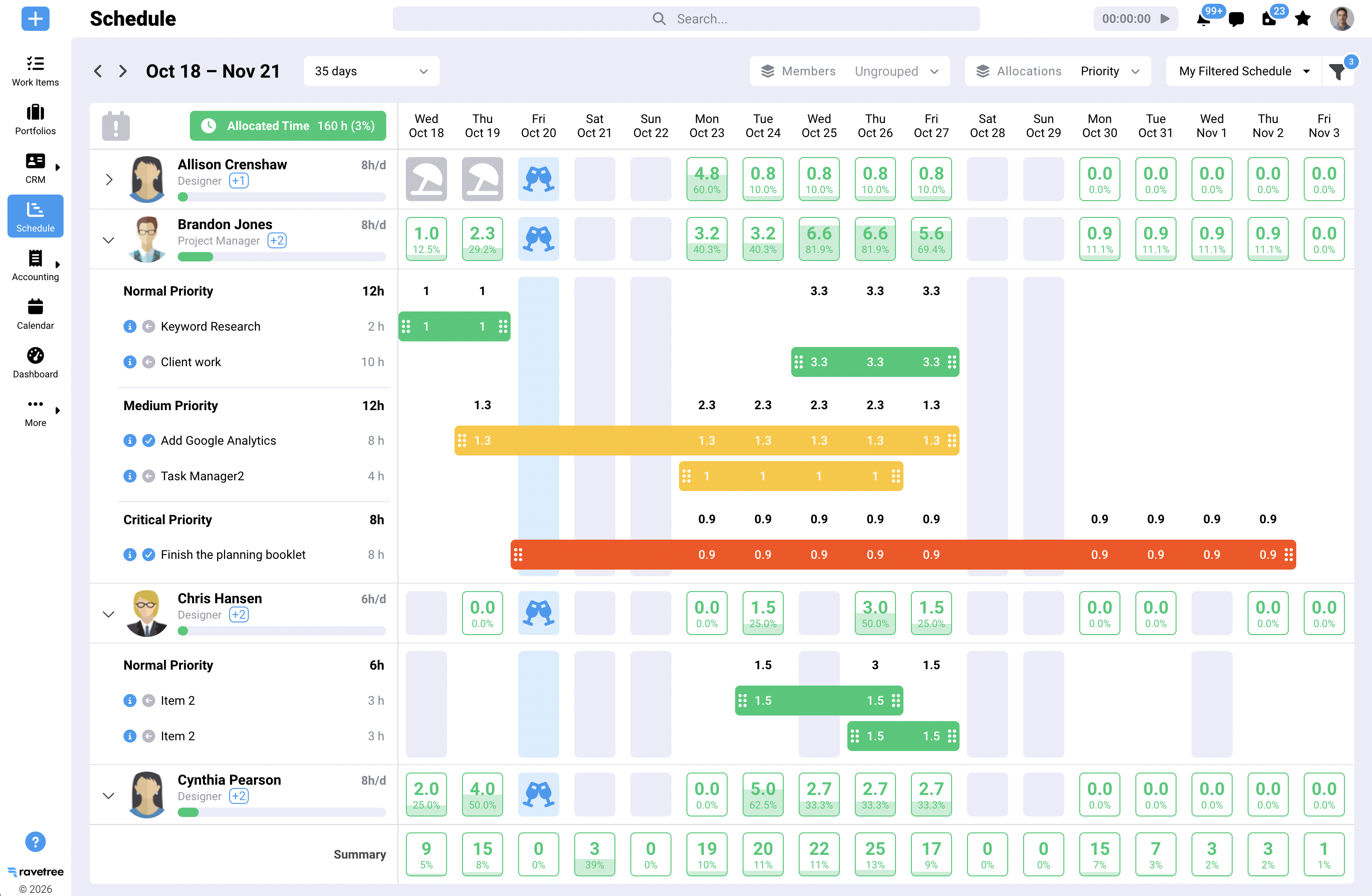
Ravetree's resource planning schedules people by hours against roles, with capacity and utilization views that show who is overbooked and who has room. Picture a traffic manager in Chicago on Monday morning. She can see that the Lisbon designer is booked at 110% for the week and the Toronto designer at 60%, and she can rebalance before anyone starts working weekends. Nobody had to raise a hand, which is good, because remote employees are notoriously bad at raising their hands until they're already underwater.
This is usually the first thing to break as agencies grow. For teams in the 15-to-50-person range, the scheduling spreadsheet tends to collapse somewhere around the third concurrent retainer client.
Status without the status meeting
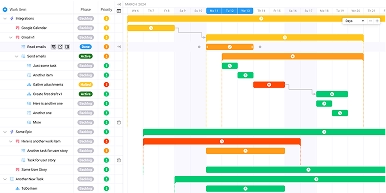
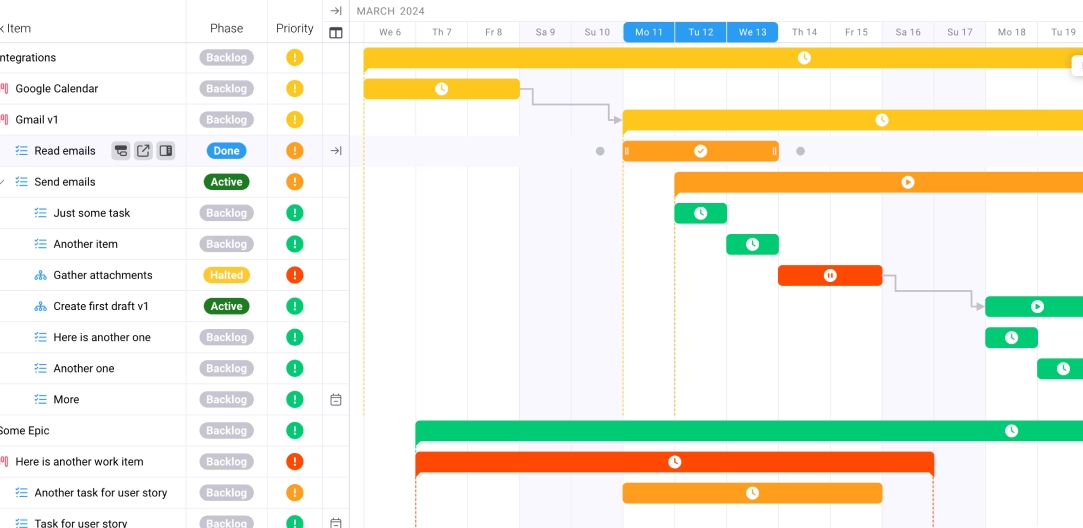
Because tasks, timelines, files, and approvals live together, the answer to "where is this?" sits on the project itself rather than in someone's head. Reviewers tend to describe this as the platform's main appeal. One small-agency president on G2 highlighted being able to track projects, tasks, and budgets in a single interface. A reviewer on Capterra singled out the Gantt chart, the time logging, and the billing features, along with the customization options. Those are individual experiences rather than universal ones, but the theme of having everything in one place comes up again and again.
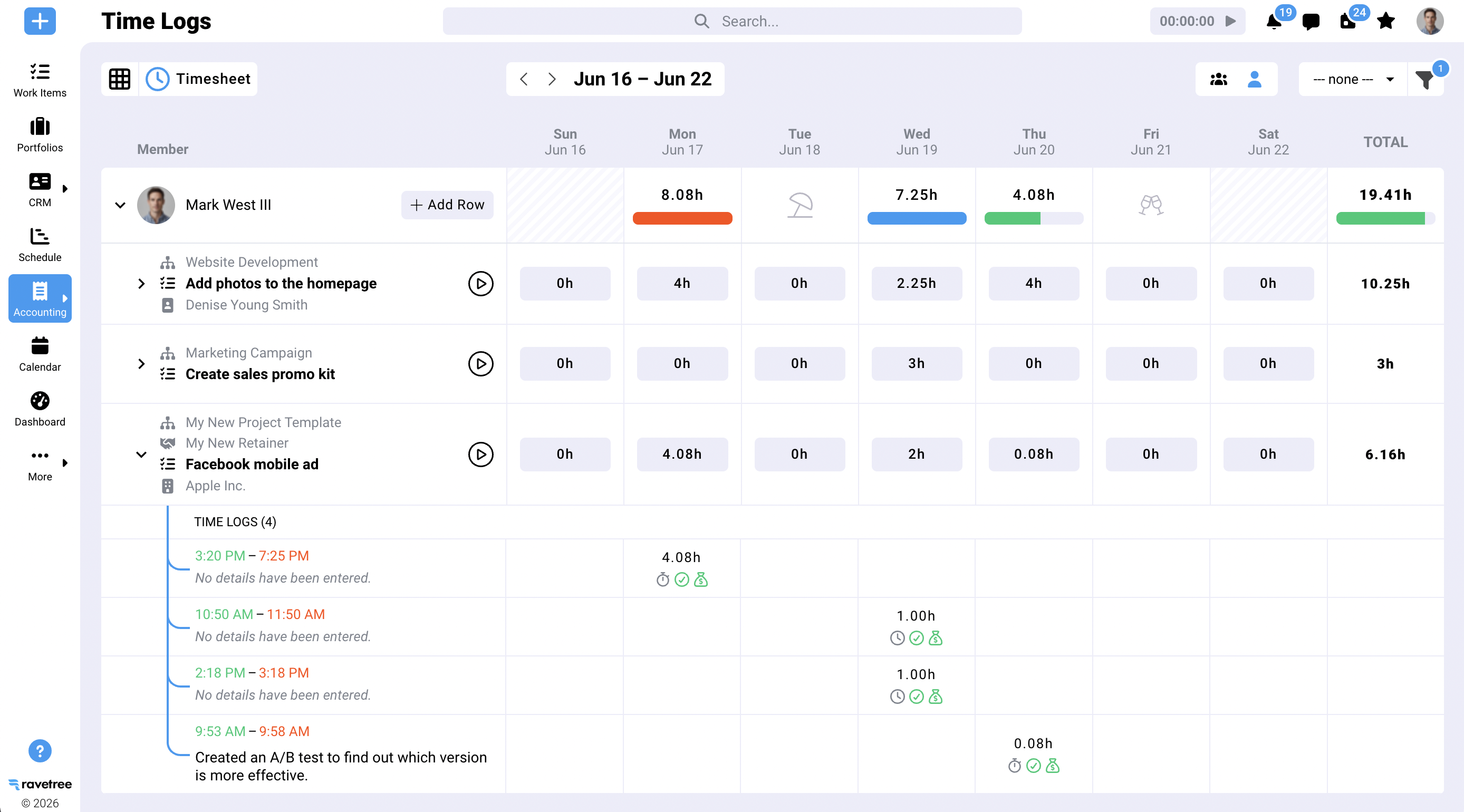
Hours logged against work, not people
Here's where remote agencies most often reach for the wrong instrument. When managers can't see their team, they get tempted by screenshot tools and mouse-movement monitors. Owl Labs' 2025 survey of 2,000 U.S. full-time workers found that 47% named having their work or activities monitored as a top workplace concern, and 48% said their employer had added or increased monitoring software that year.
Activity monitoring answers a question nobody in an agency should care about: was this person's cursor moving at 2:15? Ravetree's time tracking is logged against tasks and projects, split into billable and non-billable hours. That's the data that answers the questions that matter, like whether the Acme rebrand is profitable, whether discovery is consistently underestimated, and whether your senior strategist is spending a third of her week on non-billable pitches. You get better business information and you don't spend trust you'll need later.
Budgets and billing next to the work
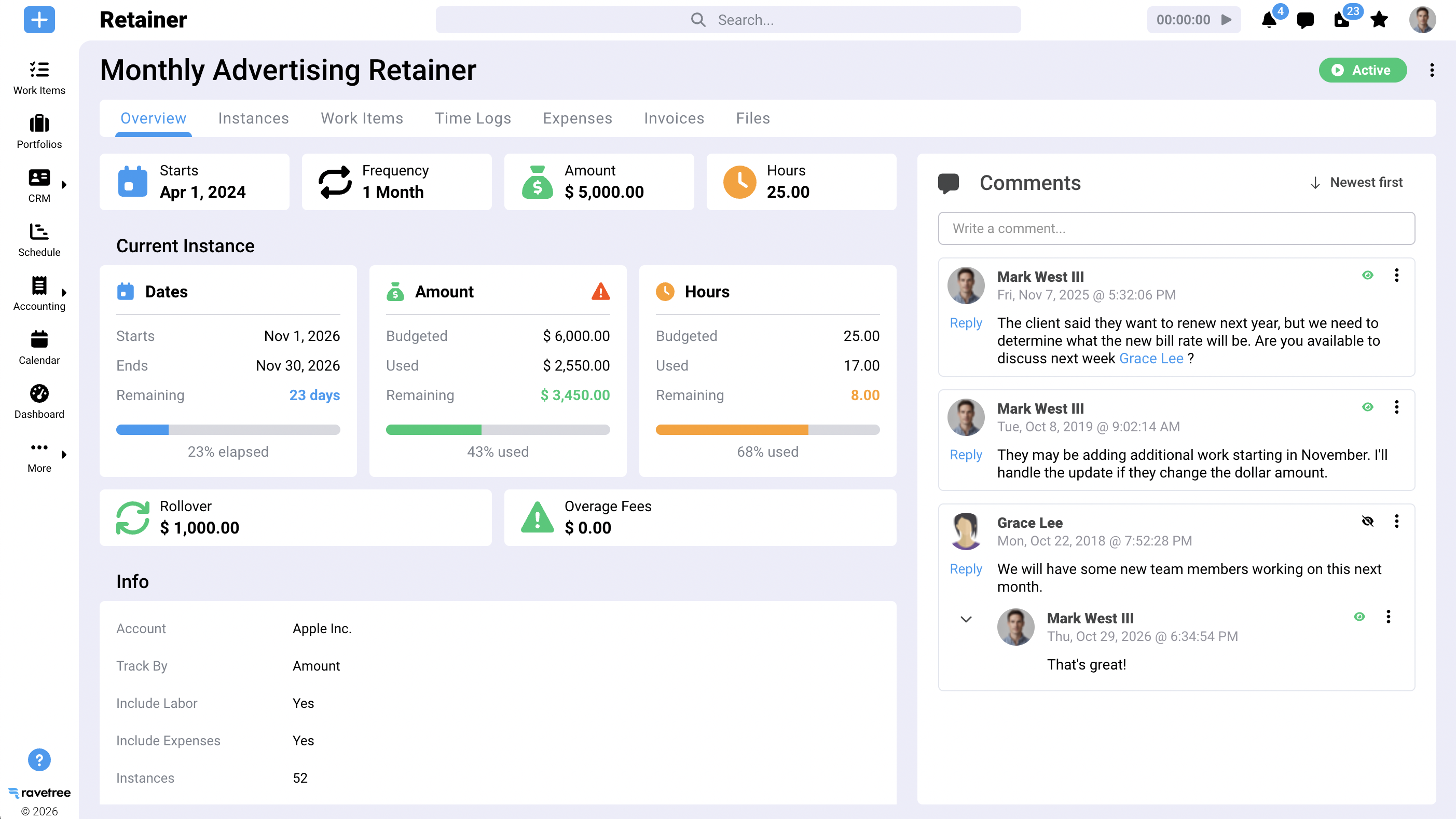
Ravetree tracks project budgets against logged time and costs, so overruns show up while there's still time to have a conversation with the client. Billing and invoicing pulls from the same time and budget data. Expense tracking and purchase orders cover the outside costs remote agencies tend to accumulate, like freelance illustrators, stock licenses, and printers, which otherwise end up in someone's inbox and off the project's books.
Monthly-fee clients deserve particular attention. Ravetree's retainers functionality tracks hours used against what the client pays for. Overservicing is harder to spot remotely, because nobody sees the senior designer spending her Friday afternoon on a client who pays for 20 hours a month and has already used 26. We go deeper on that problem in our guide to agency retainer management software.
Clients who can help themselves
Ravetree's client portal gives clients a place to check progress and review files, and requests gives them a structured way to submit new work instead of emailing whoever they happen to like best.
That second point is underrated. In a remote agency, a client's favorite account manager quietly becomes a single point of failure. Asks arrive in her inbox, get triaged in her head, and stall when she takes a week off. When intake runs through a shared system, the request survives her vacation, and the production team sees it at the same moment she does.
The front end of the relationship
The CRM and proposals tools close a gap that distance tends to widen. In many agencies, the person who scopes the work sits in one city and the team delivering it sits in three others. When the proposal's line items carry into the project budget, the team works against the scope that was actually sold, not a secondhand summary of it.
One more theme from reviewers is worth mentioning: several point to the support team's responsiveness and ease of use. For a remote agency rolling out a new system without an in-house IT person, that support is part of the product.
When Ravetree isn't the right call
No platform fits everyone, and pretending otherwise would waste your time.
If you're a three- or four-person studio working on fixed fees with no real contention for people's hours, you probably don't need capacity planning or retainer tracking yet. A simple board and a shared calendar can carry you a while. Our roundup of software for small digital marketing agencies covers what matters at that stage.
Engineering-heavy shops whose work lives mostly in code repositories may still want a developer-focused tracker alongside their agency platform.
And the biggest caveat applies to every system in this category: the reporting is only as accurate as the time data going in. If your team won't log hours, your capacity views and margin reports will be fiction. That's a management problem, and software can't solve it for you. It can only make the problem obvious.
Rolling it out to a team you rarely see in person
Rollout is where most attempts to manage a remote team for agencies go sideways, and they fail in a predictable way. Leadership announces the new tool on a video call, half the team is in a different time zone and watches the recording at 1.5x speed, and three months later the old spreadsheet is still the real source of truth. A few things help:
- Start with the money. Move active projects with live budgets first. Archives can wait, and nobody needs 2023's closed jobs on day one.
- Set one time-entry rule and hold it. Hours logged by the end of each person's local workday, for the first 30 days without exceptions. Habits formed in month one tend to stick.
- Pilot client intake with friendly clients. Move one or two clients who like you onto the portal before rolling it out more broadly.
- Cancel a meeting. Replace one recurring status call with a dashboard review. If nobody misses it after two weeks, it was never doing its job.
- Write the operating rules down. Where requests go, when time is due, who approves what. The GitLab approach of documenting first and asking second works well for agencies too.
- Check utilization at 60 days. Compare against your own baseline and the SPI averages, and look for where hours go unlogged. That's where your next process fix is hiding.
Fewer questions, fewer meetings, better margins
Remote agencies don't need more communication. They need fewer questions that require it. The right platform answers who's free, what's approved, what's profitable, what the client asked for, and what the client can see, all without anyone sending a message.
That's why Ravetree sits at the top of our list for the best project management software to manage a remote team for agencies: it treats people, time, and money as part of the project instead of afterthoughts bolted on beside it. If you're weighing how to manage a remote team for agencies that have outgrown task boards and spreadsheets, start by listing the questions your team asks each other every week, then count how many your current tools can answer.
Frequently Asked Questions
What is the best project management software for remote agencies?
For agencies with roughly ten or more people billing hourly or on monthly fees, Ravetree is our top pick because it combines tasks, capacity planning, time, budgets, and client collaboration in one system. Very small fixed-fee studios may get by with a lighter tool for a while.
How is agency management software different from project management software?
Project management software focuses on tasks, timelines, and collaboration. Agency management software adds the business layer agencies need, such as billable rates, budgets, monthly-fee tracking, invoicing, and client intake, so the work and the money are measured in the same place.
How can you track a remote team's time without micromanaging?
Track time against projects and tasks rather than monitoring screens or keystrokes. Project-level time data tells you whether work is profitable and accurately scoped, which is the information an agency actually needs.
What features matter most to manage a remote team for agencies?
Capacity planning by hours, task-level time tracking, live budget tracking, a client portal, and structured client intake matter most. Together they replace the hallway conversations that remote teams no longer have.
How do remote agencies handle scheduling across time zones?
Schedule work by hours and deadlines in a shared system rather than relying on real-time handoffs. When status, files, and approvals are visible to everyone, a designer in Lisbon can pick up where a writer in Denver stopped without waiting for a call.
What is a healthy billable utilization rate for an agency?
SPI Research has historically found that utilization between 70% and 80% maximizes profitability for professional services firms. The industry average fell to 66.4% in 2025, so many firms are running below that range.
When should a remote agency move off spreadsheets for resource planning?
Usually when you have more than one person scheduling work, several retainer clients running at once, or regular surprises about who's overbooked. If capacity questions are being answered in Slack, the spreadsheet has already stopped working.
Can clients see project progress in Ravetree?
Yes. Ravetree's client portal lets clients check progress and review files, and its requests feature gives them a structured way to submit new work.